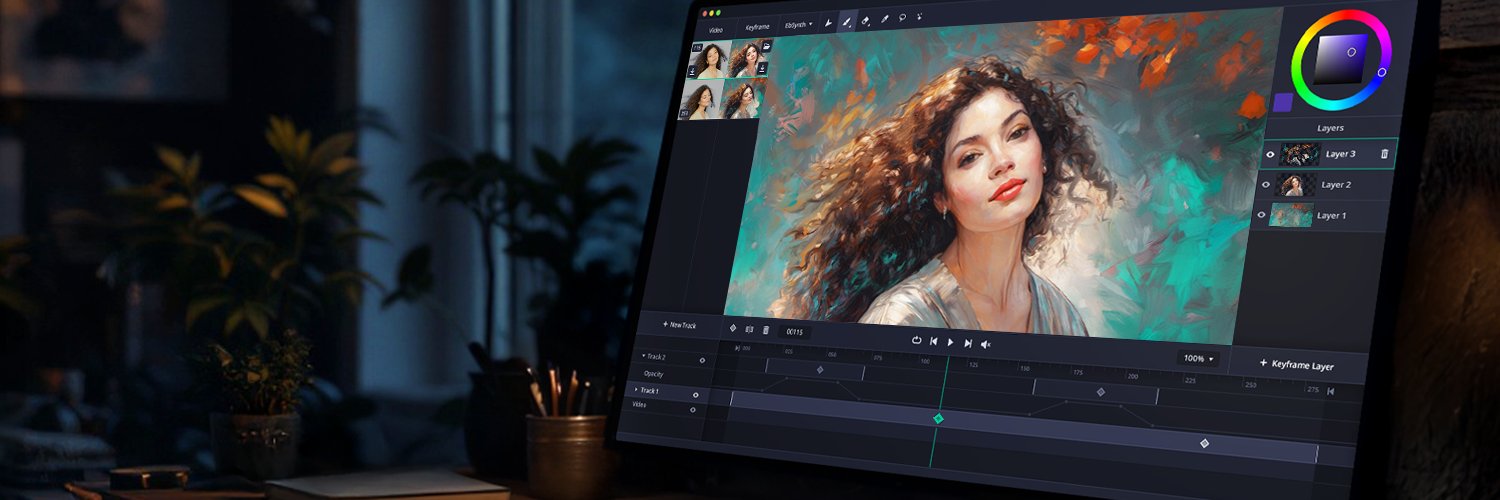
EbSynth now handles much harder shots than before. If you struggled with talking mouths, waving hands, or stylizing animation, try it again!
We've added Advanced Settings that let you control how keyframes propagate through the video. It makes a huge difference for rotoscoping, 2D animation, and retouching projects.
Settings guide below 👇
@MindChamber This looks so cool! I think you might want to try adjusting the crossfade between the keyframes, so there's not as much ghosting. Expand the track and you'll see the crossfade controls :)
EbSynth now handles much harder shots than before. If you struggled with talking mouths, waving hands, or stylizing animation, try it again!
We've added Advanced Settings that let you control how keyframes propagate through the video. It makes a huge difference for rotoscoping, 2D animation, and retouching projects.
Settings guide below 👇
@jacquesBroquard That depends. Technically speaking, using AI video models would work better for some use cases and we might add it as an option in the future. But we also want an interactive, non-AI workflow to always be available in EbSynth too.
@jacquesBroquard No it doesn't. The advanced settings are for the texture synthesis algorithm that propagates the keyframe. No form of AI (no machine learning) is used.
@Yavuziccy Well, EbSynth doesn't reinterpret your performance or the style of your keyframe. It renders in real time, so it's interactive. It's way cheaper than AI and commercially and ethically safe to use. People can always go to an AI app if they want to, EbSynth is an alternative :)
Two tips:
1. If you want to change just a part of the video frame, erase everything else from the generated image. Make sure your keyframes contain only the area you want to edit. You'll avoid unnecessary artifacts.
...
You can now disable AI in EbSynth!
We understand that some of you can't or prefer not to use AI in their workflow. This option is for you, so you can use EbSynth safely. We're here for you too.
@_brunodeangelis In EbSynth, you can build a composition of many tracks on alpha (track for the body, mouth, eyes etc.) Before, you could only export a flat render. Now, you can export separate tracks with alpha in one click and load the comp into other tools with OTIO, XML, JSX, and NK files.
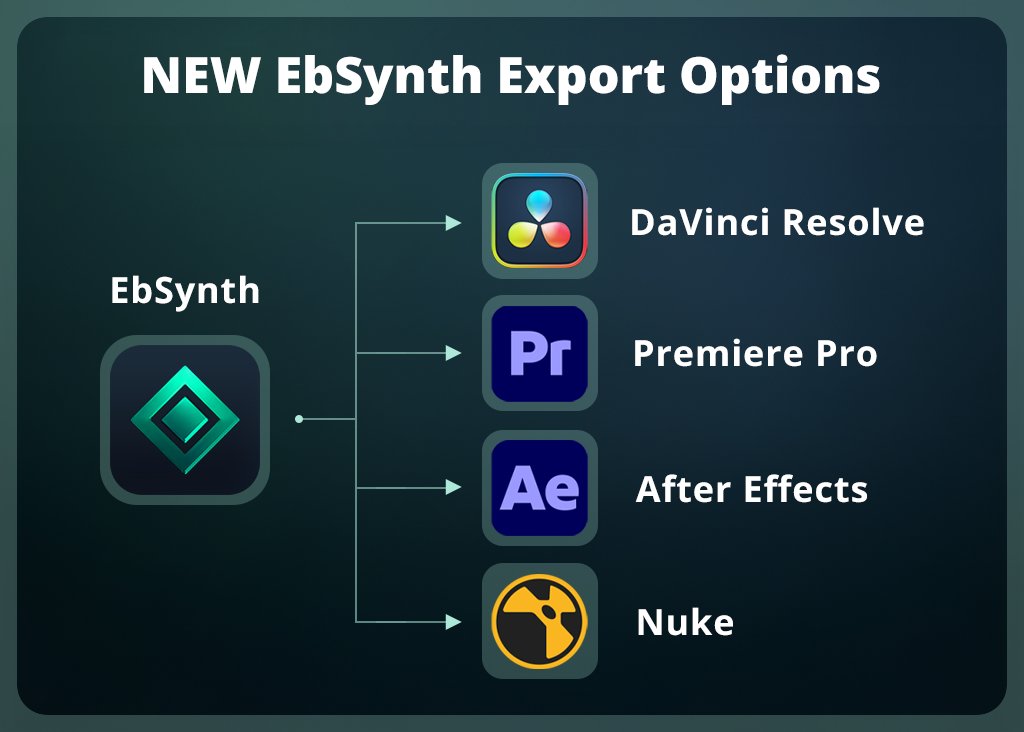
We’ve added new export options to EbSynth.
You can now export your comp structure directly to Resolve, Premiere, After Effects, or Nuke and keep working there in just one click!
What should we add next: Final Cut Pro, Fusion, or Blender?
📢 You can now export your EbSynth projects directly into these tools:
- Davinci Resolve
- Premiere Pro
- After Effects
- Nuke
Let us know if you want any other software!
Secret Weapons launched EbSynth 2, a fully revamped, browser-based VFX tool that lets you transform videos by editing a single frame.
No generative AI involved: https://t.co/S5liMtD8XV
@ebsynth
#EbSynth 2 can turn video into drawn #animation without generative AI
The browser-based stylization, #rotoscoping and #retouching tool uses texture synthesis to transfer changes you make to one frame to the rest of the shot
https://t.co/ODnoX7fk5G
#motiongraphics#VFX
Secret Weapons Announces #EbSynth V2 Update: the Prague tech company’s #VFX#rotoscoping tool used on shows like ‘Undone’ and ‘Wednesday’ creates all in-between frames in any artistic style – oil paint, watercolor, pastel, and others. https://t.co/YTSPsDSynJ #VisualEffects #VFXWorld
EbSynth 101 ⚡️
I made this 10-minute crash course that covers all you need to get started!
What do you want me to focus on in the next video?
https://t.co/jLCJT50S3H