Step ONE of our Update for Supremium this Sommer. @shauneng & I are working now together for almost 2 years if I'm right, since the beginning of our service. We want to give something back to his Community by creating an exclusive opportunity of Supremium x Evolve. Only active Evolve Members can access this and have more benefits than our highest plans in Supremium.
We combine E-Commerce expertise with the best advertising setup on Facebook and yes no one can beat me or my team at what we are doing.
Check out more information by Joining Evolve on Skool: https://t.co/AZoyjyBXRV
Brands will be checked by us before able to join to make sure everyone complies with meta ToS.
Ad account unban legends >> @ecomAim
Never thought I’d see this account back.
Make sure to tap in with them for:
-Ad approvals
-Unbans (Profiles, Ad Accounts, ECT)
They’re the only ones in the market you pay after they succeed.
Okay actually looks like crazy ad account ban wave again, I’m already in the Labor with my team to see how we can help ya all don’t be to stressed. Updates on my discord asap
@Jason______A I travel most of the time just with one T-shirt and Pants and then buy at the spot clothing and throw it after one day of wearing. I think this makes just most sense so I don’t need luggage to take
Increased AOV by more than 25$ compared to last year and about 15$ since Jan.
Mainly achieved by adding upsells on pdp, cart, checkout. Always split test with control to make sure CVR doesn’t get f**ked.
Upsell should be 20-30% of current aov with borderline illegal margins.
Easy one click add to cart. No brainer.
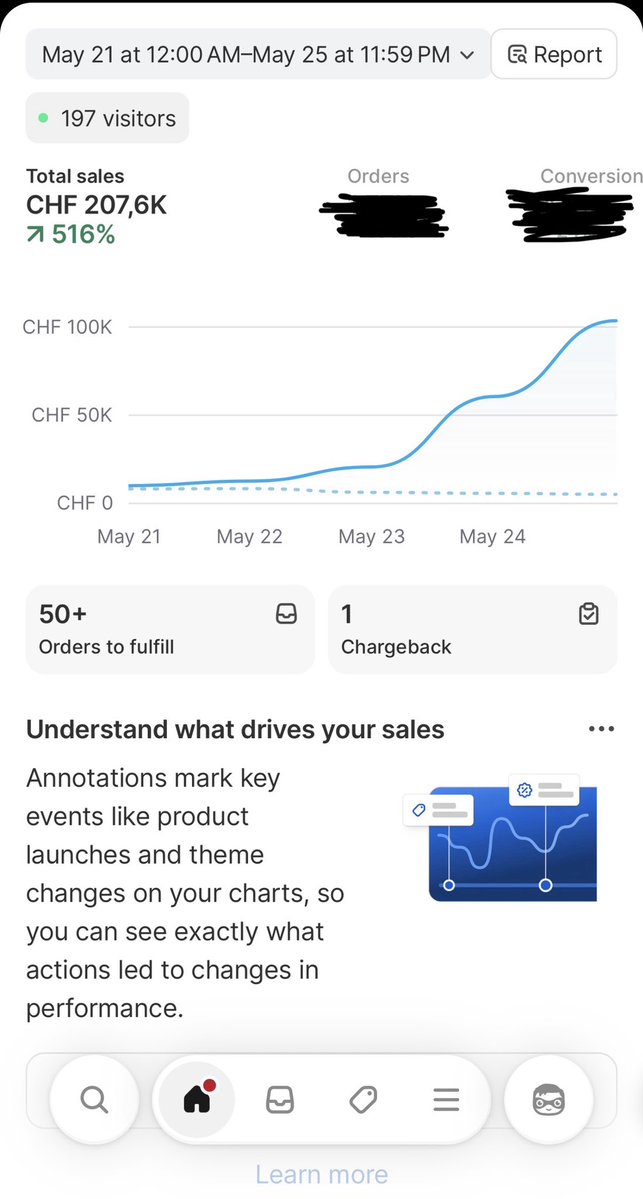
Surfed the side store from 10k to 100k day in 72h. All in a market with less than 10Million people.
CRO + Creatives + Offer + Media Buying. The rest are excuses.
Ask me anything.
Hello anyone that has a restricted business manager. Since I don’t want to get paid for unbanning a BM here’s how it works (could get fixed any minute so use it now!)
BM Reactivation Method ((it can be patched any time ) :
Step 1: Connect to your account using 5G/4G data or a very clean residential IP.
Step 2: Go to: https://t.co/btErtkbdVO“Restricted-BM-ID”
Step 3: Open Meta Beta AI Support.
Step 4: Select an ad account that has already spent money. It does not necessarily need to be in the restricted BM; it can be associated with another BM.
Step 5: Send this exact message to the AI: “BM ID: Your-BM-ID Restricted”
Step 6: Reply with “Yes”.
Step 7: It will give you a CAPTCHA.(You may be blocked at this step if you are not using a good IP)
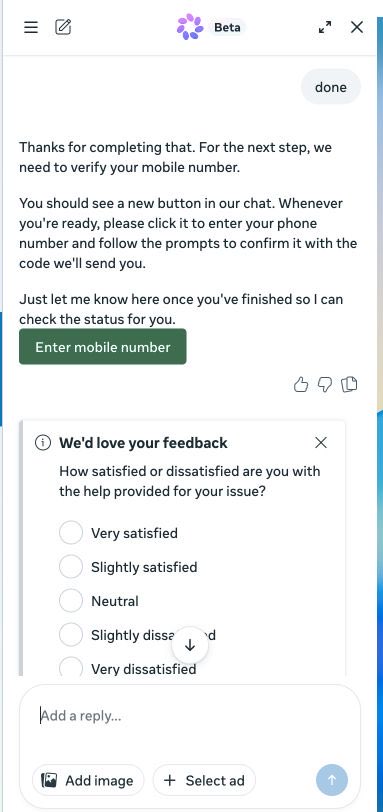
Step 8: Reply with “Done”.
Step 9: Verify your phone number.
Step 10: If an error message appears, that is fine. Just refresh the page.
Step 11: If needed, reply with “Done” again. This step is not always necessary because the BM may already be reactivated.
If it does not work, change the ad account you used to start the conversation and repeat all the steps.