Plasticity 2026.1 is here.
New commands like PolySplines, Slot, and Hidden Line export expand what’s possible, while major upgrades to tools like Extrude, Align, Sweep, and Mirror give you more precision and control in every step.
Less friction. More control. Update now.
Project Curve and Imprint Curve may look similar, but they are used differently.
Imprint Curve takes that curve and makes it part of the body’s topology, giving you selectable edges that can be used for cuts, trims, offsets, bevels, and more.
Project Curve lets you place a curve onto a surface so it follows the form of the model.
Project when you need surface following guide geometry.
Imprint when you need editable body geometry.
…And Justice for All sounds completely different when you can actually hear the bass.
Now you can. Mix your favorite songs at home or on the go — and discover what you've been missing all along. #B3d@getPlasticity
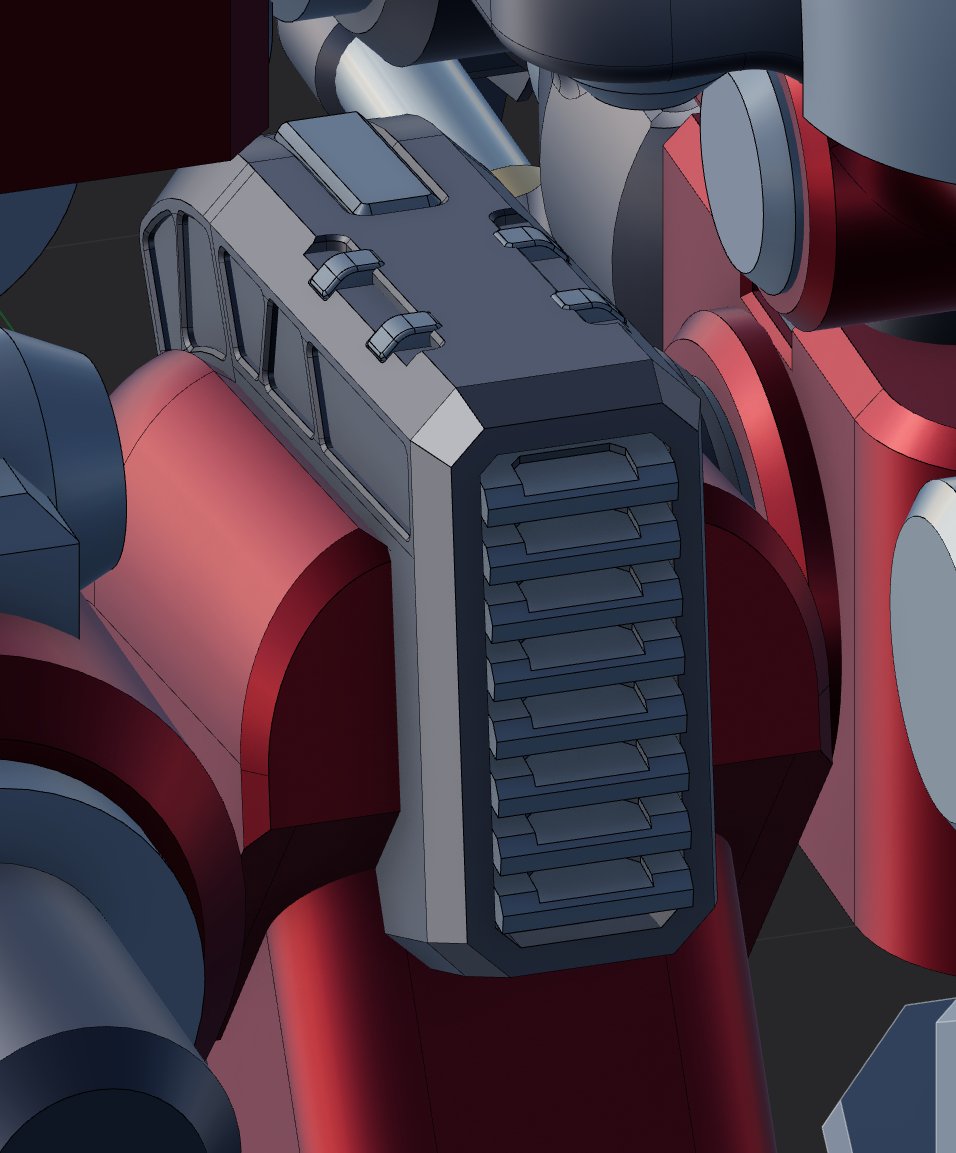
Offsetting edges and offsetting faces can lead to very different results.
In this example, the goal is to create one clean inset across the three middle panels.
If we offset the faces, each face offsets individually, which creates separate insets.
By offsetting the surrounding edges instead, we can create a shared boundary and inset the three panels together for a cleaner, more controlled result.
Plasticity gives you the freedom to model without forcing a workflow.
Push and pull surfaces, sketch loosely or dimension precisely, combine direct modeling with surfacing, and move through ideas without breaking momentum, or the bank.
Try Plasticity for free at https://t.co/8RNhg0oSpc
Have you used the sweep command yet?
Sweep custom profiles along curves to create pipes, trim, cables, rails, and complex surface forms while maintaining precise control over orientation and continuity.
Lofting is both fun and useful.
Loft between curves, profiles, and edges to create smooth transitional surfaces with precise control over shape continuity and flow.
Transform commands now support Transform Instances Inversely.
When enabled, transformations apply to the parent object while keeping its instances fixed in place. Useful for adjusting source geometry without disturbing existing instance layouts.
Extrude now supports direct edge extrusion on surfaces.
A new mode toggle also lets you switch between Individual and Direction extrusion behavior. Extrude each face along its own normal, or drive all selected surfaces along a unified vector for more controlled results.
Since we initially released instances, they have been getting more useful and integrated into other tools. In this case, you can use the place tool and the key "i" to create and place instances of an object.
Try Plasticity for free at https://t.co/QAexJLbXqr