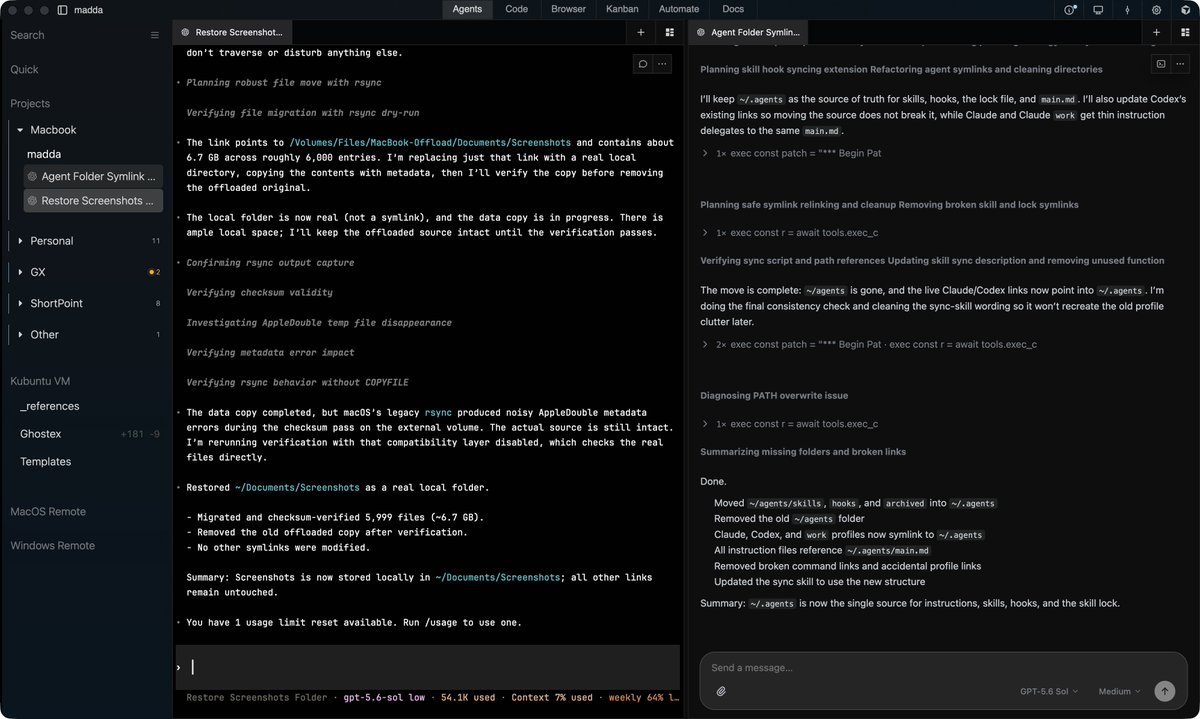
The all new Ghostex v10 is out, and it's the best native Agent Workspace out there IMO! Please check it out :)
→ Use Codex/Claude Code in 1 app
→ Fully Rust & GPUI based. No Electron!
→ Multiple Accounts + Auto Switch on Limit!
→ Powerful Chat GUI, based on CLIs not ACP.
→ Native Ghostty Terminals
→ Glass Interface and Themes
→ Intuitive ChatGPT like UI (more customizable)
→ Lots of Great Optional Plugins (VS Code anyone?)
→ First class Hermes Bots support
→ Coordinator agents that manage threads
→ Handover between agents
→ Agent messaging and orchestration
→ Fully featured iOS & Android apps
→ 20+ Agents supported
→ macOS, Windows, Linux (Omarchy, KDE, etc.)
Please let me know your thoughts! Put in a ton of effort in this app because I wanted it for myself.
This is a harness that could go very big really quickly.
It's still a bit rough around the edges, especially onboarding.
The more i use it, the more i appreciate the craft and thought that went into building it. The list of features is just insane.
And with the new extension system it could actually grow into a really mature application.
Check it out! I think I made the best model/effort picker out there. Option + p for both. Matches Claude's.
Also in this demo I show how Ghostex combines the great UX of Chat + the power of Agent CLIs.
It's truly the best of both worlds.
Switch instantly anytime with ⌥/alt + g.
Based on Ghostty, GPUI, and Rust.
Not using electron/tauri. All of this solo.
9.0 coming today:
∙ Full customization + extensions system
∙ Make it as minimal or feature rich as you want
∙ Multi-account support + auto-switching
∙ Auto retry & continue on errors
∙ See sub-agents transcript in Claude & Codex
∙ Queueing messages for Claude Code
∙ Handover sessions between any 2 agents
∙ Any agent/harness can control any other harness.
∙ Much improved Agent CLI chat view
∙ Improved performance & reduced ram use
∙ Windows x64/arm & Linux support (arch/deb/rpm) - need contributors to make it perfect.
Please let me know what you think.
Good/bad feedback is welcome :)
Doesn't Orca support agent orchestrators?
This is how I did it in @ghostex_dev:
- have 1 orchestrator agent act like a shepard for the Ox Alpha agent
- the orchestrator agent checks every minute whether Ox Alpha is stuck and if yes, it nudges it to continue
works like a charm.
'continue' might not be best if it finishes its task, and then receives continue, it might continue on some random thing the agent suggested...
@justinhammon_ i use beads which is integrated into @ghostex_dev along with a kanban board. it's also got memories and records decisions, experiments, etc.
super useful because sometimes i'd forget something we've done and agent would be like 'i remember we tried this buddy'
The best of both worlds! Agent chat sessions with your familiar Agent CLI as the core behind them.
The awesome UX and editing flow of a chat GUI with the ability to switch to the terminal at any point with a click or hotkey.
Wondering what to call this. It's different than almost all of the other Agent Chat apps that I see out there since it doesn't block you from using the official CLI in parallel unlike so many others.
Maybe "Terminal-backed Chat View"? Not sure :>
Works so well on the Android & iOS apps. Please try it out if haven't already! Set it as default in settings.
Supported Agent CLIs so far:
Claude, Codex, Omp, Grok Build, Pi (I'm using my cursor sub)
Yea, terminal on the phone really sucks.
I added a "Chat Mode" to my Agent CLIs ADE mainly for mobile, but then started using chat on my mac more and more too.
I can toggle the chat view off at any time to drop into the terminal so I don't feel restricted.
Claude/Codex/Grok/Pi/Omp CLIs supported so far but will add more soon.
You can easily ask a cheaper agent to manage your Ox Alpha agent runs with the ghostex-agent-orchestration skill! Any agent can spin up/ control any other agent with https://t.co/E1DIhIO00j :)
Fable controlling Sol or Grok 4.6 are more very good usecases.
@HarshithLucky3 You need to run a shepard model and tell it to orchestrate Ox Alpha'sv session and react if it gets stuck.
@ghostex_dev has agent orchestration skill
New feature for Ghostex Agent Studio: Chat!
You can switch between the Terminal & Chat view with 1 click/hotkey!
Currently supports these agents but adding more as requested: Codex, Claude, Pi, Omp, Grok.
When to use the chat view and when to use the terminal view?
Best thing about using GUIs (like in T3code for example) is the improved UX compared to TUIs when working with text/images.
You can edit text in a nicer way with hotkeys, click on links to open them, copy/edit text easily, view images, collapse & expand sections, etc.
Chat works much better on mobile than terminals too. So this view is available in the Android & iOS apps :)
Best thing about Agent CLIs and the reason a lot of us are still using them is that they give you the most powerful and feature rich interface for using agents, while not locking you to specific apps.
Ex. Worse thing about Claude and Codex Apps is that you have 2 heavy apps open, each with different threads, hotkeys, and UX. Drove me mad 😂
Now with this new "Chat View" feature you'll have the best of both worlds :)
Use the "Terminal View" when you want to get all of the features of the Agent CLIs, including changing the config, forking, rewinding, things like that.
You can switch to the Chat View with 1 click in order to be able to work with the chat in a much more intuitive way when you need to.
You have both options, and we will keep improving the chat option as we go along.
Lemme know which agents to prioritize next please.
This is just the start, will keep working on this and improving it.
Ghostex 7.0 is out now and it's working very well on windows (WSL) if you're interested in trying it!
Lots of improvements on the iOS & Android apps too, including a button to toggle between terminal & chat view at any time!
The best Agents Manager keeps getting better :)
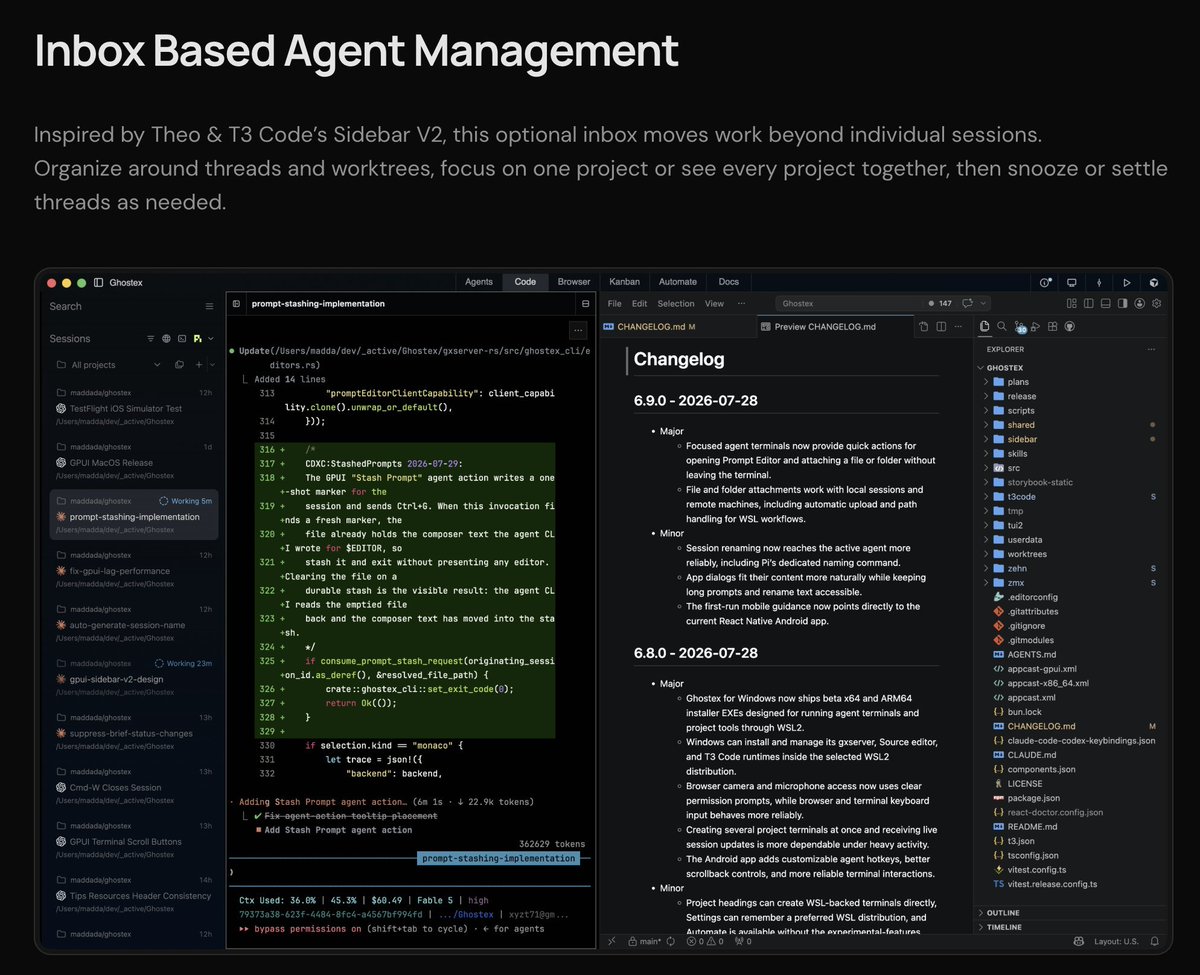
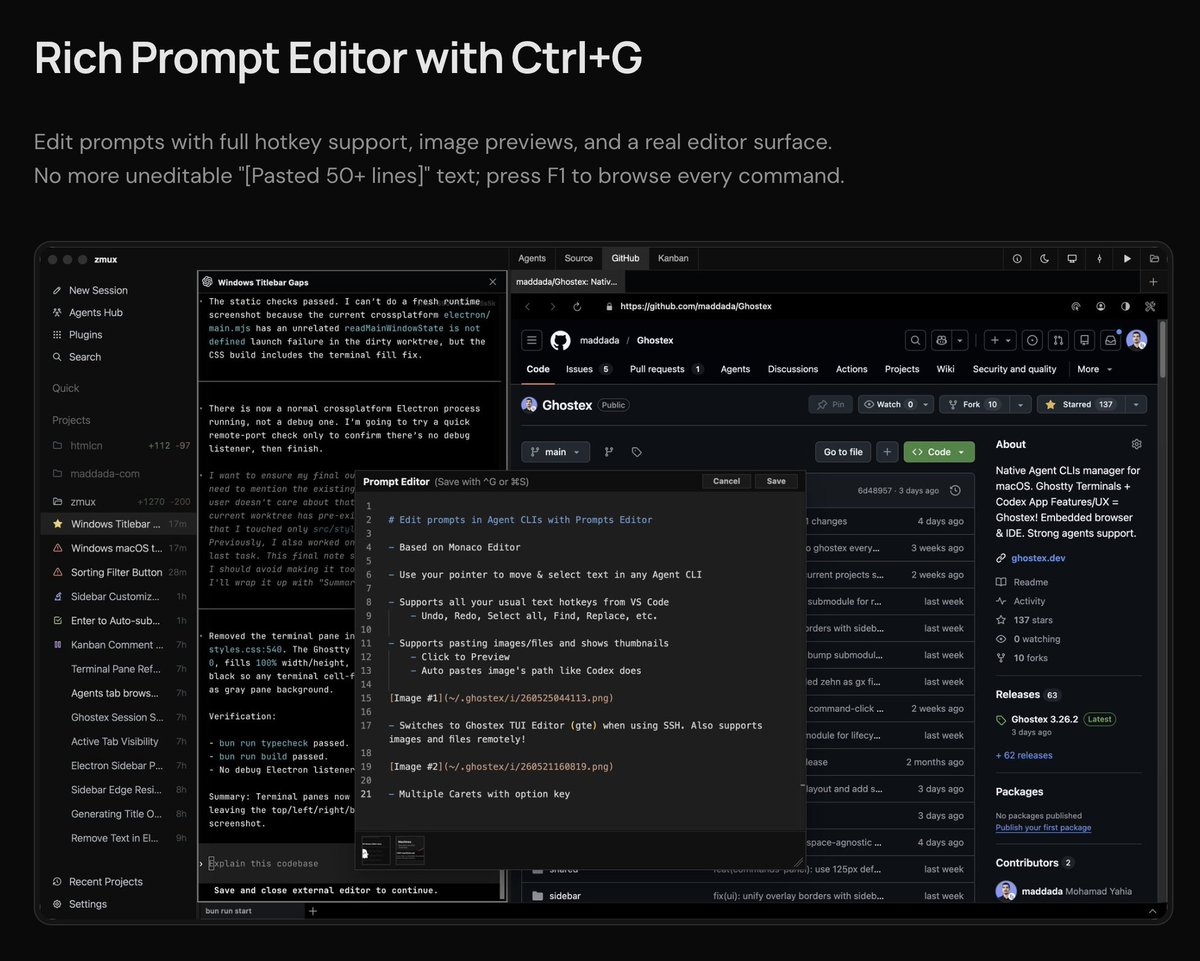
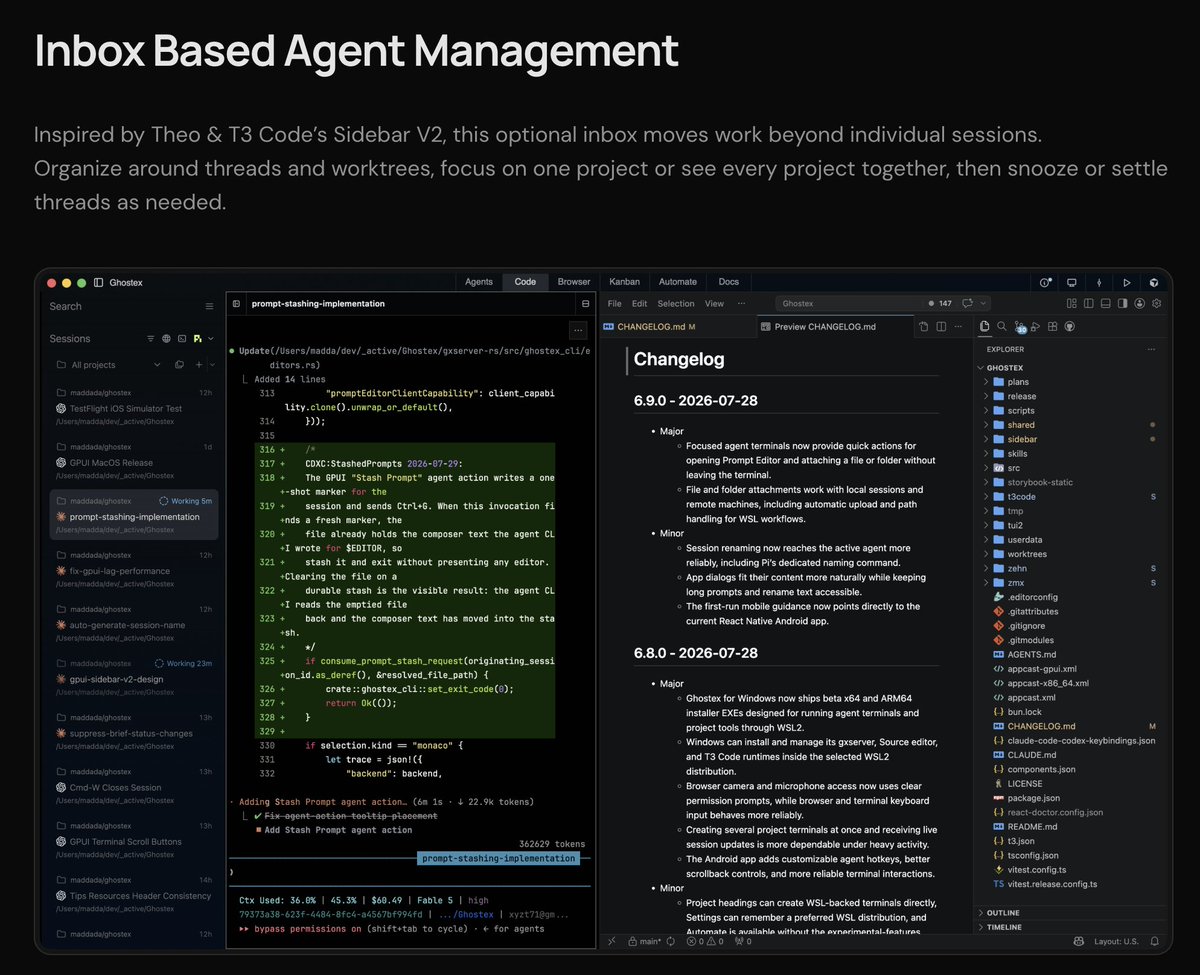
Prompt stashing + memory, and Inbox based sidebar are out in v6.10! (inspired by @theo's T3code)
Windows beta exe is out. Linux compile from source alpha is also available!
What should we implement next in Ghostex?
I clicked the Steal our code (legally) button on T3Code's website and I now have @theo's awesome Inbox based sidebar + prompt stashing in Ghostex (My All-in-one Agent Studio based on Native Ghostty & Rust)
Beta exe now available for Windows (WSL only) and alpha for Linux (compile from source)
Highlights:
• Best Prompt Editor
• Persistent Agent Sessions
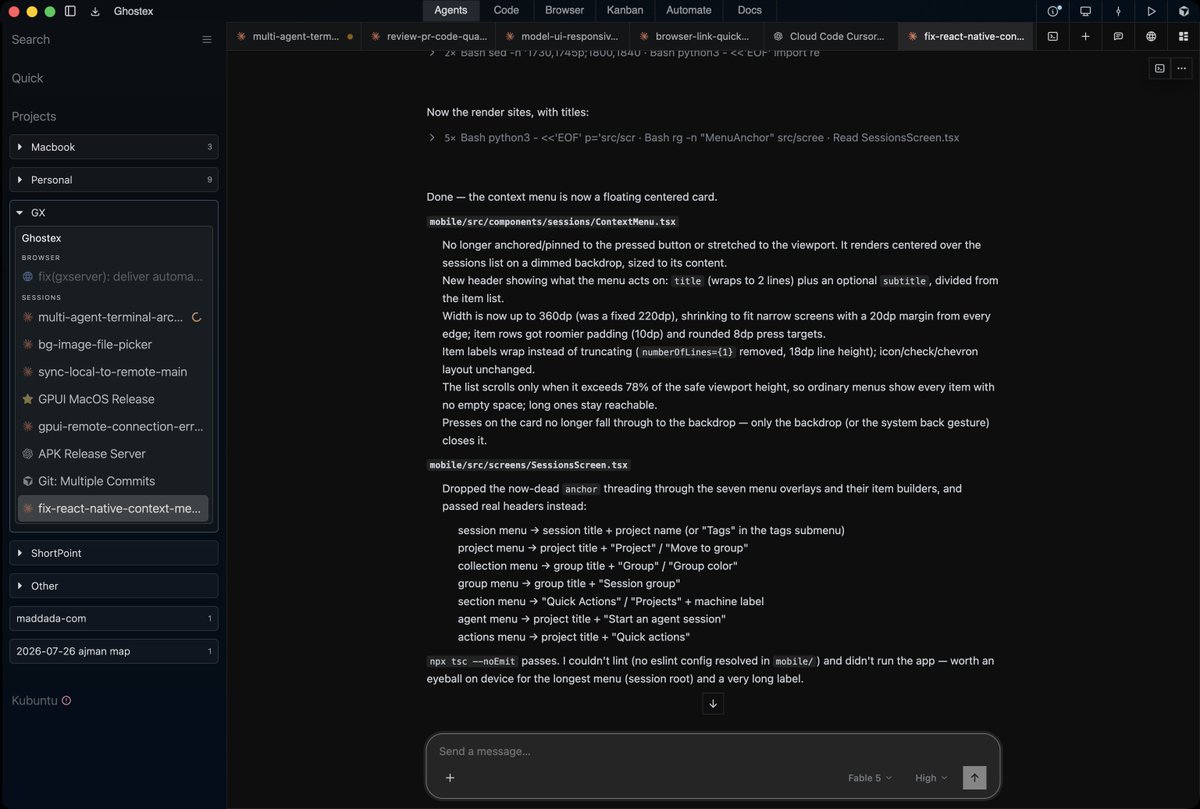
• Inbox Agent Management
• Remote Machine Support
• Android & iOS
• Cross-Agent Orchestration
• Embedded VS Code
• Chromium with Annotations
• Ghostty Terminal Splits
• Previous Session Search
• Rich Prompt Editor
• Worktree Management
• Beads Kanban Board
• Agent Status Notifications
• Multi-CLI Support
• Built-In Computer Use
• Browser Control for Agents
Lemme know what you think :)
@kr0der Sol High almost all of the time, it's fast enough and very autonomous/reliable. I'm not sure if they fixed switching effort while in an on going chat busting cache, so I don't like to fiddle with the effort slider too much.
Using terra medium for simpler tasks.
Threads are much much better than discord's everything goes reply to a message from 1 days ago flow (I'm actually serious)
Canvases are great for having a place where you can reply to every single line too.
I use both slack and discord heavily and a well organized slack is so incredibly nice
Check out how linear manage theirs