

Top Tweets for #NeoReader

Turn Your Reading into a Powerful Knowledge Hub with #NeoReader!
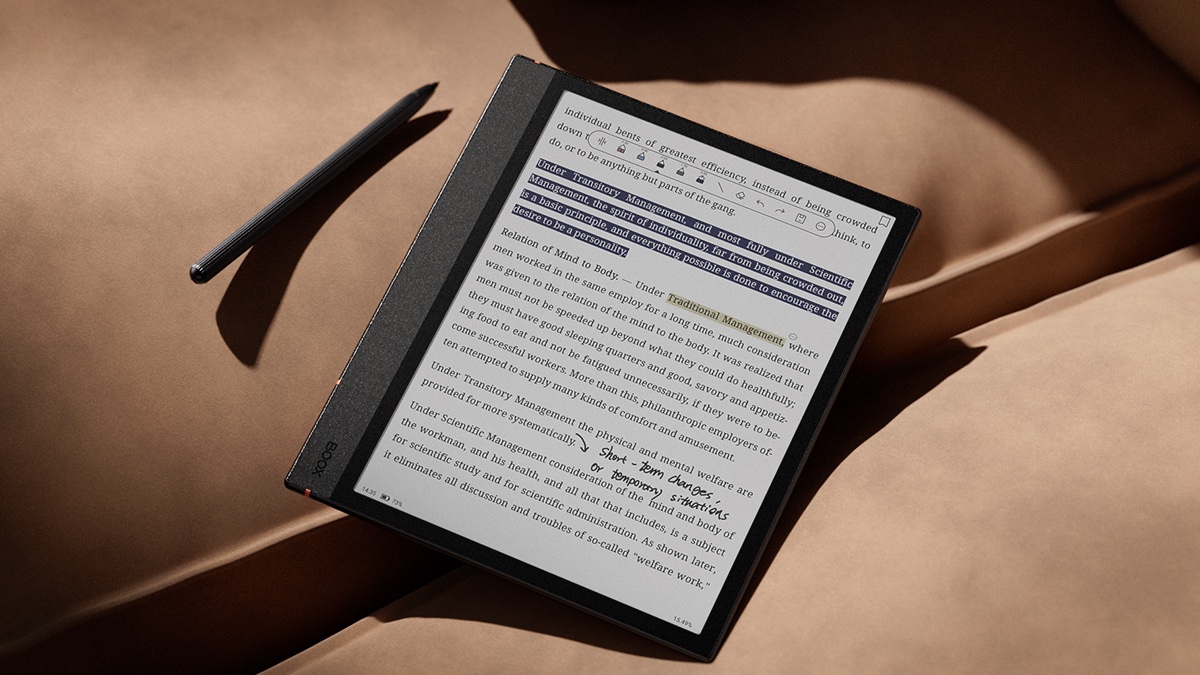
With NeoReader, you can highlight, annotate, and add links to selected text:
🔗 Link to a different page within the book
📂 Link to an external file
🌍 Link to a website
📝 Link to your notes
Effortlessly organize and connect information like never before.
Learn more about BOOX tablets at https://t.co/UmufSrHgkp


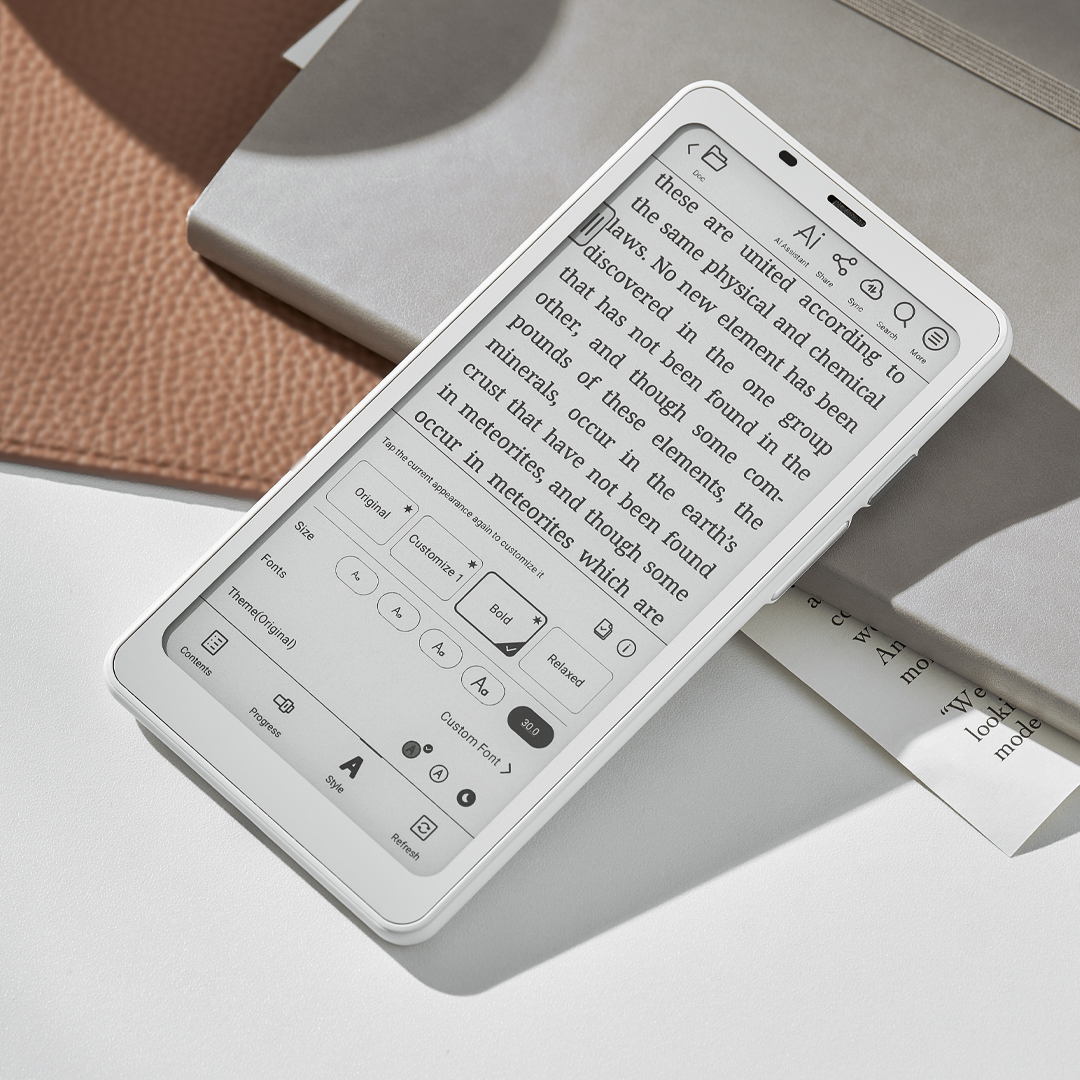
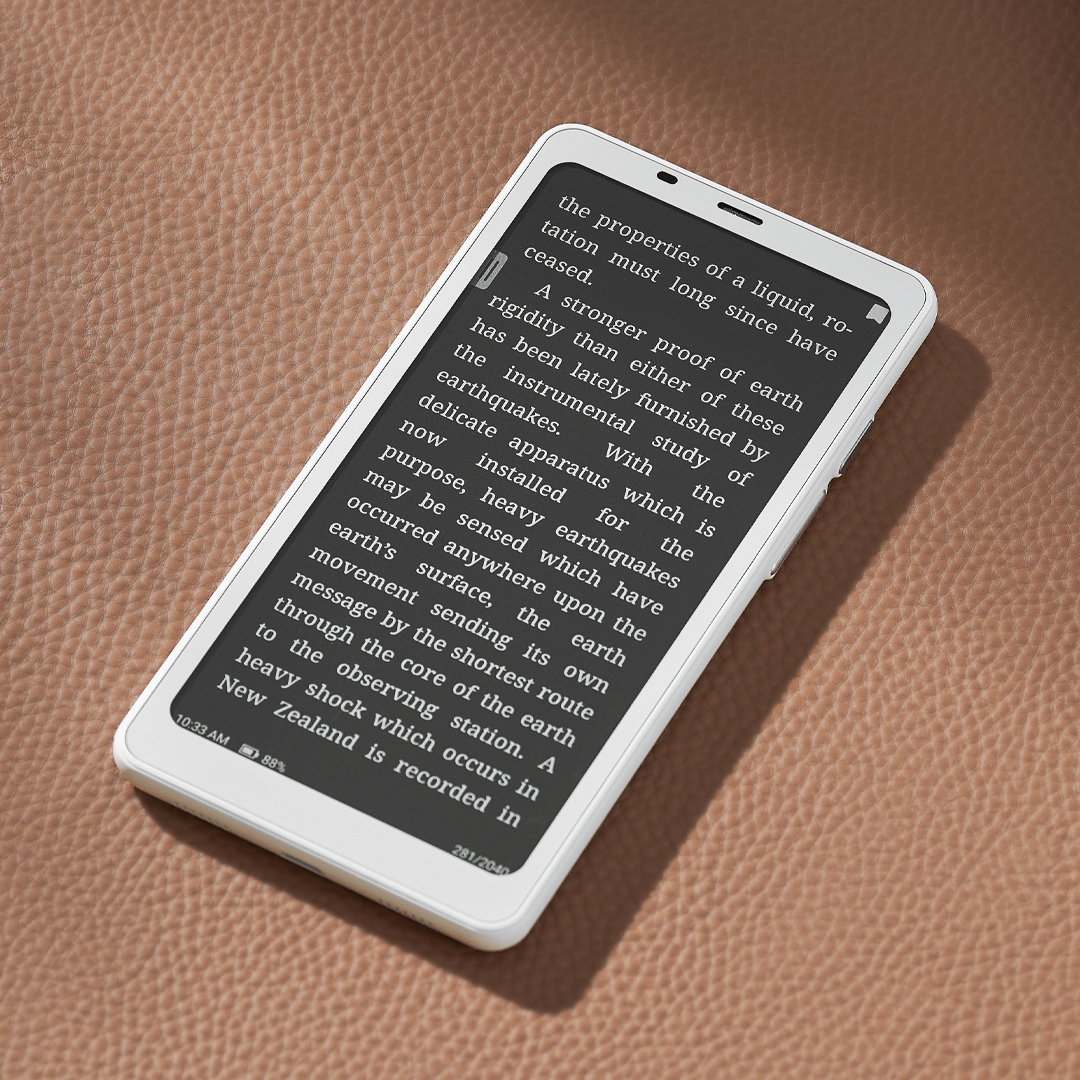
The #Palma2 is small, but it is packed with all the amazing reading features of our #NeoReader such as Dark Mode and pre-set appearances. There are a lot more! You can customize the NeoReader to your liking and find the best reading experience on this pocketable device.
Explore more about this amazing 6.13-inch eReader at https://t.co/4wOoCWYoXL
Read a lot of PDF books? With #NeoReader, you can write directly on any PDF. And if you need more space, easily add blank pages for your handwritten notes. Want a seamless multitasking experience? Use Split View to take notes while reading, accessible through the Reading Notes feature in the Notes app. Discover how these powerful tools work below!👇👇👇

Zachęcamy do wysłuchania rozmowy z dr. Grzegorzem Lewickim, którą w Radiu Wnet przeprowadził Łukasz Jankowski: https://t.co/oGcpsG1iei
#AI #ŚwiatyAI #neofeudalizm #technofeudalizm #swiatyAI #AIworlds #neoreader
#TipsAndTricks Easily divide pages into sections and read them in order with the Navigation features like PDF reflow and Article Mode in #NeoReader. Perfect for articles, journals, newspapers, and magazines.
Discover how to use the features at https://t.co/AwIiUetUsk

#NeoReader is one of the most powerful reader apps in the market. Supporting over 15 ebook formats, it provides a lot of customizable features catering to all reading needs. It is especially known for PDF support. Get to know more about our eReaders at https://t.co/Kvs5zUw1ZK

Become a more efficient #BOOX user with the #SmartScribe, which includes functions such as Shape Perfection, Strikethrough Erase, Lasso Recognition in Notes and more functions Mark Recognition , Double-tap Recognition in #NeoReader. Update your BOOX to the latest and start enjoying these intelligent features.
#NeoReader is a powerful reader supporting 17 ebooks formats. Over the years, our continuous enhancements empower you to highlight, annotate, access the dictionary, search words effortlessly with it. Here is a video tutorial showing you how to annotate and review documents effectively with NeoReader: https://t.co/O1BZNOnBVN

Our integrated #NeoReader is compatible with over 15 eBook formats! Discover 5 little-known tips that will make your book-reading experience effortless at https://t.co/bEPiZDZCCt

Unhappy with the default page-turn touch area in #NeoReader? Don't worry, we've got you covered! You can easily customize the touch area to create the most comfortable and convenient page-turning experience.
Learn how-to below.👇

Onyx Boox presenta l'e-reader Tab Mini C con Android 11
#Android11 #BooxOS #BooxPen2Plus #EInk #EINKKaleido3 #eBook #eReader #GadgetTech #Neoreader #Notizie #Novità #OnyxBOOX #Qualcomm #SmartDevice #TabMiniC #TabletEInk #Tech #TechNews #Tecnologia #Wacom
https://t.co/WJ2JFbHfF3

A gentle reminder: here are the digital formats that the built-in #NeoReader of our products support:
- PDF(Max 2G),DJVU, CBR, CBZ ;
- EPUB,AZW3,MOBI,TXT,DOCX,DOC, FB2, CHM,RTF,HTML,ZIP,PRC;
- PNG, JPG, BMP;
- PPTX
What formats do you read most on your #BOOX?

Here are two of the improvements made in Firmware V3.2.3:
1. Improved page-turning experience in the #Kindle app
2. Smoother picture display effect in #NeoReader
If it is available for your BOOX, go to Settings/Firmware Update to update your BOOX to the latest firmware now.
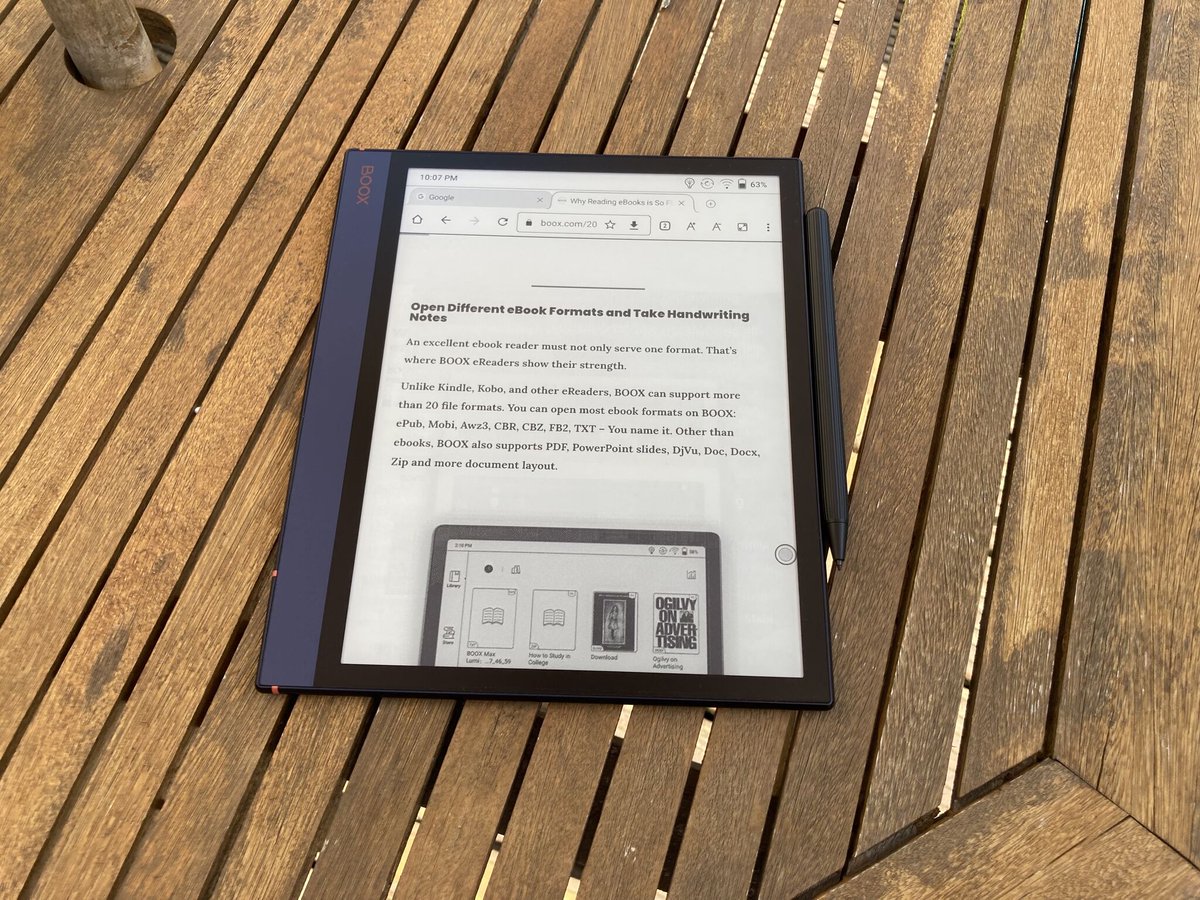
There are different ways of reading on #BOOX devices:
- Reading locally via #NeoReader
- Reading via third-party apps
- Reading via browser
What books do you read now on your #BOOX #AndroidTablets and #eReaders?
#TipsAndTricks Do you know that there are 3 ways to convert your handwriting to text on your #BOOX E Ink tablets?
- Double Tapping in #NeoReader
-OCR for words in images
-AI Conversion in #Notes
Learn more in details how all works here https://t.co/lwpFHSJBwz

Check out what I just scanned with @getneoreader: https://t.co/zdR9xRTbH6 Get #NeoReader at https://t.co/YMFQLS35Dl. #iOS


Descargue Gratis #NeoReader® .
https://t.co/9Cg2p74VVZ
#Lector #Scanner #CodigoQR. https://t.co/i6sUOTzJPu

Check out what I just scanned with @getneoreader: https://t.co/6rtfpGSrBb Get #NeoReader at https://t.co/kfPrJFLcGt. #iOS

Mira lo que acabo escanear con @getneoreader Get #NeoReader para tu movil en https://t.co/QX48VVpcMJ.
Last Seen Hashtags on Sotwe
กางเกงในนักศึกษา
Seen from Thailand
youngsluts
Seen from Japan
mexicanmilfbbc
Seen from United States
抖音风裸舞
Seen from United States
caldodepollo
Seen from Brazil
くすぐり
Seen from Japan
cinchedwaist
Seen from Austria
chizurumizuhara
Seen from Japan
ปากช่องรับงาน
Seen from Thailand
XXL同伴集結
Seen from Indonesia
Most Popular Users

Elon Musk 
@elonmusk
240.8M followers

Barack Obama
@barackobama
119.2M followers

Donald J. Trump
@realdonaldtrump
111.7M followers

Cristiano Ronaldo
@cristiano
111.2M followers

Narendra Modi
@narendramodi
107M followers

Rihanna
@rihanna
97.8M followers

NASA
@nasa
92.2M followers

Justin Bieber
@justinbieber
91M followers

KATY PERRY
@katyperry
87.9M followers

Taylor Swift
@taylorswift13
81.8M followers

Lady Gaga
@ladygaga
73.3M followers

Virat Kohli
@imvkohli
70.4M followers

Kim Kardashian
@kimkardashian
69.9M followers

YouTube
@youtube
68.7M followers

Bill Gates
@billgates
64.1M followers

Neymar Jr
@neymarjr
63.2M followers

The Ellen Show
@theellenshow
62.4M followers

CNN
@cnn
61.9M followers

Selena Gomez
@selenagomez
61M followers

X
@x
60.8M followers