

Top Tweets for #UserFlow

@inmykitchin lets you sync your cook’s whatsapp number so that we can send them the weekly meal plans + grocery lists, so we require sign ups from their end.
+ I feel like the userflow looks a bit boring and repetitive.
How do I make it engaging from the start so users stick?

Forgot Password User Flow 🔐
From password reset request to verification and creating a new password, every step is crafted to be simple, intuitive, and user-friendly.
#UIUXDesign #UXDesign #MobileAppDesign #UserFlow #ProductDesign


I built https://t.co/7t6N8yYEpj
A platform that allows founders to envision their userflow. Unlike other apps the ui gets generated only after your next click.
100% free.
Try it out.
Do not forget to collect free API keys from @Groqinc

Tips for working with clients and Design
1. When working on client work, start with scoping out everything on userflows to wireframes, be very clear about everything when talking and scoping out user journeys
2. Always review at least 2 times per week with clients to get alignment
3. Note and explain what happens on each stage
4. Walk your clients through user flows and make them understand the whys of each and how you make decisions
5. After designing wireframes, pull all similar screens together and separate each component: Tables, top cards, Metrics, side panels, cards, lists, buttons
6. Design from a design system, dont design everything from scratch, create a system, make work faster
7. Pull out inspirations to use, show your clients, and align with them on what needs to be done
8. Let the work be a collaborative process. You are the expert, be an expert
If you love these tips so far, please retweet and like
#BuildInPublic


A small UX change can beat a full redesign.
In an employee verification app, users weren’t sure if submissions worked.
Clear confirmation + visible status fixed it.
User confusion is always design feedback.
#CaseStudy #UXDesign #MobileUX #ProductDesigner #UserFlows

@yuto_samurai_ai lmk if improving the userflow helps!

Day 3 of #Buildinginpublic
The biggest task isn't about the code, it's about planning architectures and userflows
- Structured the landingpage & content
- Planned the backend architecture
- have to work on userflows still
preferring
clarity > chaos
confidence > clutter
@hey_alexndre hmm, well, I mean not only the userflow, the backend architectures are really important to be taken care of
building a system that scales is as important as testing the userflows
you are right in the user experience perspective

The page is from case study project which have several screens..
It's a project i started December 28
But this specific screen took less than 40mins.
It's fast that way, cuz at the beginning of the project, i mapped out information architecture, then userflows, then wireframes, before i design high fidelity screens like this
The 3 steps i just listed are crucial in tracking real problems, and they results in faster design as well

Stop overwhelming your users. Cognitive friction is the #1 conversion killer. By highlighting a "Recommended" option and using progressive disclosure, you guide the brain toward a path of least resistance.
Less choice = more decisions. Done right. #CRO #Marketing #UserFlow


@buildtheweb1 True, but the market is clear. what needs validation is the userflow.
have 5 test users (relatives) but need non biased users to test if it actually works well.

@Talha300 @idOS_network how do you envision this shared identity being adopted by legacy apps without disrupting existing userflows
The 3 big lessons
- design the Userflow first , atleast mindmap
- copy from others but don't just copy exactly
- always building a secured app >>>>> building fast

How Gamma grew to 10 Million users in 9 months
(Tactics, tools and stack):
Gamma launched in 2020, but early on, they were plagued by high churn.
The root issue?
The “blank-page problem”.
To fix it, the team launched a ruthless 3-month sprint to rebuild the product with AI at its core, culminating in 10 million users within 9 months.
1. Magical onboarding that converts fast.
Tools
→ userflow .com
→ appcues .com
→ dopt .com
• Gamma removed steps from onboarding
• Showed value fast (you get presentation in 30 sec)
• Used sample data
• Guided choices
2. AI features that ride big waves.
• Add AI utility
• Ship visible features
• Join active content hubs
• Pitch AI newsletters
Tools
→ openai .com
→ beehiiv .com
→ flowjin .com
3. B2C2B loops that travel inside teams.
• Colleagues trust colleagues first.
• Add share badges
• Enable easy invites
• Reward team referrals
• Create viral exports
Tools
→ Viral Loops: viral-loops .com
→ Rewardful: rewardful .com
→ Branch: branch .io
4. Simple loops spark corporate adoption.
• Early clarity drives return visits.
• Cut friction
• Shrink tasks
• Add previews
• Remove choice overload
Tools
→ Figma: figma .com
→ Hotjar: hotjar .com
→ FullStory: fullstory .com
5. Trend stacking for free reach.
• Creators amplify what feels new.
• Track rising niches
• Add aligned features
• Partner with curators
• Publish clear demos
Tools
→ explodingtopics .com
→ passionfroot
6. Freemium that fuels word of mouth.
• Offer real value
• Keep paid perks
• Limit abusers
• Track activation
TL;DR
- WOM
- AI
- User onboarding
- Referrals
Open the gates and users become your marketers!


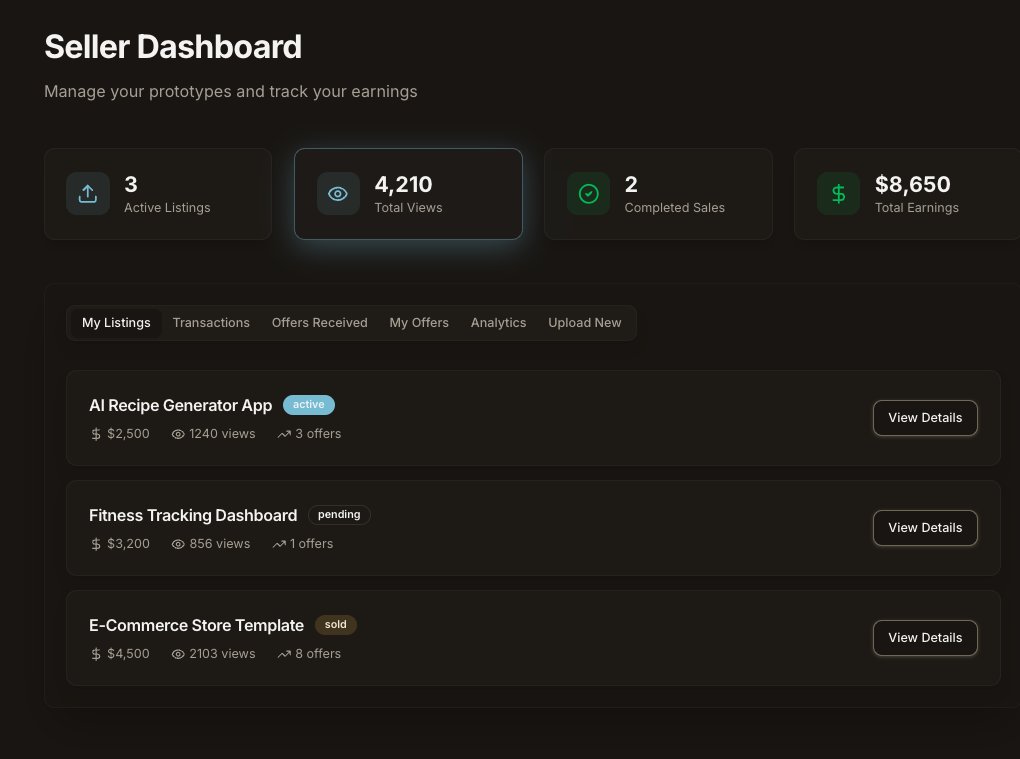
Day 2 of building a marketplace to sell your unfinished no-code apps. I do all of this with @Lovable while being on the loo everyday. 🙃
✅Setup the product page and connected it to the backend.
📷Starting mapping out the seller and buyer userflow
Next: I want to finish the seller and buyer flow so that they are both protected when the sale is initiated.

Day 1 of building a marketplace to sell your unfinished no-code apps while being on the loo.
✅Bought the domain + set up Supabase as backlog
✅Starting mapping out the userflow and dashboard design
Next: create the home page and produc page with some logic in place for testing

Userflow done, now moving to wireframe

All set with the store flow, Now moving on to getting the build ready!
#UXDesign #Ecommerce #UIUX #UserFlow #ProductDesign #BuildingTheFuture


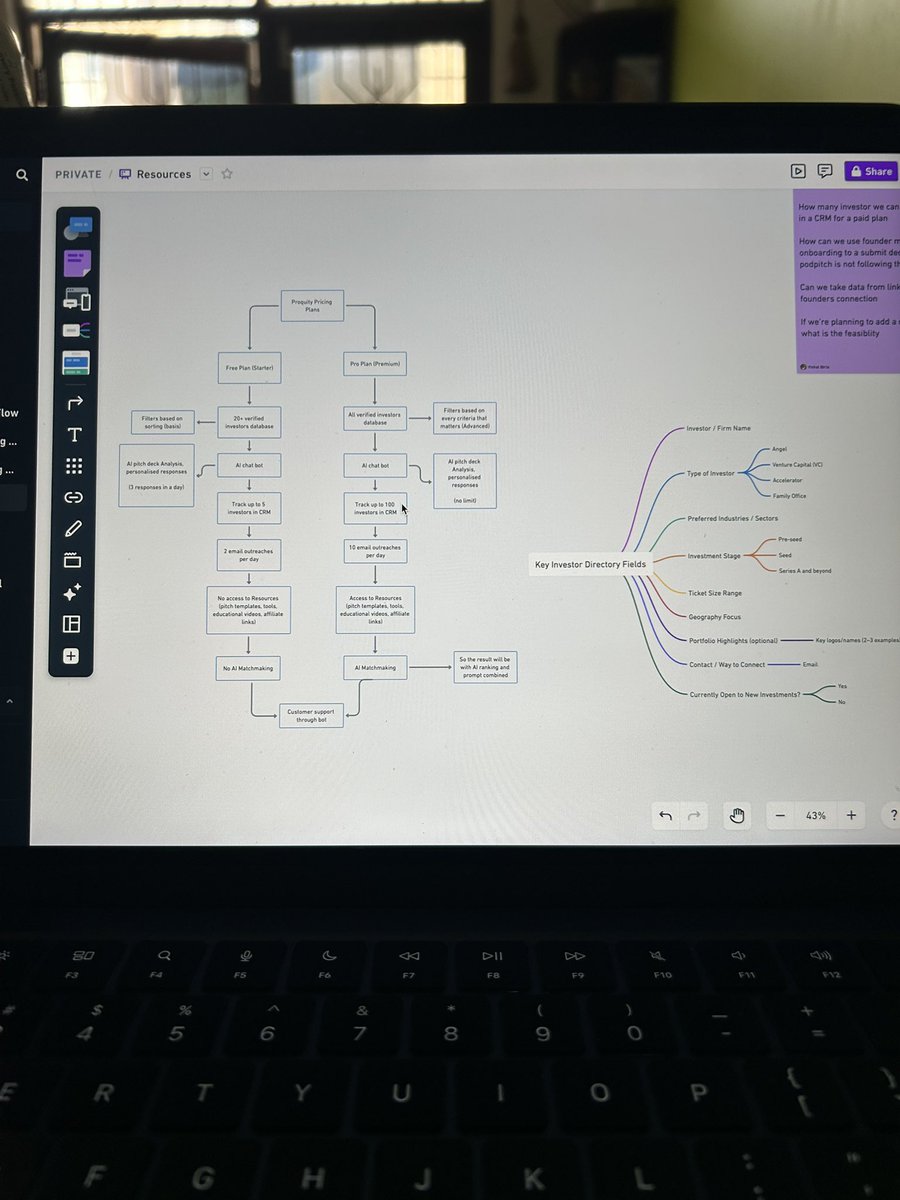
The checklist behind what you should do if you have 0 users.
I'm the founder of a product agency and a B2B SaaS product.
I see 100s of products a year, speak to tens of product founders a month and learn this niche for the past 10 years.
I want to gather a simple and deep helpful checklist which would help me tremendously when I was getting started.
1. Show your product to people in your network relevant to your ICP.
2. Improve only the most important userflow.
3. Discover your customer pain points. I suggest a simple structure: Pain connected to ICP, How does your product solve it (I also add my own prioritization to know better where to focus.)
4. Your users should get to the main point of the user path and the main value of your product as fast as possible and be satisfied as much as possible at the beginning.
5. Limit your scope. Collect all your dream features in the backlog. Focus only on the critical staff.
6. Forget about the weekends. Your work week should be at least 60 hours of very deep focused work.
7. Start selling personally.
8. Start SEO as early as possible.
9. Make a massive launch only after you are at least a little confident your product is usable and sellable.
10. Grow only X and LinkedIn. Maybe tiktok if applicable. Youtube, Reddit and other stuff will be great down the road once you have a bigger team.
11. Speak to your users/customers (I mean calls) at least 2 times a week.
12. Hire only cracked savages. Who also work 60-80 hours a week.
13. Give your team equity.
14. Once you have first traction, start talking to investors.
15. Find every angel/VC who can possibly invest (filter by niche and check size).
16. Learn sales. Fundraising is 1000% sales skill.
17. Master your pitching.
18. Close pre-seed and back to your product and work even 2x harder to outperform everyone.
19. Share your lessons/achievements in X or LinkedIn.
20 - share in the comments what I forgot.

@sharmaadityax Very easy to get stuck in the "just one more feature mindset" One userflow to solve the problem, test, iterate

@duynn1998 Did you just pour into designing or document things like userflows, IA, etc?

Day 9 of building a iOS budget & expense tracker
✅ Working on the mascott for CashMonki... 🐵
✅ Debugging multi wallet configuration
✅ Improving signup / onboarding userflow


@emir_ogz @DebutLaunch @boltdotnew Yeah, I guess I learned that the hard way. @boltdotnew should make that mandatory on their userflow, I can't believe I wasted 50M credits and they are gone. I might move to other tools actually.

@FiachraRM Userflow does 90% of the work and looks better than what most startups build inhouse.

As a founder, the hardest thing to control isn’t traffic.
It’s MRR — when it goes up, then drops the next month like nothing ever happened.
You do the work. You launch. You onboard.
And still… revenue swings. No predictability. No peace of mind.
I’ve been there — refreshing Stripe, wondering “What changed?”
Here’s the truth: it’s rarely the product.
It’s the system behind it.
Here’s what fixed it for me (atleast until now)👇
Automate reliability – Set up Paddle or Stripe Billing with failed payment retries, smart dunning emails (use ChurnBuster or Recover Payments), and webhook alerts to Slack when a subscription fails.
Make sure no payment slips through unnoticed.
Over-communicate value – Build a 7-day onboarding email sequence with Loom walkthroughs and milestone reminders. Inside your app, use Userflow or Appcues to guide users through their first success.
Track everything – Create an MRR Tracker in Notion with daily exports from Stripe → feed to Google Sheets dashboard. Add a Slack alert (via Zapier) if churn >5% in any 7-day period.
Diversify leads – Build 3 reliable channels:
>Twitter/X → short-form authority
>Cold email → 50/day
>SEO → 3 monthly articles targeting problem keywords
You’ll never depend on one big client again.
Talk to users weekly – Every Friday, book 3 customer calls. Ask one question:
“What made you almost not use us this week?”
Record the answers in Notion → tag common friction points → ship one fix per week.
Make your revenue boring.
Because boring MRR = peace, growth, freedom.
Every founder wants scale.
Few realize it starts with stability.
What’s one thing you’ve done that made your revenue more predictable? Let me learn too!

Day 17 of building a journal app
Been sick for few days , didnt had any update was not able to check anything , sorry for going mia
✅Took few feedback from my mentors , made a major change in the userflow
✅Created an onboarding flow
✅did few homescreen ui changes
Learnt figma basics for designing , still learning but feels better to learn and make your own vision into design
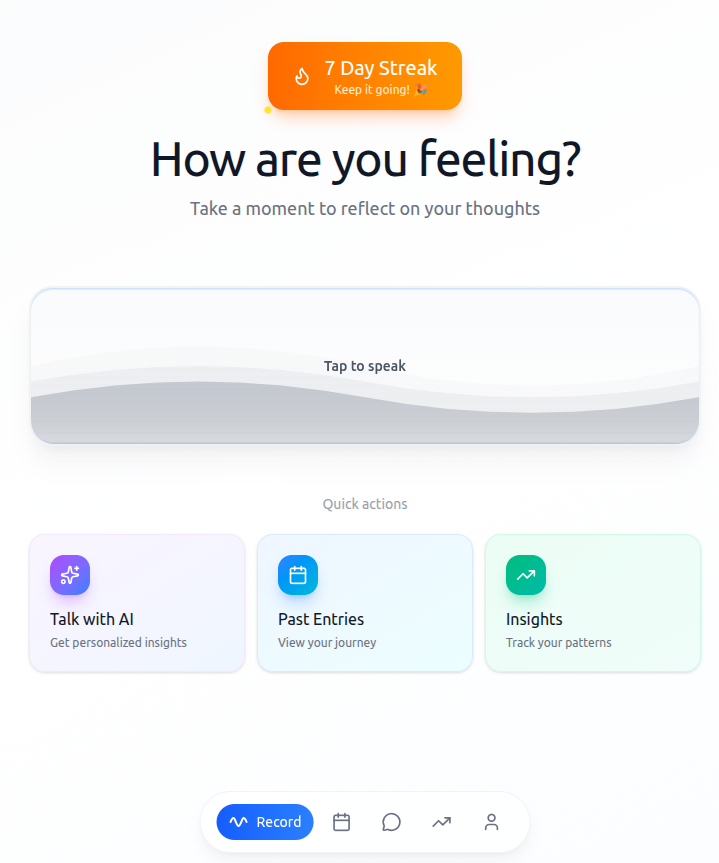
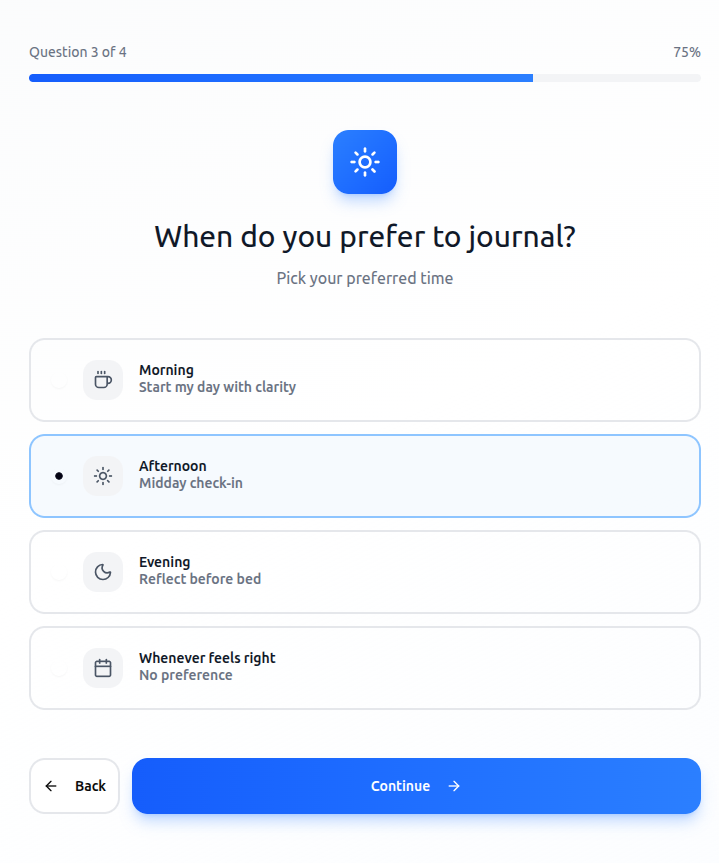
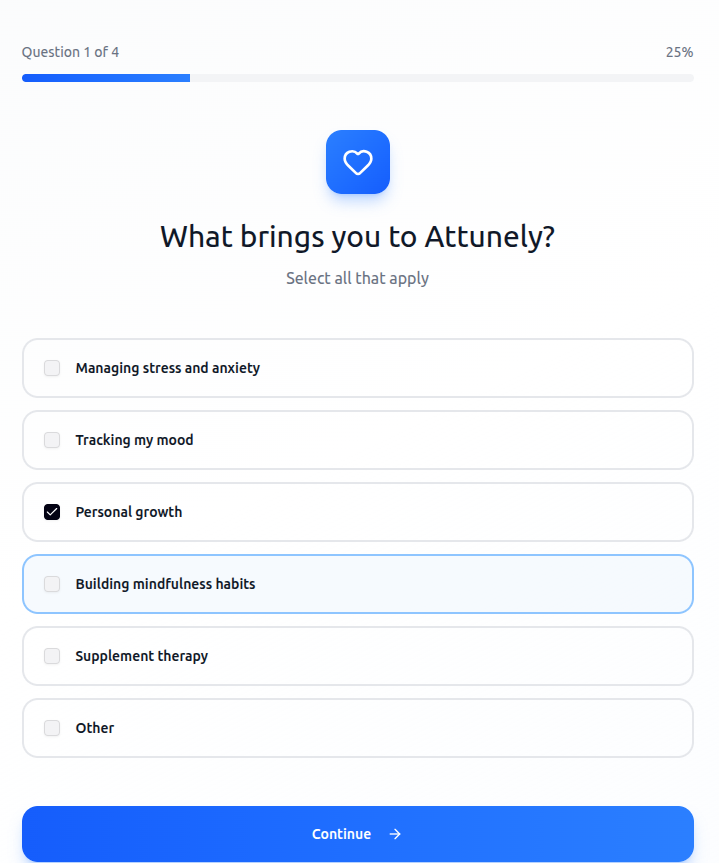

haven't forgotten this btw, started working on it today
finalized the userflow and the vision
will give a detailed update today itself
just finished mapping the journey blueprint for a project idea that i had in my mind since 1 week
next up, will start developing it and bringing it to life
will be sharing updates on it in the coming week
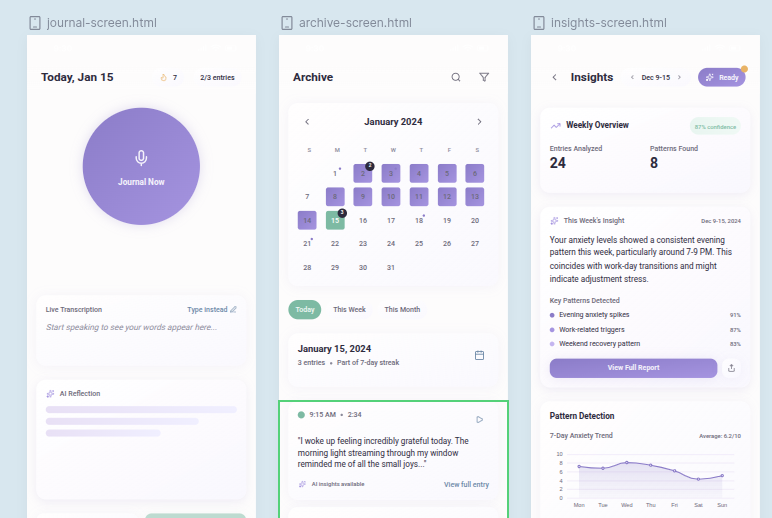
Day 8 of building a journal app
☑️finalized mvp features from waitlist feedback and suggestion from my mentor
☑️did some design changes for the waitlist page
☑️finalizing the design for the app and userflow , still working on forward architecture
Progress is slow , still learning alot in the process. Design was something i never explored i have something in mind , reiterating till i reach there

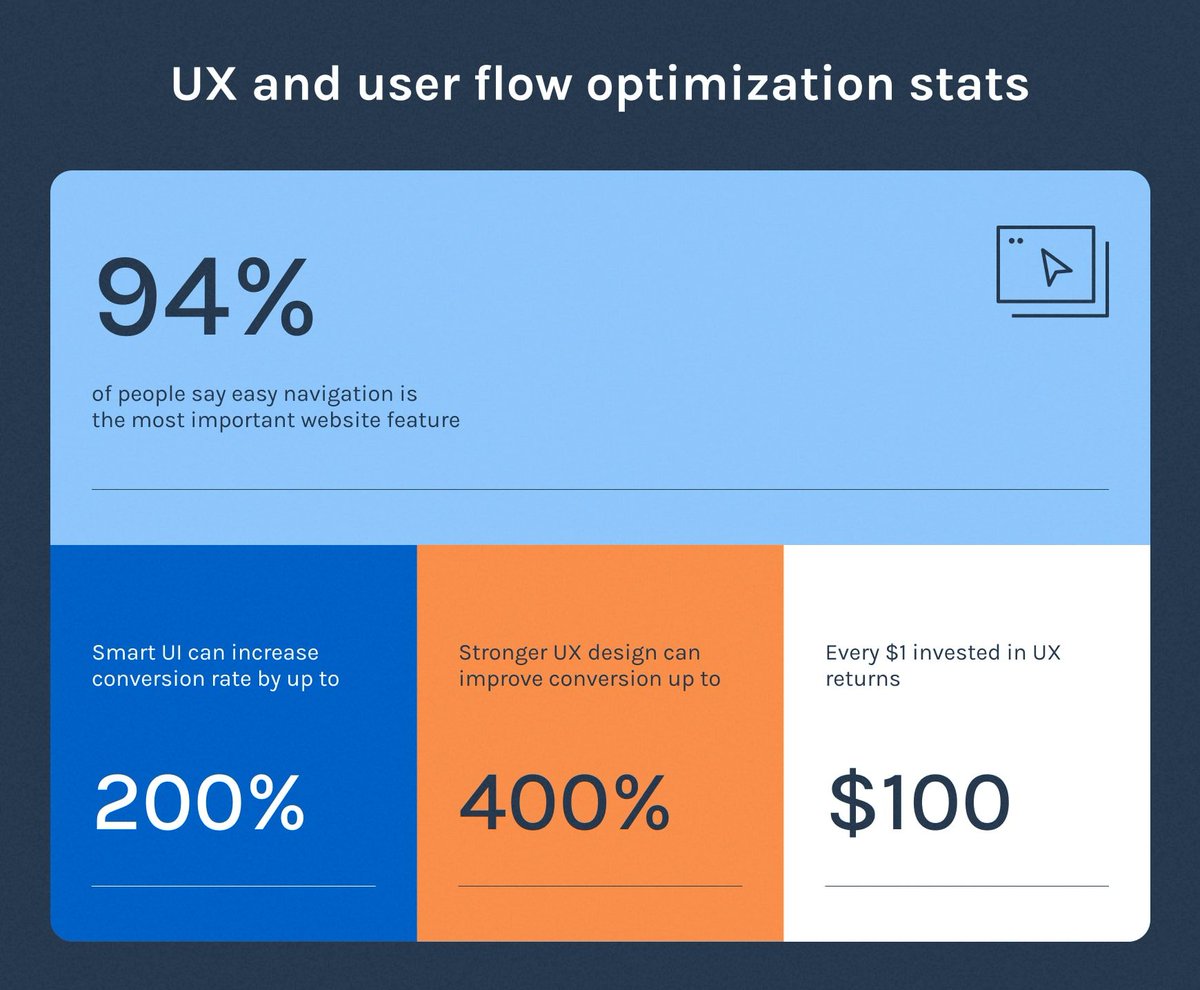
🖱️ Did you know simplifying your site’s navigation can reduce drop-offs?
Learn more tips to create seamless journeys 🔗 https://t.co/FmhdGUk8eT
#UXTips #UserFlow #WebDesign #WebsiteOptimization
User journeys vs. user flows—are you getting them mixed up? 👀 Uncover the difference and avoid a common UX mistake! 🎯 Watch now:https://t.co/oNv86RMF1k
#UXDesign #UserJourney #UserFlow
💡 Tired of the same old #UserFlow strategies?
Discover 11 unexpected ways to optimize user experience and boost conversions 🚀
🔗 https://t.co/FmhdGUk8eT
#UX #WebDesign #CX #UI

UX Designers, which is more important: user journeys or user flows? 🤔
Spoiler: You need both! Check out our latest blog for a breakdown of their differences and how they work together to enhance UX.
👉 Full article : https://t.co/lx1nRjhJVf
#UXDesign #UserJourney #UserFlow


My recently completed achievement in my UX Design training includes user personas, journey maps, flows, and a mobile-first content audit.
Take a peek on my portfolio website...
https://t.co/VmrjqJv5Qz
#uxdesign #ux #userflow #contentstrategy #mobilefirst #userexperience


Design is not only how it looks. The #ux #userflow for the #bonecohealthyair app by #webulos @… https://t.co/LezlQdpPyb


Last Seen Hashtags on Sotwe
Trends for you
Most Popular Users

Elon Musk 
@elonmusk
239.7M followers

Barack Obama
@barackobama
118.6M followers

Cristiano Ronaldo
@cristiano
114.3M followers

Donald J. Trump
@realdonaldtrump
111.7M followers

Narendra Modi
@narendramodi
106.9M followers

Rihanna
@rihanna
98.6M followers

NASA
@nasa
92.1M followers

Justin Bieber
@justinbieber
91.7M followers

KATY PERRY
@katyperry
89.9M followers

Taylor Swift
@taylorswift13
83.9M followers

Lady Gaga
@ladygaga
75.4M followers

Virat Kohli
@imvkohli
73.3M followers

Kim Kardashian
@kimkardashian
70.8M followers

YouTube
@youtube
68.6M followers

Neymar Jr
@neymarjr
66.3M followers

Bill Gates
@billgates
65.1M followers

Selena Gomez
@selenagomez
63M followers

The Ellen Show
@theellenshow
62.1M followers

CNN
@cnn
61.7M followers

X
@x
60.6M followers