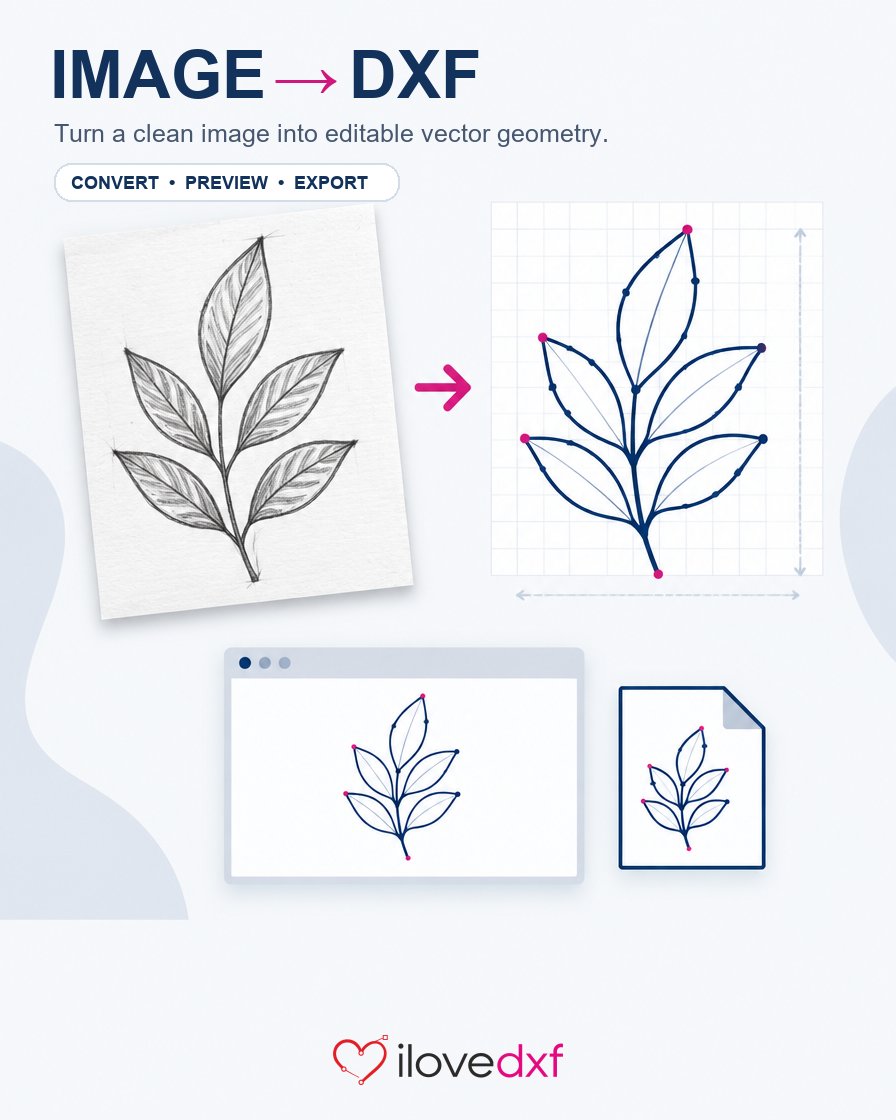
A useful DXF starts with a clean outline. If your design is still a PNG or JPG, upload it to iLoveDXF, inspect the traced vector paths, then export a DXF for your CAD, laser, or CNC workflow. Try it with your own image: https://t.co/uIabtatMnv
@i99dev تجميعة جميلة بين الإلهام والملفات الهندسية. إذا أردت تحويل مخطط PDF إلى خطوط DXF قابلة للتحرير في CAD، جرّب أداة iLoveDXF عبر المتصفح: https://t.co/cHbSQPa2UH. راجع المقياس والأبعاد قبل التصنيع. هل ملفاتك متجهية أم ممسوحة ضوئيًا؟ تابع @ilovedxf لمزيد من أدوات DXF/CAD.
@BeardedPrinter@printablescom@Thangs3D Thanks! Using one Fusion sketch for STL + DXF keeps geometry aligned. For bitmap artwork, our browser Image to DXF tool creates editable outlines: https://t.co/CuqHkSZ0mf. Do you set laser kerf in Fusion or in your laser software? Follow @ilovedxf for DXF/CAM tips.
New to iLoveDXF? Watch our overview: https://t.co/idjcNp7riV
DXF/CAD, PDF and image tools for makers, CNC/laser users, hobbyists and CAD/CAM teams. A Windows desktop app is coming soon. Follow @ilovedxf for demos and updates. What should we cover next? #CNC#LaserCutting
@BigRedDragon123 Great result! If tracing the raster art took time, iLoveDXF Image to DXF can turn suitable PNG/JPG art into editable outlines. Check tiny details/open contours before CAM; test material settings. What took longest: cleanup, tracing, or laser setup? https://t.co/CuqHkSZ0mf
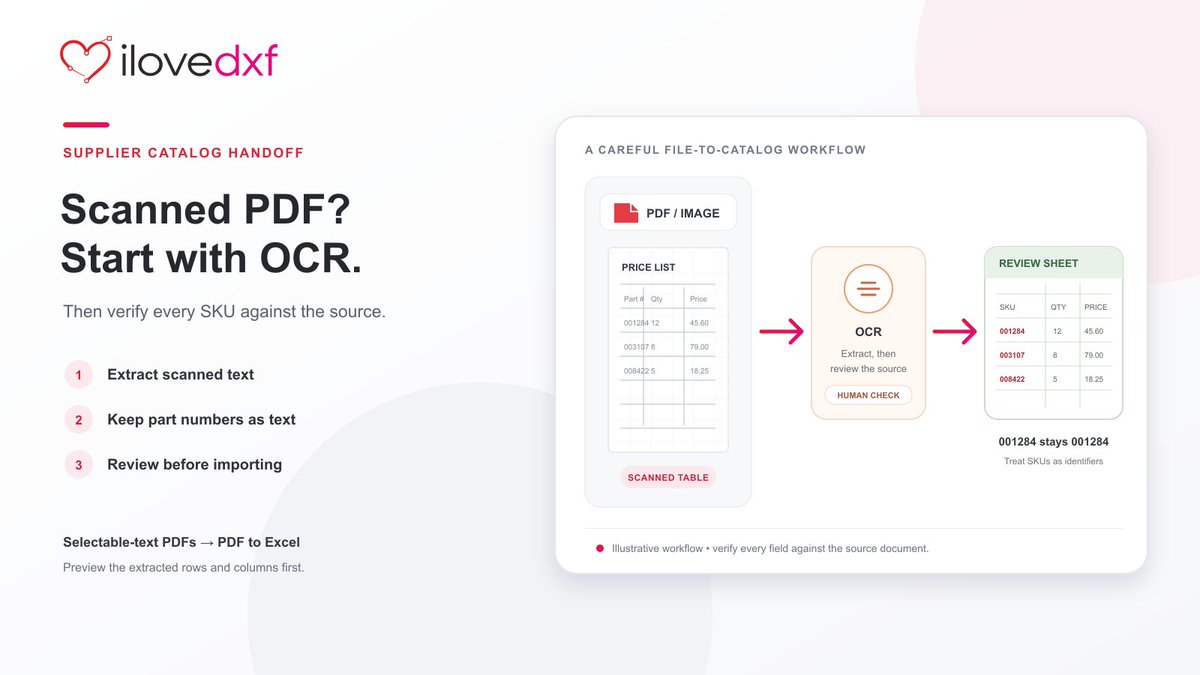
Exactly—part numbers are identifiers: 001284 must stay 001284. For image-only price lists, OCR can make text reviewable; for selectable-text PDFs, our PDF-to-Excel tool estimates columns from text positions and previews the result. Please verify each row before ERP import. OCR: https://t.co/jTwhhIkejN | PDF to Excel: https://t.co/OYtxpywrlI
@BrittonDeeEvans Great build. For flat panels or brackets alongside the 3MF enclosure, iLoveDXF turns DXF outlines into plasma-profile G-code with a browser preview: https://t.co/2yppmxFmCQ. Verify units, pierce delay and controller; then dry-run. Which controller will you use?
@esd242424 Those stars on the wood must be satisfying to watch come together. If a logo or motif starts as a raster image, iLoveDXF Image to DXF can trace suitable artwork into editable outlines: https://t.co/CuqHkSZ0mf. Do you start from SVG/DXF or an image?
@xToolOfficial I’d make a matching limited-run tee + laser-cut keychain from the same artwork. For the laser/CNC piece, iLoveDXF can trace suitable artwork into editable DXF outlines: https://t.co/CuqHkSYswH. What material would you choose for the keychain?
@BeardedPrinter Love seeing maker tech in action—and the turtle is a great bonus. For projects that pair printed parts with laser-cut panels, iLoveDXF’s free browser DXF Viewer checks units, bounds and layers before CAM: https://t.co/dwoW7hbmHv. Follow @ilovedxf for more cross-workflow demos.
@paulmichaeldev Congrats on the projected rebound—especially after a softer year. Are laser jobs or 3D-print orders driving most of the growth? For raster artwork, iLoveDXF’s Image to DXF tool creates editable paths you can review before preparing a laser file: https://t.co/CuqHkSYswH
@leahy30xy Great Austin maker night idea—live laser engraving, robots, and manufacturing under one roof. We’re new and building iLoveDXF for makers: browser tools for image-to-DXF and DXF review before CAM. What artwork would you engrave first? https://t.co/CuqHkSYswH
@TDMadeMO@TheDeltaFarmerX Congrats on the new venture, Tom! For repeatable engraving, change one setting at a time and keep the rest fixed. For customer logos, iLoveDXF’s Image to DXF tool traces raster art into CAD paths for inspection before laser work: https://t.co/CuqHkSYswH
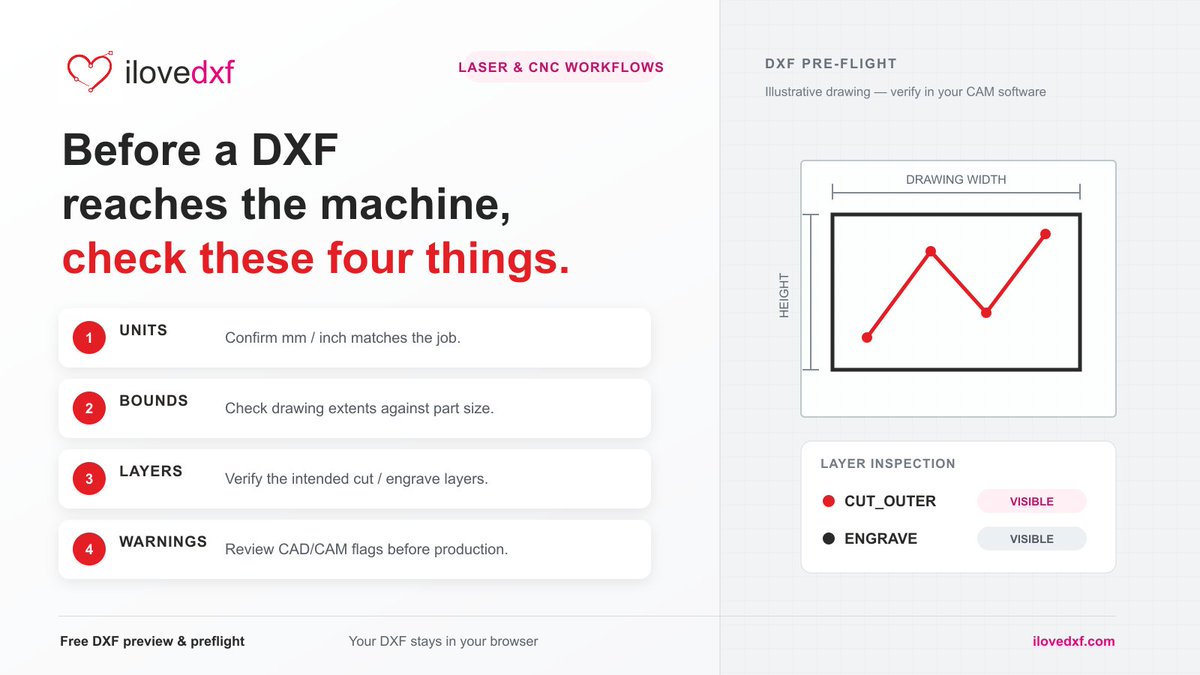
Before a DXF reaches a laser/CNC workflow, check units, drawing bounds, layers, and CAD/CAM warnings. iLoveDXF’s free browser DXF Viewer helps inspect these locally before CAM: https://t.co/W5IkgOWBXq
What do you check first?
@CrackerBill67@GREAT_CNC Fair point—5-axis CAM can be hard to justify for a hobby build. iLoveDXF handles 2D drawing prep and DXF inspection, not 5-axis toolpaths. Our free viewer checks geometry and layers before CAM: https://t.co/uYbiabx8On. What CAM feature matters most to you?
@Engineers_View1 That wooden panel is a great example of why clean paths matter. If a maker starts from a PNG or sketch, iLoveDXF’s Image to DXF tool can trace it into editable CAD paths for CNC or laser work: https://t.co/jsRgiwkDhq. Did you draw this pattern in CAD or trace existing artwork?
Useful safety note: optional extensions change the enclosure setup, so buyers should check the manufacturer’s guidance. File prep matters too—our free browser DXF Viewer lets you inspect geometry, bounds and layers before a job: https://t.co/AOT64gRwV7. What would you test first on the R1?
@Prusa3D Love seeing the Maker Faire community together. 3D printing, laser cutting and CNC all start with a good design workflow. iLoveDXF brings browser tools for DXF, PDF and image-to-vector work together: https://t.co/V0q7Kwxc1r. What’s caught your eye most?
@LibraryLaser Good roundup for laser newcomers. One file-prep check worth adding: confirm DXF scale and layer assignments, then check bounds before sending a job to the laser. The free iLoveDXF Viewer helps with a quick browser check: https://t.co/dwoW7haORX. What material do you cut most?
Great cross-workflow example from @BeardedPrinter: one Fusion sketch becomes both the STL and DXF, keeping geometry aligned for 3D printing and laser cutting. Before CAM, iLoveDXF’s free DXF Viewer checks bounds and layers: https://t.co/dwoW7hbmHv
Using laser cutting and 3D printing to make an interchangeable LED sign! Files now available on @printablescom and @Thangs3D
I include STLs and DXF files so you can still make everything if all you have is a 3D printer.
https://t.co/7aboVx7mTN
https://t.co/dRCWKZFHiH
I used the @xToolOfficial M2 to laser cut the sign
#hotmakes #3dprinted #3dprinting #laser #led #ledlights #lamp #xtool #xtoolm2
@MattStultz@3DPrintopia More room to move and good food nearby sounds like a real upgrade. Did the wider aisles also make it easier to stop at demos and talk with exhibitors?