If you want to show that you have a deep understanding of Kubernetes admin, this course is for you.
It'll help you study for (and hopefully pass!) the Kubernetes Administrator Certification exam.
You'll learn about cluster architecture, role-based access control, workloads and scheduling, networking, and lots more.
https://t.co/bABLEwDr4b
Basic web scrapers often break as soon as they hit CAPTCHAs, IP bans, or 403 errors.
In this course, Gavin teaches you how to build production-ready web scrapers that work on modern websites.
You'll use Playwright, Cheerio, residential proxies, and a MERN dashboard to scrape and visualize live data.
https://t.co/okNzAZEIWZ
Nmap Commands for Educational Use only.
Nmap is a network scanning tool used by system administrators, IT professionals, and students for security auditing, troubleshooting, and learning.
Common Scans
nmap -sP → Ping Scan: Checks which devices are active on a network.
nmap -sS → TCP SYN Scan: Helps discover open services.
nmap -sU → UDP Scan: Finds active UDP services.
nmap -sV → Version Detection: Identifies service versions for maintenance.
nmap -O → OS Detection: Detects operating system type (for compatibility testing).
nmap -A → Aggressive Scan: Runs multiple checks for detailed results.
Timing & Input
nmap -T4 → Timing Template: Controls scan speed.
nmap -iL → Input from List: Reads targets from a file (useful for admins).
nmap -sn → Host Discovery: Finds devices without scanning ports.
Advanced TCP Techniques
nmap -sX → XMAS Scan: Uses a special test packet to check responses.
nmap -sF → FIN Scan: Uses a different method for host analysis.
nmap -sT → TCP Connect Scan: Connects directly to services.
nmap -sN → Null Scan: Uses empty packets to analyze responses.
nmap -sA → ACK Scan: Helps detect firewall filtering.
Scripting & Port Options
nmap -sC → Default Script Scan: Runs safe built-in scripts.
nmap --script <script> → Run Specific Script: For detailed service checks.
nmap --top-ports <number> → Top Ports Scan: Scans the most used ports.
Note:
These commands are meant for learning, ethical security research, and network administration only. Always use Nmap on your own systems or with proper authorization.
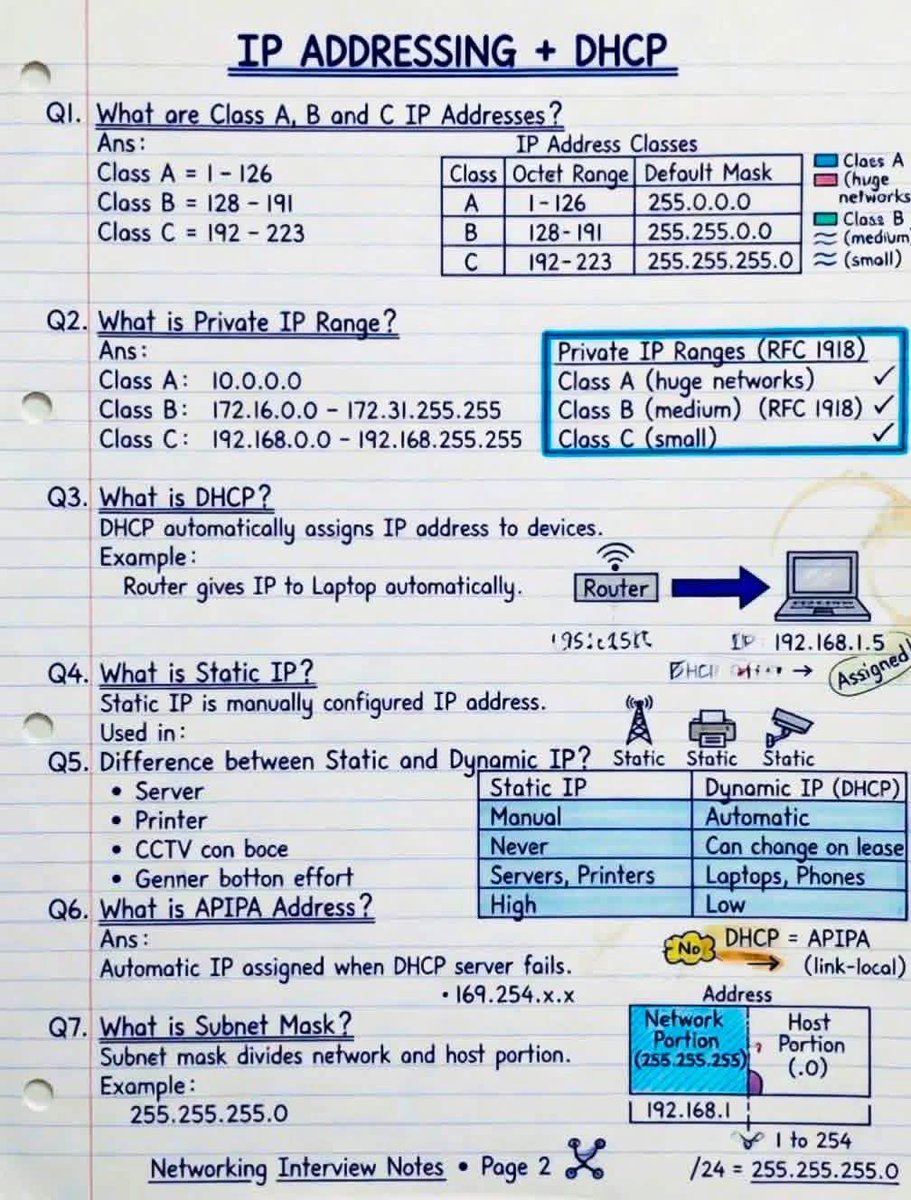
IP Addressing + DHCP Made EASY!
Every Network Engineer MUST understand these basics before moving to advanced networking concepts!
🔹 In this guide you’ll learn:
✅ Class A, B & C IP Addresses
✅ Private IP Ranges (RFC1918)
✅ DHCP vs Static IP
✅ APIPA Address Explained
✅ Subnet Mask Basics
✅ Real-world device examples
🔸 Quick Reminder:
🔹 DHCP = Automatic IP Assignment
🔹 Static IP = Manual & Fixed Address
🔹 APIPA (169.254.x.x) appears when DHCP fails
👉 Interview Question:
Why are servers usually configured with Static IP addresses instead of DHCP?
📚 Perfect for CCNA, CCNP & IT Beginners
💾 Save this for interview preparation
🔁 Share with networking students
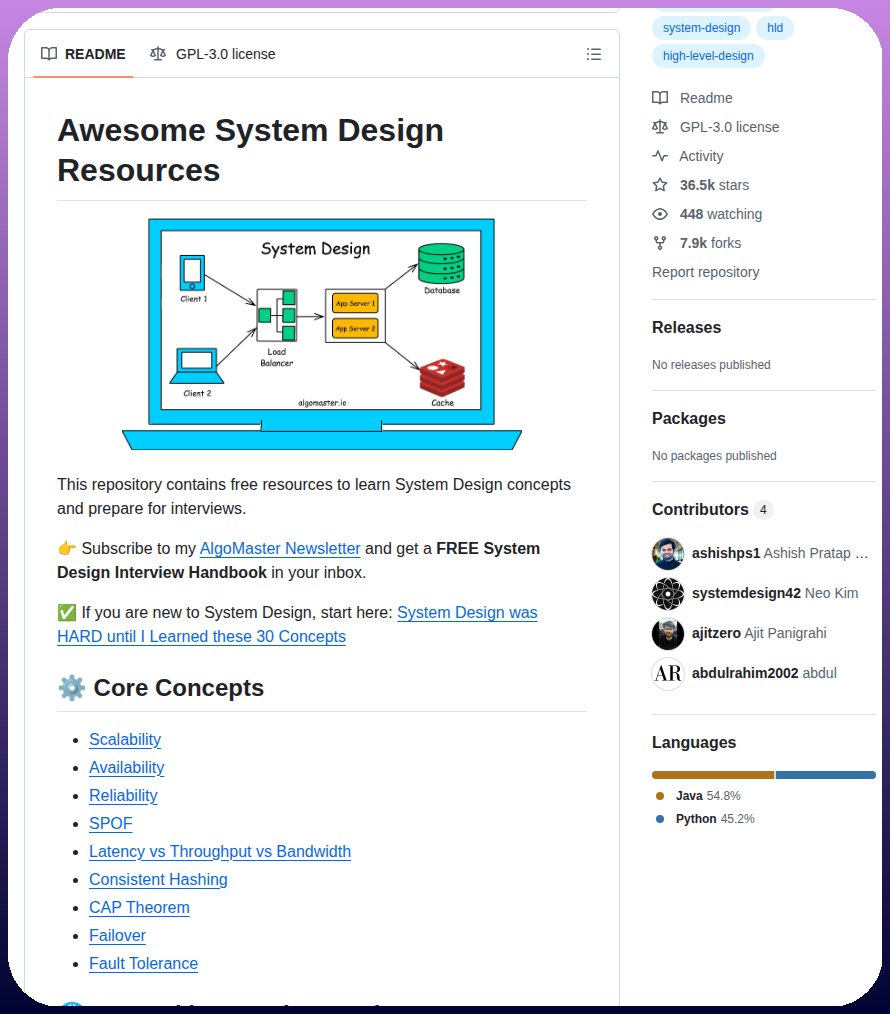
10 System Design concepts every developer should master:
1. Scalability — design systems that handle increasing traffic and users
2. Load Balancing — distribute traffic across multiple servers efficiently
3. Caching — improve performance by storing frequently accessed data
4. Databases — understand SQL, NoSQL, replication, and sharding
5. Microservices — break applications into independent services
6. Message Queues — enable asynchronous communication between services
7. API Gateway — manage routing, authentication, and rate limiting
8. Fault Tolerance — build systems that continue working during failures
9. Distributed Systems — manage communication across multiple machines
10. Monitoring & Logging — track system health, errors, and performance
Grab the System Design Ebook: https://t.co/WIMretQFPE
How To Investigate A Telegram Channel, User, or Bot In 2026
Educational OSINT techniques for cybersecurity professionals and threat researchers.
Focus > Public channels, metadata extraction, and ethical investigation frameworks.
#OSINT#CyberSecurity#ThreatIntelligence
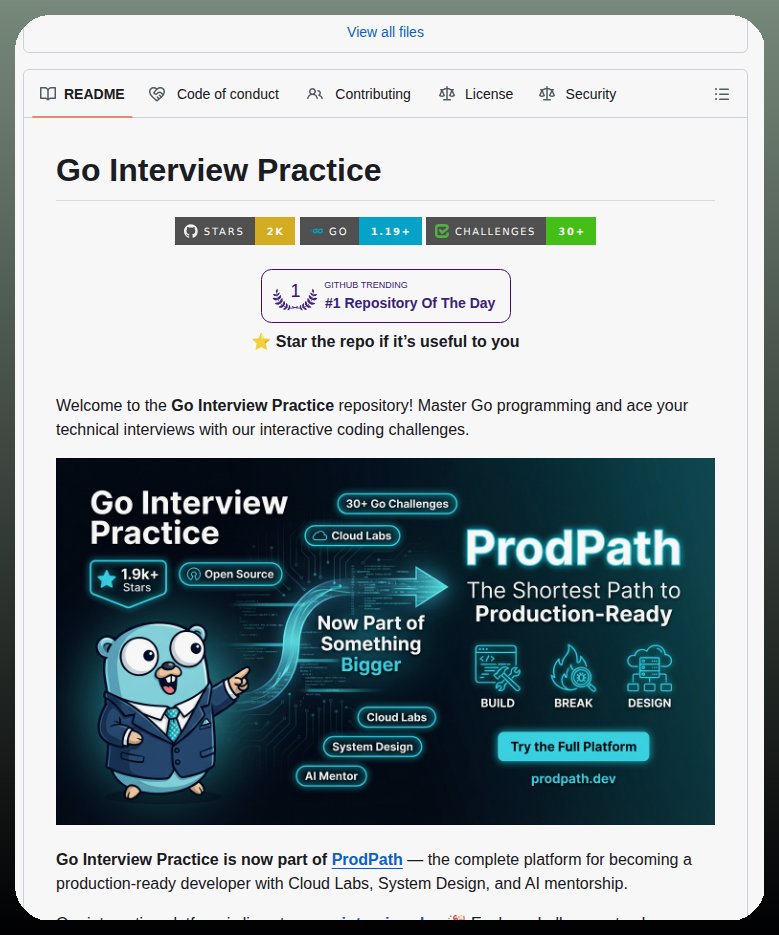
This GitHub repo might be all you need for DevOps interviews.
100+ real questions
→ Kubernetes
→ Docker
→ Linux
→ CI/CD
→ Networking
Includes video explanations
If you can explain these, you’re ready.
Repo: https://t.co/7x9jRXYyyp
System Design Series - Day 8/30
API Gateway Patterns – The Front Door of Your Microservices
API Gateway is the single entry point for all your clients.
Without it:
- Mobile/web clients call 10+ different services directly
- Authentication is duplicated everywhere
- Rate limiting, CORS, logging → repeated in every service
- Services are fully exposed to the internet
With it:
- One clean URL for clients
- Centralized auth, rate limiting, routing, aggregation
- Backend services stay hidden and secure
Here’s everything you need to know about API Gateway patterns.
What is an API Gateway?
Think of it as the hotel front desk
Without a front desk:
- Guests wander around looking for rooms
- No security check
- Housekeeping and room service have no coordination
With a front desk:
- Single check-in point
- Routes guests to correct room
- Handles security, coordination, and requests
API Gateway does exactly that for your microservices.
The Problem It Solves
Before API Gateway:
Mobile app needs user profile + orders:
→ Calls User Service directly
→ Calls Order Service directly
→ Calls Payment Service directly
Problems:
- Client knows internal service URLs
- Multiple network calls (slow on mobile)
- Auth tokens sent to every service
- No centralized rate limiting or logging
- Services exposed to the internet
After API Gateway:
Mobile app calls one URL:
https://api.example. com/profile
Gateway handles everything internally:
- Authenticates once
- Routes and aggregates calls
- Returns combined response
Benefits:
- 1 network call from client
- Services completely hidden (security win)
- Centralized cross-cutting concerns
- Much better client experience
Core Responsibilities:
1. Routing
Maps external URLs to internal services
GET /api/users → User Service
GET /api/orders → Order Service
2. Authentication & Authorization
Validates JWT/OAuth once at the gateway.
Services trust the gateway.
3. Rate Limiting
Prevents abuse (e.g., 100 requests/min per user).
4. Request Aggregation
Combines multiple backend calls into one response for the client.
5. Protocol Translation
Client uses REST → Service uses gRPC (handled at gateway).
Advanced Patterns
- Circuit Breaker → Prevents cascading failures when a service is down
- Request/Response Transformation → Convert old → new API formats
- Caching → Cache frequent responses at the gateway level
- Logging & Monitoring → Centralized observability
When to Use API Gateway
Use it when:
- You have multiple microservices
- External clients (mobile, web, third-party)
- You need centralized auth, rate limiting, or aggregation
Don’t use it when:
- Simple monolith (overkill)
- Only internal service-to-service communication
- Ultra-low latency is critical (extra hop)
Popular Solutions
- Kong (open-source, powerful plugins)
- AWS API Gateway (managed, serverless)
- NGINX + Lua (DIY, lightweight)
- Traefik, Envoy, KrakenD
Summary
API Gateway is not just a proxy.
It is the security layer, traffic manager, and aggregator for your entire backend.
It simplifies client code, hides internal complexity, and centralizes cross-cutting concerns.
Trade-offs:
- Extra network hop (adds latency)
- Becomes a critical component (make it highly available)
Used correctly, it’s one of the most valuable pieces in any microservices architecture.
Tomorrow (Day 9): Inter-Service Communication Patterns
Questions about API Gateway?
Drop them below 👇
#SystemDesign #APIGateway #Microservices #Backend
Database indexes help your queries run much faster.
They let the database find rows without scanning the entire table.
In this article, @Iyiola_dev_ teaches you how indexes work in PostgreSQL with practical examples.
https://t.co/Y5bz7pDnUH
"Trust no one. Verify everything." That's the motto, if you will, of zero-trust authentication.
This approach to security checks every person, every device, and every request – every single time they try to access resources.
In this in-depth guide, @tope_fasasi walks you through implementing zero-trust auth in your web apps.
https://t.co/xHLRBcs4X3