New video! 📱🔥
Quick breakdown of Provider in Flutter and how to use it in your UI — perfect for beginners and interview prep.
Watch here 👉 https://t.co/sBLTZM5IJA
#flutter#flutterdev#dart#mobiledevelopment
This week I’ve been diving deeper into state management, and I’m really starting to get comfortable with the provider package.
Clean state management + automatic UI updates = smooth dev experience.
#Flutter#Dart#Provider#MobileDev
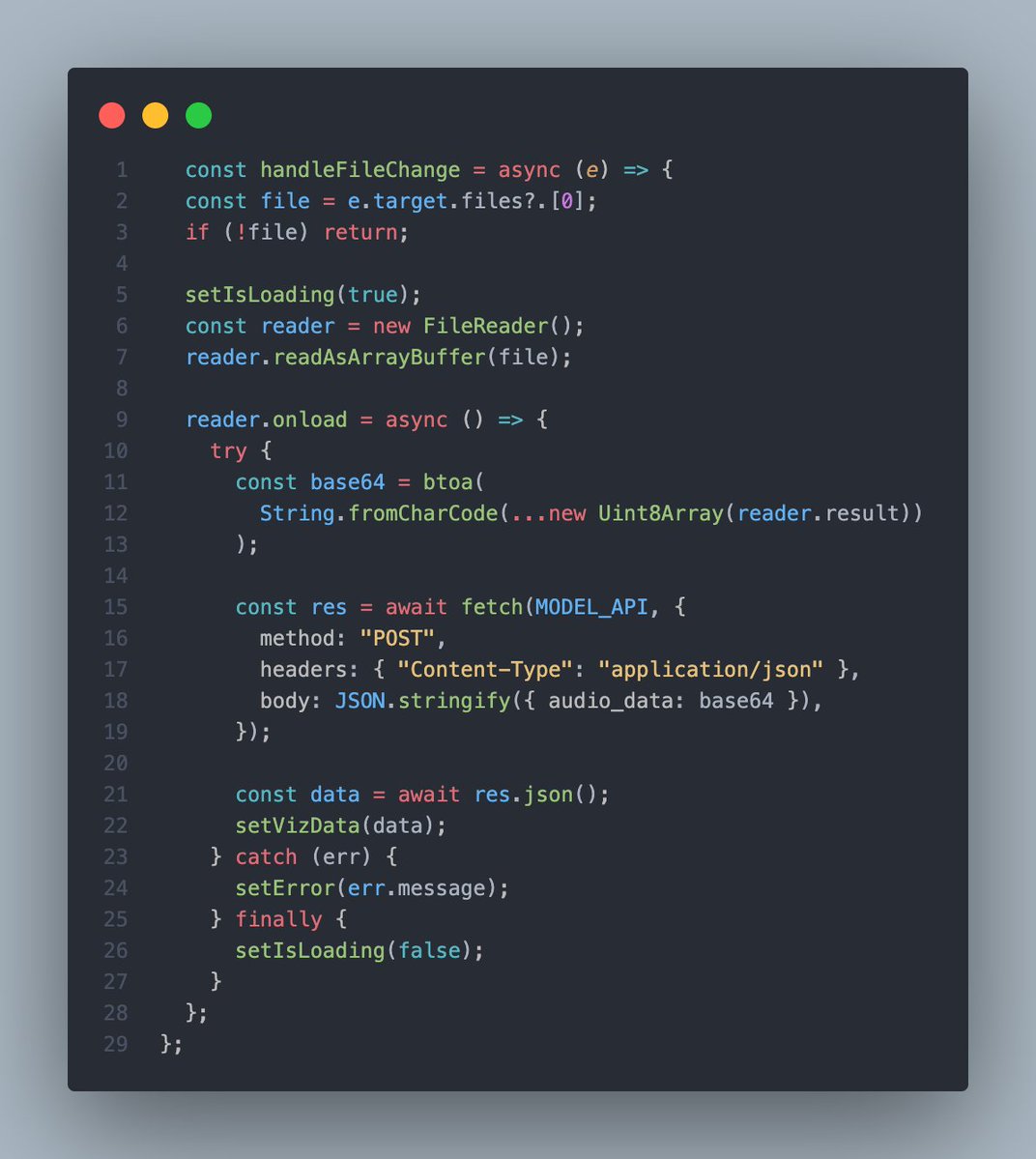
I’ve been improving my portfolio this month and I built a simple contact form in React where I’m using useState twice to manage the UI:
formData → stores the user’s input (name, email, message).
formStatus → tracks the submission process (submitting, success, error, message)
To help reduce the number of UI freezes caused by Resharper, I built an internal tool to measure UI responsiveness.
Here, you can see the improvement between the current 2025.1 version (on the left) and the upcoming 2025.2 version (on the right) with out-of-process enabled.
Over the last week, I got more hands-on training a CNN using Modal + TensorBoard 🚀
✅ Loss dropping
✅ Validation accuracy rising
✅ Watching progress over epochs. Each epoch is one full pass through the dataset.
Quick setup:
#MachineLearning#DeepLearning#AI#Python
Lately, I’ve been diving into deep learning models like CNNs to understand how AI works.
Training networks like ResNet enables AI to recognize intricate patterns in images from medical scans to manufacturing defects. It's fascinating stuff!
Micro-Interactions Matter 💻
Sometimes the smallest details make the biggest impact. I wanted my “View My Work” and “Contact Me” buttons to feel interactive on my redesigned portfolio, so I used glass-style CSS + Framer Motion for smooth hover and tap animations. #framermotion