6 días con @la_Mutua@Mutua_responde, he pinchado y me lo cubre el seguro, 40 min en espera para que me atiendan y me expliquen como proceder, me derivan a un taller, llamo al taller y el taller dice que Mutua no cubre el pinchazo y vuelta a empezar. Es increible.
@Correos@CorreosAtiende ¿de qué sirve contratar con vosotros un servicio urgente? una entrega de 24/48 horas llevo 5 dias esperando y vuestra ayuda al teléfono se basa en decirme el estado del pedido que ya puedo ver yo en la web. Servicio y soporte nefasto.
@barckcode Hay dos cosas que muchas veces se ignoran cuando se elige una arquitectura serverless y para mí es fundamental…. Las métricas, si no las tienes en cuenta te pueden arruinar a nivel de coste. Y la otra es la dependencia que te crea sobre tu proveedor de cloud.
@barckcode Esto depende mucho del tipo de aplicación, pero igualmente Fargate es un servicio serverless y es muy válido para estar 24/7. Pero lo ideal (para mi caso) son arquitecturas híbridas, servicios 24/7 y otros servicios serverless para quitar carga operativa al core de tu aplicación
¡SORTEO especial MIDUCONF!
Un Teclado Mecánico Keychron RGB
¿Cómo participar?
→ Entra a https://t.co/FKRGEiCsll y consigue tu ticket
→ Contesta este post con la foto del ticket
→ Like y RT
✓ Participación abierta a todo el mundo
✓ Envíos internacionales (max. 100$)
¡Google da acceso a todo el mundo a su nuevo editor!
✓ Gratuito y basado en Code
✓ Emulador de Android y iPhone
✓ Asistencia de código con Gemini AI
Desarrolla Android, Astro, Next.js, Python, Node y más:
→ https://t.co/TMlZuHckfl
🚀 Mejora tus apps en tiempo real con WebSockets, API Gateway y Lambda! Descubre cómo transformar tu interacción usuario-servidor y llevar tu proyecto al próximo nivel. No te pierdas nuestro tutorial paso a paso.
#AWS#websocket#cdk#Python https://t.co/xiqpLbJAL8
Aquí tenéis un ejemplo de cómo optimizar los recursos apagando automáticamente vuestro clúster de #kubernetes en #AWS a través de una simple Lambda.
#aws#eks#kubernetes#typescript
https://t.co/OT5vl6Pcyu
@MoureDev Para los que nunca habéis tocado nada de ML yo os recomiendo que os veáis los vídeos de esta chica https://t.co/EWweFqkFQO son sencillos, claros y lo explica todo desde la base
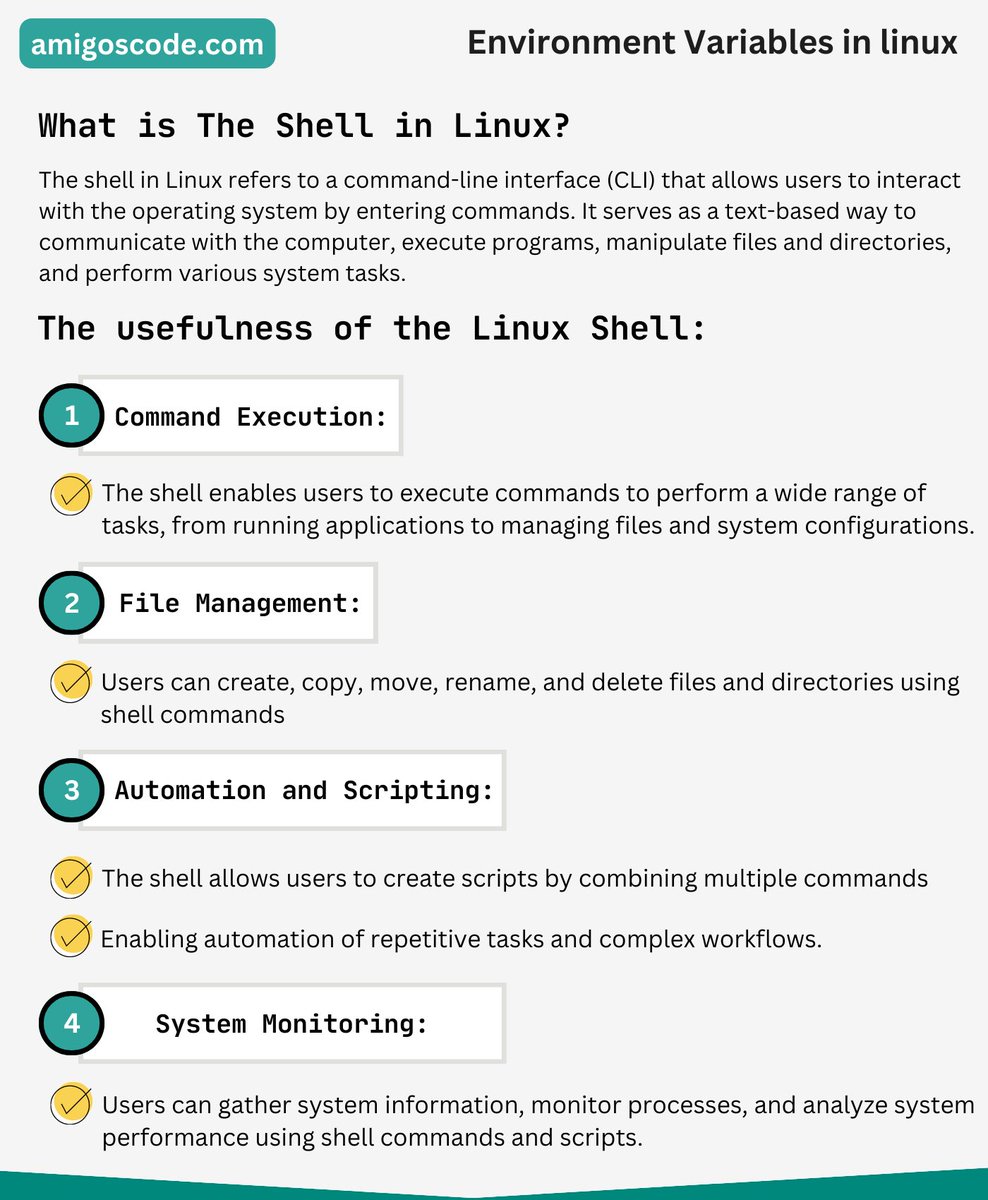
The Linux shell is a command-line interface that allows users to interact with the operating system by entering text-based commands. It serves as a powerful tool for managing files, running programs, and performing various system tasks.
➡️ The shell provides a direct way to control and customize your system, enabling tasks such as file manipulation, software installation, process management, and network configuration. Its scripting capabilities also allow for automation and batch processing.
➡️ Overall, the Linux shell offers a flexible and efficient way to interact with the system, making it an essential tool for both beginners and experienced users in the world of Linux and Unix-like operating systems.
🚨 Join Waiting List for New 10+ Hour Linux Course - https://t.co/EolNQecppN
#linuxshell #commandline #operatingsystem #filemanagement #software #automation #systemtasks #networkconfiguration #scripting #processmanagement #unix #linux
You need to Learn API Testing Now
1. 𝗩𝗮𝗹𝗶𝗱𝗮𝘁𝗶𝗼𝗻 testing ensures that an API functions correctly and meets its specified requirements. It involves verifying the API's response to different inputs, checking error handling, and validating data formats.
2. 𝗙𝘂𝗻𝗰𝘁𝗶𝗼𝗻𝗮𝗹 testing validates the API's individual functionalities by sending different input data to ensure proper functionality and expected responses, ensuring reliability before deployment.
3. 𝗨𝗜 testing validates the user interface by testing interactions between the UI and the API, ensuring data synchronization and display are accurate. It identifies issues related to data retrieval, display, and user interactions.
4. 𝗟𝗼𝗮𝗱 testing evaluates an application's performance under different user demands by simulating heavy concurrent usage to identify potential issues and ensure reliable performance during peak traffic.
5. 𝗥𝘂𝗻𝘁𝗶𝗺𝗲/𝗲𝗿𝗿𝗼𝗿 𝗱𝗲𝘁𝗲𝗰𝘁𝗶𝗼𝗻 in API testing involves actively monitoring and analyzing an application's behavior during runtime to identify and capture errors or anomalies that may occur while processing API requests.
6. 𝗦𝗲𝗰𝘂𝗿𝗶𝘁𝘆 testing in API testing examines the application's vulnerability to potential security risks and threats. It involves assessing the API for potential security loopholes, such as unauthorized access, data breaches, and other vulnerabilities.
7. 𝗣𝗲𝗻𝗲𝘁𝗿𝗮𝘁𝗶𝗼𝗻 testing in API testing involves assessing the security of an application's API by attempting to exploit vulnerabilities and weaknesses. The goal is to fortify the API against potential threats and ensure robust security measures are in place.
8. 𝗙𝘂𝘇𝘇 testing in API testing involves automatically sending a large number of random, invalid, or unexpected data inputs to the API to identify vulnerabilities and potential errors.
9. 𝗜𝗻𝘁𝗲𝗿𝗼𝗽𝗲𝗿𝗮𝗯𝗶𝗹𝗶𝘁𝘆 testing is a type of testing where software systems and components are tested to ensure that they can connect and communicate correctly with each other.
🚨 Join Waiting List for New 10+ Hour Linux Course - https://t.co/EolNQecppN
Let's get the conversation rolling.
Share your thoughts in the comments section below.
Image Creds to Brij kishore Pandey
#testing #tdd #systemdesign #coding
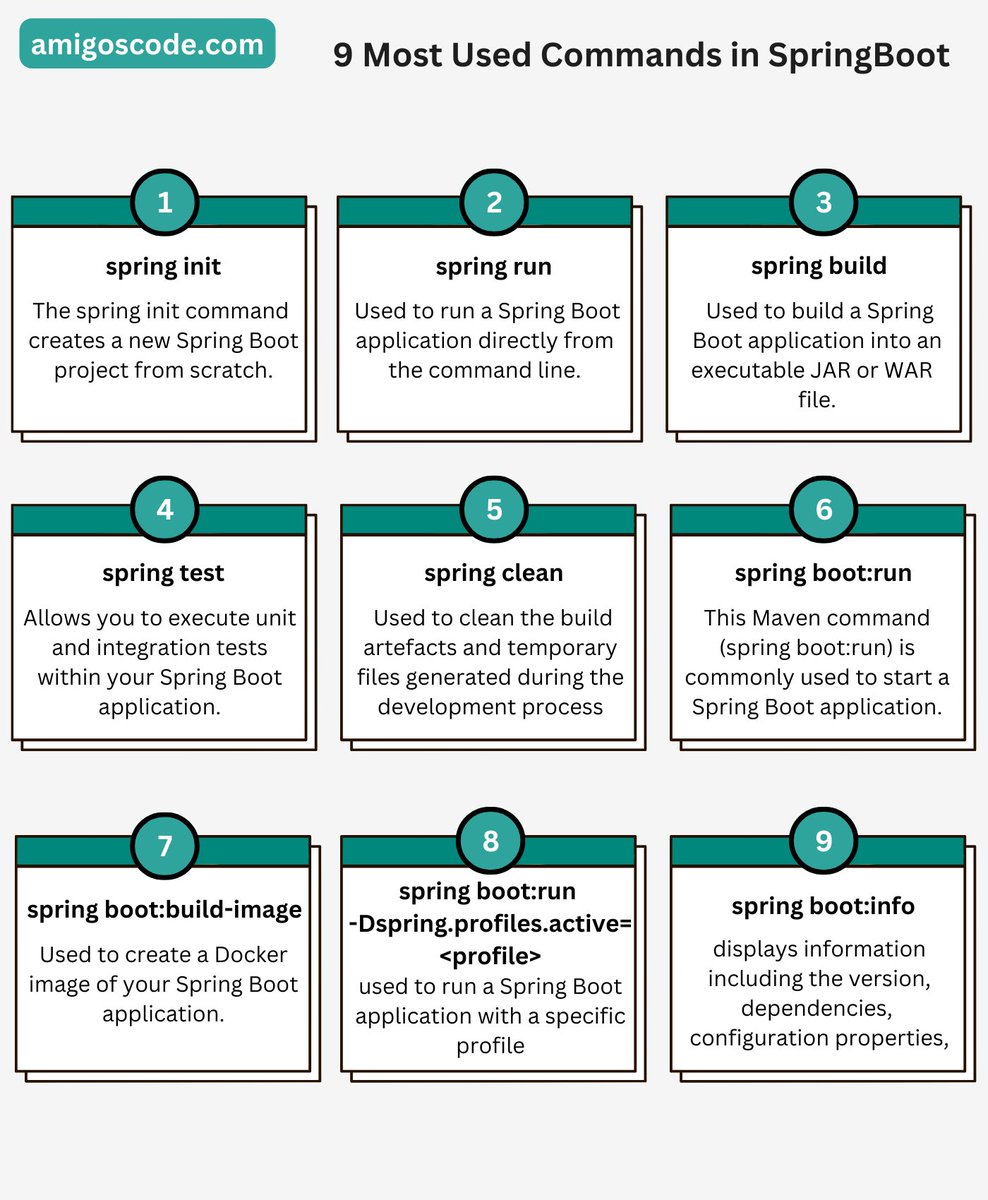
❗️9 Most Used Commands in SpringBoot❗️
➡️ 1. spring init: This command initializes a new Spring Boot project, allowing you to specify project details and dependencies. It sets up a basic project structure and configuration files.
➡️ 2. mvn clean install: Used with Maven, this command builds and packages your Spring Boot application. It compiles the source code, runs tests, and creates an executable JAR or WAR file.
➡️ 3. ./gradlew build: When using Gradle, this command compiles, tests, and packages your Spring Boot app. It generates a JAR or WAR file containing your application along with its dependencies.
➡️ 4. spring run: This command is used to run a Spring Boot application directly from the source code, without creating a JAR or WAR file. It's useful during development and testing.
➡️ 5. spring boot:run: Similar to 'spring run', this Maven command starts your Spring Boot application. It's useful when you want to quickly test your app without building it first.
➡️ 6. spring profiles: You can use this command to activate specific profiles in your Spring Boot application. Profiles help you configure different environments (e.g., dev, prod) with specific properties.
➡️ 7. spring actuator: This command provides production-ready features to your application, such as health checks, metrics, and environment information. It's used to monitor and manage your app in runtime.
➡️ 8. spring data: Spring Boot offers various data-related commands, like generating repositories and database migrations. These commands assist in managing data access and persistence.
➡️ 9. spring security: Spring Boot provides commands for configuring security features, like user authentication and authorization. These commands help secure your application and manage access to resources.
🚨 Join Waiting List for New 10+ Hour Linux Course - https://t.co/EolNQecppN
#springboot #springbootoverview #springboots #SoftwareDeveloper #9mostusedcommandsinspringboot