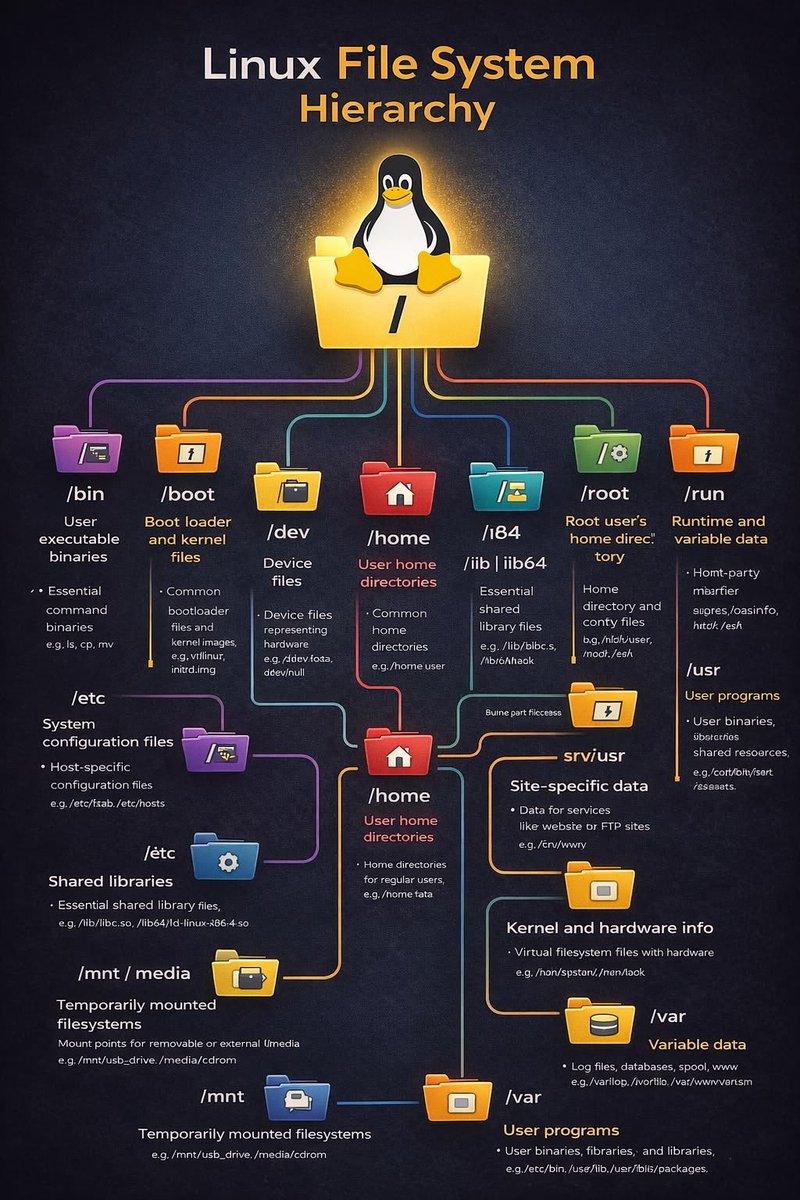
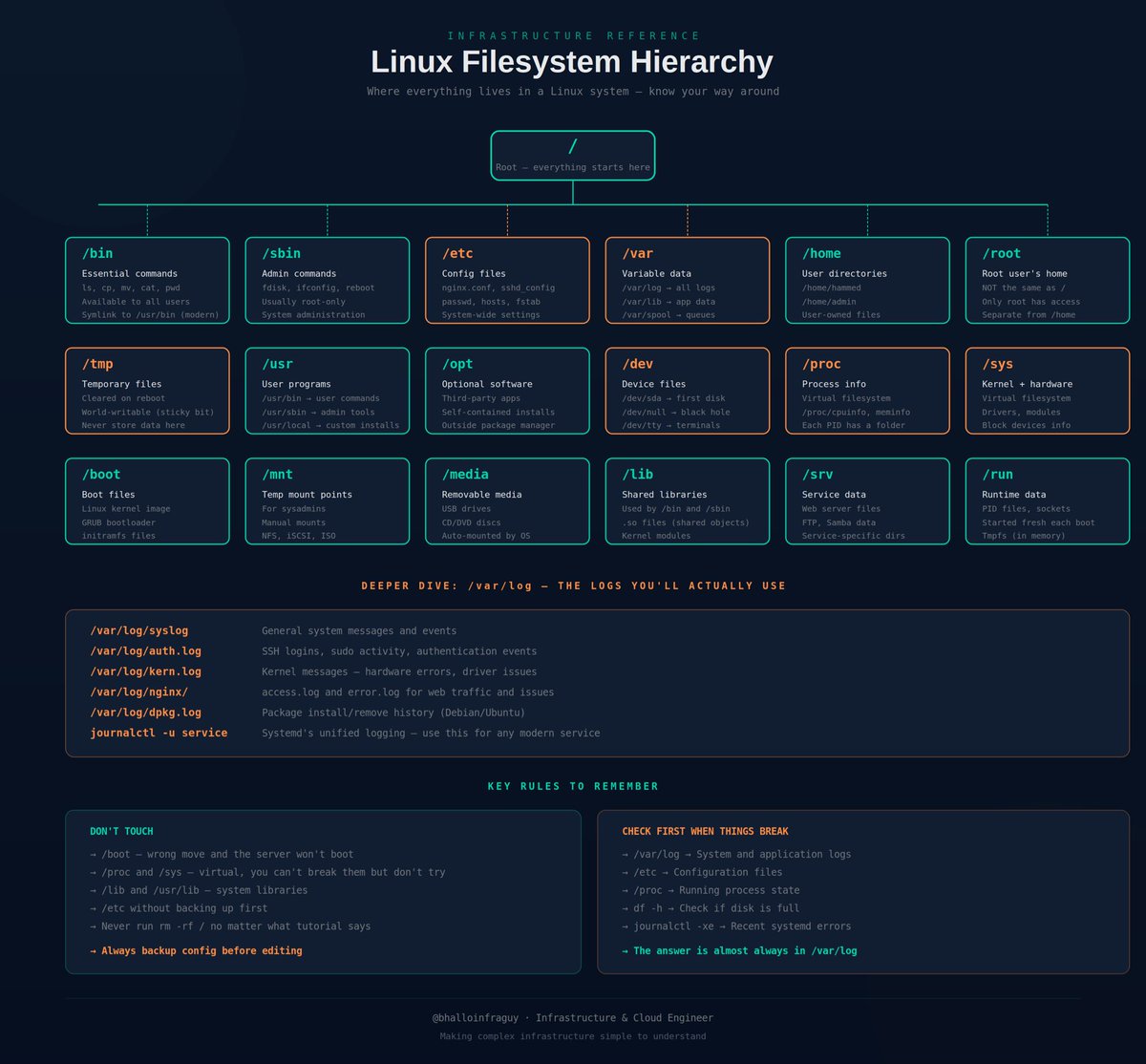
Linux Filesystem Hierarchy every Infrastructure Engineer should know:
/ → Root directory. Everything starts here
/bin → Essential user commands (ls, cp, mv)
/sbin → System admin commands (fdisk, ifconfig)
/etc → Configuration files (nginx.conf, sshd_config)
/var → Variable data (logs, mail, spool, databases)
/var/log → System and application logs
/home → User home directories
/root → The root user's home (different from /)
/tmp → Temporary files (cleared on reboot)
/usr → User programs and libraries
/opt → Optional third-party software
/dev → Device files (disks, terminals)
/proc → Virtual filesystem for running processes
/sys → Kernel and hardware info
/boot → Bootloader and kernel files
/mnt → Temporary mount points
/media → Removable media (USB, CDs)
/lib → Shared libraries for /bin and /sbin
Know where things live and Linux stops feeling like a maze.
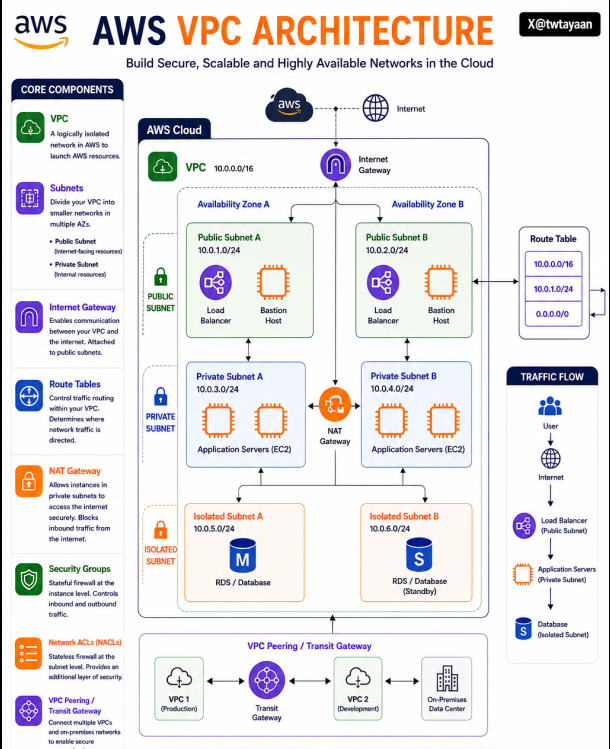
AWS VPC Architecture 🏗️
Amazon VPC helps you build isolated, secure, and scalable networks inside AWS for running cloud applications reliably.
→ Public subnets expose internet-facing resources like Load Balancers
→ Private subnets securely host internal application servers
→ Isolated subnets protect sensitive databases from direct internet access
→ Internet Gateway enables communication between VPC and the internet
→ NAT Gateway allows private instances to access the internet securely
→ Route Tables control how network traffic flows inside the VPC
→ Security Groups act as stateful firewalls for EC2 instances
→ NACLs provide subnet-level traffic filtering and security
→ Multi-AZ deployment improves availability and fault tolerance
→ VPC Peering and Transit Gateway connect multiple networks securely
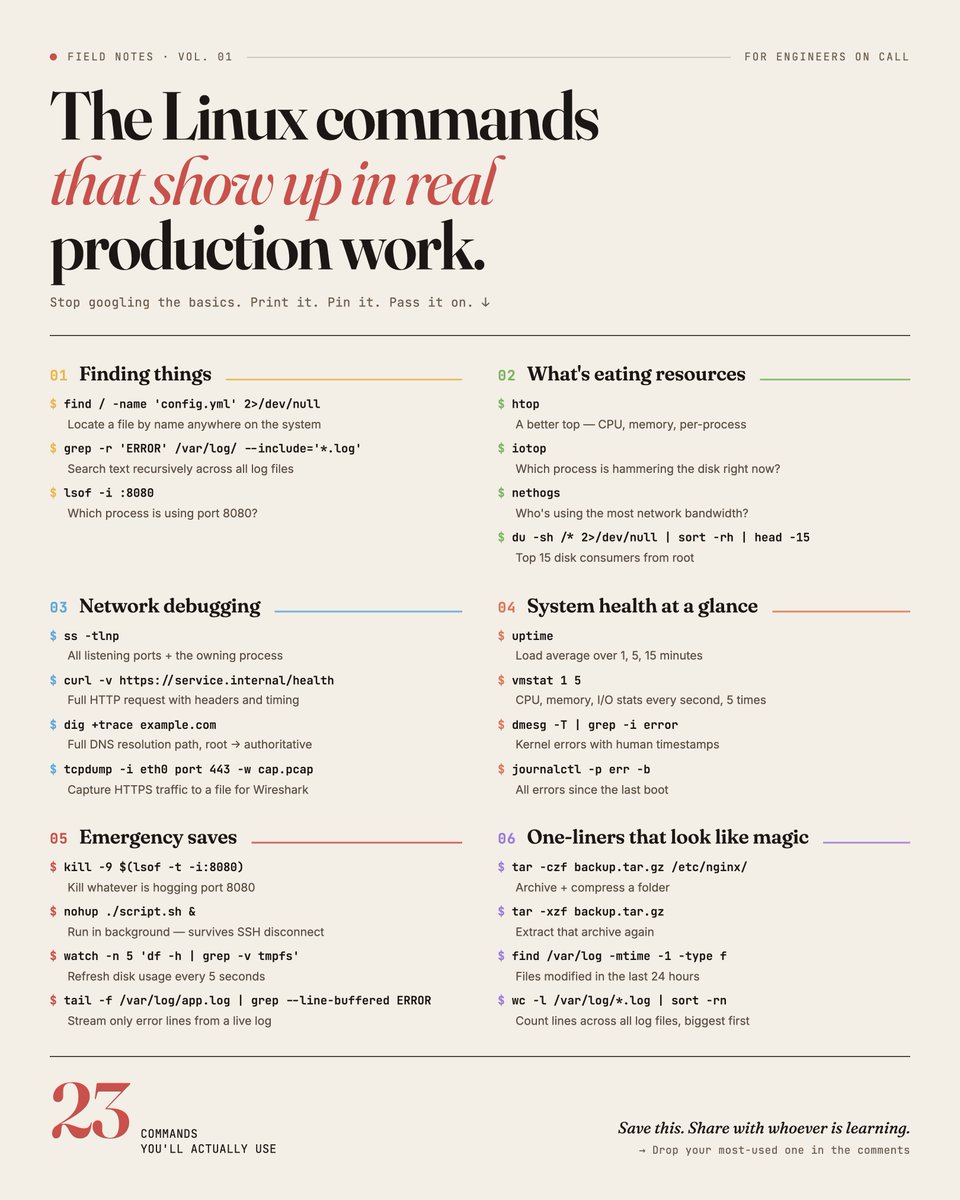
I spent a lot of time googling basic linux commands in the early days.
I'm giving you a list you can use 👇👇
The commands that actually show up in real production work