@kepano Export to HTML. I am regularly copying things to different places on the web and have embedded links. I hate having to reformat all of that every time I copy and paste.
1. Loving all the linear calendars I'm seeing this year. @excalidraw in @obsdmd can create a beautiful calendar that you can add images, text, notes and more to. Here's how to get started. #Obsidian#howtodoit#excalidraw#planner
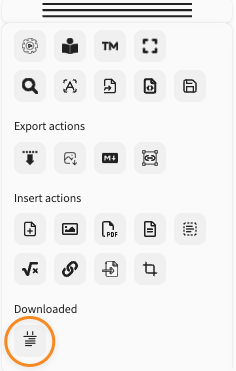
7. Click anywhere outside of the script engine window to return to your drawing. Add the linear calendar to your drawing by clicking the linear calendar script button from the Downloaded section of the Tools Panel
I'm going all in with the @obsdmd Tasks Plugin. I'm making a video series about everything I've learned about this incredibly powerful plugin. The first video is out and can help you decide if you want to use the Global Task Filter. https://t.co/FjciPdxZLP
Do you want a more personalized approach to getting your finances in order. I offer one on one personal financial coaching. Schedule a 30 minute, free no obligation call today at https://t.co/qsqa0M0zLU #financialcoaching
January is National Financial Planning Month. I'll be publishing content this month to help you get your finances in order. The first piece of content is about one of my favorite financial tools - the financial date. https://t.co/8EiAYmxH7p #Finance
Want access to the entire community including my monthly open financial sessions? Join the community for free at https://t.co/4byD8HJbEE or get access to everything at https://t.co/xcMFXslg5Q This includes the Facts of Life Book course.
In the new year, I am going to reengage with Twitter more. So, I'm back with the first issue of my newsletter in the New Year (link in the comments) and sharing my vision board for 2026.
I took a brief newsletter hiatus in June, but we're back and better than ever thanks to now hosting on @kit.
Read this month's edition. I'd love it if you'd subscribe.
https://t.co/qDJByc0qXL
#Obsidian#25in25#planning#ynab