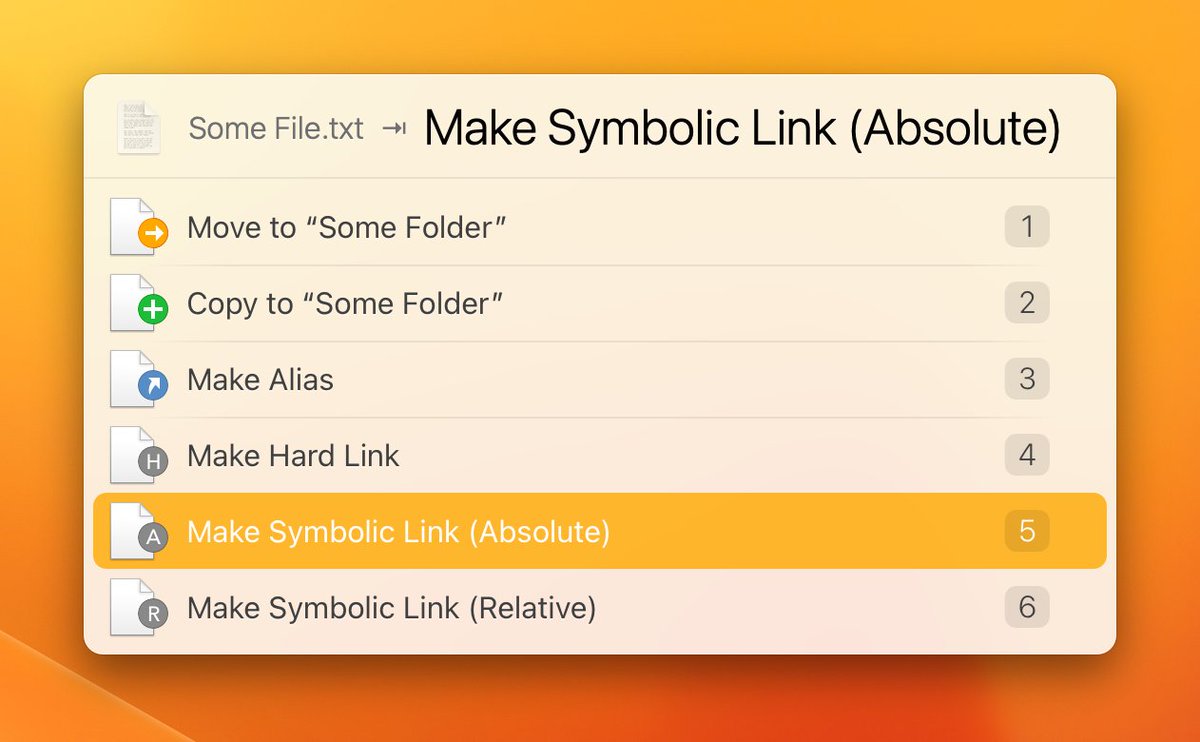
@AlastairClimate@ecormany Select some file in LaunchBar, press Tab, select some folder, hit Return. Then you can choose from a bunch of file operations, including all sorts of links and aliases.
@mxgrn Yes, you are right, with Dvorak, Control-L conflicts with vi-style navigation shortcuts, which are based on the QWERTY layout. But you can turn them off in Settings → Shortcuts → Alternative Arrow Keys, by choosing “None”.
@com @ptujec You probably mean that LaunchBar’s list oriented output (showing one line at the time) isn’t well suited for presenting multi-line results, right?
ScreenCastsOnline @sconline has released another video tutorial covering LaunchBar. A preview of this tutorial is available here:
https://t.co/amhsBlg83K
@jayashmen@wklj To solve this, LaunchBar provides a LIFO approach. You copy, copy, copy in reverse order, then paste, paste, paste (using the "Paste and remove from history" shortcut).
@jayashmen@wklj The problem with FIFO is – how do you define "first"? If there are 300 items in your history you definitely don’t want to start pasting the one that was added "first".
@telepati You mean squishing the poor little icon into a quadratic cage to make it less distinguishable from other icons? Not very fond of this idea.
https://t.co/yRkNVumWOo