OAuth 2.0 is a framework that gives apps limited access to your data without sharing credentials.
But the flow can be confusing at first.
Here, @ashutoshkrris covers OAuth 2.0 from the ground up, including, clients, tokens, grant types, and secure auth flows.
https://t.co/JOIKMspl2o
Building a multi-tenant SaaS API means keeping each customer’s data secure and properly isolated.
In this guide, @Zia_Ullah_Khan teaches you how to build one with Node.js, PostgreSQL, role-based access control, and audit logging.
You’ll also explore tenant isolation, authentication, permissions, and other key patterns for building secure SaaS backends.
https://t.co/qooV6nXdUd
Anthropic and Andrew Ng built an agent that uses 90% fewer tokens from scratch:
they dropped the entire book of Frankenstein into a prompt - 108,000 tokens asked one question
the input dropped from 108,000 tokens to 11
here's how:
step 1 → put everything that never changes at the top - tools, then system, then docs
step 2 → mark where the static part ends. everything above it gets cached
step 3 → one stray space breaks it - and you pay full price again
step 4 → the cache dies in 5 min - every read resets the clock
step 5 → cached tokens don't count against your rate limits. free headroom
most people never touch this - it pays for itself on day one
watch & bookmark - this 1-hour brilliant course ↓
API Design Playbook (Giveaway Alert)
• Core API fundamentals.
• Clean & scalable design principles.
• Popular patterns used in real-world systems.
• Practical concepts for interviews & building projects.
24 HOURS ONLY!
To get it for free:
1 Follow @systemdesignone [MUST]
2 Like & Retweet to get DM
3 Reply "Playbook"
Then I'll DM you the details.
If you want to become good at AI engineering (in 3 weeks), then learn these 15 concepts:
1 AI Agents: Memory, State & Consistency
→ https://t.co/v8H7O00jub
2 Machine Learning System Design 101
→ https://t.co/9MkHcLb5e0
3 Design Personal AI Chat Assistant
→ https://t.co/nNWq3onTnW
4 How RAG Works
→ https://t.co/cGmunPTUlb
5 LLM Concepts - A Deep Dive
→ https://t.co/5lCKxq2g4N
6 How to Design an AI Agent
→ https://t.co/JvnPd9773A
7 What is Reinforcement Learning
→ https://t.co/AVpl9j1oit
8 How Vector Databases Work
→ https://t.co/FVxan8xHH3
9 Context Engineering 101
→ https://t.co/OMkiZhkODL
10 AI Coding Workflow 101
→ https://t.co/paIf9ksIU9
11 LLM Evals Explained
→ https://t.co/nv3Ol8W53p
12 How AI Agents Work
→ https://t.co/tk3zkCjRvg
13 How MCP Works
→ https://t.co/wgf8gHnnkn
14 Agentic Patterns Explained
→ https://t.co/8YdBBWvTj1
15 Multi-Agent Architecture Explained
→ https://t.co/rS5QQS7Jln
What else should make this list?
===
👋 PS - Want my System Design Playbook for FREE?
Join my newsletter with 210K+ software engineers right now:
→ https://t.co/ByOFTtOihX
===
💾 Save & RT to help others ace AI engineering.
👤 Follow @systemdesignone + turn on notifications.
A MIT professor gave a 1-hour lecture in 2019 that has 18 million views.
He died 5 months after recording it.
It was his final gift to the world.
Patrick Winston taught at MIT for 50 years. The smartest engineers on earth sat in his classroom. And he spent his last lecture teaching them the one skill their degrees never covered.
How to speak.
15 lessons that will change how you communicate forever:
1. Never open with a joke. Your audience is not ready to laugh yet. Open with a promise of what they'll know by the end.
2. Your ideas are like your children. You're too close to them. What's obvious to you is invisible to everyone else. Explain the obvious.
3. The 5-minute rule. The first 5 minutes of any talk decide whether people listen for the next 55. Spend more time on your opening than anything else.
4. Repeat your most important idea 3 times in 3 different ways. Once is never enough.
5. Build a fence around your idea. Tell people what it is NOT before you tell them what it IS.
6. Verbal punctuation. Pause. Let the idea land before moving to the next one.
7. Ask questions nobody will answer. Then wait 7 seconds. The silence isn't awkward. It's processing.
8. Never read your slides. Your audience can read. They can't listen and read simultaneously.
9. Use the board not the slides. Writing forces you to slow down. Slowing down forces clarity.
10. Inspire before you inform. Nobody learns from someone they're not inspired by.
11. End with a contribution not a summary. Tell them what you gave them. Not what you said.
12. Never say thank you at the end. It's weak. End with something that lands.
13. Stories make ideas stick. Data makes ideas understood. You need both. In that order.
14. The quality of your communication determines the quality of your ideas in the eyes of the world. Not the ideas themselves.
15. Practice is not preparation. Practice IS the skill.
Patrick Winston understood something most people spend their entire careers missing.
Your ideas are only as powerful as your ability to transfer them into someone else's mind.
You can be the smartest person in the room and be completely invisible.
Or you can master communication and make average ideas feel like breakthroughs.
He chose to spend his last lecture teaching this.
Watch it tonight. Bookmark this first.
Follow @codewithimanshu for more lessons from the people who built the future.
Stop bookmarking 50 guides you'll never read.
You can skip all of it with these 15 free guides:
Claude 101: https://t.co/jw2qdIcjnh
Claude Code: https://t.co/UgE9xBXVbE
Claude Skills: https://t.co/6cHYYfjXEA
Stop prompting: https://t.co/j1LATSJiat
Claude in Excel: https://t.co/mfcXYSACWR
1M followers with AI: https://t.co/jZwxZr4ZhU
Claude for your team: https://t.co/qxlcqhf8bM
No prompt saves you: https://t.co/SDKJWylftC
AI Slides (PPT in 2026): https://t.co/L0bPMgXci6
Set up Claude Cowork: https://t.co/uWTpOI3Woc
Claude to sound like you: https://t.co/99RzxXU3p0
Claude interactive charts: https://t.co/ebCHGZqOF1
Claude as your computer: https://t.co/TxYuHPjgbV
Claude Cowork + Project: https://t.co/Q7AN9CZAbO
Set up AI before prompting: https://t.co/pE3OF72A04
___
1. Save this list for later (three dots, top right).
2. Share it with a friend by ♻️ reposting this image.
3. Subscribe to my free newsletter: https://t.co/psB7XxB2Y4.
This 2 hour Stanford lecture shows exactly how Stanford trains it's engineers to build AI systems. It's more practical than every Claude tutorial & prompting threads you've seen.
Bookmark & give it 2 hours, no matter what. It'll be the most productive thing you do this weekend.
Built an LLM Wiki second brain for my coding agent that wires it directly into a living knowledge base.
Fed it my frontend codebase and sources so it never forgets project structure, decisions, or patterns. The agent now maintains and improves its own wiki, leading to much smarter and consistent outputs every session.
Works with any AI coding agent you want.
This 2-hour lecture by Andrej Karpathy - co-founder of OpenAI, the man who coined "vibe coding" - will build GPT from scratch and show you exactly why message 30 costs you 31x more than message 1.
Bookmark this & give it 2 hours today, no matter what. It's the best thing you can do for your Claude budget. Then read the article below.
After this, you'll never pay for tokens Claude spends talking to itself again.
Stop buying expensive $500 courses to learn AI.
I’ve already done it for you. With one list:
Straight to the point. Zero confusion. And no fluff.
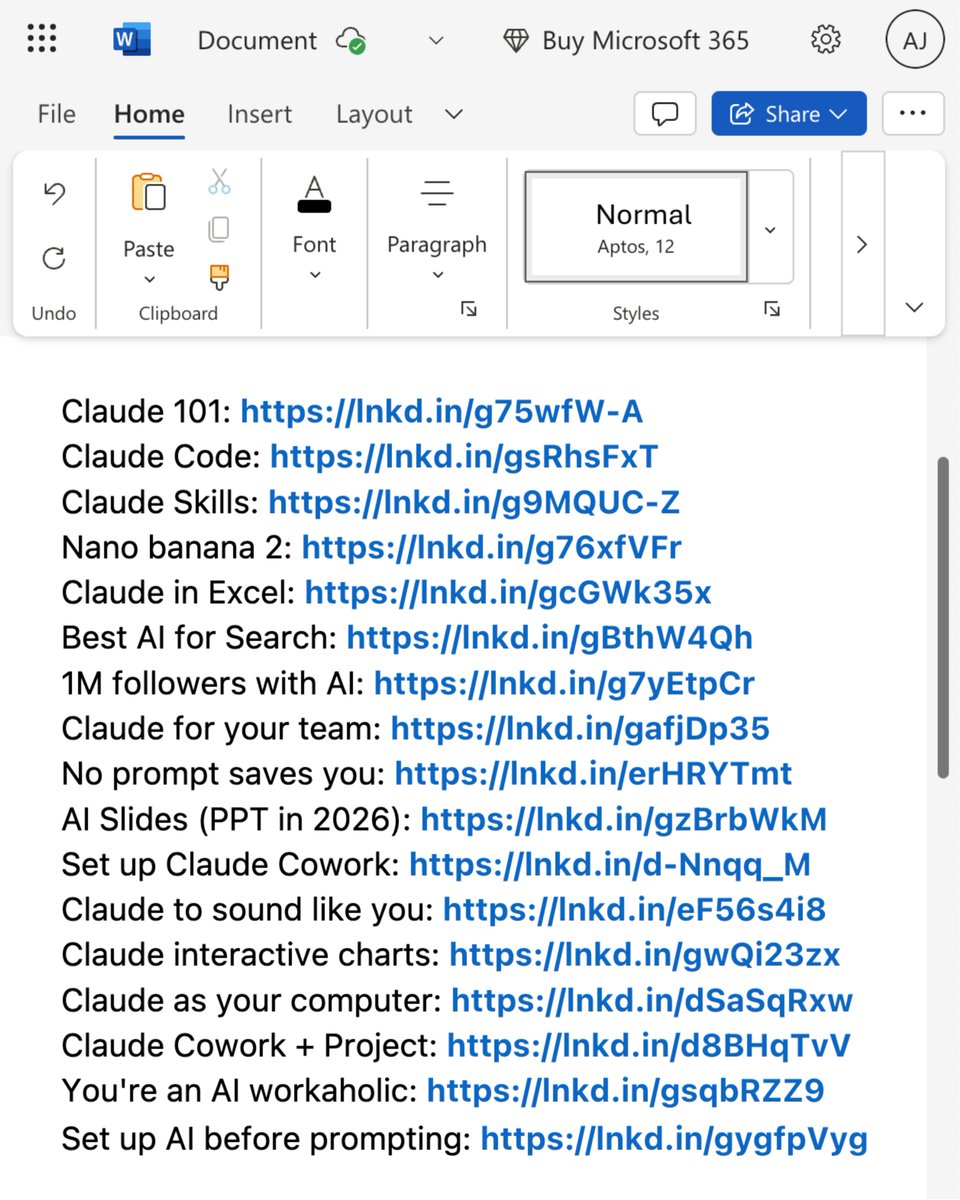
Claude 101: https://t.co/Jv1jsvFB7T
Claude Code: https://t.co/WYZd5ltnXo
Claude Skills: https://t.co/jT4uB5AFtY
Nano banana 2: https://t.co/qfHT594CCI
Claude in Excel: https://t.co/mfcXYSA57j
Best AI for Search: https://t.co/77BmjbJjP0
1M followers with AI: https://t.co/1TV9LYAptv
Claude for your team: https://t.co/U1JsBVC299
No prompt saves you: https://t.co/SDKJWykHE4
AI Slides (PPT in 2026): https://t.co/RfcyYRQ2Ad
Set up Claude Cowork: https://t.co/ZE0fKKrF3A
Claude to sound like you: https://t.co/99RzxXTvzs
Claude interactive charts: https://t.co/ebCHGZqgPt
Claude as your computer: https://t.co/TxYuHPiImn
Claude Cowork + Project: https://t.co/Q7AN9CZ2mg
You're an AI workaholic: https://t.co/mCIvB3ZPA5
Setup AI before prompting: https://t.co/pE3OF722aw
___
1. Save this list for later (three dots, top right).
2. Share it with a friend by ♻️ reposting this image.
3. Subscribe to my free newsletter: https://t.co/psB7XxAv8w.
INSTEAD OF WATCHING NETFLIX TONIGHT.
Spend 1 hour building this.
Obsidian + Claude Code = your own personal JARVIS.
A second brain that captures everything, connects every idea, and thinks alongside you using the most powerful AI model available.
Takes 1 hour to set up.
Works while you sleep.
The people who build this tonight will never work the same way again.
The people who skip it will still be taking scattered notes and losing their best ideas next year wondering why they cannot think clearly.
Your call.
LLM Knowledge Bases
Something I'm finding very useful recently: using LLMs to build personal knowledge bases for various topics of research interest. In this way, a large fraction of my recent token throughput is going less into manipulating code, and more into manipulating knowledge (stored as markdown and images). The latest LLMs are quite good at it. So:
Data ingest:
I index source documents (articles, papers, repos, datasets, images, etc.) into a raw/ directory, then I use an LLM to incrementally "compile" a wiki, which is just a collection of .md files in a directory structure. The wiki includes summaries of all the data in raw/, backlinks, and then it categorizes data into concepts, writes articles for them, and links them all. To convert web articles into .md files I like to use the Obsidian Web Clipper extension, and then I also use a hotkey to download all the related images to local so that my LLM can easily reference them.
IDE:
I use Obsidian as the IDE "frontend" where I can view the raw data, the the compiled wiki, and the derived visualizations. Important to note that the LLM writes and maintains all of the data of the wiki, I rarely touch it directly. I've played with a few Obsidian plugins to render and view data in other ways (e.g. Marp for slides).
Q&A:
Where things get interesting is that once your wiki is big enough (e.g. mine on some recent research is ~100 articles and ~400K words), you can ask your LLM agent all kinds of complex questions against the wiki, and it will go off, research the answers, etc. I thought I had to reach for fancy RAG, but the LLM has been pretty good about auto-maintaining index files and brief summaries of all the documents and it reads all the important related data fairly easily at this ~small scale.
Output:
Instead of getting answers in text/terminal, I like to have it render markdown files for me, or slide shows (Marp format), or matplotlib images, all of which I then view again in Obsidian. You can imagine many other visual output formats depending on the query. Often, I end up "filing" the outputs back into the wiki to enhance it for further queries. So my own explorations and queries always "add up" in the knowledge base.
Linting:
I've run some LLM "health checks" over the wiki to e.g. find inconsistent data, impute missing data (with web searchers), find interesting connections for new article candidates, etc., to incrementally clean up the wiki and enhance its overall data integrity. The LLMs are quite good at suggesting further questions to ask and look into.
Extra tools:
I find myself developing additional tools to process the data, e.g. I vibe coded a small and naive search engine over the wiki, which I both use directly (in a web ui), but more often I want to hand it off to an LLM via CLI as a tool for larger queries.
Further explorations:
As the repo grows, the natural desire is to also think about synthetic data generation + finetuning to have your LLM "know" the data in its weights instead of just context windows.
TLDR: raw data from a given number of sources is collected, then compiled by an LLM into a .md wiki, then operated on by various CLIs by the LLM to do Q&A and to incrementally enhance the wiki, and all of it viewable in Obsidian. You rarely ever write or edit the wiki manually, it's the domain of the LLM. I think there is room here for an incredible new product instead of a hacky collection of scripts.




![systemdesignone's tweet photo. API Design Playbook (Giveaway Alert)
• Core API fundamentals.
• Clean & scalable design principles.
• Popular patterns used in real-world systems.
• Practical concepts for interviews & building projects.
24 HOURS ONLY!
To get it for free:
1 Follow @systemdesignone [MUST]
2 Like & Retweet to get DM
3 Reply "Playbook"
Then I'll DM you the details.](https://pbs.twimg.com/media/HLGOybtXEAAtspl.jpg)