Hospitality includes
👀aesthetics
🚪the experience of being welcomed
❣️psychological safety when taking space in a new environment
This is UX.
Onboard users into your app with the same consideration and care that your invite people into your party.
One question I get on almost every discovery call when someone's trying to build a custom design system to suit their evolving product needs:
"Should we use semantic naming for component tokens?"
My answer is almost always no. But let me explain what's actually being asked first.
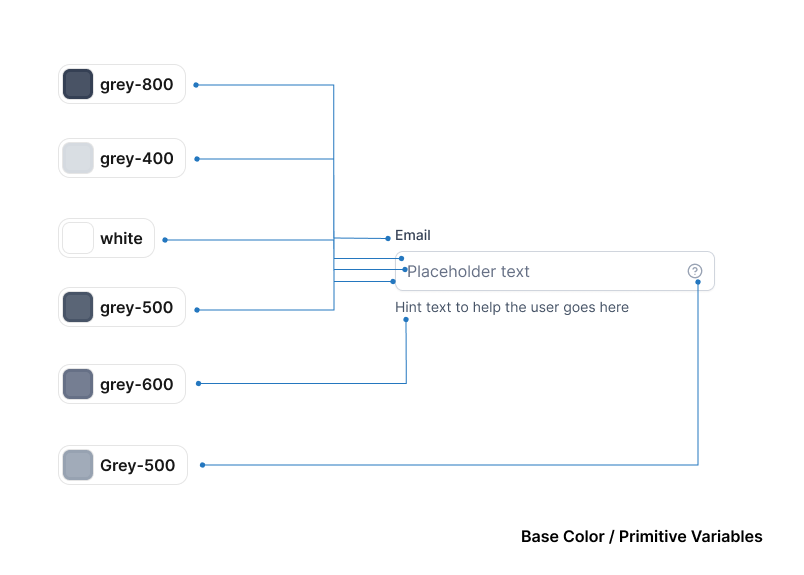
Design system variables work in layers.
→ Primitives are your raw values — no meaning attached. For color, this looks like a full grey scale: grey-25, grey-100, grey-200, grey-400, grey-800. Every shade and tone your system will ever use, named after what it literally is. Nothing more.
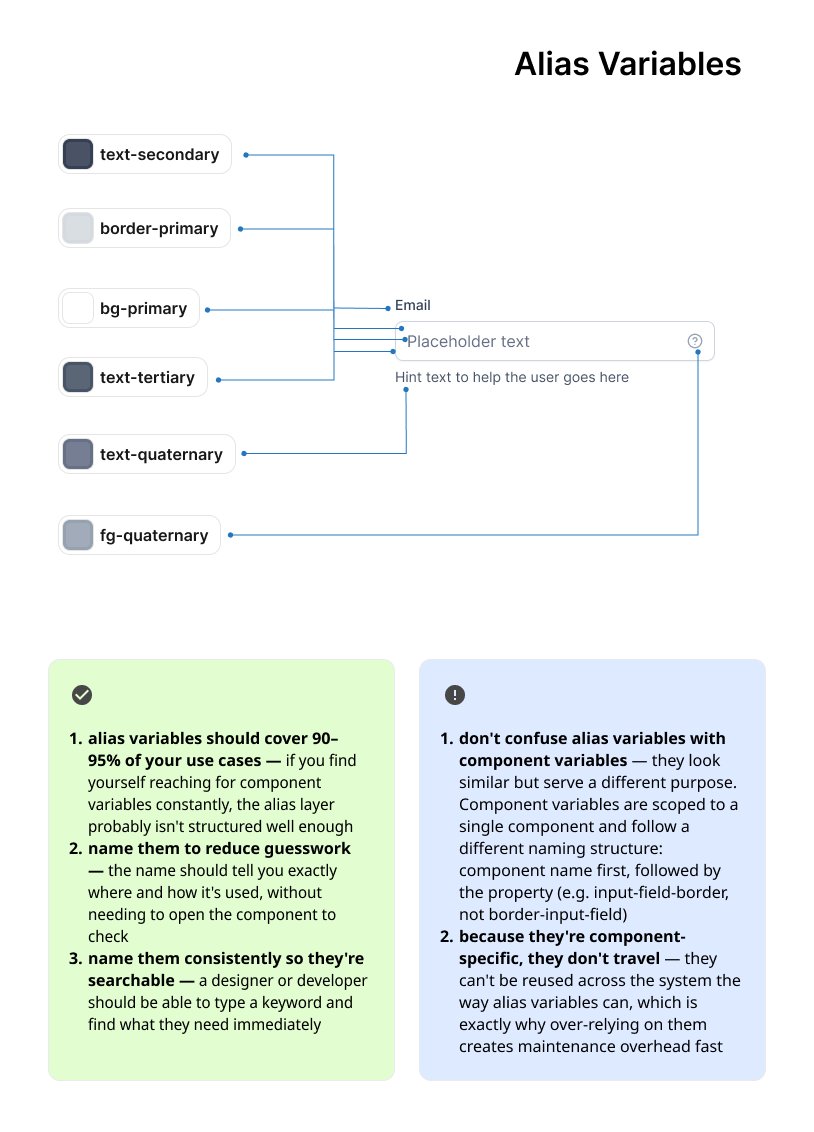
→ Alias variables are where meaning enters. You take grey-800 and call it text-primary. grey-400 becomes text-placeholder. white becomes bg-primary. Now your primitives have context — and when your brand color shifts, you update one value, not fifty components.
These two layers do the heavy lifting. This is where most systems should stop.
→ Component variables go one level further — input-field-label, input-field-border, input-field-bg-default. Scoped entirely to one component.
And this is where teams over-engineer.
Your alias layer already handles semantic meaning.
Component variables duplicate that work without adding clarity — and they multiply maintenance. Every new state, every new component, every new variant is now a naming decision at three levels instead of two.
The coming of AI tools like @claudeai code, codex, and VSCode is making the design of design systems easier. This argument doesn't change that.
More variable tokens means more surface area for drift and inconsistency — for your team and for the model.
Primitives → named after value. Alias → named after context. Components → consume alias variables. Don't create new ones.
Two layers of meaning. That's what scales.
Quick demo of how I use session to session messaging in Claude Code + Ghostty
(Save this and try it in your own workflows)
1- I always start with a regular session and a panel running claude agents
2- The first session becomes the orchestrator. It creates the initial context, then distributes the work across other sessions using forks
3- Each fork starts with that context + a prompt telling it what to work on
4- I rename each session with ctrl + r to keep things organized and make it easy to message them from the main session
5- Using @ I send messages to the sessions that are running and ask them to report their task status back, so the main session always knows what everyone is working on
This way, I only need 2 or 3 panels open and can switch between tasks as needed
The days of opening endless terminal panels and running Claude Code 100 times just to look productive are over!
What we need now is ORCHESTATION
one main session coordinating everything through session messaging + Agent View
And the key is context, build it in the main session first, then fork from there
That’s what makes the entire workflow click
make your inline icons resilient to wrapping.
avoid flex + items-center.
vertically align SVG with height="1lh" and size with width.
https://t.co/ypE4n5tgTt
Why does @AppleMusic on macOS feel so heavy? What is it doing when it launches? It's literally a web browser for music... there are no more music files. And lately, I have had to literally hit the play button 3 or 4 times on an album or playlist just to get it to start playing.
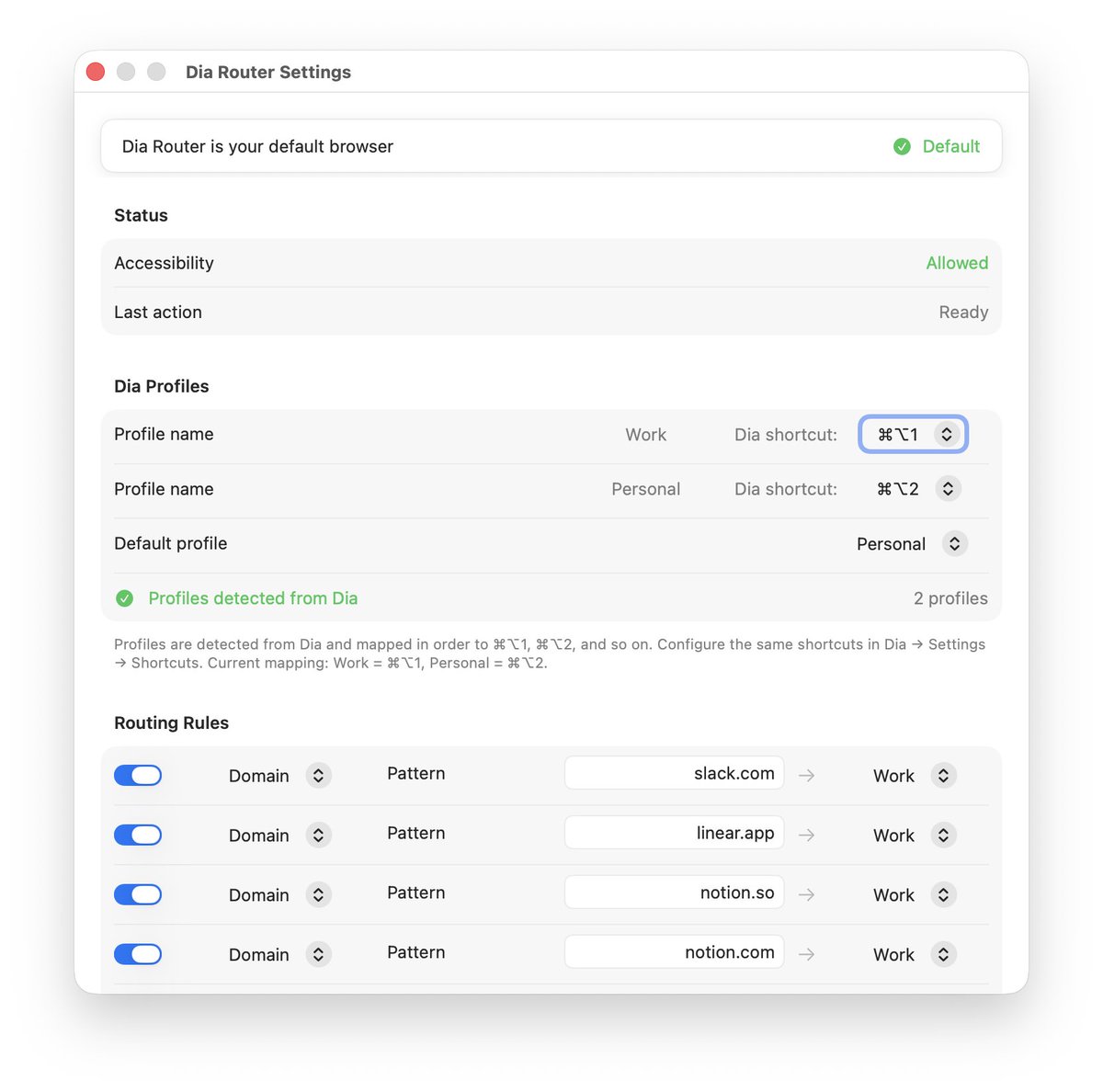
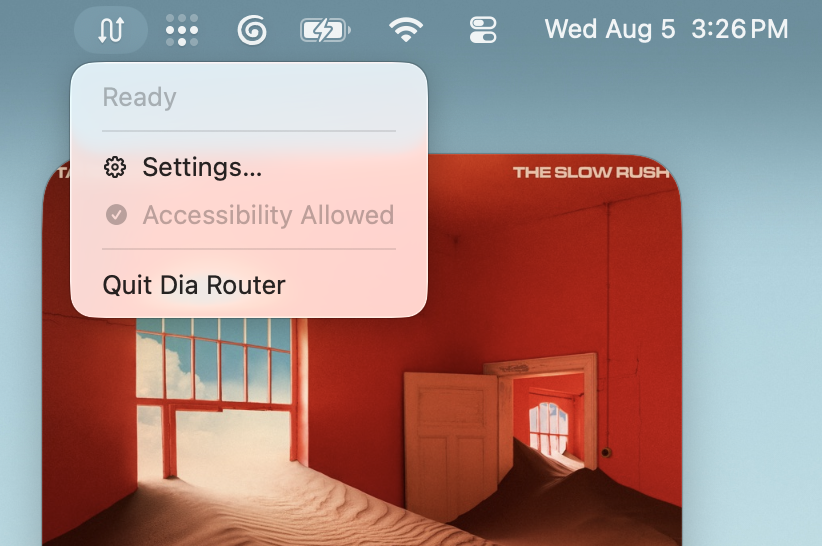
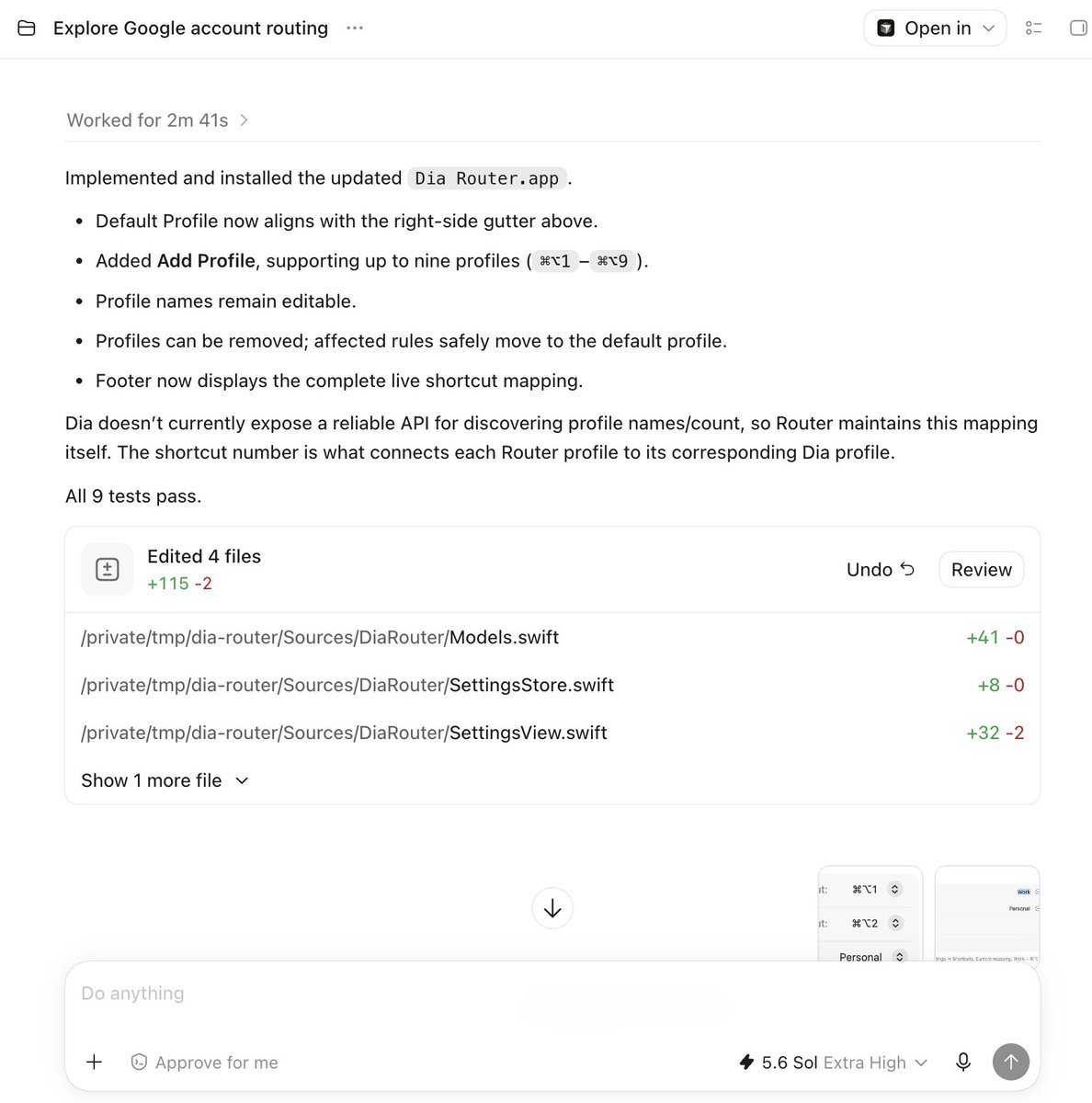
Built a little app called @diabrowser Router that essentially gives me "Air Traffic Control" from Arc. I set it as my default browser it does Profile detection and auto routes links to the right profile. You can also ⌘⇧ + Click to send links from one Profile to the other.
@diabrowser man im trying... but single window profile switching with Air Traffic Control is so useful for "Work". cmd+tab, cmd+` has slowed me down 🫠 cool AI stuff, but you nailed how I actually work in @arcinternet