🚨 Anthropic just showed a 27-minute workshop on how to actually do prompts for Claude.
Taught by the people who built it.
Free. No registration. No paywall.
I've seen $300 courses that don't cover what they teach in the first 8 minutes.
Watch it and bookmark it now.
Anthropic pays $750,000+ a year for engineers who can build LLM architectures from scratch. Stanford taught the entire thing in 1 hour lecture & released it for free.
Bookmark & watch this today before someone takes it down and read this article below
Anthropic engineer:
"you're not supposed to prompt Claude. you're supposed to build a system that prompts itself [loops]."
this is one of the best workflows I've seen in a long time
in this video he breaks down exactly how most people are building loops wrong:
- the memory file you never set up, so every loop starts from zero
- the sub-agents that 95% of builders have never split apart
- the stop condition setup that keeps loops from running forever and billing you in your sleep
- why writing one prompt a day is the slowest way to use Claude
if you've been using Claude for more than a month and still typing every task by hand, you've been running one prompt when you could be running a system of loops
instead of another prompt tonight, watch this
make sure to bookmark it before it gets buried
full guide in the article below
I am giving you free access to my complete 50 Days SQL Superstar Program.
The earlier SQL playlist helped millions, but interviews today need more depth.
So I am rebuilding everything from scratch to help you crack top product based companies.
I am also organising it in one clean portal with daily videos, notes, datasets, quizzes and certificates.a
To get the enrolment link just:
- Follow me so that I can DM you
- Like and Retweet
- Comment "SQL Superstar"
Free access available for a limited time.
These 50 days can change your life!
#sql #dataengineering #databases
Important new course: Agent Skills with Anthropic, built with @AnthropicAI and taught by @eschoppik!
Skills are constructed as folders of instructions that equip agents with on-demand knowledge and workflows. This short course teaches you how to create them following best practices. Because skills follow an open standard format, you can build them once and deploy across any skills-compatible agent, like Claude Code.
What you'll learn:
- Create custom skills for code generation and review, data analysis, and research
- Build complex workflows using Anthropic's pre-built skills (Excel, PowerPoint, skill creation) and custom skills
- Combine skills with MCP and subagents to create agentic systems with specialized knowledge
- Deploy the same skills across https://t.co/Ru4OXv4saV, Claude Code, the Claude API, and the Claude Agent SDK
Join and learn to equip agents with the specialized knowledge they need for reliable, repeatable workflows.
https://t.co/3hq83c3q0U
Marc Andreessen: AI coding doesn’t eliminate programmers — it redefines them. The job is no longer typing code line by line, it’s orchestrating 10 coding bots in parallel, arguing with them, debugging their output, changing the spec, and pushing them toward the right result. But here’s the catch: if you don’t understand how to write code yourself, you can’t evaluate what the AI gives you.
The next layer of programming isn’t writing scripts — it’s supervising AI that writes them. Today’s best programmers spend their day jumping between terminals, managing multiple coding bots, fixing mistakes, and refining instructions. The irony? You still need deep fundamentals, because without them, you won’t know when the AI is wrong.
The job of the programmer has changed. Now it’s about arguing with coding bots, debugging AI-generated code, and understanding why something doesn’t work or isn’t fast enough. AI abstracts the work — but only people who truly understand code can tell if the abstraction is doing the right thing.
Programmers aren’t going away — they’re becoming 10x, 100x, even 1,000x more productive. Tasks are changing, the job is changing, but humans are still overseeing the process, evaluating results, fixing errors, and making judgment calls. AI changes how we code, not who is responsible.
The future programmer isn’t replaced by AI — they’re upgraded by it. You still need to learn how to write and understand code, because when the AI gets it wrong, humans are the ones who have to know why. That up-leveling of capability is the real revolution.
If you are aiming for a Senior/Staff level role, here is a structured curated list for Distributed Systems.
---
Tier 1: Coordination & Consensus (The Core)
1. Implement a Heartbeat Mechanism: How nodes detect if a peer is "dead" vs. just slow.
2. Leader Election (Bully Algorithm / Raft basis): Ensuring only one node coordinates tasks.
3. Distributed Lock Manager (DLM): Implementing a lock using Redis (Redlock) or Zookeeper.
4. Vector Clocks Implementation: Solving the "What happened first?" problem without synchronized physical clocks.
5. Gossip Protocol Simulation: How information (like cluster membership) spreads in a decentralized way.
---
Tier 2: Resilience & Fault Tolerance
1. Circuit Breaker Pattern: Designing a system that trips to protect downstream services.
2. Idempotency Key Design: Ensuring a retry from a client doesn’t result in double-charging a credit card.
3. Retry with Exponential Backoff and Jitter: The math of not accidentally DDOSing your own database during a recovery.
4. Rate Limiter (Distributed): Implementing Token Bucket or Sliding Window across multiple servers (e.g., using Nginx/Redis).
---
Tier 3: Data Consistency & Databases
1. Write-Ahead Logging (WAL): Understanding how to recover state after a crash.
2. Quorum-based Reads/Writes: Calculating R + W > N to ensure consistency.
3. Two-Phase Commit (2PC) Simulation: The classic (but flawed) way to handle distributed transactions.
4. Saga Pattern (Orchestration vs. Choreography): Managing long-running transactions across microservices.
5. Consistent Hashing: Designing a load balancer that doesn't lose all data when a node is added/removed.
---
Tier 4: Large Scale Patterns (System Design)
1. Distributed Messaging Queue: Designing the internals of a simplified Kafka (partitions, offsets, consumers).
2. Log-Structured Merge-Trees (LSM Trees): The storage engine behind NoSQL databases like Cassandra.
3. Bloom Filter Implementation: Checking if an item exists in a massive set without hitting the disk.
4. Merkle Trees: Used in Cassandra and Bitcoin to quickly compare data consistency between nodes.
5. Distributed Web Crawler: Handling URL frontier, deduplication, and politeness across a cluster.
6. MapReduce Framework: Designing the "Shuffle and Sort" phase of a distributed big-data job.
---
I would recommend only one book here:
Designing Data-Intensive Applications (DDIA) by Martin Kleppmann.
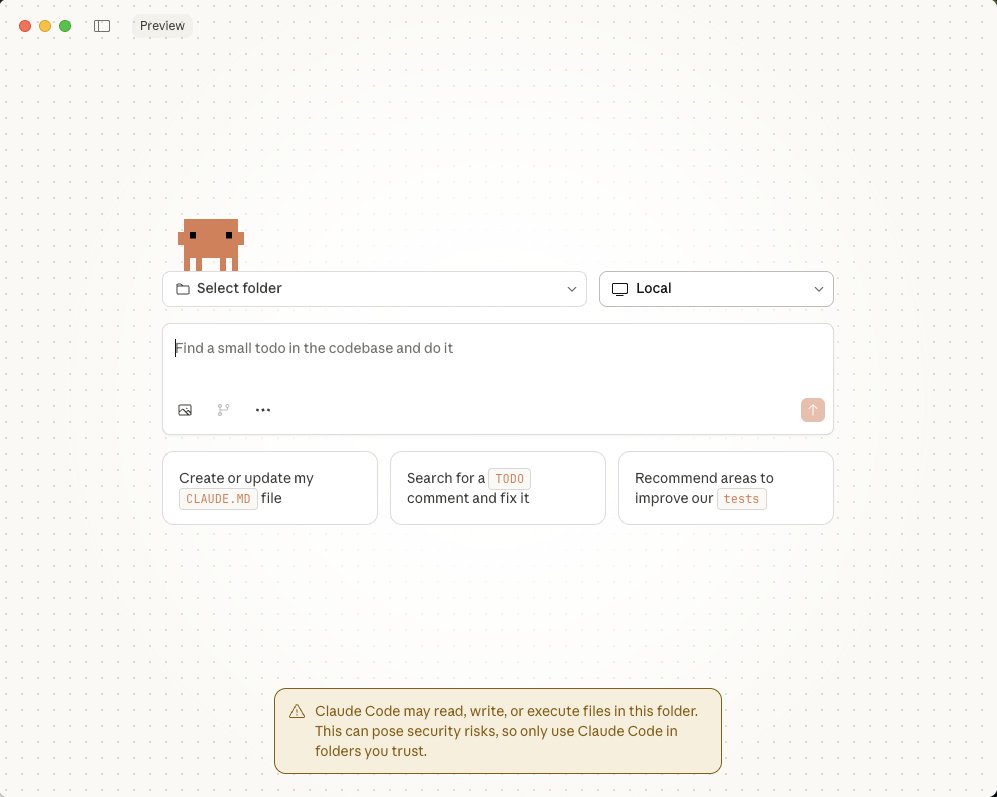
Claude Code pro tip:
Download the Claude desktop app. There is a new Code section
In this section you can literally spin up cloud AI agents that do work for you while you sleep
Every night before you go to bed, kick off 3 small tasks in it
They can be incredibly small, even just tiny visual changes
2 awesome things will happen if you do this consistently:
1. Your app will get 1% better every night while you sleep
2. You'll force yourself to flex your ideation muscle every day. Eventually you'll naturally come up with WAY more ideas throughout the day
Ideation is 100% a muscle. The more you use it, the better it gets.
Also, limits are 2x this next week, so you have no reason to not abuse the hell out of this feature!
Do this every night for the next week, I promise you'll turn into an AI building machine
LangGraph is in half the AI job descriptions I see right now.
Yet most engineers still don't understand how it actually works.
The gap? There's no clear learning path. Until this.
Here's what you'll build:
➡️ Agents That Scale → Proper data validation with Pydantic (Tutorial 1) → Building agentic AI chatbots (Tutorials 2-3) → Multi-agent systems that coordinate tasks (Tutorial 6)
➡️ Production Systems → LangGraph + MCP crash course - 2.5 hours (Tutorial 4) → Debugging and monitoring workflows (Tutorial 5) → Real deployment architecture
➡️ RAG Pipelines → MultiModal RAG implementation (Tutorial 7) → Fixing hallucinations - not just hiding them (Tutorial 8) → Complete RAG from data ingestion to retrieval (Tutorials 9-11) → Fast search with Typesense (Tutorial 12)
The progression:
Start: Basic agent concepts Middle: Production debugging and monitoring End: Complete RAG systems with advanced retrieval
From Krish Naik: Clear explanations. Live coding.
For:
→ AI engineers building production systems
→ Developers learning LangGraph architecture
→ Teams implementing RAG workflows
→ Anyone serious about agent development
(I will put the playlist in the comments.)
♻️ Repost to save someone $$$ and a lot of confusion.
✔️ You can follow @techNmak, for more insights.
some of the best content on ai coding agents right now:
→ @karpathy's recent takes on vibe coding workflows
→ @swyx deep dives on agent architectures
→ @alexalbert__ sharing claude's actual development process
→ @mckaywrigley building full apps live on stream
→ @benjaminakar crazy agent automations
How is it possible that Claude Sonnet 4.5 is able to work for 30 hours to build an app like Slack?! The system prompts have been leaked and Sonnet 4.5's reveals its secret sauce!
Here’s how the prompt enables Sonnet 4.5 to autonomously grind out something Slack/Teams-like—i.e., thousands of lines of code over many hours—without falling apart:
It forces “big code” into durable artifacts. Anything over ~20 lines (or 1500 chars) is required to be emitted as an artifact, and only one artifact per response. That gives the model a persistent, append-only surface to build large apps module-by-module without truncation.
It specifies an iterative “update vs. rewrite” workflow. The model is told exactly when to apply update (small diffs, ≤20 lines/≤5 locations, up to 4 times) versus rewrite (structural change). That lets it evolve a large codebase safely across many cycles—how you get to 11k lines without losing state.
It enforces runtime constraints for long-running UI code. The prompt bans localStorage/sessionStorage, requires in-memory state, and blocks HTML forms in React iframes. That keeps generated chat UIs stable in the sandbox while the model iterates for hours.
It nails the dependency & packaging surface. The environment whitelists artifact types and import rules (single-file HTML, React component artifacts, CDNs), so the model can scaffold full features (auth panes, channels list, message composer) without fighting toolchain drift.
It provides a research cadence for “product-scale” tasks. The prompt defines a Research mode (≥5 up to ~20 tool calls) with an explicit planning → research loop → answer construction recipe, which supports the many information lookups a Slack-like build needs (protocol choices, UI patterns, presence models).
It governs tool use instead of guessing. The “Tool Use Governance” pattern tells the model to investigate with tools rather than assume, reducing dead-ends when selecting frameworks, storage schemas, or deployment options mid-build.
It separates “think” and “do” with mode switching. The Deliberation–Action Split prevents half-baked code sprees: plan (deliberation), then execute (action), user-directed. Over long sessions, this avoids trashing large artifacts and keeps scope disciplined.
It supports long-horizon autonomy via planning/feedback loops. The prompt’s pattern library cites architectures like Voyager (state + tools → propose code → execute → learn) and Generative Agents (memory → reflect → plan). Those loops explain how an LLM can sustain progress across dozens of hours.
It insists on full conversational state in every call. For stateful apps, it requires sending complete history/state each time. That’s crucial for a chat app where UI state, presence, and message history must remain coherent across many generation cycles.
It bakes in error rituals and guardrails. The pattern language’s “Error Ritual” and “Ghost Context Removal” encourage cleaning stale context and retrying with distilled lessons—vital when a big build hits integration errors at hour 12.
It chooses familiar, well-documented stacks. The guidance warns about the “knowledge horizon” and recommends mainstream frameworks (React, Flask, REST) and clean layering (UI vs. API). That drastically improves throughput and correctness for a Slack-like system.
It enables “Claude-in-Claude” style self-orchestration. The artifacts are allowed to call an LLM API from within the running artifact (with fetch), so the model can generate a dev tool that helps itself (e.g., codegen assistant, schema migrator) during the build.
It keeps outputs machine-parseable when needed. Strict JSON-only modes (and examples) let downstream scripts/tests wrap the app and auto-verify modules, enabling unattended iteration over many hours.
Put together, these prompts/patterns create the conditions for scale: a safe sandbox to emit large artifacts, iterative control over code evolution, disciplined research and tool usage, long-horizon memory/plan loops, and pragmatic tech choices. That’s how an LLM can realistically accrete ~10k+ lines for a Slack-style app over a long session without collapsing under its own complexity.