Struggling to add two headers in one Excel cell?
This simple Excel trick shows how to visually split a cell — no formulas needed.
Perfect for beginners 📊
Watch here 👇
https://t.co/fhx56iNBJc
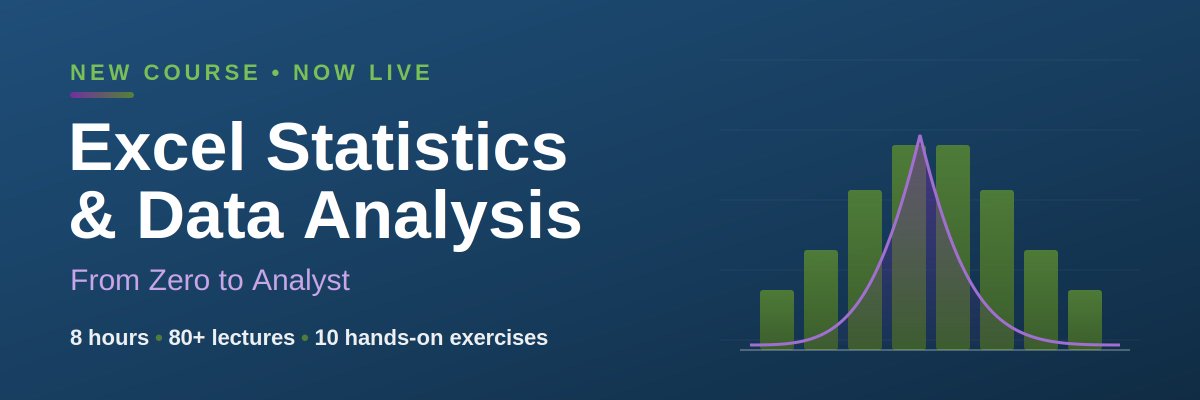
📊 New course is LIVE: Excel Statistics & Data Analysis — From Zero to Analyst.
No math degree. No Python. Just Excel.
8 hrs · 80+ lectures · 10 hands-on exercises that mirror a real analyst's first week.
Launch price for a few days 👇https://t.co/utRbB7qQKO
#Excel #Statistics #DataAnalysis
Your Excel chart titles are lying to you. 📊
Every time your data updates, your title stays the same. That's a credibility killer in any dashboard.
Here's how to make chart titles that update automatically — in under 3 minutes. 🔗 [your link]
#Excel#MicrosoftExcel#ExcelTips #Dashboard
Stop manual sorting in 2026. It’s a waste of your time. 🛑
Use the FILTER function to build a dynamic task board that organizes itself.
1️⃣ Select your data
2️⃣ Match to your header
3️⃣ Drag across
The Formula: =FILTER($B$10:$B$34,$C$10:$C$34=B2, "None")
Build once. Automate forever. 📈
#Excel #Productivity #Workflow #TechHacks
Stop manually clearing Excel data. You’re just begging for a broken formula. 🛑
The "Go To Special" trick is the only way to reset a spreadsheet while keeping your calculations 100% intact.
Ctrl + A (Select All)
Ctrl + G ➔ Special
Constants ➔ Numbers Only
Delete
Formulas stay. Data goes. 🚀
#Excel #ProductivityHacks #Data
99% of people scroll Excel manually🛑
1% build dynamic dashboards.
Be the 1%. 🖱️✨
Here’s the secret to the OFFSET formula and the scroll bar trick. 👇
1️⃣ Developer Tab > Insert Scroll Bar
2️⃣ Link to a control cell
3️⃣ The Magic Formula: =OFFSET(A2, $I$1, 0)
Level up your reporting. 🚀 #ExcelTips #DataViz
Stop wasting 3 seconds every time you type in Excel. 🛑
Those seconds add up to hours over a year.
Instead of dragging column borders, use this "Set & Forget" VBA trick to make columns Auto-Fit instantly.
How to do it:
1️⃣ Right-click Sheet Tab > View Code
2️⃣ Change dropdown to 'Worksheet'
3️⃣ Paste: Cells.EntireColumn.AutoFit
Now, your data snaps to fit the moment you hit Enter. ⚡️
#Excel #ProductivityHacks #BuildInPublic #DataScience
Stop wasting hours manually re-typing PDF data into Excel. 🛑
Most people still "Ctrl+C" and "Ctrl+V," then spend the next hour fixing the broken formatting. 📉
Here is the 10-second "Magic Trick" instead:
1️⃣ Data Tab 2️⃣ Get Data > From File3️⃣ From PDF4️⃣ Select Table > Load
Clean, perfectly formatted data—instantly. ⚡️
#ExcelTips #Productivity #CareerHacks
🚀 Stop fixing broken spreadsheets! 🛑
Tired of people entering data in the wrong format? Learn how to use "Input Messages" in Excel to guide users with tasteful, helpful notes the moment they click a cell.
✅ Professional data entry
✅ No more formatting errors
✅ Simple Data Validation hack
Watch the full tip here: https://t.co/f7PFxCBB71
#ExcelTips #DataValidation #ProductivityHacks #ExcelTutorial
Learn how to use Data Validation and Conditional Formatting to create color-coded dropdown lists in Excel.
This quick Excel hack will make your spreadsheets look professional and easy to read!
🎓 READY TO BECOME AN EXCEL EXPERT?
Take your skills to the next level with my best-selling courses:
1️⃣ Excel Dashboard and Data Analysis Masterclass: https://t.co/SP99Fqlv52
2️⃣ Excel Power Query, Power Pivot, Power BI, Power 3D Map & DAX: https://t.co/GX50soAce8
💻 Visit the Official Website: https://t.co/Nm3kiXEkbe
🎓 BEST-SELLING COURSES (Join 70,000+ Professionals):
📖Excel Dashboard and Data Analysis Masterclass ▶️ https://t.co/SP99Fqlv52
📖 Excel Power Query, Power Pivot, Power BI, Power 3D Map & DAX ▶️ https://t.co/GX50soAce8
📖 Excel Financial Modeling and Business Analysis Masterclass ▶️ https://t.co/qa7JovZVi6
📖 Microsoft Power BI Desktop Masterclass ▶️ https://t.co/XvRLsiDQN1
📖 Excel Macros & Excel VBA Programming for Beginners ▶️ https://t.co/ejLbDhsXhw
📖 Excel Charts, Infographics & Data Visualization Masterclass ▶️ https://t.co/3Pnm8R4slu
📖 Excel Tips & Shortcuts: 100+ Powerful Hacks for Beginners ▶️ https://t.co/SOFkixAI6M
📖 Python for Absolute Beginners: Learn Python in a Week! ▶️ https://t.co/oYLyBoIYYp
📖 Gmail Complete Course: 25+ Google email Techniques ▶️ https://t.co/rcb7mD1bML
My UDEMY Courses ▶️ https://t.co/rSRhDfzYuK
Stop playing "calendar detective" every time you see a list of dates! 🕵️♂️
This 10-second Excel hack is a literal game-changer for your spreadsheets.
In this video, I’ll show you how to instantly convert any date into the day of the week using the =TEXT function. It works for one cell or ten thousand—perfect for cleaning up your data in seconds.
The Formula: =TEXT(Cell_Address, "dddd")
💡 Quick Pro-Tip:
Use "dddd" for the full name (e.g., Monday). Use "ddd" for the short version (e.g., Mon).
🎓 BEST-SELLING COURSES (Join 70,000+ Professionals):
📖Excel Dashboard and Data Analysis Masterclass ▶️ https://t.co/SP99Fqlv52
📖 Excel Power Query, Power Pivot, Power BI, Power 3D Map & DAX ▶️ https://t.co/GX50soAce8
📖 Excel Financial Modeling and Business Analysis Masterclass ▶️ https://t.co/qa7JovZVi6
📖 Microsoft Power BI Desktop Masterclass ▶️ https://t.co/XvRLsiDQN1
📖 Excel Macros & Excel VBA Programming for Beginners ▶️ https://t.co/ejLbDhsXhw
📖 Excel Charts, Infographics & Data Visualization Masterclass ▶️ https://t.co/3Pnm8R4slu
📖 Excel Tips & Shortcuts: 100+ Powerful Hacks for Beginners ▶️ https://t.co/SOFkixAI6M
📖 Python for Absolute Beginners: Learn Python in a Week! ▶️ https://t.co/oYLyBoIYYp
📖 Gmail Complete Course: 25+ Google email Techniques ▶️ https://t.co/rcb7mD1bML
My UDEMY Courses ▶️ https://t.co/rSRhDfzYuK
Stop wasting your lunch break clicking individual cells! 🛑 If you’re still manually highlighting "Stuck" tasks or "Absent" employees, you’re doing it the hard way.
In this video, I show you the ultimate Conditional Formatting shortcut to find every blocker in your project tracker in seconds. Your boss will think you're a wizard; I'll know you just used these 5 keys. 🤫
The Magic Shortcut:1️⃣ Select your data range. 2️⃣ Press ALT → H → L → H → E3️⃣ Type your keyword (like "Stuck" or "Late"). 4️⃣ Hit Enter and watch the magic happen! ✨
Why this works:This opens the "Highlight Cells Rules > Equal To" menu without ever touching your mouse. It’s perfect for project managers, teachers, or anyone drowning in data.
Download the practice file here: [Link to your Google Drive/File Host]
Want more Excel secrets?✅ Subscribe for daily productivity hacks! ✅ Drop a "STUCK" in the comments if this saved you time today.
#ExcelTips #ProductivityHacks #ExcelShorts #WorkSmarter #SpreadsheetMagic #ProjectManagement #ExcelTutorial #OfficeHacks
Stop rebuilding calendars in Excel every year 😅
I made a yearly calendar that auto-updates when you change the year
✅ Highlights TODAY
✅ Prints on one page
#Excel#MicrosoftExcel#ExcelTips#Productivity
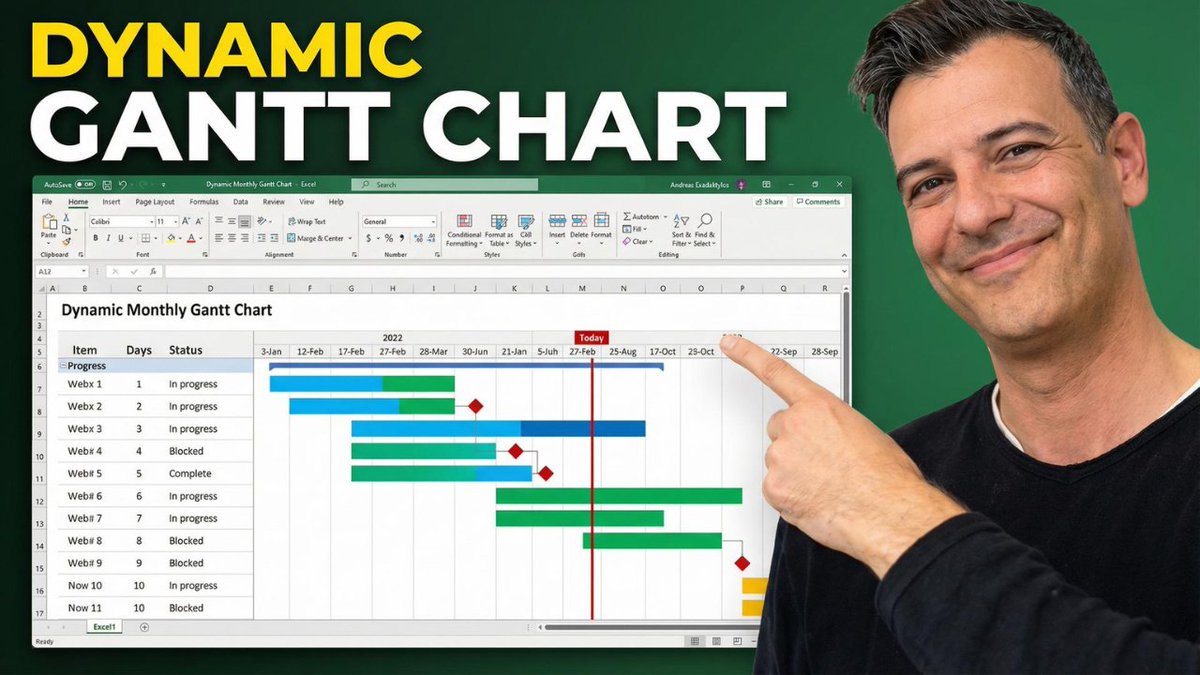
Built a full monthly Gantt chart in Excel—no fancy software needed ✅
In this video, I show you how to create a dynamic calendar that auto-updates by year, quarter, and month, plus smart Gantt bars that display progress, highlight blocked tasks, mark completed work, and even show a Today line.
Perfect if you want a clean project tracker you can actually use (and show to your boss). 📊
https://t.co/gqcOKRlKJt
Your Excel chart looks boring… and confusing?
Here’s how to add a dynamic vertical line that instantly shows “Today” and makes your chart 10x more professional.
Clean. Clear. Powerful.
https://t.co/i20dJSwWWN
#Excel#ExcelTips#DataVisualization#Dashboard