ChatGPT's FREE plan gives unlimited everyday text chats. Claude's and Gemini's free plans don't: both run on usage limits that reset every 5 hours.
What each free plan really gives (official pricing pages, checked today):
@OpenAI ChatGPT Free
• Unlimited text chats (abuse guardrails apply)
• Uploads, images, voice, deep research: "limited". No fixed cap published
• Input max ~12 pages of text, 27K context window
• Upgrade: Go ₹399/mo ($8 in US), Plus ₹1,999 ($20)
@claudeai Free
• Sonnet + Haiku. No Opus, no Claude Code
• 5-hour window, "no fixed message count"
• Up to 5 Projects. Docs, Slides, Design included
• Pro $20/mo, or $17/mo billed yearly (no ₹ price listed)
@GeminiApp Free
• Flash-Lite model, 32k-token context
• Refreshes every 5h, up to a weekly cap
• AI Plus ₹399/mo (2x limits, 128k). AI Pro ₹1,950 (4x, 1M)
Honest pick:
• Lots of quick chats → ChatGPT Free
• Docs, slides, artifacts → Claude Free
• Coding agent at ₹0 → ChatGPT (limited Codex). Claude Code needs Pro
• Want storage too → Gemini AI Plus ₹399 (400 GB incl.)
Save this before you pay for the wrong plan.
@biscuitweb Gotcha from the HyperFrames README: npx skills add pulls the registry copy, which can lag main by hours. npx hyperframes skills update installs the skills matching your CLI version instead. It also needs Node 22+ and FFmpeg. Was the Windows pain FFmpeg or Node?
@_avichawla Loop gotcha in Claude Code: a Stop hook returning decision "block" keeps the agent going, but only 8 times in a row (resets on any tool call; raise via CLAUDE_CODE_STOP_HOOK_BLOCK_CAP). Check stop_hook_active too. Where do you put the done-check: harness or loop?
@DYoung_AI Gotcha for the next step: private and team apps sit behind Cursor sign-in, so a script or cron job just gets the login redirect. Send a Cursor API key in the x-cursor-app-token header. Header only, no query param or cookie works. Are you sharing yours as team or public?
Official sources:
https://t.co/29xT4KRM1P
https://t.co/O8w22wbtBu
The install command opens the details pane first. Review what it adds, then pick a scope: just you, the whole repo, or you in this repo only.
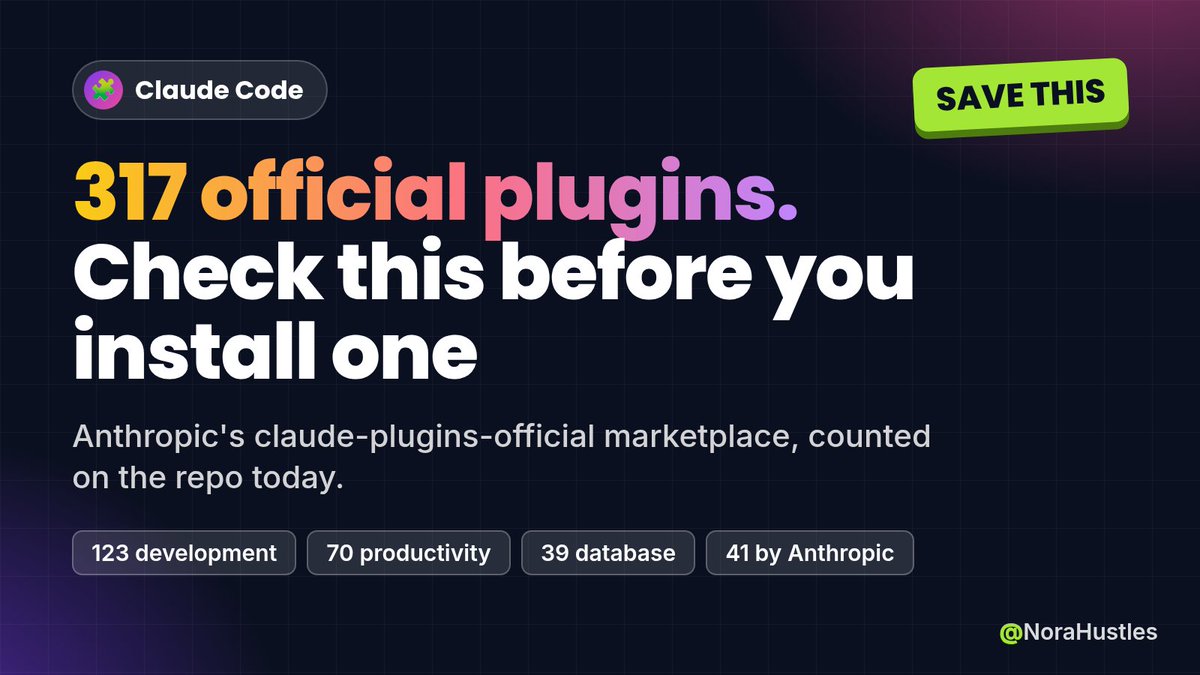
Claude Code's official plugin marketplace now lists 317 plugins. I counted them in Anthropic's marketplace.json today.
123 development, 70 productivity, 39 database, 22 monitoring, 18 security, plus design, deployment and more.
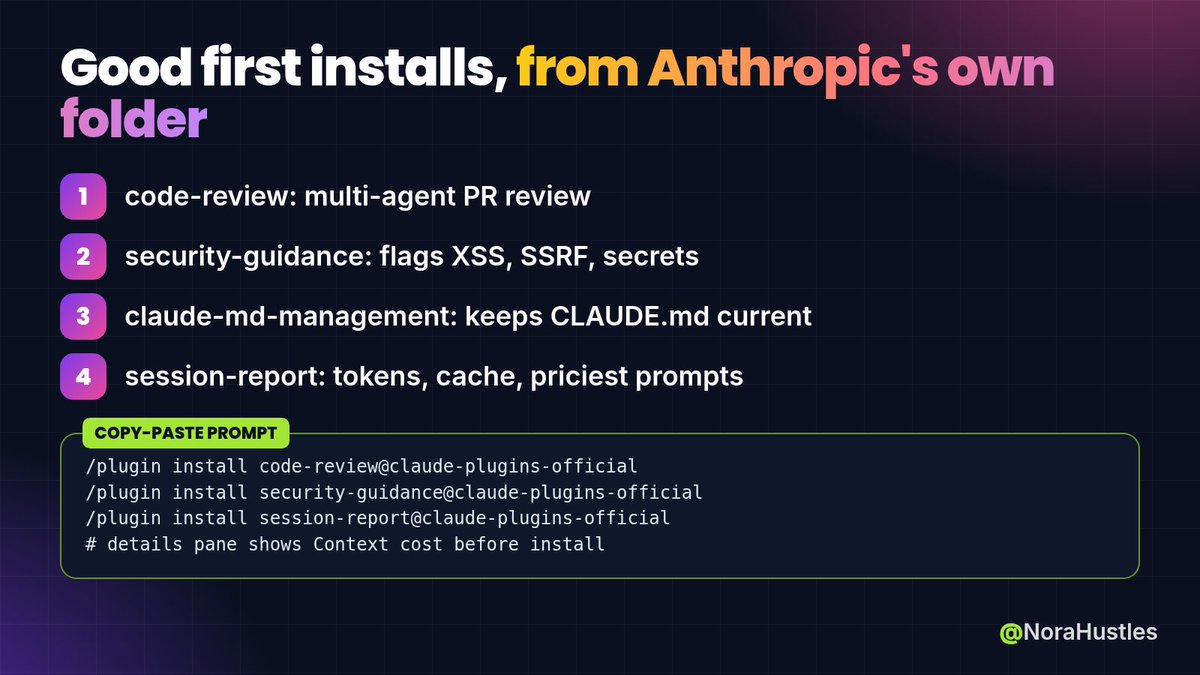
41 live in Anthropic's own /plugins folder. Good first installs from there:
→ code-review: PR review by several agents, with confidence scoring to filter false positives
→ security-guidance: warnings as code is edited, plus a commit reviewer for injection, XSS, SSRF and hardcoded secrets
→ claude-md-management: audits your CLAUDE.md and keeps it current
→ session-report: HTML report of your tokens, cache use and most expensive prompts
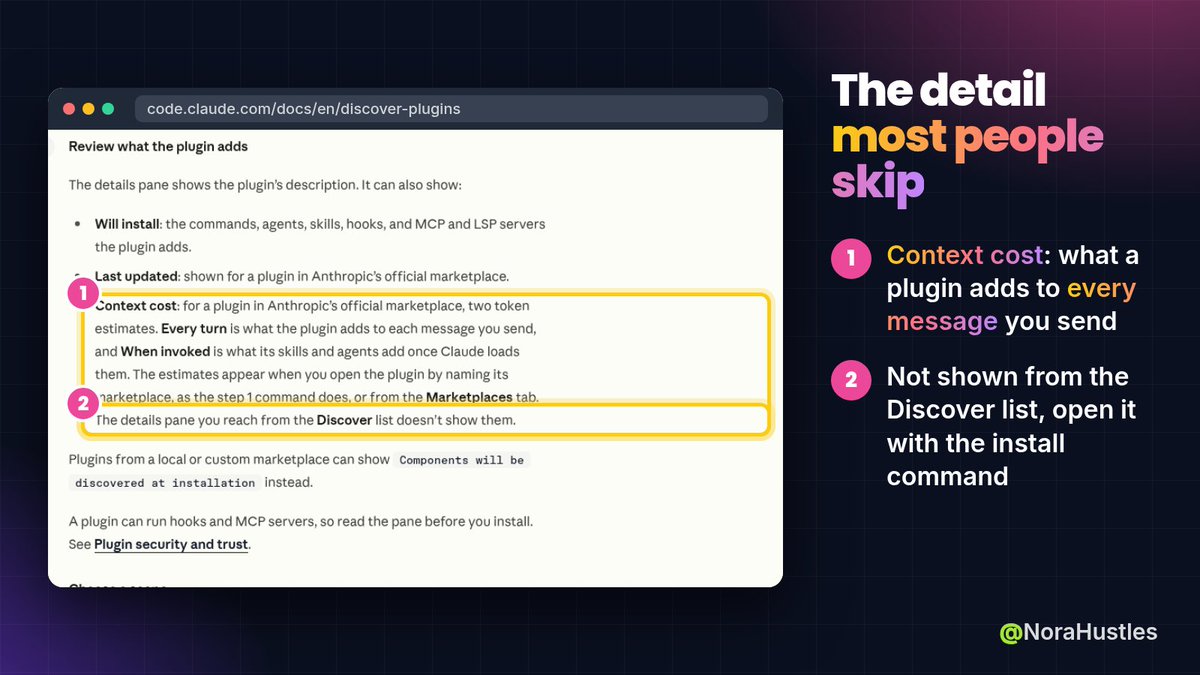
The part most people skip: open a plugin with
/plugin install name@claude-plugins-official
The details pane then shows "Context cost": what the plugin adds to every message you send, and what it adds when invoked. The Discover list doesn't show that.
Also in the repo README: marketplace.json is being phased out for third-party plugins and will shrink over time to Anthropic's own.
Save this for your next Claude Code setup. @claudeai
@rahulbhadoriiya Gotcha for anything that reads Claude Code chats: transcripts get deleted after cleanupPeriodDays (default 30), so a "go back to any day" view stops at a month unless you raise it in ~/.claude/settings.json. Does rounds keep its own copy of each day?
@TheTuringPost@rubrikInc Gotcha for the Claude Code part: a Read(./.env) deny rule also covers cat, head and sed, but per Anthropic's docs not grep -r run from that folder, or a Python script that opens the file itself. Real blocking needs the sandbox. Does the ebook split prompt vs OS-level controls?
@wakeona@github Same instinct. Converge checks the code against spec, plan and tasks, then appends a task for each gap, so on a real repo you loop implement + converge until it says Converged. A narrow spec keeps that loop short. Which agent are you pairing it with?
GitHub's free Spec Kit makes your coding agent agree on a spec before it writes a line of code.
It's open source from @github (MIT licence, 150k+ stars on the repo today). You install a small CLI, then run each step in your agent's chat:
1. /speckit-constitution: your project rules, once per project
2. /speckit-specify: what to build and why, no tech stack yet
3. /speckit-plan: now pick the stack
4. /speckit-tasks: writes an ordered tasks.md
5. /speckit-implement: builds from tasks.md
6. /speckit-converge: checks the code against spec, plan and tasks, adds tasks for gaps. Repeat 5-6 until it says "Converged"
You need Python 3.11+, uv and a supported agent (Copilot, Claude Code, Codex CLI, Gemini CLI, Cursor and more) on Linux, macOS or Windows. Some agents use a different command syntax; the docs list each one.
The catch: it won't make bad code good. You still review each file before the next step.
Use it to turn a client's messy brief into a spec they sign off on before you build anything.
Save this for your next project.
@acolombiadev Gotcha from GitHub's changelog: Neon in Copilot is only on Pro+, Max, Business and Enterprise (not Free or Pro), billed at provider list price under usage-based billing, and rollout is gradual. Has it shown up in your model picker yet, or still waiting?
@github Not on Copilot? Swap the key in the init command:
--integration claude (Claude Code)
--integration codex (Codex CLI)
--integration gemini (Gemini CLI)
--integration cursor-agent (Cursor)
Then run the same steps in that agent's chat, in its own command syntax.
@janusch_patas Worth knowing if you use Neon via API instead of the app: no free tier, $3/$15 per 1M tokens, and thinking tokens bill as output, so long reasoning runs add up fast. Are the Colab credits on AI Pro enough for real NeRF/splat training?
@IntuitMachine Small or not, it's not cheap on the API: no free tier, $3 in / $15 out per 1M tokens (thinking tokens bill as output), and the $0.15 cached rate is implicit caching only, no explicit caches. Is "small" from Google, or inferred from the speed?
@Hiteshdotcom If you mean Gemini 4 Neon: in Antigravity it needs Google AI Pro (₹1,950/mo). Free and AI Plus (₹399) don't get it, and the API has no free tier ($3 in / $15 out per 1M tokens). Are you planning to use it for agent-mode refactors or planning?
@dani_avila7 Checked the official NCA-AMAD page: $125, 1 hour, 50–60 multiple-choice Qs, no hands-on lab, pass/fail. Valid 2 years, and recert means retaking the full exam. You also need a Certiverse account to book it. Did they say whether the Professional level adds a lab?
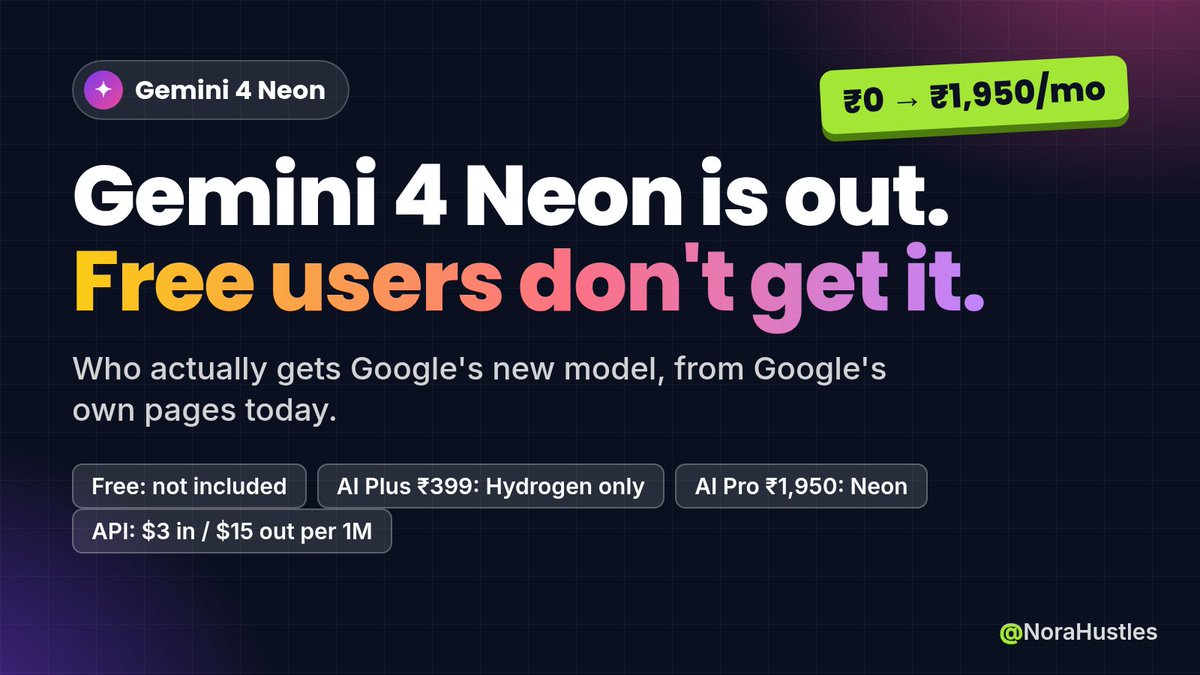
Gemini 4 Neon is out, and free Gemini users don't get it.
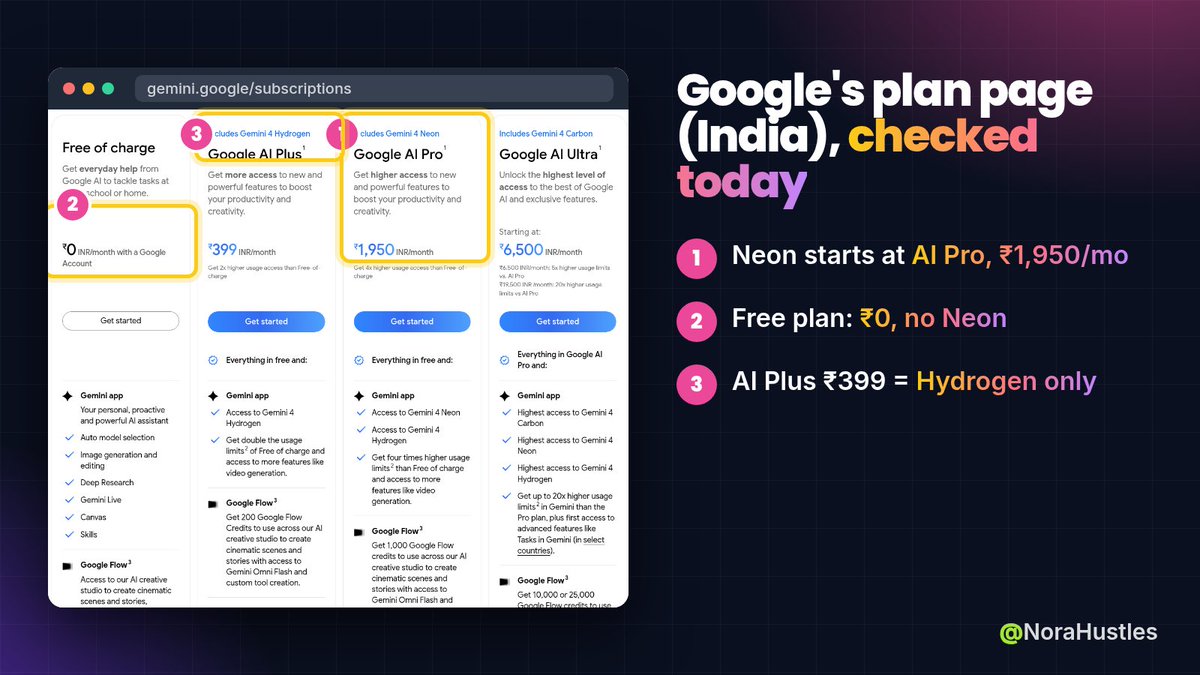
Who actually gets Google's new model, from Google's own pages today:
Free (₹0): not included
AI Plus (₹399/mo): no Neon. You get Gemini 4 Hydrogen
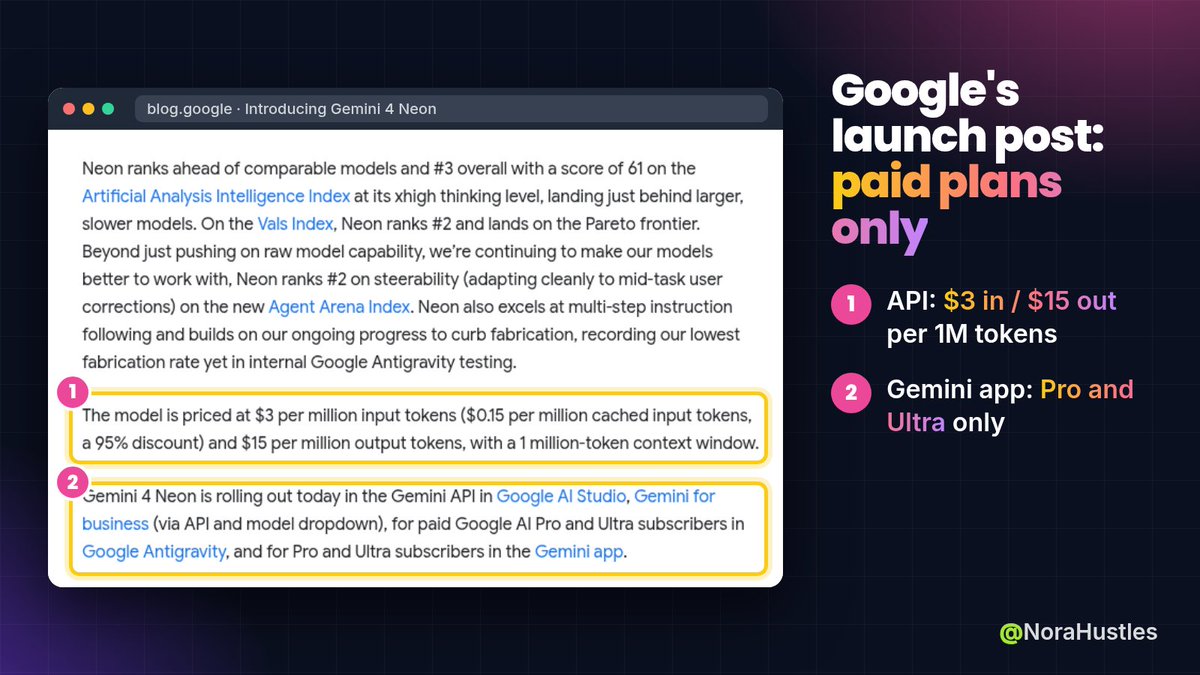
AI Pro (₹1,950/mo): Neon in the @GeminiApp model drop-down, plus Google Antigravity and AI Studio
AI Ultra (from ₹6,500/mo): higher Neon limits, plus Gemini 4 Carbon
API: no free tier for Neon. $3 per 1M input tokens, $15 per 1M output, 1M-token context.
The catch most people miss on the API: thinking tokens are billed at the $15 output rate. Cached input drops to $0.15 per 1M (95% off), but it's implicit caching only. Explicit caching isn't supported.
Use it to:
• Already on AI Pro → pick Neon in the drop-down for long docs and code. It's rolling out, so it may show up a bit later on your account
• On Free or Plus → nothing changes today. Test it on one real task via the API before paying ₹1,950/mo
• Building → budget for thinking tokens, not just your prompt
Save this before you upgrade.
@randylewiskemp Claude Code makes its own junk too: session transcripts pile up under ~/.claude. Set "cleanupPeriodDays" in ~/.claude/settings.json to keep fewer (default is 30). Gotcha: 0 fails validation, so use 1 or more.
Did it delete stuff itself, or give you a list to approve first?