-> Run tests against the actual implementation.
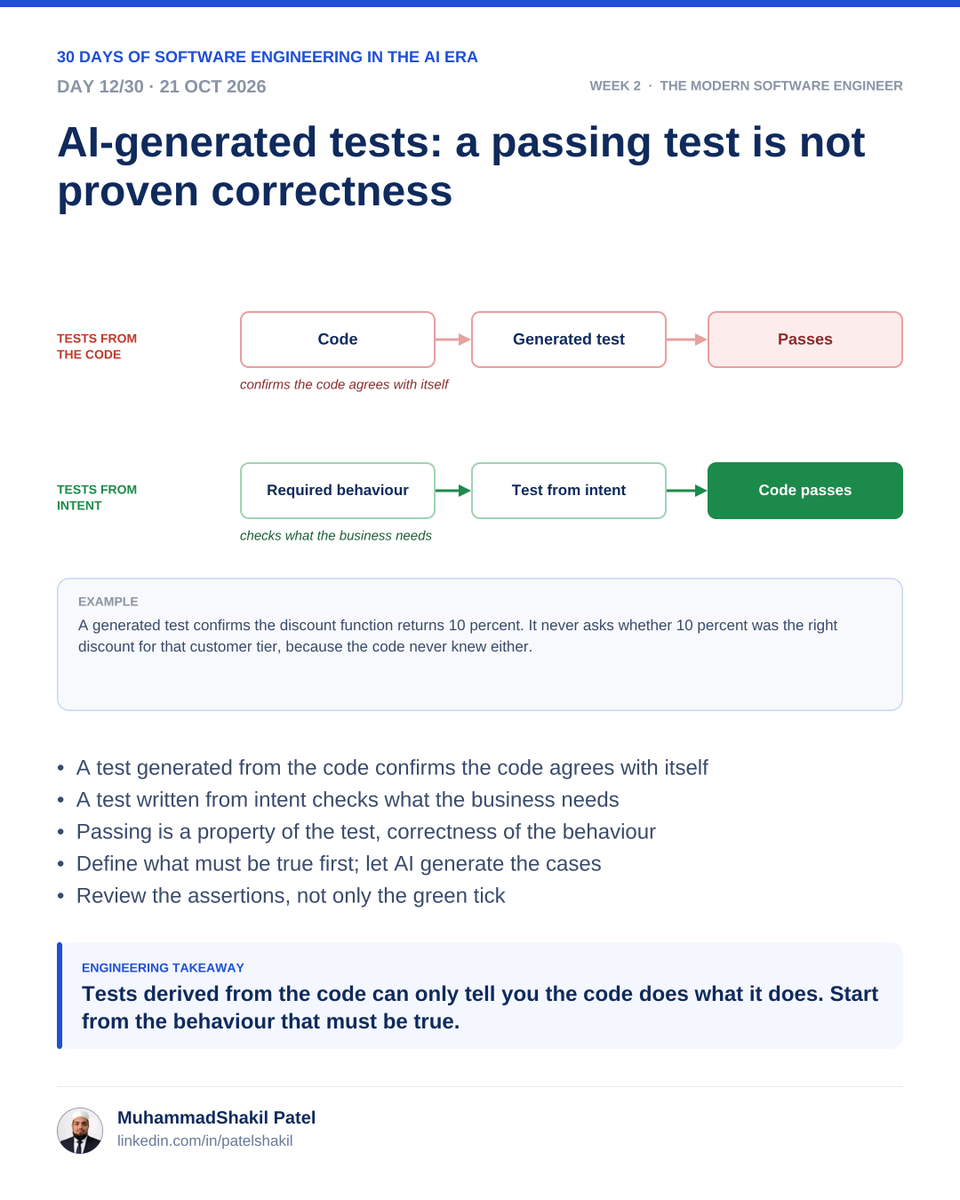
Visual: Requirements → Test scenarios → Assertions → Execution → Review.
Key takeaway: More tests do not automatically mean better tests. The assertions must detect real defects. #Day12#SoftwareTesting#TestAutomation
2/2
#Day12 AI Can Help Write Tests—But Tests Need Judgment
-> Generate test cases from requirements.
-> Explore boundary conditions and invalid inputs.
-> Cover expected failures, not just happy paths.
-> Verify that assertions check meaningful behavior.
1/2
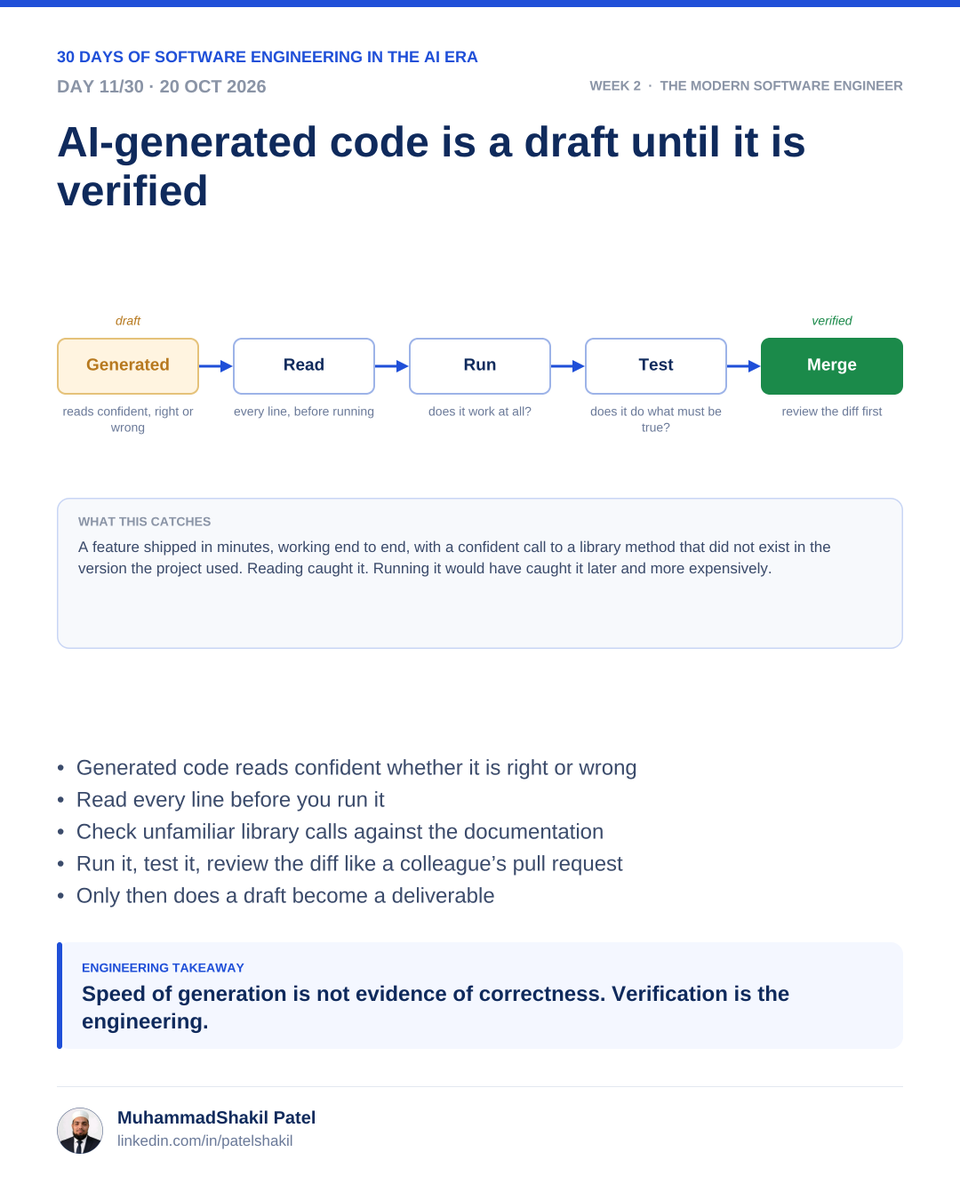
#Day11 AI-Generated Code Is a Draft
-> Review correctness against requirements.
-> Check security, permissions, and input validation.
-> Look for edge cases and error handling.
-> Run tests and inspect dependencies.
-> Refactor code that adds unnecessary complexity.
1/2
#Day8 AI Assistant vs. AI Agent
-> AI assistant: Responds to instructions and helps with a task.
-> AI agent: Can work through multiple steps toward a goal.
-> Agents may use tools, inspect results, and revise their approach.
1/3
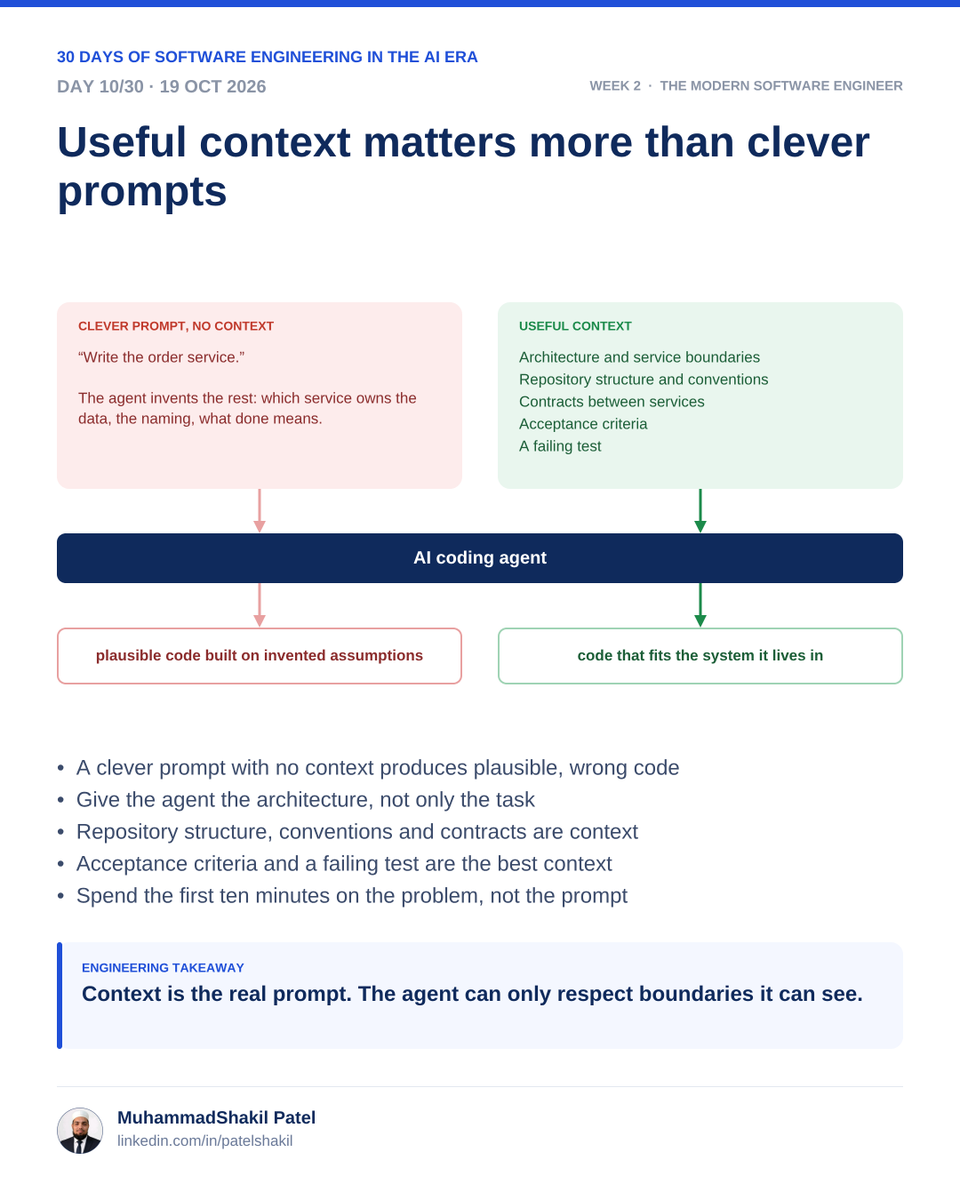
Visual: Goal + Context + Constraints + Examples → Better-grounded output.
Key takeaway: Better context helps AI produce more relevant code; a longer prompt alone does not guarantee a better result.
#Day10#ContextEngineering#PromptEngineering#AICoding#AIEngineering
2/2
#Day10 Context Is the Real Prompt
A useful AI coding request includes:
-> Goal: What outcome is needed?
-> Context: Which files, APIs, and business rules matter?
-> Constraints: What must not change?
-> Acceptance criteria: How will success be verified?
1/2
#Day9 AI Assistant vs. AI Agent
-> AI assistant: Responds to instructions and helps with a task.
-> AI agent: Can work through multiple steps toward a goal.
-> Agents may use tools, inspect results, and revise their approach.
1/3
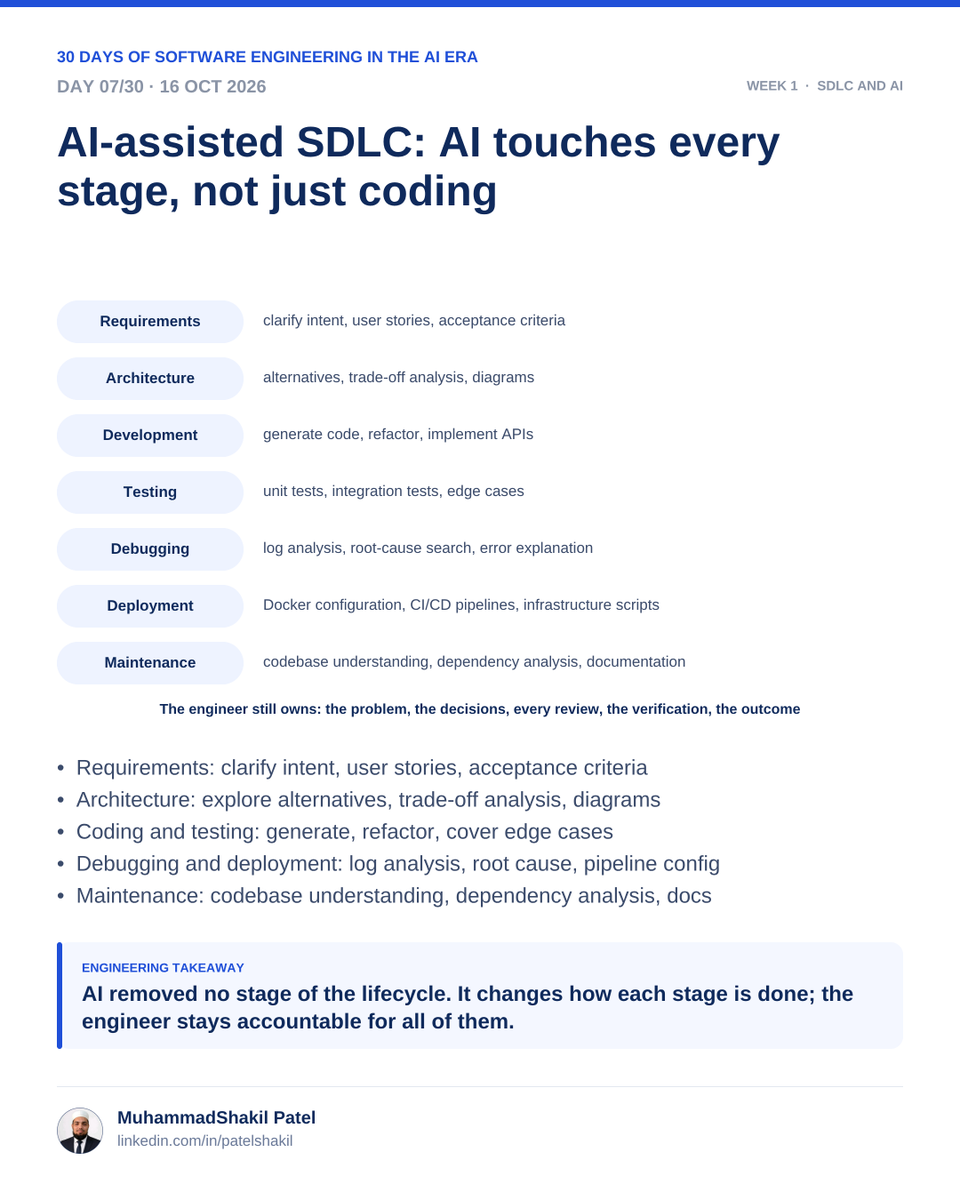
#Day7 AI-Assisted SDLC: AI Across the Lifecycle
-> Requirements: Summarize, clarify, and explore scenarios.
-> Design: Compare approaches and identify trade-offs.
-> Development: Generate and refactor code.
-> Testing: Suggest test cases and edge conditions.
1/2