Improvements to OptionCharts tables coming soon. Sortable and customizeable columns so you pick which fields you want. We're also adding more fields for you to choose from.
@erikwesslen Hey @erikwesslen! I like it and recommend especially if you are in in the terminal a lot and doing dev work. The biggest tradeoff is the learning curve and setup/ricing time. But once you get comfortable with it you really fly. Check out DHH's video on it for a good intro.
Just finished upgrading to Omarchy Quattro. A few hiccups with the upgrade but nothing my agents couldn't solve.
I have been using Omarchy almost a year now and loving it and glad I made the switch from Mac. Things I like:
- very fast - snappy windows and generally better performance
- keyboard-centric - makes doing everything on the computer fast. I have a dozens of custom keymappings for opening apps, taking screenshots, running scripts.
- malleability of the operating system - can change anything via config file changes and custom scripts. Very easy for agents to update and enhance.
- aesthetics - cool hacker-like feel. Many themes and easy to change. I'm currently enjoying the Gruvbox theme.
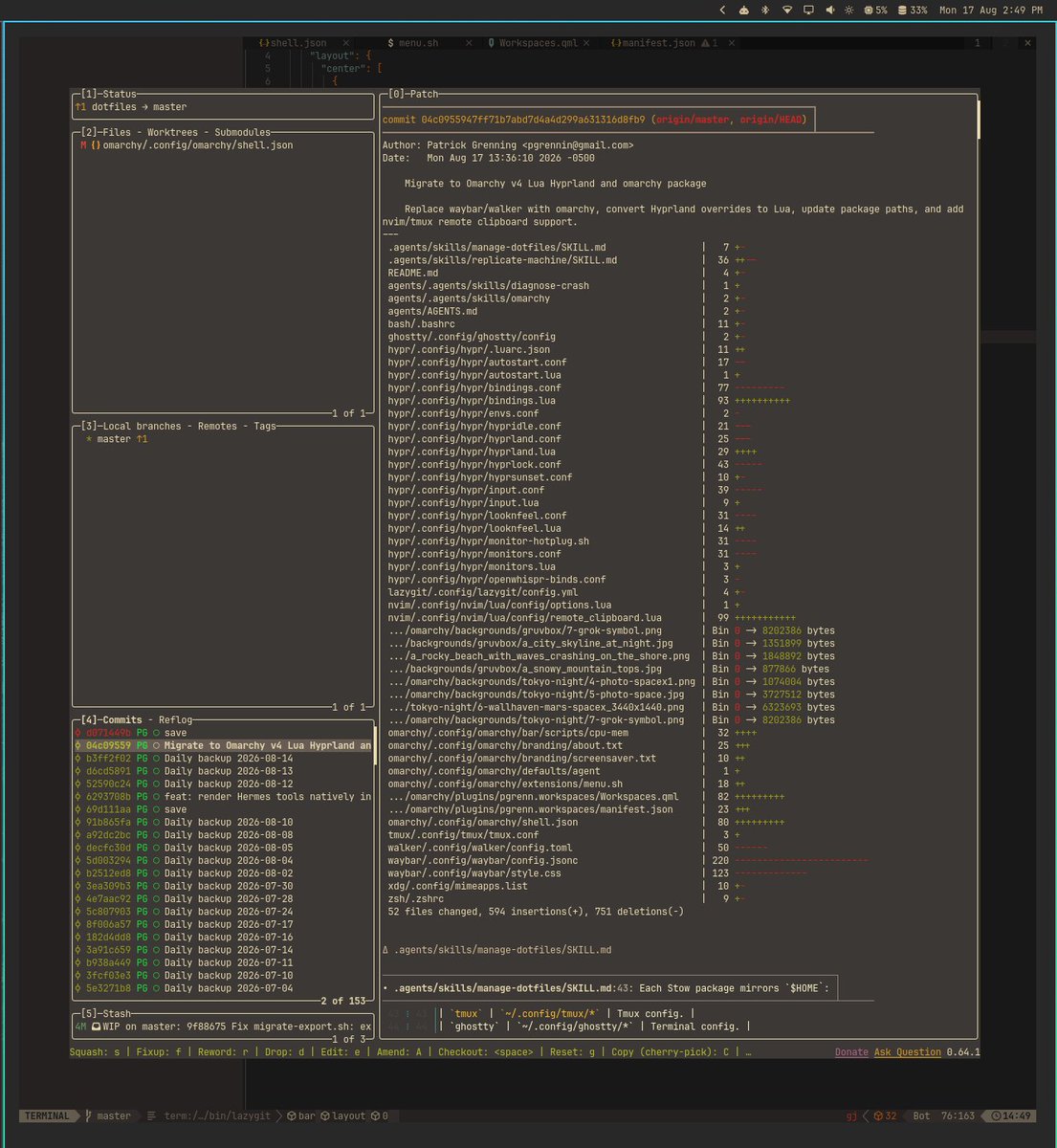
I keep all my omarchy config files in a private repo with automatic nightly git backups. These are the file changes after the upgrade to quattro and ricing my setup.
Omarchy Quattro is out!! This is one of the greatest software releases in my professional career. I hope you enjoy using it just as much as I did building it ✌️ https://t.co/81wLStgH7P
@jankeesvw I have been naming workspaces for a while via direct edits to the config files. I posted about it previously (https://t.co/A1SThL711b). I like your approach for quick editing. Will try.
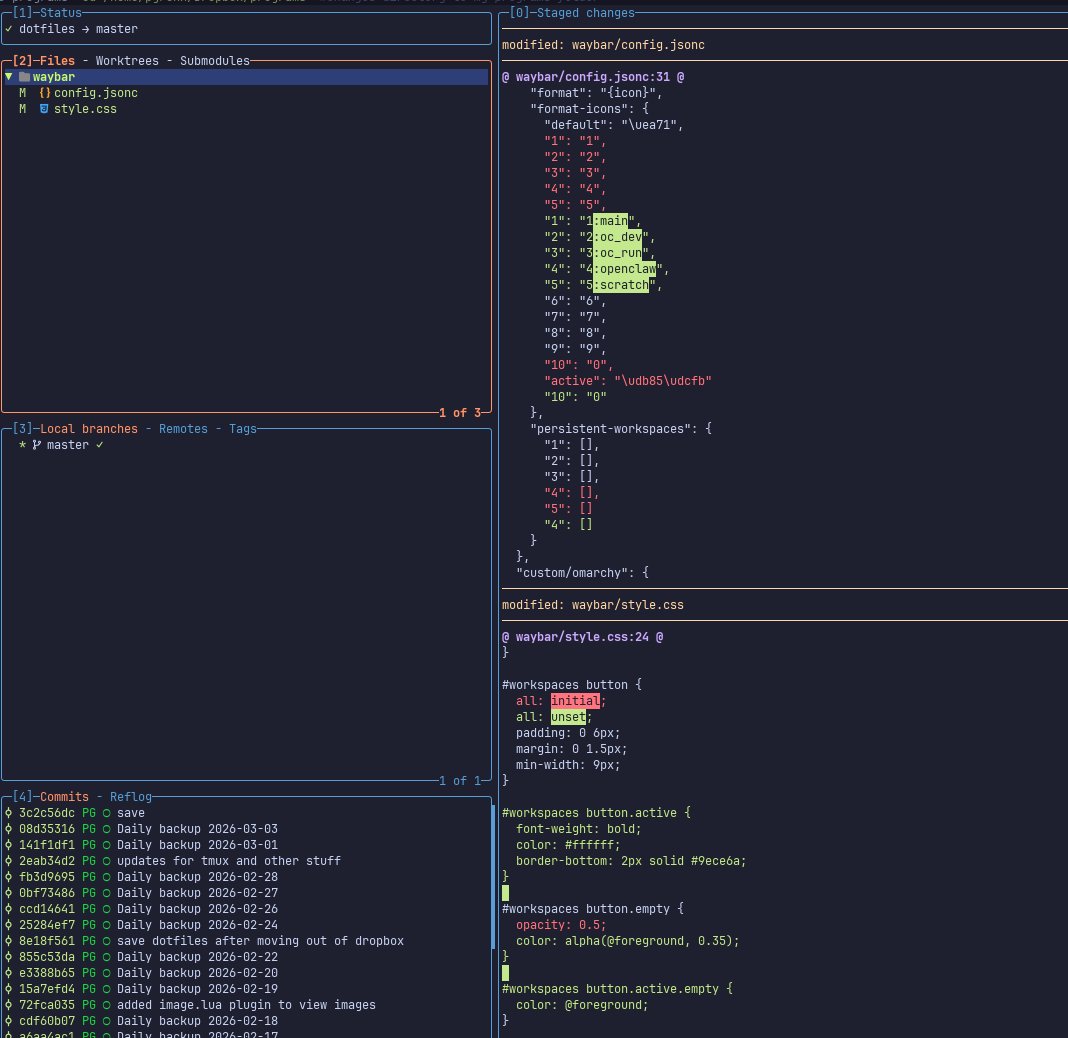
Here's a quick Omarchy waybar tweak I found to be useful - naming your workspaces.
You still use Super + 1/2/3/4/5 to switch between. This just gives a name to them. Also added an active green underline to highlight active workspace.
I just used claude code on my config files to do this. love how easy it is to customize everything in Omarchy.
Improvements to the Option Profit & Loss chart. Added auto refresh and improved pricing mode logic that automatically syncs with latest option prices. The P&L chart auto updates breakevens, PoP, and risk metrics continually with the market.
When pricing mode is set to "mid" for example, the chart uses the latest live market bid/ask average and is continually updated to this. When you choose "custom" pricing mode or manually change a leg's price the chart pins to that price instead of using the live option prices.
Most P&L charts available do not auto update with the market like this, nor give you the option to pin to a pricing mode.
Auto-refreshing charts are now live on OptionCharts!
Charts and views now silently update in the background with the latest option market data. No more manually refreshing the page to get the latest data.
Available to Ultimate subscribers. Enabled by default. Toggle it on or off in account settings.
Auto-refreshing charts are now live on OptionCharts!
Charts and views now silently update in the background with the latest option market data. No more manually refreshing the page to get the latest data.
Available to Ultimate subscribers. Enabled by default. Toggle it on or off in account settings.
OptionCharts was used as a source in this Yahoo Finance article.
Options priced a 5.6% expected move for $TSLA the morning before the earnings release.
The day after earnings the stock is now down about 13%, well beyond what was priced.
Auto-refreshing charts is currently in active development and will be coming to OptionCharts.
Over the past few weeks we've been focused on performance and scaling improvements, including a major architectural rework. OptionCharts traffic has grown ~4x over the past year. As traffic grew we started hitting scaling limits under the current architecture. That showed up as occasional downtime and slower page responses. Since making these changes we've seen major improvements in performance metrics and data quality.
These scaling improvements laid the groundwork for auto-refreshing charts, which will put greater load on our services.
Auto-refreshing charts have been highly requested by our community and I'm excited to deliver this in the coming weeks.
Here is a sneak peek of the real-time option contract chart with a 1s auto refresh rate.
Interesting Reddit post from 17 days ago that shared the OptionCharts $MU Max Pain chart. The Jul 17 expiry was sitting at $760 while the stock was still well above it at $1,154. Interesting to see how that move played out and the stock declined over the past month. Max pain is not a perfect predictor, but it does show where dealers are incentivized to want the price to end up.
First impressions of Grok 4.5 after using it in OpenCode and Hermes Agent for a day. Strongly capable and fast.
Compared to GPT 5.5 which I've been using the past month, Grok 4.5 responses are faster and give off better vibes - less verbose, less complex, less over-engineered solutions.
The biggest win IMO is the speed of the responses. It makes coding and doing work much faster and enjoyable. I am now using it as my daily driver.
xAI has launched Grok 4.3, achieving 53 on the Artificial Analysis Intelligence Index with improved agentic performance, ~40% lower input price, and ~60% lower output price than Grok 4.20
The release of Grok 4.3 places @xAI just above Muse Spark and Claude Sonnet 4.6 on the Intelligence Index, and a 4 points ahead of the latest version of Grok 4.20. Grok 4.3 improves its Artificial Analysis Intelligence Index score while reducing cost to run the benchmark suite.
Key Takeaways:
➤ Grok 4.3 improves on cost-per-intelligence relative to Grok 4.20 0309 v2: it scores higher on the Intelligence Index while costing less to run the full benchmark suite. Grok 4.3 costs $395 to run the Artificial Analysis Intelligence Index, around 20% lower than Grok 4.20 0309 v2, despite using more output tokens. This makes it one of the lower-cost models at its intelligence level
➤ Large increase in real world agentic task performance: The largest single benchmark improvement is on GDPval-AA, where Grok 4.3 scores an ELO of 1500, up 321 points from Grok 4.20 0309 v2’s score of 1179 Grok 4.3, surpassing Gemini 3.1 Pro Preview, Muse Spark, Gpt-5.4 mini (xhigh), and Kimi K2.5. Grok 4.3 narrows the gap to the leading model on GDPval-AA, but still trails GPT-5.5 (xhigh) by 276 Elo points, with an expected win rate of ~17% against GPT-5.5 (xhigh) under the standard Elo formula
➤ Grok 4.3’s performs strongly on instruction following and agentic customer support tasks. It gains 5 points on 𝜏²-Bench Telecom to reach 98%, in line with GLM-5.1. Grok 4.3 maintains an 81% IFBench score from Grok 4.20 0309 v2
➤ Gains 8 points on AA-Omniscience Accuracy, but at the cost of lower AA-Omniscience Non-Hallucination Rate of 8 points, so Grok 4.20 0309 v2 still leads AA-Omniscience Non-Hallucination Rate, followed by MiMo-V2.5-Pro, in line with Grok 4.3
Congratulations to @xAI and @elonmusk on the impressive release!
Here's a quick Omarchy waybar tweak I found to be useful - naming your workspaces.
You still use Super + 1/2/3/4/5 to switch between. This just gives a name to them. Also added an active green underline to highlight active workspace.
I just used claude code on my config files to do this. love how easy it is to customize everything in Omarchy.
@thepatwalls@openclaw You can actually do this by running /verbose slash command.
When enabled it shows each tool call it does. Also running in tui gives more detail than the web or chat interfaces. Also there is a way to tail logs for even further detail.
I was intrigued by the Moltbot (Clawdbot) hype so I decided to give it a try. Here are my thoughts and tips.
At a high level, I think it's powerful and can see its potential. I think the hype is mostly justified.
The interaction via Telegram from your phone to your machine is very convenient.
Regarding setup, it's pretty time-consuming and more technical than I was expecting. It requires just a lot of decisions and research because there's a thousand different ways to configure and use.
For integrating to services like email or calendar, I found you're better off just asking Moltbot how to set things up. Asking Moltbot your questions is usually much faster and easier as it can update its own configs and install software.
Most setup guides recommend starting with an AWS EC2 Ubuntu instance. I went down this route initially. This is fine for very basic use, but I found some limitations. I think running your own hardware is better. You'll want an actual desktop GUI instead of a headless-only environment in order to use features like a headed browser, running desktop apps, and monitoring the Moltbot dashboard. While technically possible to set up a GUI on an AWS Ubuntu instance it's highly technical and clunky.
Currently, I am running on an old MacBook, but might upgrade my hardware later. The CLI tools and integrations seem to work better on macOS. Many of the tools require Homebrew. While Linux has a version of Homebrew (Linuxbrew), I found several of the tools didn't install easily and required more manual intervention. Many people have recommended Mac minis which makes a lot of sense for these reasons. Personally I'd consider running on a Beelink mini PC with Omarchy for cost and performance which is what is what I use as my daily driver.
I haven't used Moltbot for coding yet. Claude Code still seems better especially if you prefer close monitoring and manually approving code changes, but for high level orchestration while you're away from your computer I can see how Moltbot would shine.
Security and privacy does feel a bit scary, but as long as you are vigilant and use a lot of common sense I think you should be okay. This means operating on a separate sandboxed machine, security hardening, and giving the least amount of privilege to the machine as possible.
I've only scratched the surface. I have been using it to send reminders and manage my Obsidian note vaults and already feel it's power.
We're still really early as the project is only a few weeks old but I think it's pretty cool.
@vladtenev Totally agree and appreciate your efforts in pushing for access to private companies. I’ve wanted to invest in private companies like SpaceX and Anthropic for years seeing their transformative potential.
@karpathy Great write up and relatable to my experience as well. I’m at about 90/10 Claude code vs manual coding. It’s only going to get better smarter/better from here.