Google for Edu definitely made a splash at ISTE. But I have concerns about moves it's making with Gemini.
You can learn all about the news they released at ISTE here (link below).
Of course, with big tech companies and edtech startups, you have to cut through the hype to get to hard truths.
Here’s one that I haven’t seen discussed enough …
Google is putting Gemini, its large language model assistant, in the hands of students of all ages. That will extend to NotebookLM in coming months.
It feels a bit like letting kids out to recess on the playground without supervision.
An excerpt from their release:
The Gemini app is now available to students of all ages and as a core Workspace service, and in the coming months we’re making NotebookLM available to students of all ages while using their Google Workspace for Education accounts to help them study and better understand their class materials.
AI startups like SchoolAI, MagicSchool, Brisk Teaching, and others offer something that Google does not. (I’ve looked and looked and can’t seem to find it.)
Monitoring.
A place where teachers can monitor the conversations that students are having with AI chatbots in real time.
>> They include granular line-by-line transcripts of student conversations with AI.
>> They summarize student conversations into insights that teachers can see at a glance in their teacher dashboards.
>> They flag student interactions that might be inappropriate or harmful so the teacher can follow up immediately.
Google doesn’t appear to have this at the teacher level. It’s available at the admin level — and Google boasts about how it helps districts come into legal compliance with their admin access.
But let’s be honest. The admin isn’t going to spend their days monitoring student interactions with AI line by line.
Even if Google flags dangerous student interactions with AI, there are several layers of communication (and even some physical distance) that need to be crossed before it gets back to the student.
When the teacher doesn’t have direct access to the students’ AI interactions, they miss out on insights AI can provide them about the student interactions — what students struggle with, what interests students are showing, etc.
That’s valuable data for teachers to have — especially if it’s instantaneous.
You know that Google has seen their competitors’ products. This is an intentional decision not to include that feature.
If you're going to turn on Gemini for students, there are tons of ethical and AI literacy implications. Tread cautiously.
NEW! Study Guide for Copilot Notebooks, which uses AI to generate a study guide based on reference materials you add.
Includes topic page, glossary, learning activities, quizzes, progress tracking, & includes an AI audio overview.
Coming this fall, details in the blog 👇
Just had the one of the coolest experiences ever...riding in the pace truck during a @WorldofOutlaws heat race. Thank you for the opportunity - you made a father and son moment we won't forget.
#CowtownClassic
@Enterprise what gives with not having a vehicle when the reservation was made months ago? Won't even let employees get cars from another location....Thanks for delaying my vacation and causing us to cancel an event...
#delayed#CustomerServiceFail
Unleash the power & fun of learning with even more colorful #MicrosoftEDU Quick Guides - created by #MIEExpert@Miss_Aird. These one-page handouts now cover 22 Microsoft products!
Great for PD 🌳 Plus easy to print and share
Blog 👉 https://t.co/3mpGRoRV0g
#edtech#edchat
For IT Admins looking to enable Bing Chat Enterprise for Faculty (preview) for your school or district, here is a short video showing exactly how to do it.
Safe and secure educator use of Bing Chat (GPT-4)
https://t.co/yF5eJnpbnY
#BingAI#edtech#MIEExpert#MicrosoftEDU
Comprehension Questions for Reading Progress in #MicrosoftTeams has rolled out globally to 100% 🌍🌎🌏
Now it's easy to add questions to go along with your reading passage. GIF below shows the flow:
✅ Educator create
✅ Student answers
✅ Educator review
#edtech#MIEExpert
NEW! The Edge browser now has a "Learning Toolkit" mode 🎓 Make it easy to find #EdgeEDU features! Just type "edge://learning"
➗ Math Solver
📌 Citations
📃 PDF reader
📖 Immersive Reader
🔊 Read Aloud
More details: https://t.co/5Wt2HOf3NC
#edtech#MIEExpert#MicrosoftEDU
We’ve just launched a new "AI for Educators" course on Microsoft Learn 🚀
An incredible set of content, modules, & videos. This course is a solid 101 level for AI in education. Great for Summer PD ☀️
🔗 https://t.co/ZFZqiBUhF3
#cpchat#edtech#edchat#MicrosoftEDU
We've just launched a new "AI for Educators" course on Microsoft Learn 🚀 An incredible set of content, modules, and videos. This course is a solid 101 level for AI in education.
Great for Summer PD ☀️
https://t.co/8szobOvlqN
#ISTELive#AI#MIEExpert#MicrosoftEDU
First Day of School coming up? This @Wakelet has a lesson for What's Your Super Power for Sway, a Back to School Survey for parents/families, and my favorite First Day of Class Quiz!
And wait, there's more! #MicrosoftEdu#BacktoSchool2022 https://t.co/ABpcZAgJPs
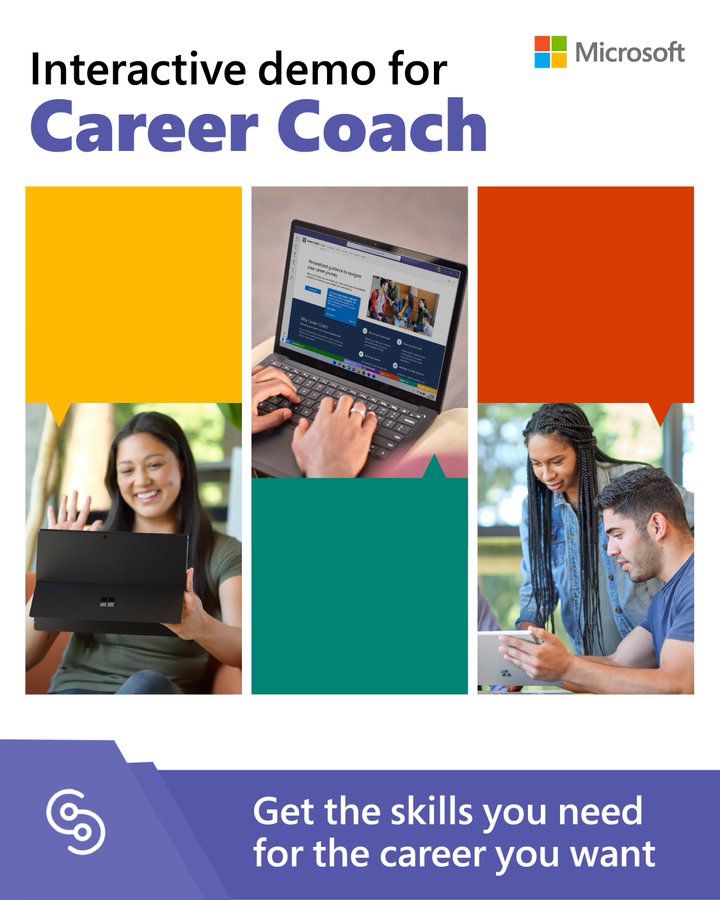
Career Coach helps #HigherEd students prepare for the future by helping them:
🔎 Explore career paths
🌱 Grow real-world skills
🤝 Build a professional network
Start this interactive demo to learn more:
👉https://t.co/72Z72KFXHb
#MicrosoftEDU#MIEExpert#edtech
Scan to PDF is now fully deployed to all users of Teams Assignments. This gives the ability for students and teachers to scan and submit multiple documents into one PDF file with their assignment.
@mtholfsen , @MicrosoftEDU , #edtech , #MIeexpert