✨ Aspiring DevOps Engineer | 🚀 Transforming a career gap into cloud skills | 🧠 Sharing My Journey. Let’s innovate together! #DevOps#Linux#LearningInPublic
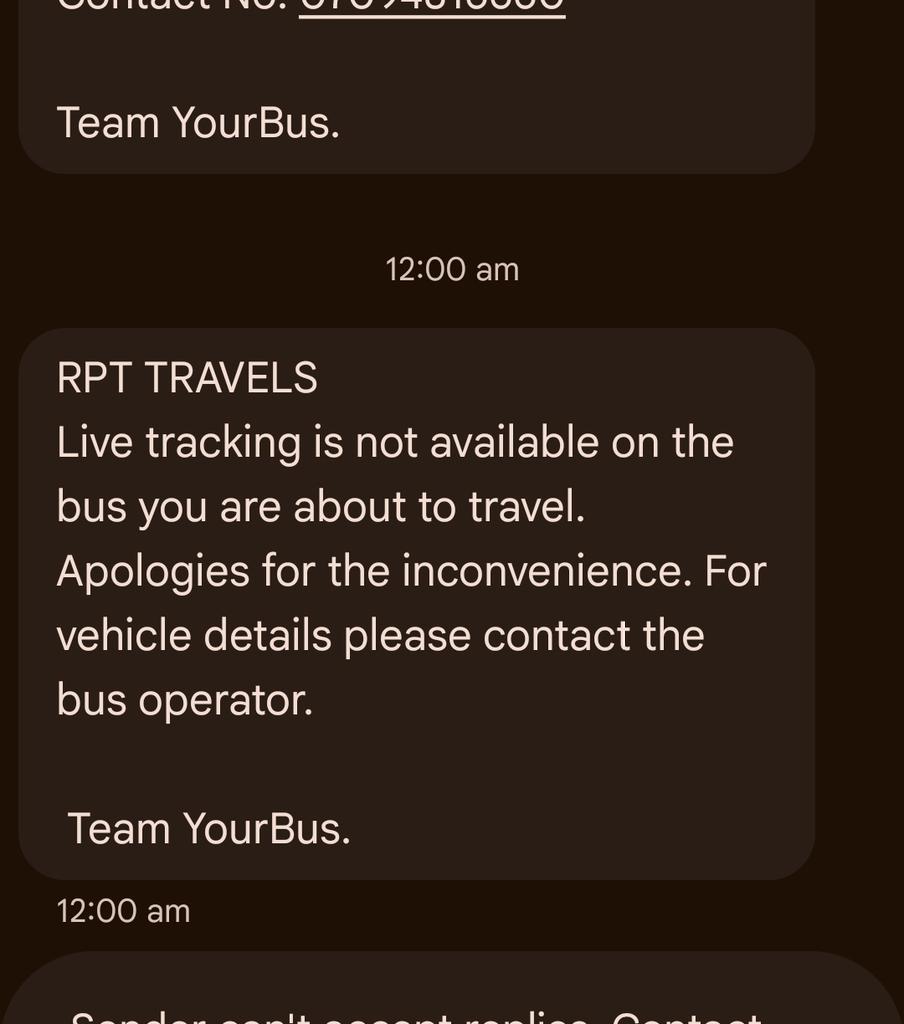
@makemytrip@nch1915@ConsumerVoices@makemytripcare@nch1915@NCH1915 Please intervene. The bus is expected to reach the boarding point 1 hour 45 minutes late. No live tracking and no response from customer support. This is unacceptable. I seek appropriate compensation and action against the operator.
@makemytrip Booked a bus for 11:50 PM (July 5), but it's delayed until 1:30 AM. My travel is urgent. I need a full refund so I can arrange alternate transport. Please process it immediately.
Update: The driver has informed us that the bus will reach the boarding point only at 1:30 AM. Such a delay without proper updates is unacceptable. Please address this and provide appropriate compensation.
No live tracking, no response from customer support, and no updates. This is unacceptable. I expect compensation for the inconvenience. Please resolve this ASAP.
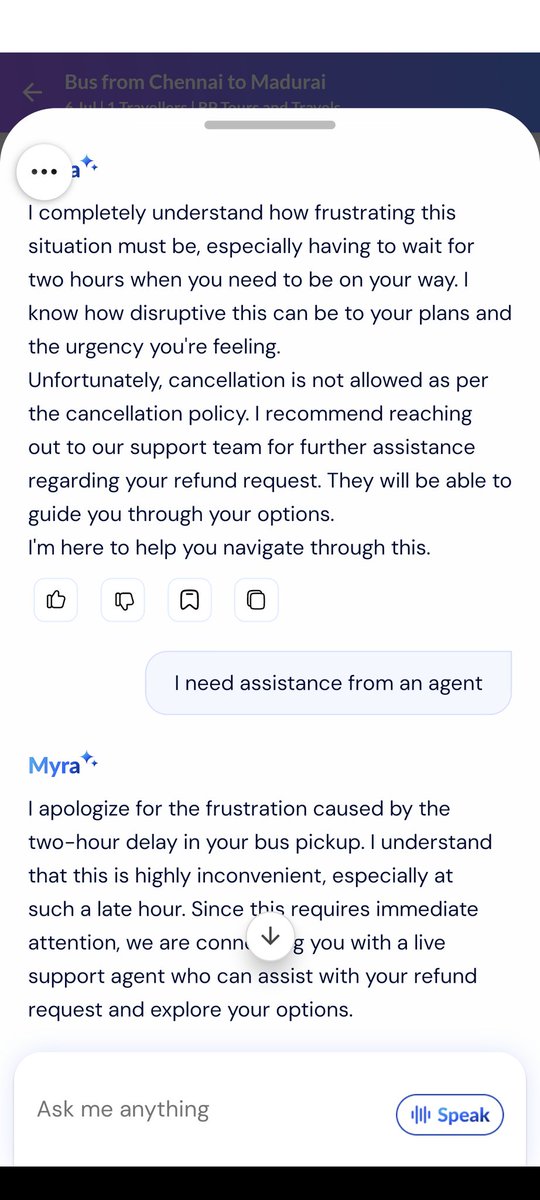
Attaching my chat with customer support. The response was unhelpful despite a delay of nearly 2 hours. This is unacceptable for urgent travel. I expect a full refund and appropriate compensation for the inconvenience caused, as I now have to arrange alternate transportation.
Kubernetes starter pack:
- CrashLoopBackOff
- ImagePullBackOff
- OOMKilled
- Pod Pending
- 502/503 via Ingress
- RBAC Forbidden
- ConfigMap Not Updating
- DNS Lookup Failed
Congratulations.
You are now a DevOps engineer.
Everyone tells you to learn Linux before DevOps, but no one tells you what specific parts of Linux to focus on.
✅ Here are the Linux stuff I use most in Devops workflow.
🔺 Process Management: Check running processes, their CPU and memory utilization using commands like ps, top, htop, and kill. View process hierarchy with pstree to understand parent-child relationships
🔺Networking: Master commands to check network interfaces (ifconfig, ip), firewall configuration (iptables, ufw), used ports (netstat, ss), and general connectivity (ping, traceroute, dig, nslookup, curl, wget)
🔺Critical Network Files: Understand /etc/hosts (hostname to IP mapping), /etc/resolv.conf (DNS configuration), /etc/hostname, /etc/nsswitch.conf (name resolution order), and /etc/network/interfaces or /etc/sysconfig/network-scripts/
🔺File Structure Manipulation: Get comfortable with file/directory creation, copying/moving data, navigating directory trees, and understanding absolute vs. relative paths (mkdir, cp, mv, cd, pwd, ls, tree)
🔺File Permissions & Ownership: Learn to manage who can read, write, or execute files using chmod, chown, and chgrp. Understand numeric and symbolic permission notation (755, u+x), SUID, SGID, and sticky bits
🔺File System Usage: Learn commands like df (disk free space), du (disk usage), lsblk (list block devices), mount/umount, and tools to monitor storage
🔺Search & Filter: Practice finding files with various parameters (find, locate), searching patterns in files (grep, sed, awk), and filtering data outputs (cut, sort, uniq, head, tail, wc)
🔺Package Management: Understand how to install/uninstall packages using package managers like apt, yum, dnf, or zypper. Learn about package repositories and how to add/manage them
🔺System Configuration Files: Learn about critical files like .bashrc, .bash_profile, .profile (user shell configuration), /etc/profile (system-wide shell settings), .bash_history (command history), /etc/environment (environment variables), and .ssh/config (SSH client settings)
🔺Important System Files: Understand /etc/fstab (file system mounts), /etc/passwd (user accounts), /etc/group (group information), /etc/shadow (encrypted passwords), /etc/sudoers (sudo permissions), and /etc/crontab (scheduled tasks)
🔺Log Files: Know where to find logs in /var/log/ including syslog, auth.log, kern.log, and application-specific logs. Learn to use journalctl for systemd logs
🔺System Monitoring: Master commands to check system load (uptime, w), CPU and memory usage (free, vmstat, sar, iostat), and swap utilization (swapon –show)
🔺Service Management: Get familiar with both systemctl commands (systemctl start/stop/restart/status/enable/disable) and legacy service commands for managing system services
🔺SSH Configuration: Learn to set up secure remote connections, configure SSH keys (~/.ssh/id_rsa, ~/.ssh/authorized_keys), and customize settings in /etc/ssh/sshd_config and ~/.ssh/config
🔺Basic Shell Scripting: Learn how to automate routine tasks with bash scripts, including variables, loops, conditionals, functions, exit codes, and debugging with set -x
🔺Environment Variables: Understand how to set, export, and use environment variables. Know the difference between local and exported variables, and how PATH works
🔺Text Editors: Be comfortable with at least one terminal text editor like vim, nano, or emacs for quick file editing
🔺System Information: Use commands like uname (kernel info), hostnamectl, lscpu (CPU details), lsmem (memory info), and dmidecode for hardware information
🔺User & Group Management: Learn to create/modify users and groups using useradd, usermod, userdel, groupadd, and related commands
🔺Archiving & Compression: Master tar, gzip, bzip2, zip/unzip for creating and extracting archives
Remember, you’ll always pick up additional Linux skills while working in DevOps.
@MyntraSupport
Small bug in Birthday Blast banner — homepage says Dec 27 for Insider access, but inside it says Feb 27.
Looks like a typo. Please check.
Stop memorizing every AWS service. You only need these 11 to run production workloads:
Networking:
VPC - your private cloud network
ALB - traffic distribution across servers
Route53 - DNS and domain management
Compute:
EC2 - virtual servers
ECS - Docker container orchestration
EKS - managed Kubernetes
Lambda - serverless functions
Storage & Data:
S3 - object storage that scales infinitely
RDS - managed databases
Operations:
CloudWatch - monitoring, logs, alerts
IAM - access control and permissions
AWS has 200+ services. Most DevOps engineers use these 11 daily and touch maybe 5-10 others occasionally.
Focus on understanding how these 11 services work together rather than collecting service knowledge like Pokemon cards.
Which of these 11 services do you use most in your daily workflow?