Making accessible tagged PDFs with Prince https://t.co/0ssdxywVgi - the latest build of Prince gives you even more control. A simple and practical guide by @brucel (9 minute read).
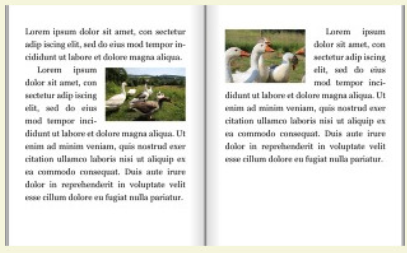
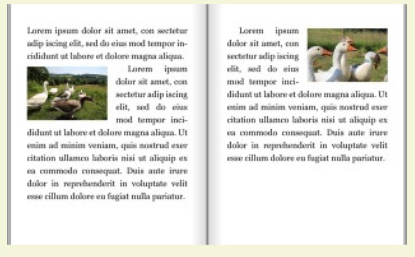
"CSS doesn't have a notion of page "spreads", but the "float-defer" properties make it possible to place an image over a spread: one part of the image is shown on the left page, and the other part is on the right."
@wiumlie shows how! https://t.co/vYUzsEjEg5
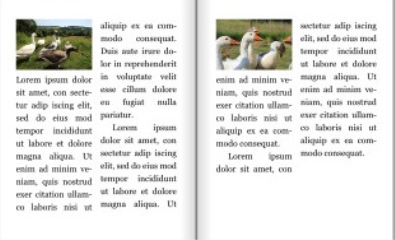
Warning: Geese.
Prince 14 adds new ways to float images - to the inside or outside margins; to the top or bottom of the page, or individual columns, to repel other content, and more. See the illustrated guide, with lots of geese! https://t.co/YncicgUod5
Hello Prince 14!
🥂 CSS calc() support!
✨ Color emoji fonts and SVG fonts!
🔥 Multipass formatting with JavaScript!
🦄New column and page float features!
🎉 and, of course it produces tagged, accessible PDFs.
🆓 Free for non-commercial use.
https://t.co/CsVnz0RP4g
Prince 13.6 is out, including support for SSL version TLSv1.3, signed and notarised Prince binaries to avoid warnings on MacOS Catalina, a whole lot of tasty improvements of SVG and CSS filters, and a load of bug fixes in PDF tagging for accessibility: https://t.co/iKdQcJOQEe
As development lead of the @HTTPArchive Web Almanac, I gotta say @prince_xml made it so easy to create this high quality, tagged, accessible PDF from our web content! Great modern CSS and paged CSS support. Highly recommended!
The fantastic 500 page httparchive's 2020 almanac is out. As is fitting for this annual look at the markup, CSS and accessibility of 7 million sites, the PDF version is a tagged, accessible PDF generated by Prince from the source HTML. https://t.co/3QZhwBMA9F
As well as making beautiful PDFs, Prince can produce accessible tagged PDFs: https://t.co/0ssdxywVgi
Try Prince. It’s free for non-commercial use: https://t.co/XgMYQj9orV
4 HTML→PDF products tested: "DocRaptor [powered by Prince] is the most powerful with its simple API & its beautiful PDF output. unlike the others, it is a paid service. However, if your business depends on elegant, professional document generation, it is well worth the cost."
Web apps that contain tables, charts, and graphs often include an option to export the data as a PDF. Have you ever wondered, as a user, what's going on under the hood when you click that button?
#DEVCommunity https://t.co/nTVhOUDL6A
@asciimike Hi - this text is the alternate text for the small logo that the free version of Prince adds on the top right of the first page of the PDF it produces. For some reason, Google Drive turns this into a comment when a PDF is imported. (We had no idea it does this, just tested it.)
Hot on the heels of our article on using Prince with node on AWS, here's how to use Prince with PHP on AWS. Thanks to @thebeebs and @sil for their advice on wrangling AWS. https://t.co/CQmmK6XIOH
A few people have asked how to set up Prince to run on AWS/ Lambda, so we've written a step-by-step guide to 'Serverless' Prince. Thanks to @thebeebs and @sil for their help https://t.co/b6eXTRC7k5