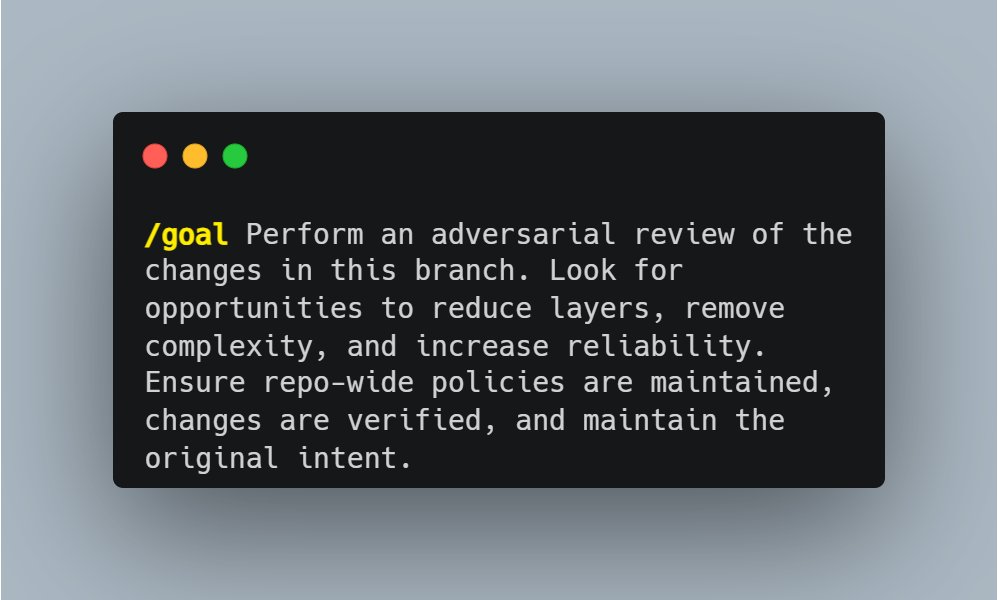
Playing around with a Kent Beck-inspired prompt today:
Before implementation, look for opportunities to prefactor the code to make the implementation easier. "Make the change easy, then make the easy change."
MAKE SURE YOUR CLAUDE AGENTS ARE SECURE WITH THIS ONE SHORT PROMPT:
“Review this Claude agent for security risks: identify prompt injection vectors, unsafe tool permissions, data exfiltration paths, jailbreak susceptibility, secret leakage, overbroad system prompts, insecure code execution, and missing output validation. Return only concrete vulnerabilities with severity and fixes.”
Thank me later.
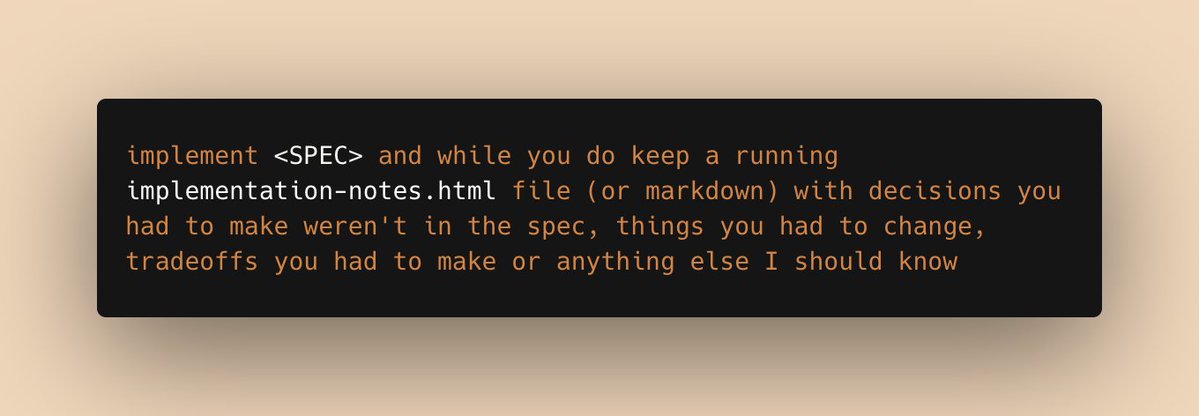
a prompt I've been using a lot recently:
implement <SPEC> and while you do, keep a running implementation-notes.html file (or markdown) with decisions you had to make weren't in the spec, things you had to change, tradeoffs you had to make or anything else I should know
El equipo de Anthropic acaba de publicar cómo hacer prompts en Claude para sacarle el máximo partido.
24 minutos. Gratis. Directo de los que lo construyeron.
Lo he subtitulado al español.
Guárdalo 🔖
The Codex Super-App (Full Beginners Guide)
The All Purpose Interface for AI Agents
Part 1: Codex Basics
Install Codex, Projects, Chats, Documents, Plugins, Custom Skills, Automations
Part 2: Multitasking with Codex
- iOS App Designs
- Build an iOS App
- Landing Page
- Launch Video
- Investor Deck
- Social Media Automation
TIMESTAMPS:
Part 1: Codex Basics
00:00 Intro
02:54 Downloading Codex
03:20 Overview of Codex interface
03:56 Chats, Prompting, & Built in Search
04:53 Creating Projects
07:37 Creating Spreadsheet
09:43 How Files are stored and mentioned within projects
10:42 Quick Codex Overview
12:47 Search (CMD G) and Folder Organization
14:29 Skills and Plugins
16:29 Using Calendar Plugin
18:07 Creating Automations on Codex
19:18 Learn about Plugins (Figma)
21:37 Built in Image Gen
22:37 MCP Example (Paper for Design)
24:17 Opening Chats in mini-window
25:26 Steering vs Queueing the Agent
27:35 Creating Own Skill with API's
31:34 Using YouTube Researcher Skill (That we created)
33:24 Creating Automation with your custom skill
Part 2: Multitasking (More chaotic and fun)
35:27 Part 2 Multitasking: Building iOS App, Web App, Investor Deck, Launch Video, Mobile Designs, and Automated X Posts
37:54 Creating Project
38:31 Planning my 6 Projects
40:25 Mobile Design Skill
41:47 Setting up iOS App
45:08 Implementing Desings into Mobile app
46:13 Creating a landing page that collects user info
46:45 Tally for form submission (Great for lead magnets)
49:43 Organizing and Renaming Chats for multitasking
52:12 Database for Mobile App (Supabase)
53:19 Generating app icons
54:08 Launch Video (Remotion)
59:32 Remotion Video Timeline and Seeing the Video Editor
01:05:37 Editing instructions for Remotion (Gridlines)
01:07:11 Editing Web App
01:09:46 Using CLAUDE CODE Inside Codex for Design (Terminal)
01:17:20 Forking a Chat to create investor deck
01:19:09 Using Claude 4.7 Opus for Designing Deck
01:20:22 Testing Canva Export (It's good)
01:22:33 Running Mobile App on Actual Phone (Not Simulator)
01:28:58 Finishing up All Projects (Mobile App, Landing Page Launch Video)
01:31:56 Exporting Deck and making changes in Canva
01:33:13 Deploy to Vercel using the Vercel Plugin
01:33:44 Adding Song to Remotion Video
01:35:26 Setting up x Post automations (Typefully)
01:37:57 Our App is on Testflight!
01:39:58 Final Remotion Video
01:41:04 Final Thoughts, Reflections, Summary
First, to get you started, we've created 23 tutorials to walk you from the API basics to advanced training techniques and deploying models into production.
https://t.co/3eKujlNz0G