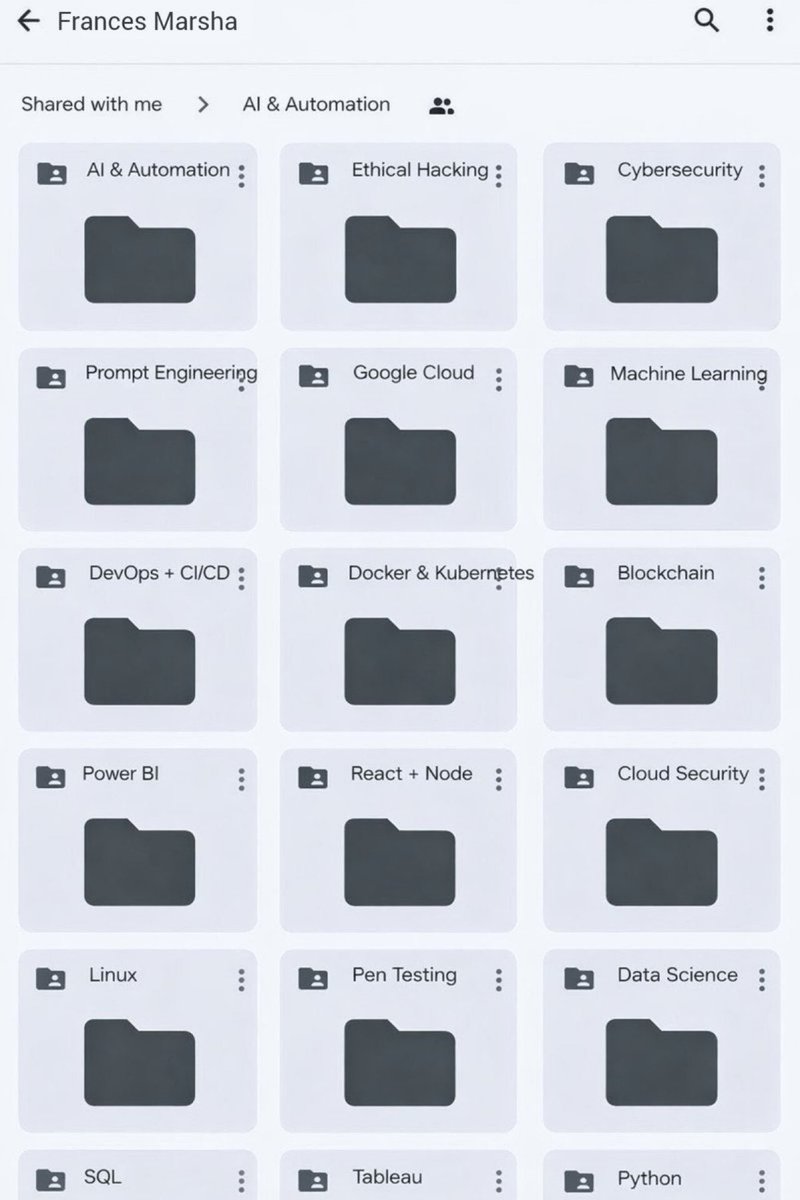
All Paid Courses (Free for First 4500 People)
𝗣𝗮𝗶𝗱 𝗖𝗼𝘂𝗿𝘀𝗲 𝗙𝗥𝗘𝗘 (PART - 1)
1. Artificial Intelligence
2. Machine Learning
3. Prompt Engineering
4. Claude,Chatgpt,Grok
5. Data Analytics
6. AWS Certified
7. Data Science
8. BIG DATA
9. Python
10. Ethical Hacking
(72 Hours only )
To get-
1. Follow me to get DM
2. Like + RT
3. Reply " All "
Boris Cherny, the creator of Claude Code at Anthropic, just listed 9 patterns that waste 73% of your tokens.
in this podcast he breaks down exactly how the model burns tokens before it even reads your prompt:
- the 14% you lose to CLAUDE.md before typing a word
- the 13% you pay re-reading old chat history
- the 11% from hooks you forgot you installed
- why most "Claude got dumber" complaints are wrong
if you're hitting Max limits more than once a week, you have at least 4 of these. Probably 7.
instead of another show tonight, watch this.
my own breakdown based on 400+ hours of usage is below, read it after the podcast
How to set up Claude Cowork in minutes and top use cases to automate your work:
1. Get the desktop app: claude .ai/download/
2. Open it. Switch to the Cowork tab at the top.
3. Go to Settings → Cowork → Global Instructions. Tell it your role, your formats, your tone. Once. Done.
Here are some of my favorite use cases:
1. Clean up a messy folder.
Prompt: "Scan my Downloads folder. Propose categories, naming conventions, and files to flag. Show me the plan before touching anything."
2. Turn meeting notes into one report.
Prompt: "Read every file in this folder. Synthesize key themes, pain points, and open action items into a Word doc. Organize by client, then by date. Flag anything mentioned more than once."
3. Handle client updates in one shot.
Prompt: "Pull the last 5 project reports from my Drive. Draft a personalized email update for each project lead. Flag anything overdue. Save drafts to Gmail ready to send."
4. Put your week on autopilot.
Type /schedule inside any task. Set it to run every Monday at 8am. It just runs.
Now here's where it gets serious:
✦ Connectors link Cowork to your actual tools.
Go to Settings → Connectors → Browse Connectors. You'll find Google Drive, Gmail, Slack, Notion, and hundreds more.
The difference from regular AI connectors? In chat, a connector shows you your Drive data. In Cowork, it pulls it, processes it, and pushes the output back.
✦ Plugins turn Claude into a role-specific agent.
Go to Customize → Browse Plugins. There are plugins for marketing, sales, HR, legal, finance, operations. Each one loads pre-built slash commands for that role.
Type / and you'll see them all. For example:
• Marketing plugin: To create content, plan campaigns, and analyze performance across marketing channels
• Sales plugin: Connects to your CRM. Runs prospect research and call prep automatically.
• Productivity plugin: Manage tasks, plan your day, and build up memory of important context about your work.
Get daily AI tutorials here: https://t.co/xViEAXTphX
Claude Cowork is def not just a chatbot. It does things for you..with your files, your tools, and your workflows.
Start using it and you’ll see how much time it saves you.