Native CSS anchor positioning is landing in stable versions of Chromium-based browsers starting next week!
⚓️💙
This was such a big gap in the platform and I'm so stoked to see it finally rolling out 😭
Read more about how to use it here:
https://t.co/fSAC3huNaA
Anchor positioning comes w/a new layout mechanism called inset-area, and its pretty neat!
So I'm building a little anchor tool to help you learn it and anchor things!
https://t.co/7kNWFXJvyP
*Browser support is still very limited, only works in Chrome Canary (125+) for now
I'm doing a research on CSS :has() and this is one of the best articles that I read. Learn about some advanced :has() use-cases, by @5t3ph.
https://t.co/tKbZZHqjvD
Suuuper handy new CSS:
:user-invalid and :user-valid pseudo selectors let you style inputs only once they have been interacted with
Just landed in Chrome + Safari, been in Firefox for years.
💡 CSS Tip!
Do you want to have a radius inside the element but not outside? You can do it using only one property 🤩
Demo: https://t.co/KlcGkHaxCT via @CodePen
(I know it can be easily done with other methods but I wanted to share this one-property hacky trick)
#CSS
Closing out the year with a big new release, v5.3.0-alpha1! Get your hands on the pre-release with color modes, expanded color palette, new utilities, and more! https://t.co/5ZMTGF0FKk
Wishing everyone an amazing holiday break and a Happy New Year! Catch y’all in 2023 🎉🥂💜
I've loved & used data-* attributes liberally in all my projects. They enable better separation of concerns & often more readable markup.
So I agree with the benefits outlined in this post https://t.co/mSdDYhAcTX, just not with its title.
Use what works for you.
#html#css
Você é uma pessoa desenvolvedora com ênfase no Javascript, Mobile, Web, só no front, UX, UI, Designer ou é apenas uma pessoa amante de CSS? Se a resposta foi sim, não pode ficar de fora da Conferência CSS Brasil. Inscreva-se já! https://t.co/WZl3bRmZbZ
Read more about how to use the CSS `:has()` pseudo-element with descendant combinators, child combinators (>), next-sibling combinators (+) and subsequent-sibling combinators (~) in the full article.
https://t.co/tbpJV6uU9g
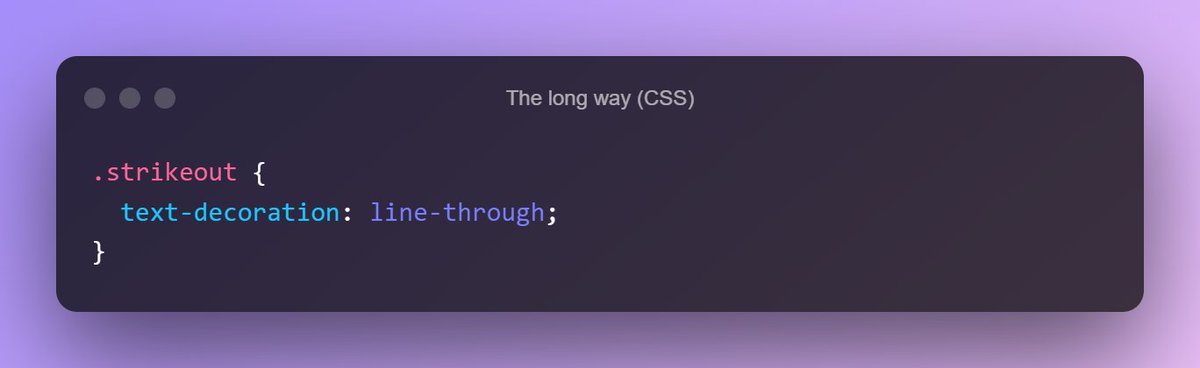
Ever needed to cross out some text on a site? You *could* use a span and then style it with `text-decoration: line-through`... or you could just use the <s> element 🙂
CSS solutions for layouts and components should be written as simply as possible, so that other team members (with basic CSS knowledge) can understand and modify it. Otherwise, the solution isn’t that good.
CSS variables and a few comments on the tricky parts can fix that.