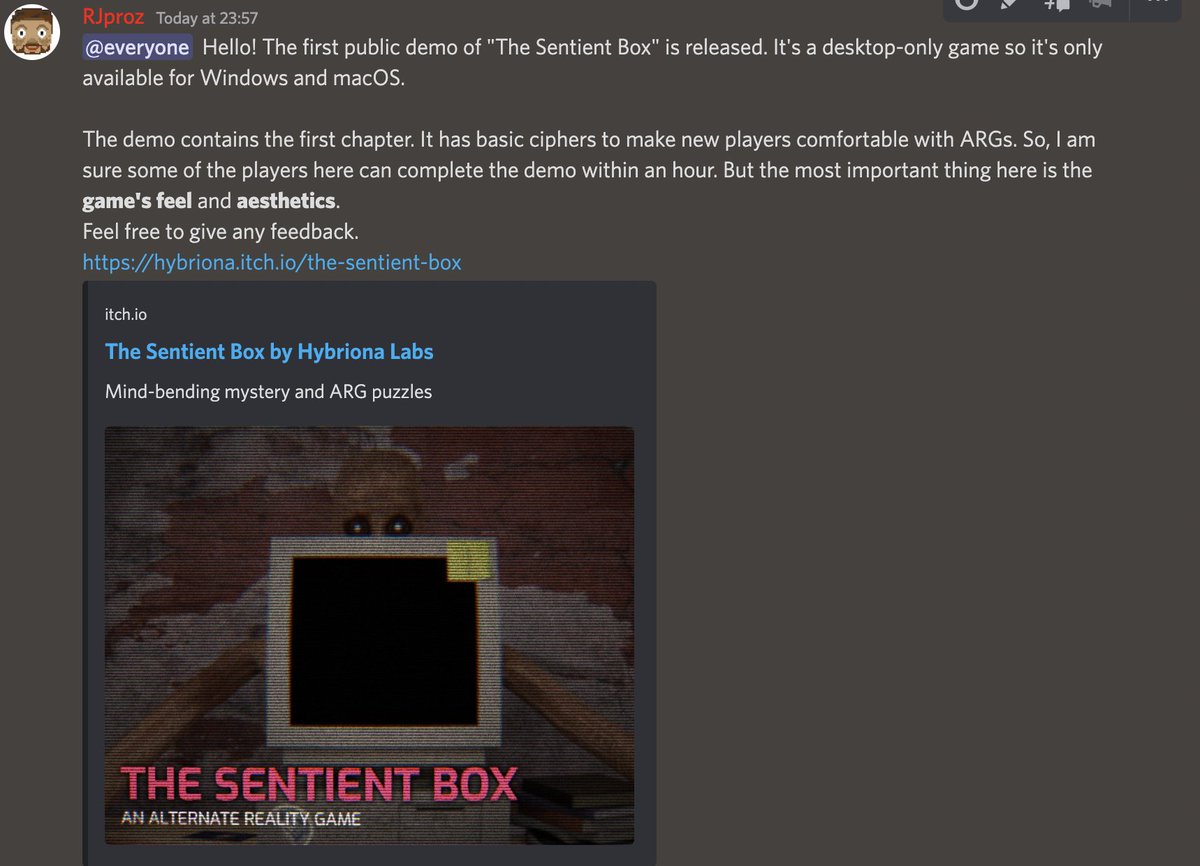
SCP - Mystery Man is an exciting new Alternate Reality Game, launching soon! Uncover the secrets and immerse yourself in this mind-bending experience. 🕵️♂️ Wishlist it on #Steam now and dive into the free demo during #NextFest! 🎮
https://t.co/EXUHYRx2SO
#gamedev#puzzle#arg
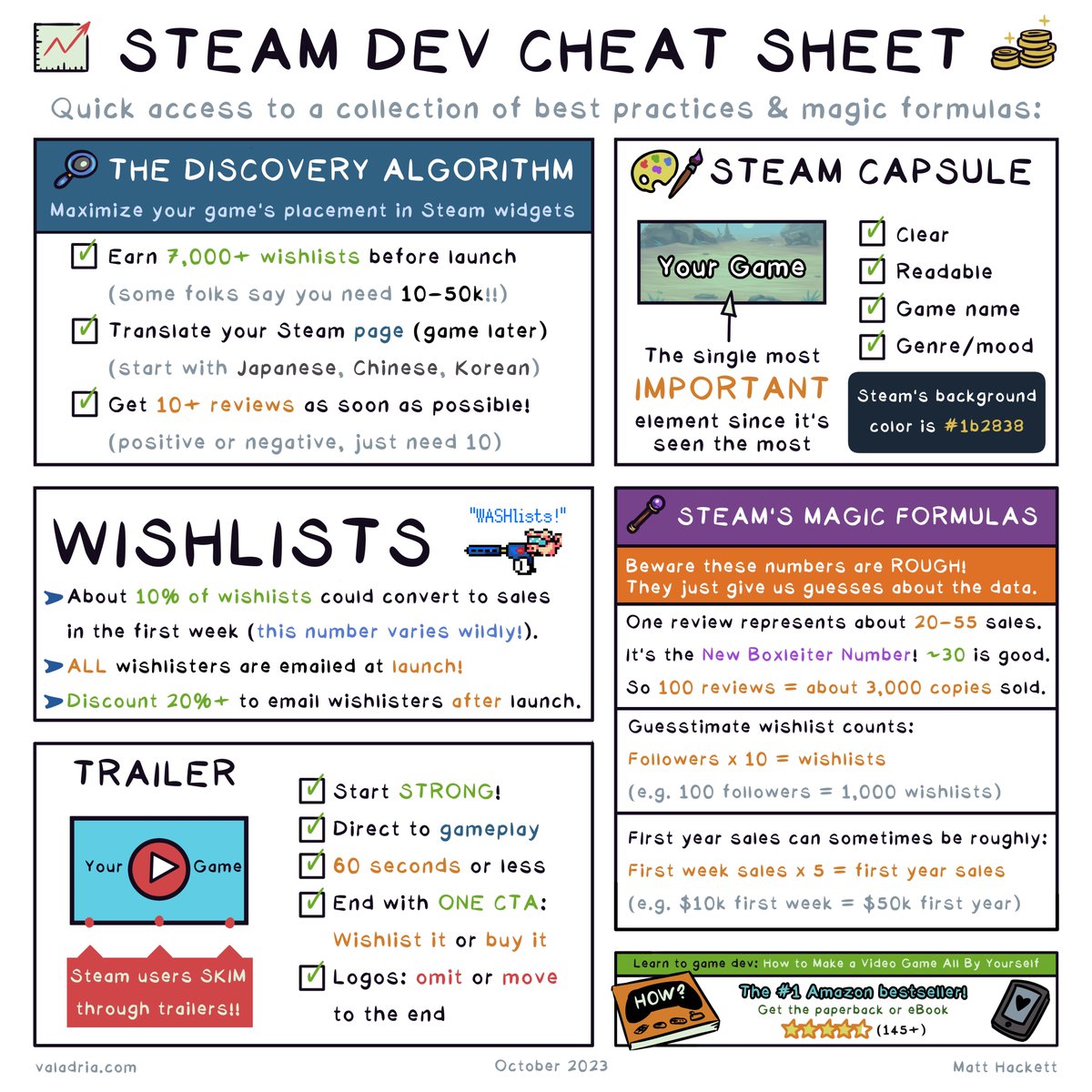
📈 The Steam Dev Cheat Sheet 🏆
A dense collection of best practices, magic formulas, and Steam knowledge to help #indiedev folks like me.
📺 PLUS a 5:40 video briefly covering each section.
Links to everything below: 🧵
Tip #3: You can Highlight ⏹️ the object that has Logged to the console by passing it as a 2nd argument to the Debug.Log() method 🧐
#UnityTips@SunnyVStudio
Tip #1: You can add a sprite preview ⚔️ to a Scriptable Object / MonoBehaviour inspector 📝 by creating a Custom Editor 🙂
Here is my blog post about it:
https://t.co/XMeHEp1smG
#UnityTips@SunnyVStudio
Did you know that in Blender you can easily make pillows with the 'Cloth' modifier? ✨
1. Select the object that's gonna be beneath your pillow
2. Press 'Collision' on the physics tab
3. Add a cube and add some loops to it with Ctrl+R
4. Press 'Cloth' on the physics tab
5. Enable 'Pressure' and set the custom target volume to 1. You can tweak this value depending on how big your pillow is
6. Decrease the collision distance in 'Object Collisions'
7. Press space to play the animation
8. Press Ctrl+3 to add a subdiv modifier with 3 levels to make it look smoother!
You can choose a frame that you like and apply the 'Cloth' modifier to make it into a static mesh by going to the Modifiers tab, hovering over the 'Cloth' Modifier and pressing Ctrl+A!
For better results add more loops to your original mesh! ✨
#b3d
Did you know that in Blender you can easily make vent grilles in edit mode without any modifiers using the 'Wireframe' operator? ✨
1. Select a face
2. Right click -> Subdivide, and increase the number of subdivisions
3. Press Ctrl+F,W for the wireframe operator!
To make a diagonal pattern, Right click -> Unsubdivide and set Iterations to 1!
#b3d
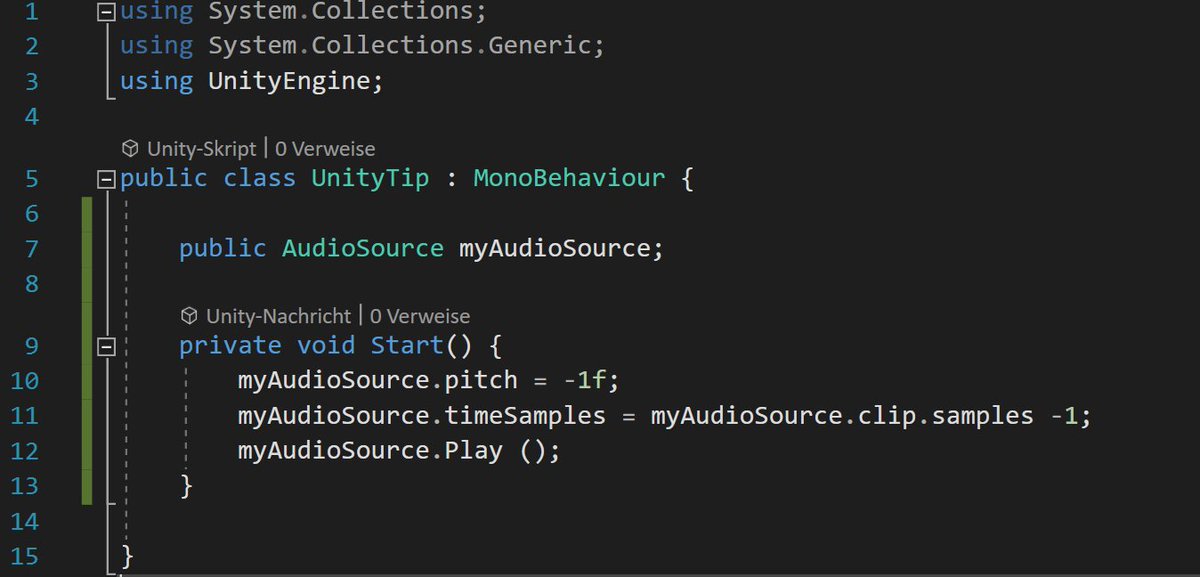
#UnityTips 10: Need to play an AudioSource backward? Set the pitch to a negative value!
Set AudioSource.timeSamples to AudioSource.clip.samples-1 to start at the end.
@BinaryImpactG#gamedev#indiedev