@shiftbrowser Hi, I'm a bit confused. My shift email app updated and now it's a browser and I don't have my separate email accounts. Can I roll back to the old version instead of the browser?
Corn: How many bushels are needed to cover expenses in 2025 vs previous years? This is a very interesting look at what is happening using national averages. It's easy to see the profit years. Those appear to be long gone as costs have risen quickly. Will yield ever catch up or will costs come down or will price rise. Is either of these very likely?
Data source: https://data.ers.usda
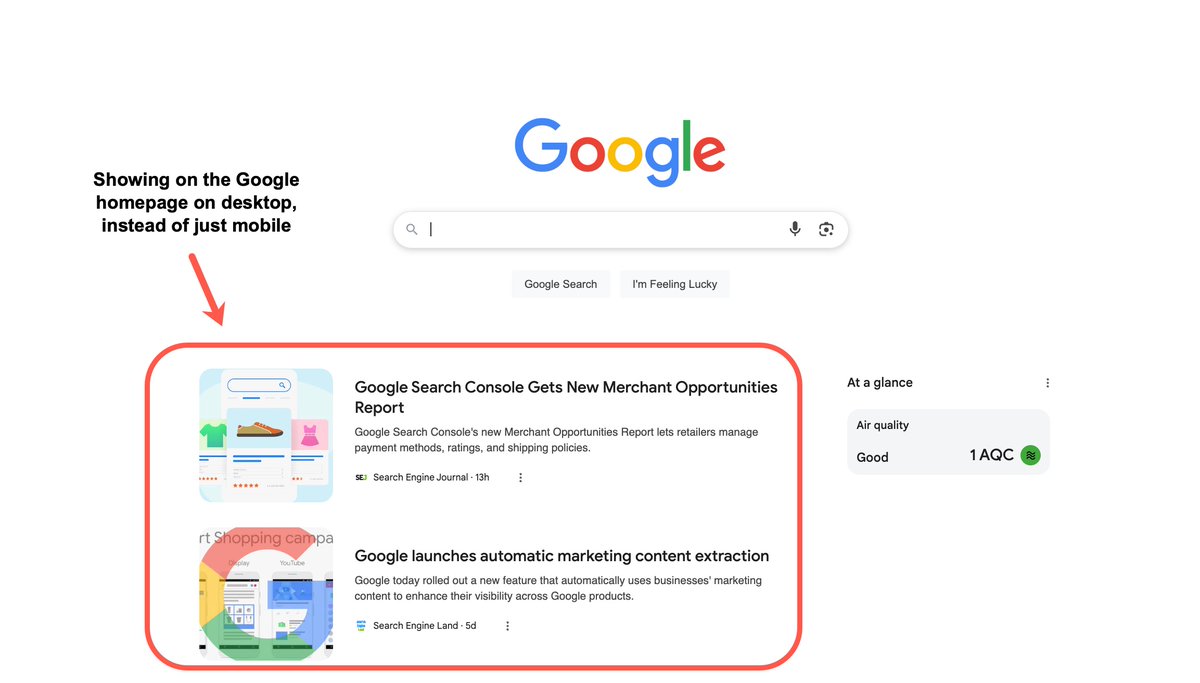
Big SEO News for Publishers: Google has just announced that the Discover feed will be coming to the homepage on desktop.
I'm now seeing this for one of my logged-in accounts, with this being the first time that I've spotted the Discover feed showing within AU search results.
This is based on an announcement that happened today at the Search Central Live Event in Madrid, with the announcement first being shared by @ClaraSoteras.
This is a big deal for publishers, considering the higher volumes of traffic that are sent via Discover on mobile devices, with this likely being another major opportunity to gain clicks to newly published articles.
I do a reasonable amount of consulting within the publisher space, with the desktop Discover rollout being something that I've kept an eye on through GA4 reporting for some time now.
For instance, in GA4 you're able to setup a page referrer filter for "quicksearch" visits, which is primarily Discover traffic. If you add an additional device filter for "desktop" on top of this, you can see the rollout over time. So far, there have been some spikes in recent weeks, but I'm expecting this to take off in a big way in the near future.
Google Search Console doesn't currently have a way to filter by device type within the Discover reporting, but I would expect that to change now that the release will be becoming official.
If you work on the SEO for publishers that rely on Discover traffic, make sure that they are aware of this change that is on the way. Setup your own traffic filter in GA4 and keep an eye out for on uptick in desktop visitors.
While we fixate on AI's disruption of search, two landmark antitrust cases against Google are quietly approaching judgment day 👨⚖️
The stakes? Nothing less than the fundamental architecture of online customer acquisition.
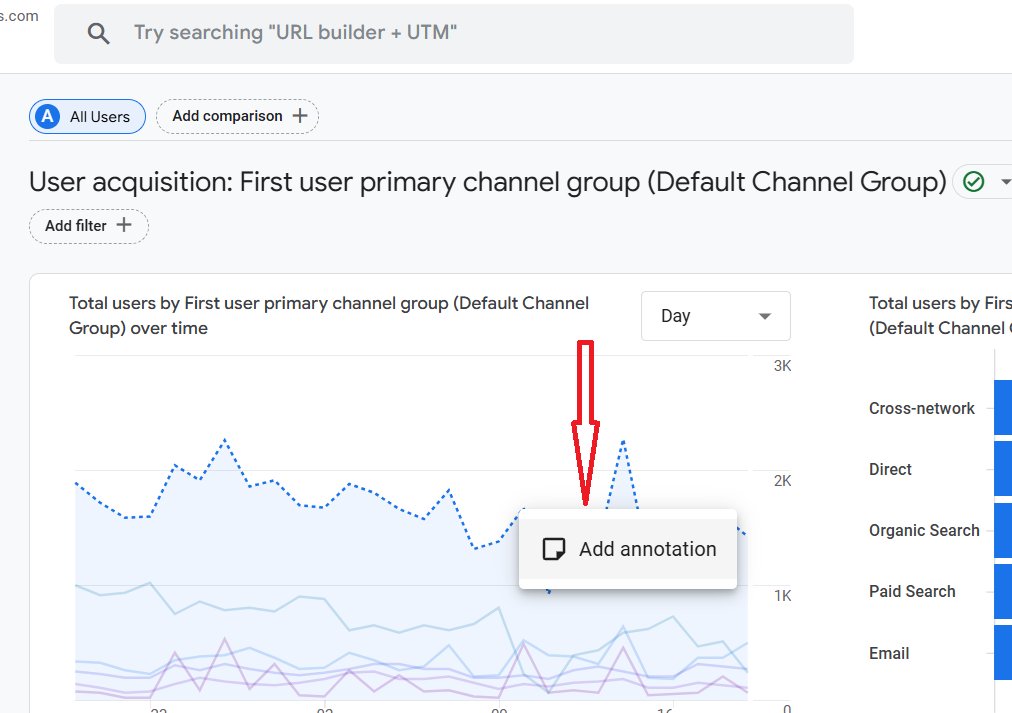
📢 🥳 Google is rolling out a new feature called ‘Annotations’ in GA4 properties, and here is how you can use it 👇
Annotations allow users to add short notes to their GA4 reports.
You can add these notes to easily identify the dates when you launched a campaign or make major changes to your tracking setup.
If you remember, this feature was available in Universal Analytics.
This feature is already available in the GA4 demo property.
If the ‘Annotations’ feature is available to you, follow the steps below to use it:
Step-1: Navigate to a GA4 report which has a chart/graph.
Step-2: Right click on the chart and click on ‘Add annotation’.
Step-3: Enter the title, description and date range and click on the ‘Create annotation’ button.
Step-4: To view annotations, click on the ‘View annotations’ button on the top right-hand corner of your screen.
Step-5: To manage annotations, navigate to the GA4 admin area and then click on ‘Annotations’ under ‘Data Display’.