Icon Creator utility is now available:
You can turn any PNG or JPG file into a standard multi-size ICO format with this tool.
You can fill the transparent background of PNG if you need with the color of your choosing.
https://t.co/UIh839CuAu
@KevinJFielding@AutodeskRevit Yes, been trying to improve my WPF capabilities and not just duping MS Forms. I have seen some other React versions as well and they are very nice, but I am a little hesitant with the reliance on things like WebView2 or others. However it also does make it cross OS compatible.
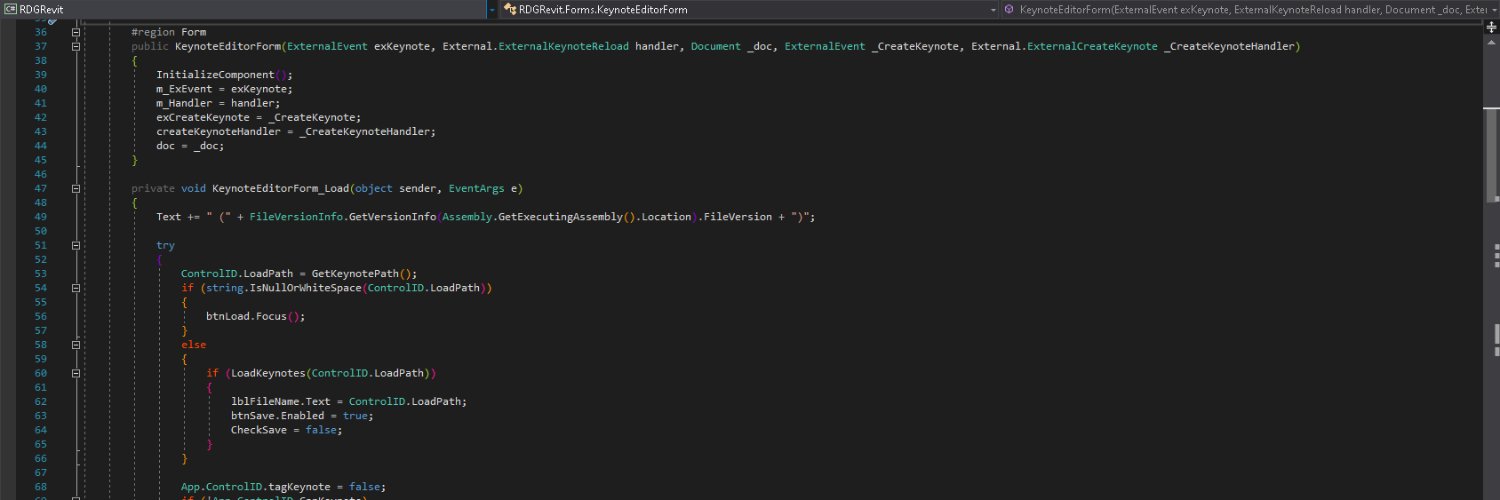
Don't be afraid to take a look back and refactor once in a while. You may just find a ~12,000% speed increase...
An @AutodeskRevit keynote file with over 68,000 lines was causing project issues...
⛔ Old Code > 2-4 minutes
✅ New Code < 1 second
@quantumfiber So the only way to manage my account and parental control is through the app, which is unavailable for 48 hours and I can't contact support for any other options because they are also offline. Apparently y'all don't understand single point failures
Here is a quick video showing the completed Roller Shade placement tool for Curtain Walls in @AutodeskRevit!
✅1. Select Family
✅2. Select Face or Edge
✅3. Full Height or Next Grid
✅4. Choose to offset by the housing height
⏩5. Roller Shades!
#revit#autodesk#Automation
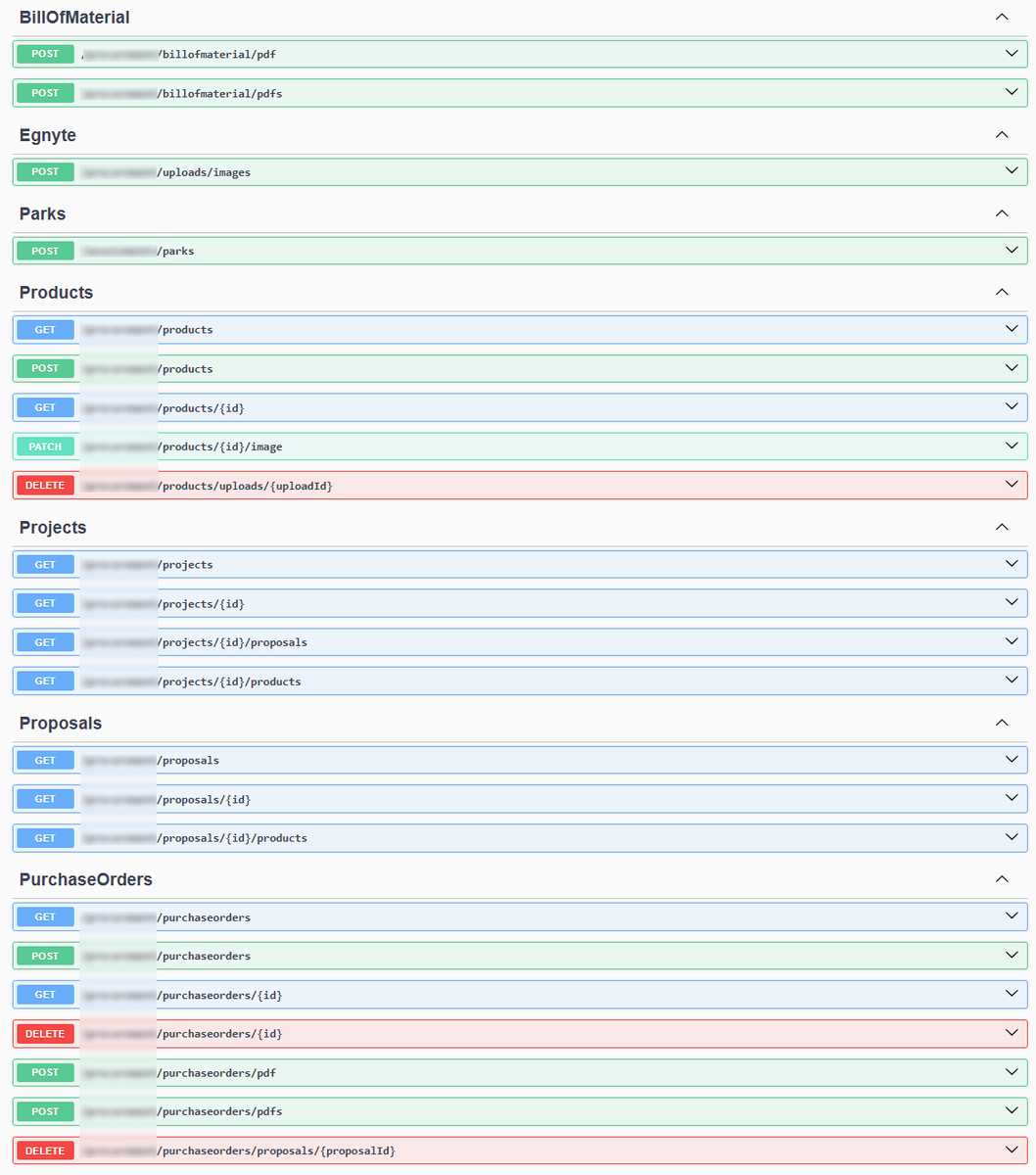
‼️Just a couple of months ago I hadn't even thought about developing our own API
⏩Fast forward and I am supporting over 20 endpoints for multiple apps as well as trying to learn the best practices of Web API development and get Azure set up securely.
#api#dotnet#aps#csharp
Neat little project automating the placement of door tags in @AutodeskRevit!
1. Align Door Tags to the panels
2. Align Door Tags to the opening
4. Ignore already placed Door Tags
5. Add Leaders to Door Tags
@autodesk#revit#autodesk#automation#csharp
@snowyweston Yes, a legend. You can "update" the legend and it will refresh everything in the legend, but it is manual, for now. I could put it together with an updater that would update them all every time a room / Area / Space is modified.
Have you ever wanted MORE from you Color Fill Legends in @AutodeskRevit ? What about the ability to place them on Sheets vs Views?
Includes other additional features like Counts and Areas of the Parameter values used in the Scheme!
#autodesk#revit@autodesk#bim#automation
@tucker_id@AutodeskRevit@autodesk Yes, there could be a way to do that. Even this solution gives me a little pause because the information is "dumb" unless someone updates it. However, maybe someone over there at ADSK may look at a way to integrate additional info into fill legend. Or colors in schedules. 😅