More of the iOS app loop, now inside Codex.
The Build iOS Apps plugin lets Codex view and test your iOS app in the in-app browser, open SwiftUI previews, and hot reload edits without leaving Codex.
🚨 PSA: In SwiftUI, if you use ToolbarItem that has a Button, and that button uses an Image as its label, you'll end up with a very small tappable area of the button. You need to use a Label to avoid that effect:
Label("Start", systemImage: "play").labelStyle(.iconOnly)
SwiftUI Tip 💡
In iOS 16.4+, use .menuActionDismissBehavior(.disabled) to keep a Menu open after selecting an action.
Perfect for menus that support multiple selections.
→ https://t.co/ZIn3T34Fl4
Dia for Windows is being built in Swift (just like Arc), and Windows is a top 3 priority this summer.
In the meantime, we're open sourcing a public symbol server / free debug symbols for any Swift on Windows developer.
Built by a member of the Swift Core Team
@browsercompany:
SwiftUI Tip 💡
Use quickLookPreview() to preview images, PDFs, and supported documents directly in your app.
It uses the native Quick Look interface, so you don’t need to build a custom preview screen.
→ https://t.co/GGPZwzKMMu
We’re bringing Xogot, our styled version of Godot, to macOS.
Xogot for Mac brings a native Mac experience, Xcode-inspired project navigation, and easier deployment to Mac, iPhone, iPad, and the iOS Simulator without the usual friction.
The beta is open today:
https://t.co/uoU1v96Qy4
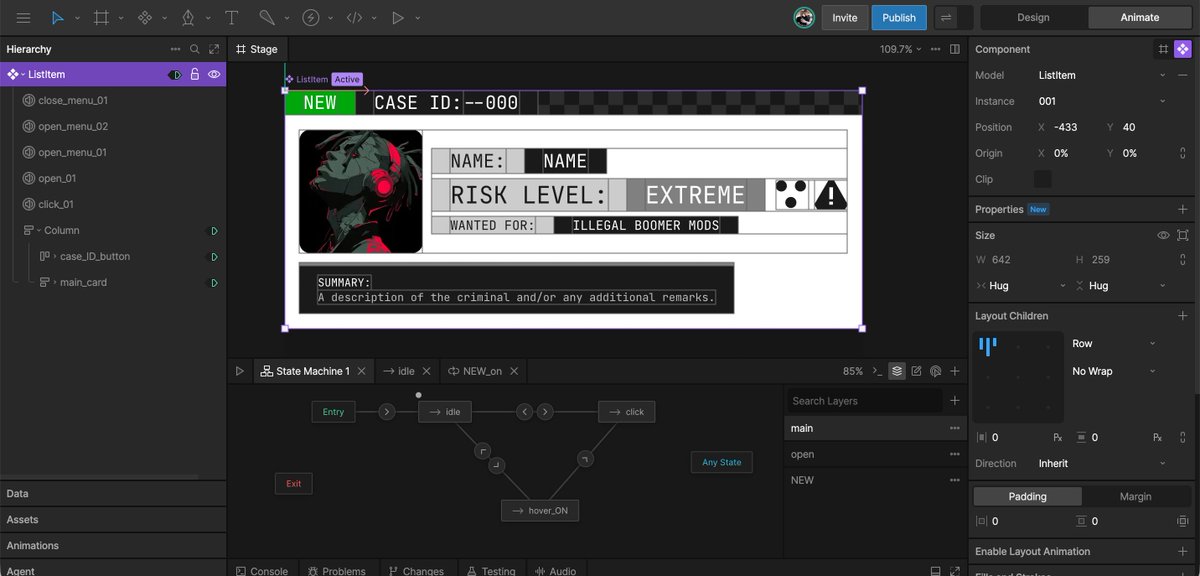
Rive Editor 0.8.4840
🔑 Bring your own Agent API keys
🧠 Stateful Components — a simpler component type
🎨 UI Refresh — tabs for animations and stacked panels*
⚡️ Flash to Rive conversion*
* Now in Early Access
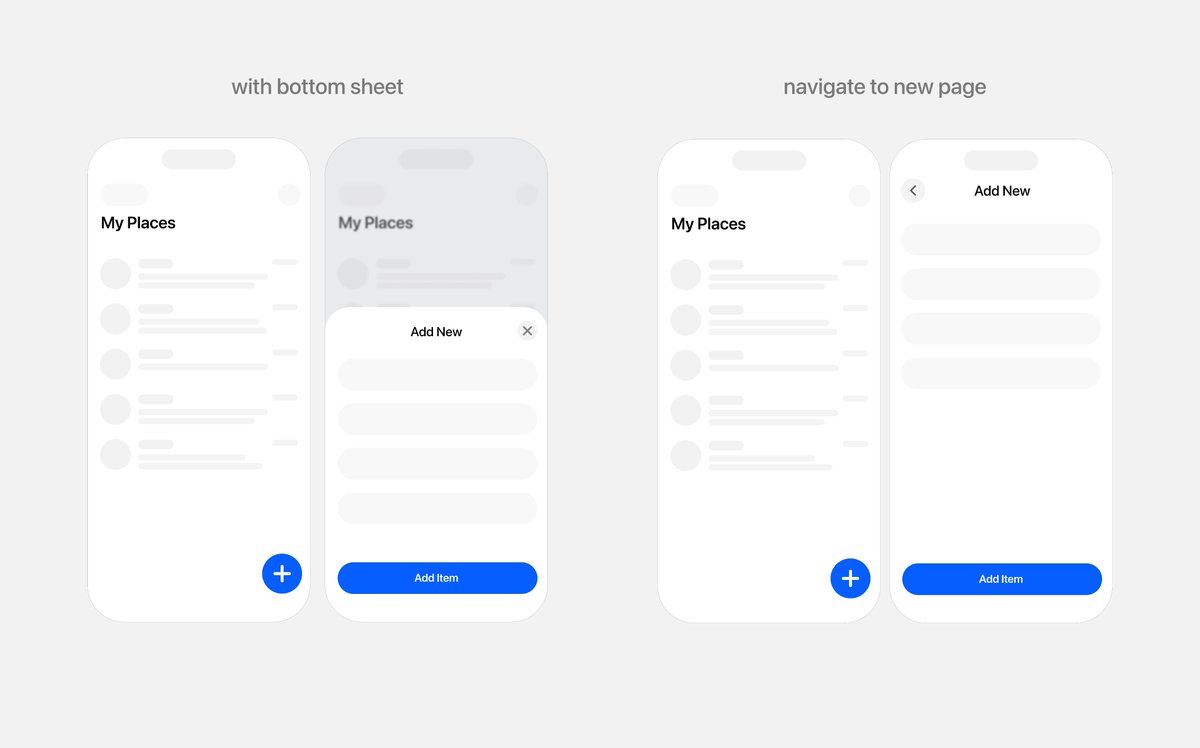
One of the fastest ways to make your app feel iOS native almost immediately is to stop designing a full screen for everything.
iOS Human interface guidelines highly favors layered compositions. Placing stuff-on-stuff but maintaining the same spatial continuity.
A (new) full screen mentally takes over the user. Out of sight is out of mind.
Thats expensive cognitively. And you could outrightly lose money if your business happens to be in some select domains.
You shouldn't "teleport" your users between screens for every single activity. Especially when it's a sub task.
Try to use:
bottom sheets,
contextual menus,
inline expansion,
popovers,
and progressive disclosure
Before jumping into a full screen.
Developers shouldn't implement UIs.
Most of their time goes into reverse-engineering 80% of a Figma file into a different framework and freestyling the missing 20%.
Why I think @rive_app might be the solution in the article below 👇