Don't forget that you can use the equals sign in an f-string in #Python!
You can also put spaces around the equals sign inside the curly braces for even more readability! 🐍🔥
Django tip:
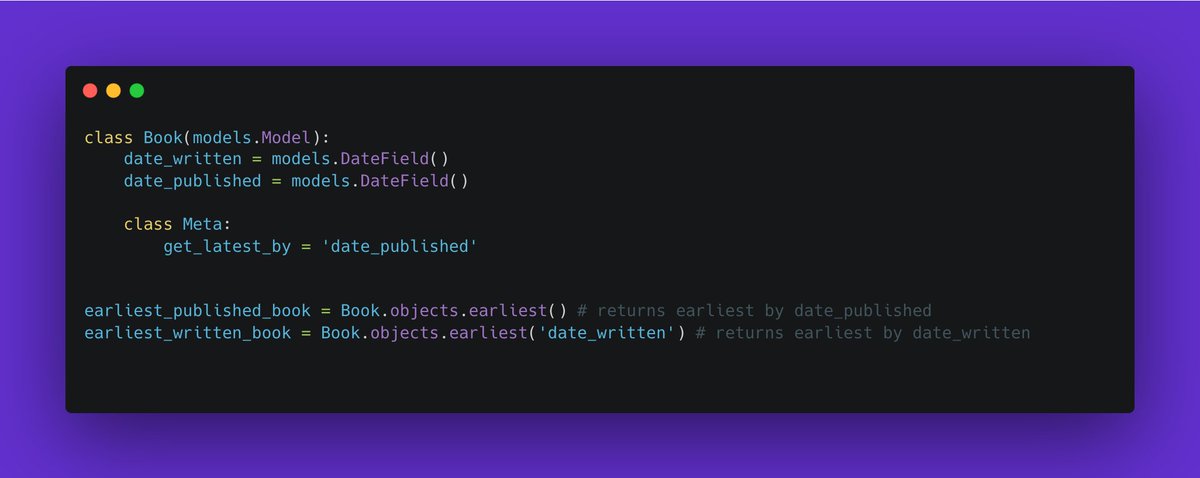
The "earliest()" method retrieves the 'earliest' object based on a designated field, usually a date-time but can be any ordered field.
If your model's Meta has "get_latest_by", "earliest()" will use that field in reverse order.
Stop re-inventing the wheel and just use <button> to create a button.
If you're worried about default button styles, use `all: unset`. This one line of #CSS will strip all default browser styles so you can apply your own.
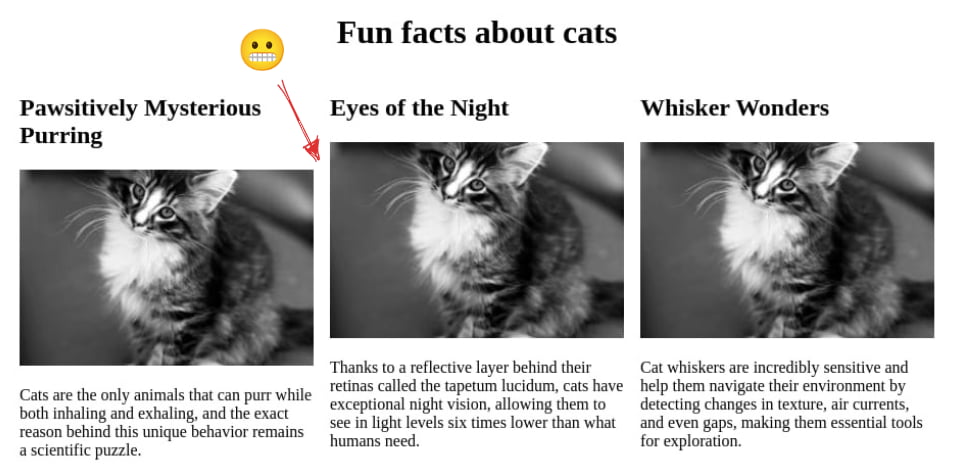
Je ne compte plus le nombre de fois où j'ai dû régler ces problèmes d'alignement. La semaine dernière, je suis tombé sur une nouvelle façon de le régler : CSS Grid & le méconnu `display: contents`.
Je vous en parle ici ⬇️
https://t.co/FwzCWTQ28x
Comme c'est étonnant, La CNCTR vient de perdre des moyens de contrôle des services de renseignement. Qui aurait pu prévoir en 2015 ?...
(le reste à lire dans le canard de cette semaine)
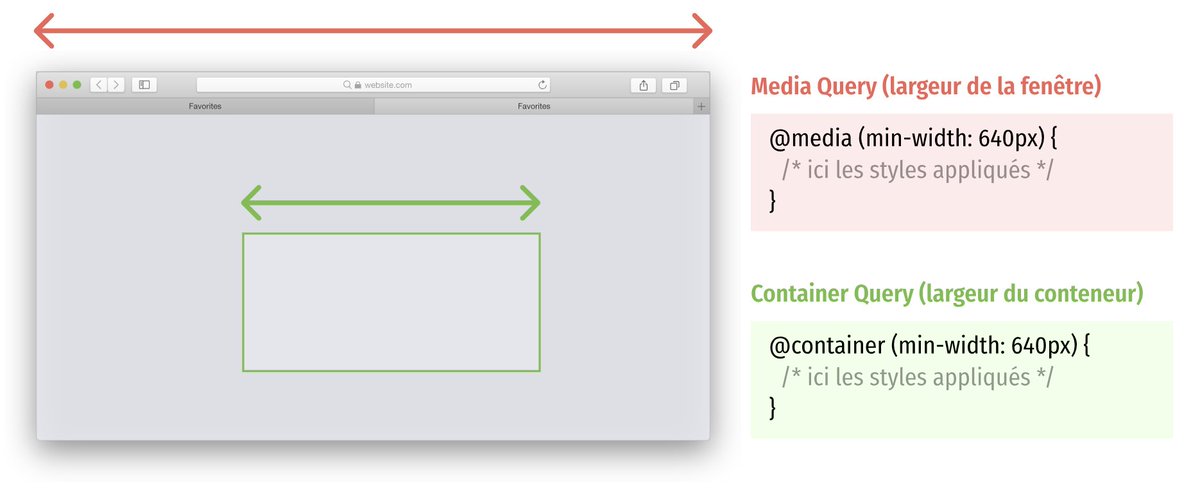
Vous connaissez sans doute les CSS Media Queries, la base du Responsive Webdesign.
Découvrez aujourd'hui les Container Queries, une mécanique complémentaire totalement révolutionnaire et déjà utilisable en production : https://t.co/lrnOBdX1MA
Aujourd'hui, le livreur a visiblement commencé par compléter et déposer l'avis de passage, sonner, puis me demander de déchirer l'avis de passage en me donnant mon colis 🤔 Je suis heureux qu'il ait sonné, mais c'est une drôle de sensation cet avis de passage alors que je suis là
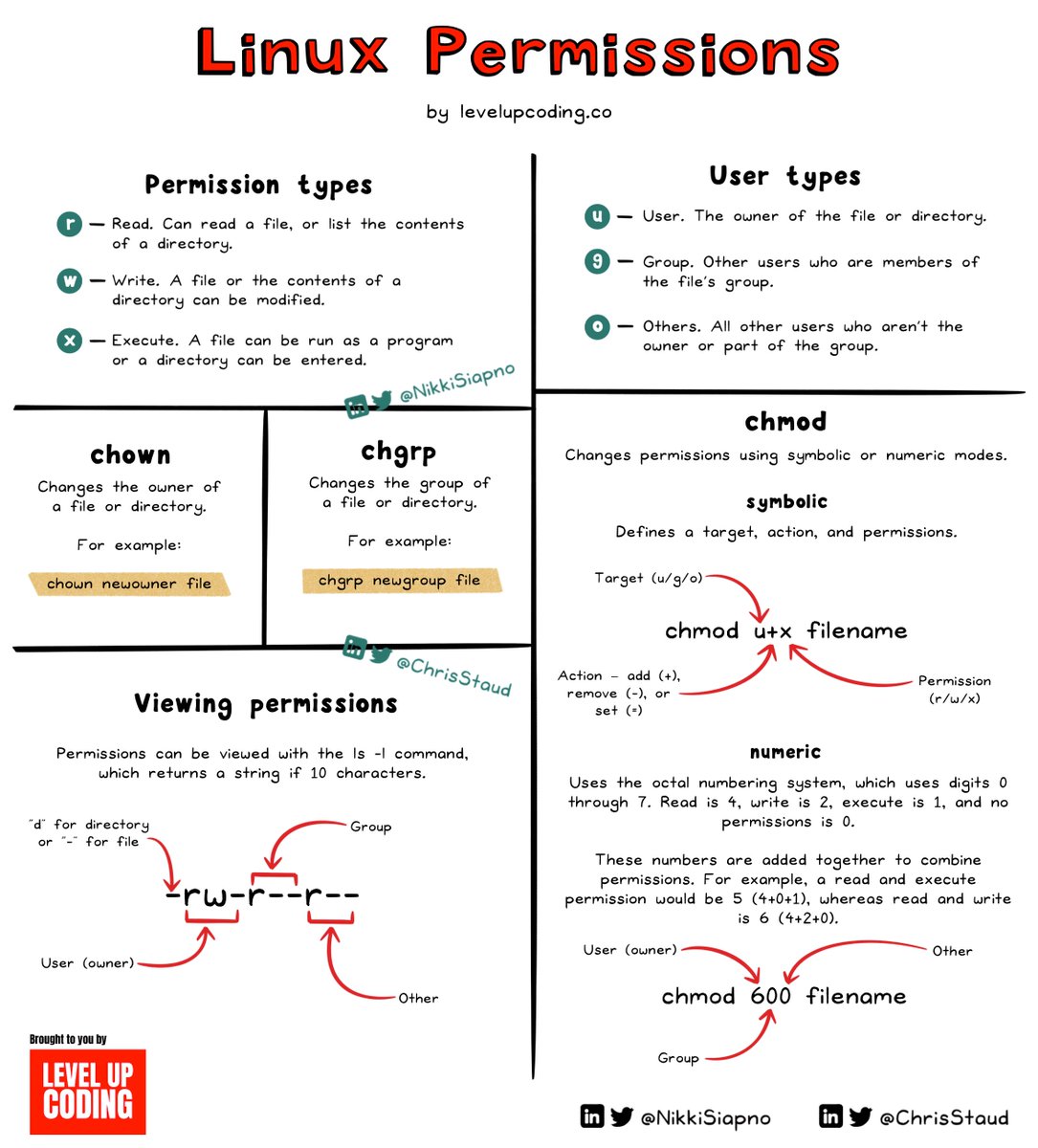
How do Linux permissions work?
Linux is a multi-user OS that has robust built-in user and group permissions. These permissions provide the ability to limit who has access to a file or directory and what actions (read, write, or execute) they are allowed to perform.
There are three permission types for each file and directory:
🔸 Read (r): Allows reading of a file or listing of the directory's contents.
🔸 Write (w): Allows you to modify the contents of a file or create or delete files from a directory.
🔸 Execute (x): Allows a file to be run as a program, or a directory to be entered into.
There are three types of users to whom permissions are assigned:
🔸 User (u): The owner of the file or directory.
🔸 Group (g): Other users who are members of the file's group.
🔸 Others (o): All other users who are not the owner or members of the group.
To view permissions, you can use the `ls -l` command, which displays a string of 10 characters. The first character indicates the filetype; d for directory, - for regular file. This is followed by three sets of r, w, x, or - if that permission isn't granted. Each set is for User, Group, and Others (in order).
A file or directory's permissions can be changed with the `chmod` command (CHange MODe). Symbolic mode (u/g/o/a +/- r/w/x) or numeric mode (octal representation: read=4, write=2, execute=1) can be used to change permissions.
Example: `chmod u+w file` adds write permission for the user, and `chmod 744 file` sets read, write, and execute for the user, and read for group and others.
Files and directories can also have ownership changed using the `chown` and `chgrp` commands.
Understanding Linux permissions is key in several aspects of software development, from managing system security to deployment & operations. A key principle to keep in mind when working with permissions is it's usually better to start with more restrictive permissions, then gradually add more as needed.
@EDFetMoi Bonjour @EDFetMoi, vous avez probablement manqué mon tweet précédent, mais je suis toujours en quête d'explication à propos du mail de la semaine dernière 👀
@EDFetMoi Bonjour ! J'ai reçu ce mail sur une adresse que je n'ai communiqué qu'à vos services… J'espère que cela vient bien de vous et que vous êtes conscients que l'information principale est erronée. Une explication possible ?