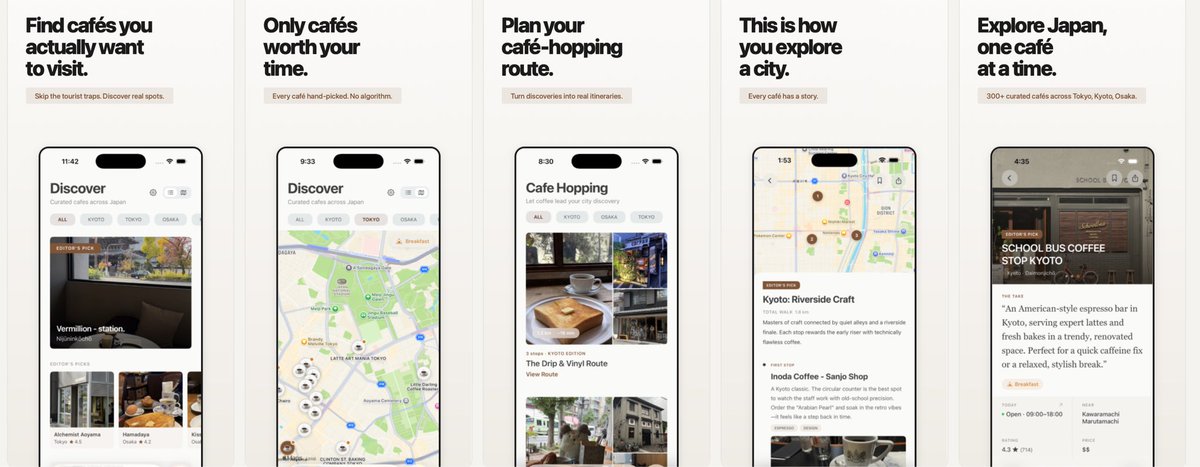
I'm pretty late to vibe coding. I've used Claude/Codex/Cursor to assist my code, but this is my first app built entirely without writing a single line of code.
It feels strange to let go of skills I've spent years mastering. But honestly amazing. I've never shipped this fast. Just approved.
https://t.co/Ad7T4iUgfM
We've covered iOS localization in tutorials. These rely on system language to set the app’s language. But what if you want users to choose their preferred language, independent of system settings, and update it instantly without restarting? This #SwiftUI tutorial teaches you how.
https://t.co/yfVMPScUE7
Just built a Translate app for my upcoming Japan trip without writing a line of code. Still love writing coding, but there’s something magical about vibe coding.
I'm 14 y/o student from 🇨🇦 and super excited to launch SpendSmart 💰
It's an iOS app which uses AI to
- scan receipts and extract data
- track your spending
- save their images for quick returns
It’s 100% free & open-source, check it out 👇
There's a new kind of coding I call "vibe coding", where you fully give in to the vibes, embrace exponentials, and forget that the code even exists. It's possible because the LLMs (e.g. Cursor Composer w Sonnet) are getting too good. Also I just talk to Composer with SuperWhisper so I barely even touch the keyboard. I ask for the dumbest things like "decrease the padding on the sidebar by half" because I'm too lazy to find it. I "Accept All" always, I don't read the diffs anymore. When I get error messages I just copy paste them in with no comment, usually that fixes it. The code grows beyond my usual comprehension, I'd have to really read through it for a while. Sometimes the LLMs can't fix a bug so I just work around it or ask for random changes until it goes away. It's not too bad for throwaway weekend projects, but still quite amusing. I'm building a project or webapp, but it's not really coding - I just see stuff, say stuff, run stuff, and copy paste stuff, and it mostly works.
If your iOS app uses in-app purchases, you should keep reading 👇
A bug introduced in iOS 18.2 can prevent the payment sheet from appearing under certain circumstances.
I wont bore you with the technical details, you can check the github issue linked below, but one of those scenarios is when you're presenting a view controller with `modalPresentationStyle = .fullScreen`.
Test your app on Xcode 16.2 with an iOS 18.2 simulator to see if it’s affected, and ship a fix ASAP