Consider using 'private protected' instead of 'private' for unity event functions in base classes, to prevent derived types accidentally suppressing the method from getting called without any warning!
#unitytips#unity3d#csharp
I just posted "Init(args): Inversion of Control in Unity with a seamlessly integrated toolset for passing arguments to Objects during their initialization in a type safe manner - Instantiate with arguments | Add Com..." on Reddit
https://t.co/fhy9wHlpoo
It's #PitchYaGame day, and we just announced we're looking for a publisher for Among the Trolls!
Experience and explore a vast world full of folklore, mythology and ancient shamanistic magic in our survival action adventure!
#IndieGame#IndieDev#MadeWithUnity@unity3d
#unitytips I stumbled upon this new quality #unity3d#csharp dev vlog series by VacuumBreather.
I really like how it goes into more detail than usual in explaining the various code design decisions.
Do you know of more vlogs similar to this?
https://t.co/cBr4dedl0x
A short thread on a few Celeste game-feel things :) I don't think we invented any of these.
1- Coyote time. You can still jump for a short time after leaving a ledge.
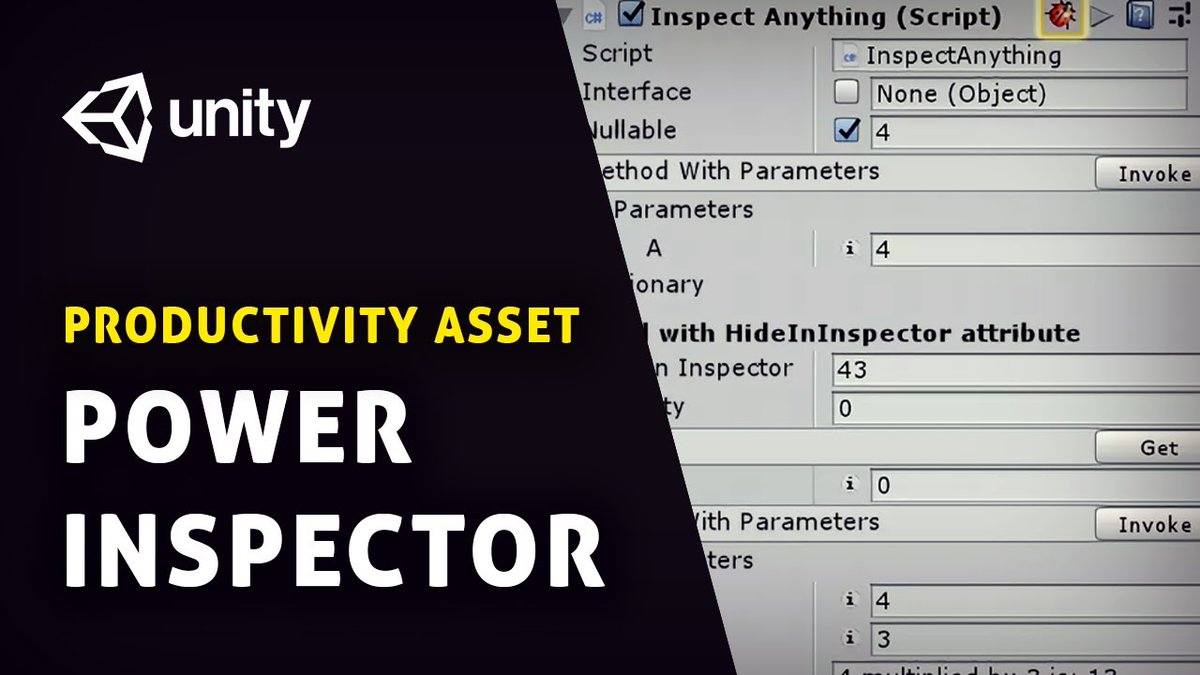
My pick for this month's productivity asset is Power Inspector — a full rewrite of Unity's built-in Inspector window with over 100 new features. Watch the video for my full review. https://t.co/KnsnqTeSx0
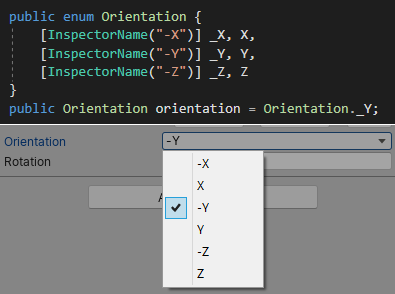
Quick #unitytips : You can use the "InspectorName" Attribute to change how an enum displays as inside the inspector! (2019.2+)
By default, Unity removes "_" from enum names (presumably so "_1" displays as "1"). In my case this caused conflicts, so I had to fix it using this. 😀
If you want to change your object position without altering the children's, you can make a custom Editor Tool. Useful for complex hierarchies and pivots.
Unity 2019.1+ (not 100% sure)
#unitytips
In 2020 I start using JetBrains Rider and you should give it a try. It's by far the best IDE for unity. Little thread with great features. #unitytips#riderstips
- find usage of symbol (class, field, etc...) in Code and Assets (Scenes and Prefabs)
...
@cowardyne Using enums, constants or classes as arguments instead of unnamed ints can also help.
E.g. PlayRandomMeow(_type: 4) => PlayRandomMeow(MeowType.SatisfiedSnort)
Again this can also help make refactoring much less frustrating.
@cowardyne Instead of adding comments all around the code base it is usually more efficient to make the method names themselves be more descriptive.
This way you are also less likely to be left with outdated comments scattered about after refactoring.
E.g. Draw => RedrawFoodLevelInBowl
#UnityTips 📝
If you add "using static UnityEngine.Debug;" to your script you can call methods of the Debug class without having to specify the type name.
So instead of "Debug.Log" you can just write "Log" 👌‼️