SN Utils is a browser extension for ServiceNow available for all popular browsers to boost productivity. Works with sn-scriptsync. Personal work of Arnoud Kooi
Many user probably have seen the SN Utils v10 update by now, hope you are enjoying it! Check the intro video.
Tuesday April 21st consider joining the LinkedIn Live Launch event if you can.
https://t.co/D2bl041URD
https://t.co/ihjEHJMkVF
@jrfarr@stripe@jrfarr I believe I had read that the seller name would be adjusted soon, however,in Sandbox it still says Lemon Squeezy LLC, and also Link branding, but no Stripe mention.
Will this be adjusted soon? And any timeline on supporting local EU payment providers?
@theStuartM@macbartender@macbartender Was wondering the same, will there be a way to import v5 settings, and is it expected that v5 crashes on MacOS 26?
🎉 Last week #SNUtils hit version 9, as it's 9 years in the making!
What’s new?
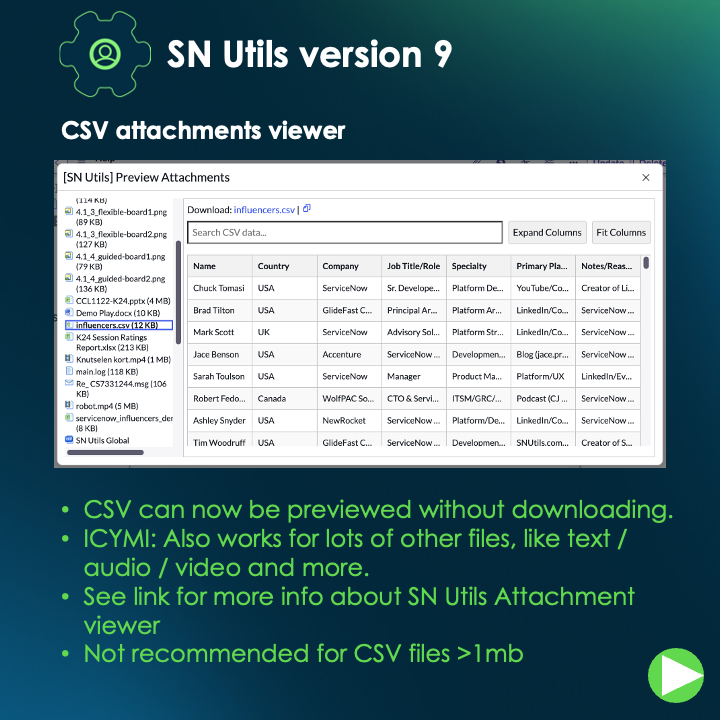
✅ CSV preview in Attachment Modal
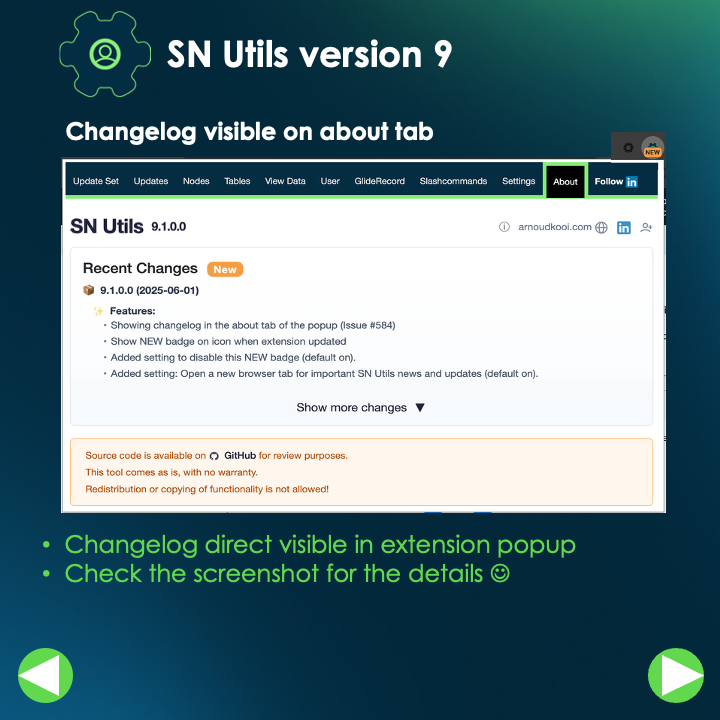
✅ Changelog in popup + NEW badge
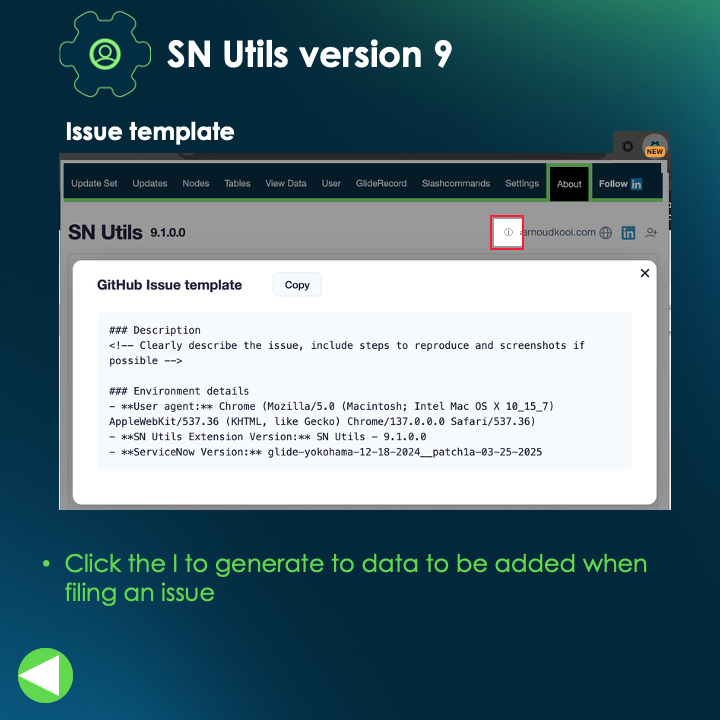
✅ Issue template w/ env info
🛠️ Plus: Update to address unresponsive slash commands.
Get v9.1.0.1 and check the details 👇
Lately I'm posting a tip every Monday on LinkedIn.
I'll post a few replies of the last posts in this thread.
Are you missing the post here?
https://t.co/XbCO5x3cEh
Still typing sys_properties.list to access the properties table? With SN Utils, just use the slash command 🥕 /p it even supports search terms and switches for the pros! Watch the video to see how you can navigate up to 4x faster! More details here: https://t.co/fX6WaN4FWM
🚀 New 8.2.0.0 updates!
✨ Tabs now open next to your current tab
🔍 View Data page shows asterisks/number behind types for quick access to choices & properties.
💡 Shift-click the form’s ? or /vd -p to open View Data in a popup!
Watch and share your thoughts! 🎥💬
@harleystack What exactly do you want? You could try this command:
javascript:fetch('request_only_for_the_header.do')
.then(response => {
snuSlashCommandInfoText('Server time: ' + response.headers.get('Date'),false);
})
.catch(error => console.error('Error:', error));
⭐️ Restore Scroll Position in the Monaco Editor ⭐️
In 8.1.8.0, Monaco editor instances now restore your scroll position after saving an existing script, to pick up right where you left off!
The default behavior requires you to manually scroll and each time you save.
Double-clicking on double clicks!
hashtag#snutils adds a few double click actions to common actions
Watch the video and/or check the LinkedIn post https://t.co/ti7MhbZOr9