Hi @IntuneSuppTeam@WindowsUpdate Do you have any complaints about Windows 11 24H2 update rings in Intune is not reaching eligible PCs to offer the upgrade? We are now experiencing in our organization that 24H2 for entire Entra ID group we assigned 24 hours back has no progress.
@djammmer Hi @djammmer , We want one of the apps part of ESp should run first - we have changed the app name to starts with AAAAA but it didn't install first as part of the apps steps.
URGENT :: Hi @IntuneSuppTeam, @MSIntune, @MikeDanoski Have you heard of any issues that every time that Windows 11 PC sync with Intune - some power settings are changing which leads to some of apps (like Outlook) crashing. This is happening with many PCs. Do you know?(1/2)
@MyNameIsMurray@Mister_MDM@MikeDanoski@IntuneSuppTeam@MSIntune Yes, most of the power settings coming from Knobs - Not sure what it is. You are correct, they are coming from default policy. But why the Intune Sync interfering to change the values to defaults. I have opened a Sev A case with MS support, no solution yet.
@MikeDanoski@IntuneSuppTeam@MSIntune Also noticed that below registries created without having a Intune policies/profile.
Computer\HKEY_LOCAL_MACHINE\SOFTWARE\Microsoft\PolicyManager\current\device\Power
@MikeDanoski@IntuneSuppTeam@MSIntune Yes, this happens with new user with no policy, we tested this as well by creating a Intune AP profile without any security policies or profiles.
@MikeDanoski@IntuneSuppTeam@MSIntune Hi @MikeDanoski, We monitored using Procmon, found that deviceenroller.exe is running during the Intune Sync changing the Power settings, MS support engineer also confirmed replicating this in his Lab, This looks like widespread and some bug in Intune. Can you please help?
Here is the power settings registry:
[HKEY_LOCAL_MACHINE\SYSTEM\CurrentControlSet\Control\Power\PowerSettings
We already worked with MS support team on this, They have no clue so far.
Here is the power settings registry:
[HKEY_LOCAL_MACHINE\SYSTEM\CurrentControlSet\Control\Power\PowerSettings
We already worked with MS support team on this, They have no clue so far.
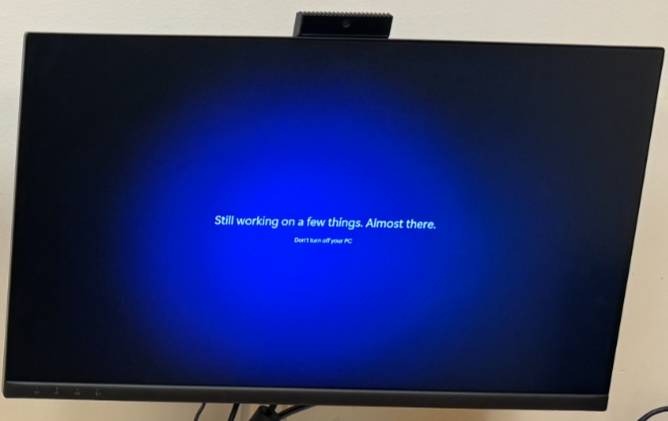
Hi @IntuneSuppTeam, Are there any Autopilot service degrade issues since morning? - We are experiencing issues for Autopilot enrollment with Azure AD join profile, where device is skipping without entering into ESP and it got stuck at below screen.
@MikeDanoski@IntuneSuppTeam Hi Mike, Even after 24 hrs enrollment some machines are still showing as "Not evaluated" - there is no change from our end. Do you see anything wrong specific to Co-management. I will open a case with MS and keep you posted.
Hi @IntuneSuppTeam , @MikeDanoski do you have any flag that some Windows PCs being delayed to evaluate compliance policies and showing as “Not Evaluated” for custom policy?, We have some PCs today during AP (AADJ) enrolment fall into this state even after 7-8 hours of enrolment.
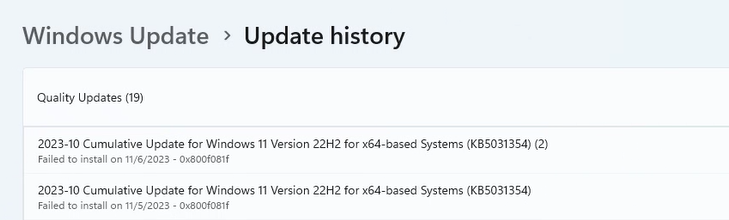
Hi @ariaupdated@IntuneSuppTeam We are experiencing an issue with some computers in our environment with an error 0x800f081f - Do you know about this issue, it is happening randomly on some PCs in our environment, we use WUfB rings for updates management.
@ariaupdated@IntuneSuppTeam Hi @ariaupdated running DISM /ONLINE commands did not help, and dism.log says no files has been corrupted. offline media will work, but we have more PCs with this issue.
Hi @IntuneSuppTeam , we are experiencing black screen after Autopilot enrollment (user-driven) in our production tenant, black screen stays forever nothing moved. i see there is there is one service degrade (IT613617), is it related to what we are experiencing? (1/2)