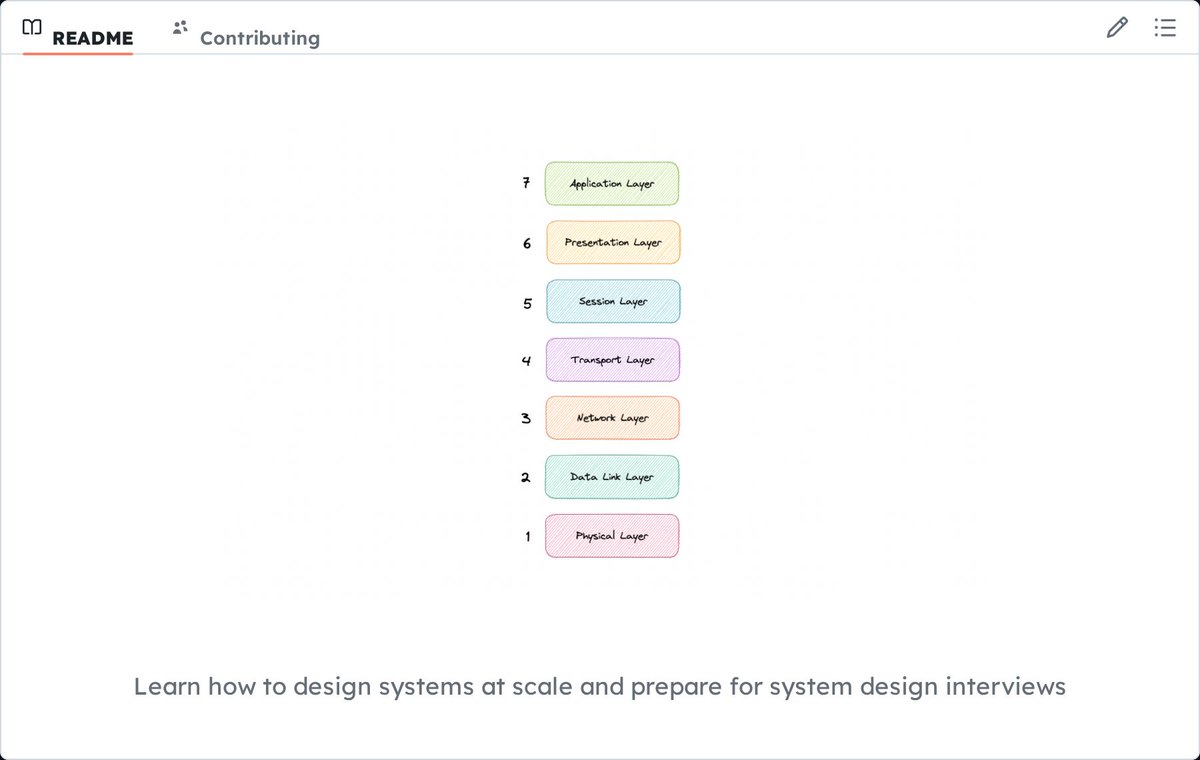
System design concepts from IP to microservices, with real-world examples like Twitter, Netflix, and Uber.
- Covers networking, databases, and distributed systems fundamentals
- Includes practical system design interview walkthroughs
- Explains trade-offs between SQL/NoSQL, monoliths/microservices, and consistency models
- Provides real-world case studies for URL shortener, WhatsApp, and Uber
11 LLM evaluation methods AI engineers must know:
(bookmark this)
Two eval metrics can rank the same two models in opposite orders, and neither one is wrong.
A model that paraphrases the reference can score near zero on BLEU and near the top on BERTScore for the exact same output.
Neither metric is wrong because one is measuring wording and the other is capturing meaning.
This is why LLM evaluation is fragmented into several methods, depicted in the visual below and grouped by what each one assumes:
> Reference-based (ground truth exists):
- BLEU
- ROUGE
- BERTScore
> Judge-based (no ground truth):
- G-Eval
- LLM-as-Judge
- LLM juries
> Human and deterministic:
- Human eval
- DAG
> Built for agents:
- Trajectory accuracy
- Multi-turn eval
> Run as a gate:
- Safety eval
To use them in practice, most of these metrics are already implemented in Opik, which is open source (20k+ stars) and runs them over traced production data. You can start using them in a few lines of code.
GitHub repo: https://t.co/vahjkkfJCt
(don’t forget to star it ⭐️)
That said, metrics only point at the failing case.
The rest of the work is still done manually, like inspecting the trace to see where the span went wrong, editing a prompt or a tool description, re-running, and checking that the fix did not break anything else.
My co-founder wrote a walkthrough (with code) that automates this loop using Opik.
It explains the full lifecycle where a failing trace gets diagnosed, the fix runs against the exact input that failed, and that input stays in the eval set as a regression case so it does not recur.
Read it below.
Train your own LLM from scratch!
A step-by-step repo that walks you through building and training a transformer model from scratch using PyTorch,
From downloading training data all the way to generating text.
The architecture is built from the ground up following the original Attention is All You Need paper.
MLP, single head attention, multi-head attention, transformer blocks, and the full transformer model -
all coded and explained with detailed diagrams at each step.
Training data comes from The Pile - a diverse 825GB open-source dataset covering books, articles, code, websites, and more.
The repo includes scripts to download it, preprocess and tokenize it using tiktoken, store it in HDF5 format, and feed it into training batches.
You can train a 13M parameter model on a single Colab T4 GPU.
At 13M parameters the model starts generating proper grammar and coherent short sentences.
For billion-parameter training you need at least an A100 or RTX 4090.
The repo includes a full GPU compatibility table so you know exactly what's possible on your hardware, Includes a complete SFT and RLHF guide as a separate notebook for taking your trained model further.
capabilities
- End-to-end pipeline: data download to preprocessing to training to text generation
- Full transformer implementation from scratch with PyTorch
- Trains models from 13M to 2B+ parameters on a single GPU
- Training data from The Pile (825GB, 22 diverse datasets)
- Tokenization via tiktoken (r50k_base)
- SFT and RLHF guide included
- https://t.co/mndieEoibk
15 Research papers you must read for AI Engineer interviews:
1. Attention is all you need (Transformers)
2. LoRA (Low rank adaption)
3. PEFT ( Parameter Efficient Fine Tuning)
4. VIT (Vision Transformers) 5. VAE (Variational Auto Encoder)
6. GANs ( Generative Adversarial Networks)
7. BERT ( Bidirectional Encoder Representation from Transformers)
8. Diffusion Models (Stable Diffusion)
9. RAG (Retrieval Augment Generation)
10. GPT (Generative Pre-trained Transformers)
11. MoE (Mixture of Experts)
12. RLHF (Reinforcement Learning from Human Feedback)
13. LLaMA (Large Language Model Meta AI)
14. RoPE (RoFormer: Enhanced Transformer with Rotary Position Embedding)
15. InstructGPT (Training Language Models to Follow Instructions with Human Feedback)
If you can build these 12 Agentic AI projects.
You're hired.
Project 1: Structured Output Agent
Enforce Pydantic JSON schemas, validate tool responses, retry on parse errors, log validation failures.
→ Shows: You can make LLMs reliable not random
Project 2: RAG Agent with Citation Grounding
Retrieve context, generate answers with sources, flag low-confidence responses, fallback to search.
→ Shows: You can prevent hallucinations at scale
Project 3: ReAct Planning Agent
Observe → think → act → reflect loop, max iteration limits, self-critique, graceful degradation.
→ Shows: You can build agents that don't infinite loop
Project 4: Multi-Tool Orchestrator Agent
Dynamic tool registry, capability-based routing, permission scoping, parallel execution, conflict resolution.
→ Shows: You can coordinate complex workflows
Project 5: Memory-Enabled Conversational Agent
Short-term buffer + long-term vector recall, context compression, relevance scoring, cross-session sync.
→ Shows: You can build agents that remember users
Project 6: Human-in-the-Loop Approval Agent
Uncertainty detection → pause → request human input → resume with validated context, full audit trail.
→ Shows: You can build safe, compliant systems
Project 7: Cost-Aware Agent Router
Token budgeting per task, model routing by complexity/cost, early exit on confidence, cost-per-decision analytics.
→ Shows: You can reduce infra costs by 40-60%
Project 8: Event-Triggered Automation Agent
Listen to webhooks/queues, execute workflows on triggers, idempotent execution, dead-letter handling, retry logic.
→ Shows: You can build production automation not demos
Project 9: Multi-Agent Debate System
Multiple agents propose solutions, critic evaluates, voting/consensus logic, aggregator synthesizes with confidence.
→ Shows: You can orchestrate swarms not single agents
Project 10: Self-Reflective Agent with Auto-Eval
Execute → evaluate via LLM-as-judge → critique reasoning → regenerate with constraints, log improvement metrics.
→ Shows: You can build systems that improve over time
Project 11: Production Agent with Observability
Deploy with LangSmith/Arize tracing, latency/cost dashboards, alerting on loops/failures, canary testing, rollback.
→ Shows: You can ship to production not just localhost
Project 12: Open Source Agent Framework Contribution
Extend LangGraph/CrewAI/AutoGen with new pattern, write docs + demo, publish benchmarks, submit PR + tutorial.
→ Shows: You're a community builder not just a consumer
(Bookmark this)
happy building...
𝗠𝗖𝗣 or 𝗦𝗸𝗶𝗹𝗹𝘀?
If you're building with AI agents, you'll likely run into both.
Short answer: they’re not competing options. They help agents in different ways.
How they work:
𝗠𝗖𝗣:
MCP is the layer that lets agents connect to tools, systems, and knowledge sources in a structured way. It gives us a reliable bridge between the model and the outside world. More “access this resource” and less guesswork.
𝗔𝗴𝗲𝗻𝘁 𝗦𝗸𝗶𝗹𝗹𝘀:
Skills are more about behavior. They guide the agent on how to approach a task, what steps to follow, and how to reason through the job. Less infrastructure, more execution logic.
𝗪𝗵𝗲𝗻 𝘁𝗼 𝘂𝘀𝗲 𝗲𝗮𝗰𝗵 / 𝗛𝗼𝘄 𝘁𝗵𝗲𝘆 𝗳𝗶𝘁 𝘁𝗼𝗴𝗲𝘁𝗵𝗲𝗿
We can think of MCP as the connection layer.
We can think of skills as the operating layer.
One helps agents reach the right information or tool.
The other helps them use it well.
Use 𝗠𝗖𝗣 when we’re:
• Connecting agents to company knowledge and external systems
• Standardizing how tools and docs are exposed to agents
• Making information easier to retrieve across workflows
Use 𝗔𝗴𝗲𝗻𝘁 𝗦𝗸𝗶𝗹𝗹𝘀 when we’re:
• Defining repeatable ways for agents to complete tasks
• Giving agents clearer instructions and boundaries
• Improving how they act once they have the right context
And in practice, the best setups usually need both.
If we want our agents to work with actual team knowledge, we need MCP.
And that’s exactly why we built the @slitehq MCP.
It gives agents structured access to the docs teams already rely on.
If that’s what you're building toward too, it’s worth taking a look: https://t.co/JFNqL4pKuj
Google engineer explained how to fine-tune a tiny LLM from 46% to 90% accuracy on your phone in 21 minutes - better than $1500 on-device AI bootcamps.
pick Gemma 270M -> generate synthetic task data -> fine-tune with LoRA -> quantize to int4 -> deploy to Pixel and hit 2000 tokens per second.
That loop is how a 270M model beats a 70B one on your task, running fully offline in your pocket.
Gemma 270M + synthetic data + LoRA + int4 quantization + on-device runtime - that's the stack.
Watch and save it, then fine-tune your own tiny agent tonight.
You can now understand any codebase instantly with this free tool.
It's called Understand Anything.
It scans your entire project and builds an interactive visual map of every file, function, class, and dependency.
Click anything. Search anything. Ask questions about it directly.
Works with Claude Code, Codex, Cursor, Copilot, and Gemini CLI. One command to install.
100% Free. Open Source.
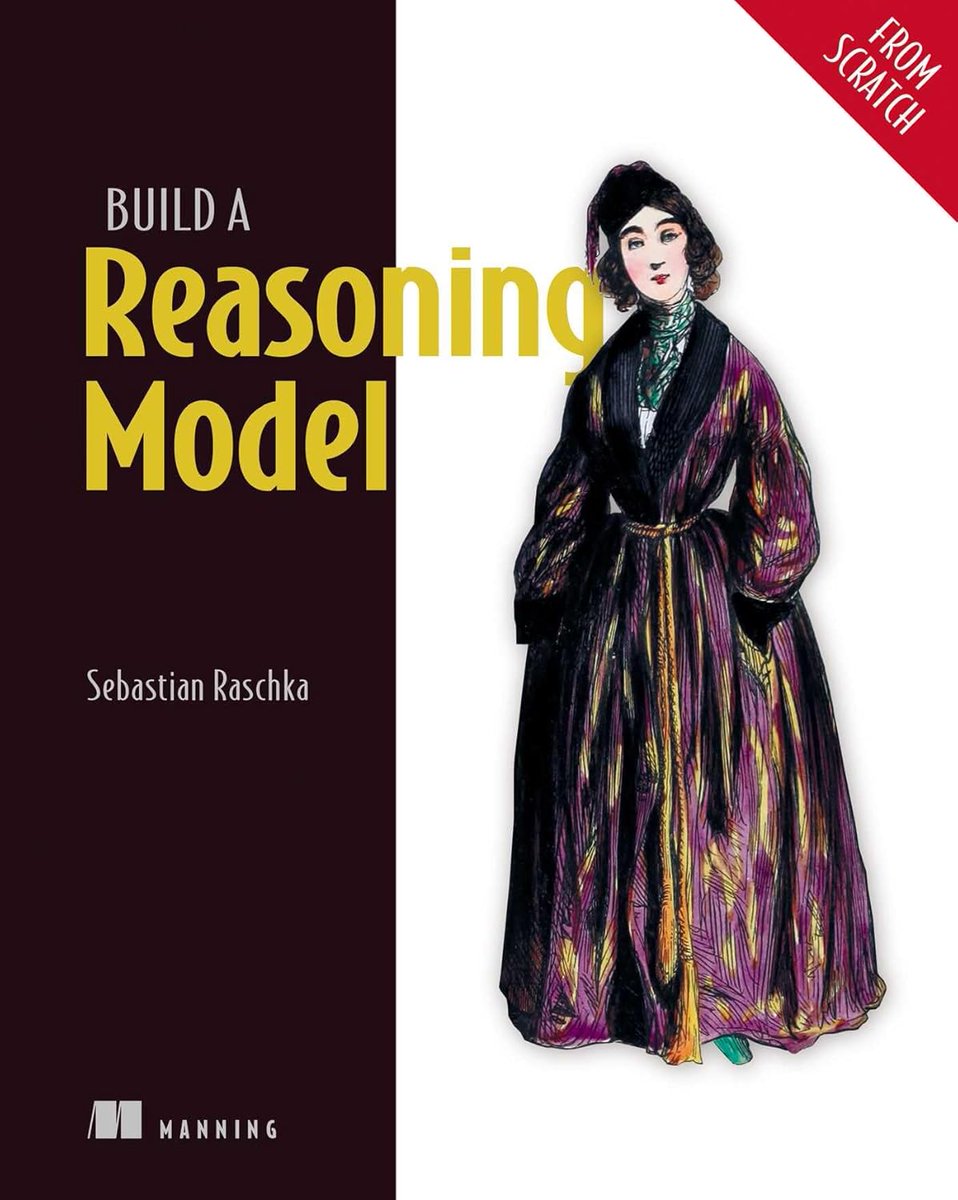
🚀 Want to build AI that can think, not just predict?
Explore reasoning models from scratch with hands-on Python implementations, modern LLM techniques, and real-world AI workflows.
The future belongs to developers who understand AI under the hood. 💡
Build a Reasoning Model (From Scratch)
Detailed Explanation: https://t.co/z9h4pYaNgU
4. Personalized Tutor & Feedback
“Act as my personal tutor for [insert topic]. Ask diagnostic questions to assess my understanding, adapt explanations based on my responses, correct my errors in detail, and continue teaching interactively until I demonstrate real competence.”
My friend applied to 200 tech jobs in two years. No MIT. No Stanford.
Last month Anthropic offered him $750,000.
I asked him how he broke in from zero.
He sent me the exact video that got him in. A 4-hour course on mastering Claude Code.
I watched it last night.
Halfway through, I realized I've been using Claude Code completely wrong for a year.
Bookmark this and read the article below.
• 00:00 - Claude Code setup
• 49:34 - building apps with Claude Code
• 2:07:52 - prompting Claude Code
• 2:46:16 - Claude Code for production
A month ago, I told everyone:
"I've been a backend Engineer for 12+ years. Today, I'm a Principal Engineer at Atlassian.
I've designed systems that handle millions of requests. Sat on both sides of system design interviews.
Reviewed more architecture docs than I can count.
Starting today, I'm breaking down the fundamentals of scaling for the next 25 days.
If you're learning system design bookmark this thread, you're going to get a lot of learning from this."
FYI, the series has concluded. Here are all the concepts, please bookmark, share, learn and the most important build from the learnings you get.
Also, if you have any ideas on what you'd like to see from me, please let me know, any other series or concepts to be broken down.
12 free courses to master LLMs
▪️ Cohere LLM University
▪️ Hugging Face LLM Course
▪️ Hugging Face AI Agents Course
▪️ Google / Kaggle 5-Day Gen AI Intensive
▪️ DeepLearning. AI Short Courses
▪️ Hugging Face Context Course
▪️ Google / Kaggle 5-Day AI Agents Intensive
▪️ DeepLearning. AI Retrieval Augmented Generation Course
▪️ DeepLearning. AI Building Agentic RAG with LlamaIndex
▪️ Weights & Biases AI Academy
▪️ LangChain Academy: Introduction to LangGraph and Deep Agents
▪️ DeepLearning. AI AI Agents in LangGraph
+ Berkeley Advanced LLM Agents, Stanford CS25 and CS224N
Grab all the links here https://t.co/RwDNxD6BP0 :)
Most MCP tutorials stop at building a server, connecting to Claude Desktop, screenshot the chat, and done.
But that doesn't teach you how to ship something real.
In this tutorial, Balajee teaches you how to build an MCP server in Python, containerize it with Docker, & connect it to Claude Code from the terminal.
https://t.co/yMR2zgJEUA
An 82K-star GitHub repo is built around one painfully obvious idea:
Your coding agent should map the codebase once, not grep it forever.
Graphify turns an entire project into a queryable knowledge graph.
Functions, classes, files, SQL schemas, infrastructure, docs, PDFs, images and videos become connected nodes that an agent can traverse instead of repeatedly opening files and reconstructing the architecture.
So instead of:
→ search for authentication
→ open twelve files
→ follow imports manually
→ lose the trail as the context fills up
The agent can ask:
> What connects authentication to the database?
> Trace the path from UserService to DatabasePool.
> Explain RateLimiter.
> Which concepts does everything flow through?
Graphify returns the relevant subgraph and the path connecting the concepts, not another list of keyword matches.
For source code, this is not RAG:
→ No embeddings
→ No vector database
→ No LLM required
→ Code is parsed locally using tree-sitter
→ Calls, imports and inheritance become graph edges
Every relationship is also marked as EXTRACTED, INFERRED, or AMBIGUOUS, so the agent can distinguish what exists explicitly in the source from what Graphify resolved or guessed.
The cleverest part is what happens next.
Graphify can install hooks or persistent instructions for Claude Code, Codex, Cursor, Gemini CLI, Copilot and 20+ other assistants.
Before the agent starts blindly grepping or reading files one by one, it is nudged to query the existing graph first.
The graph can be committed to Git, automatically rebuilt after commits, shared across the team and exposed through MCP.
Long context windows help agents read more code.
A persistent knowledge graph helps them know where to look.
The next improvement in coding agents may not come from stuffing more files into the prompt.
It may come from making them stop rereading the repository.
Here's the GitHub Repo: https://t.co/4ify3X8urp