@anton_chuvakin "May the odds be forever in your favor" and if you happen to be a customer of theirs "Please delete all data related to my account(s). If you won't reduce your risk exposure, then I have to reduce mine"
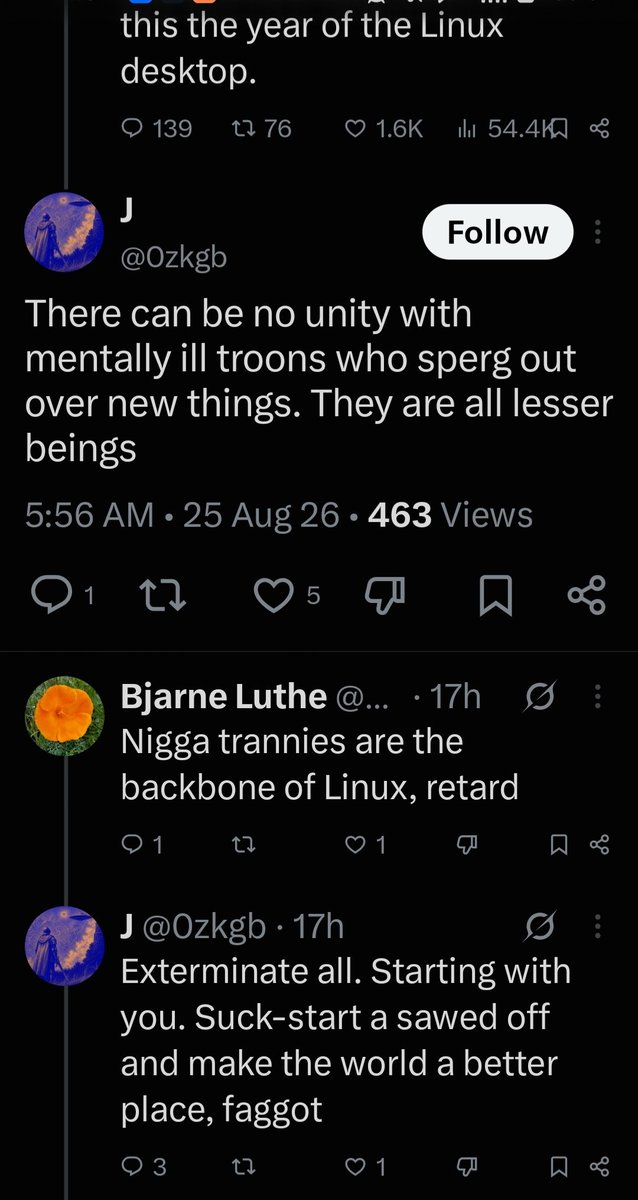
I've seen similar comments on Network Chuck's recent posts about Omarchy. It went on for several days.
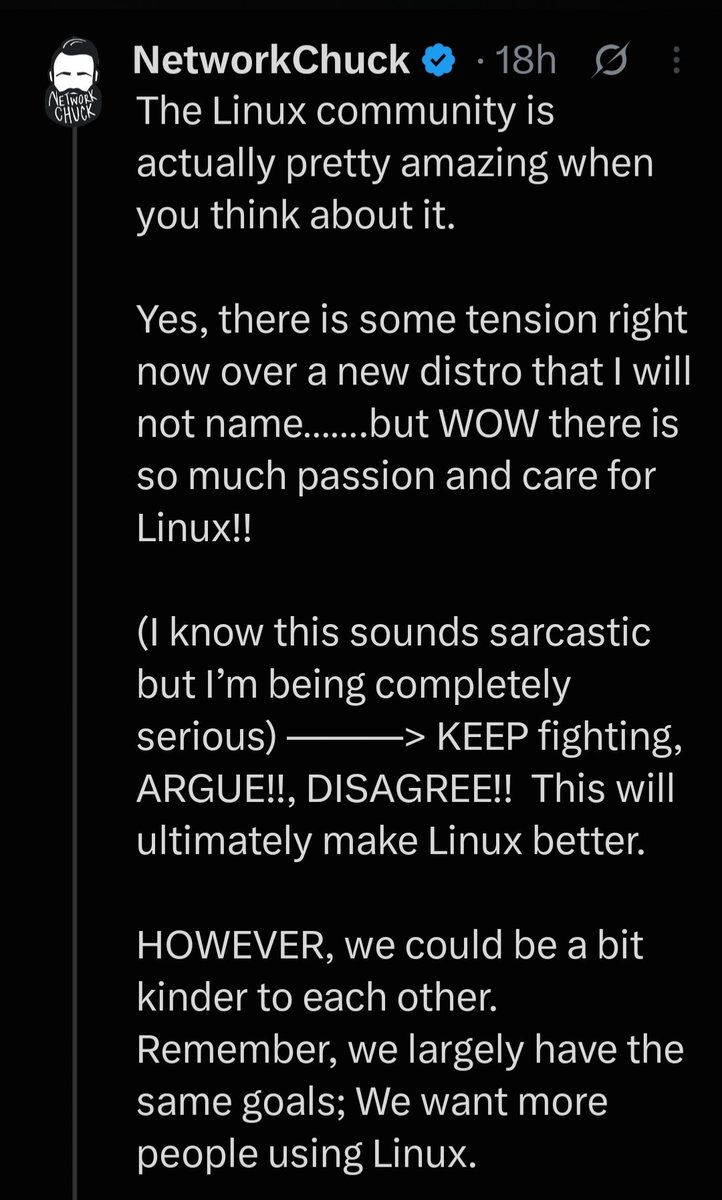
Later, he made a new post encouraging people to keep going, keep debating, and keep arguing. Just maybe be a little "kinder " when you do it.
He monetized his social media so it's more bucks for him if he quietly sits by and lets people fight in the comments. Because of that, he never seems to block them or hide their comments when people are using transphobic or racist slurs or when they advocate for exterminating an entire group of people. If he does that, then I suspect that it would affect his engagement rate.
If I saw someone attacking someone for their race, gender, gender identity, orientation, etc in my comments, I certainly would say or do something about it.
We had one Windows workstation where PowerShell kept coming back.
The first time we saw it, we found a suspicious scheduled task, removed it, rebooted the machine and thought we were done.
Then the next morning, PowerShell showed up again.
No scheduled task.
Nothing strange in the normal Run keys.
So at that point, I knew we had missed another persistence method.
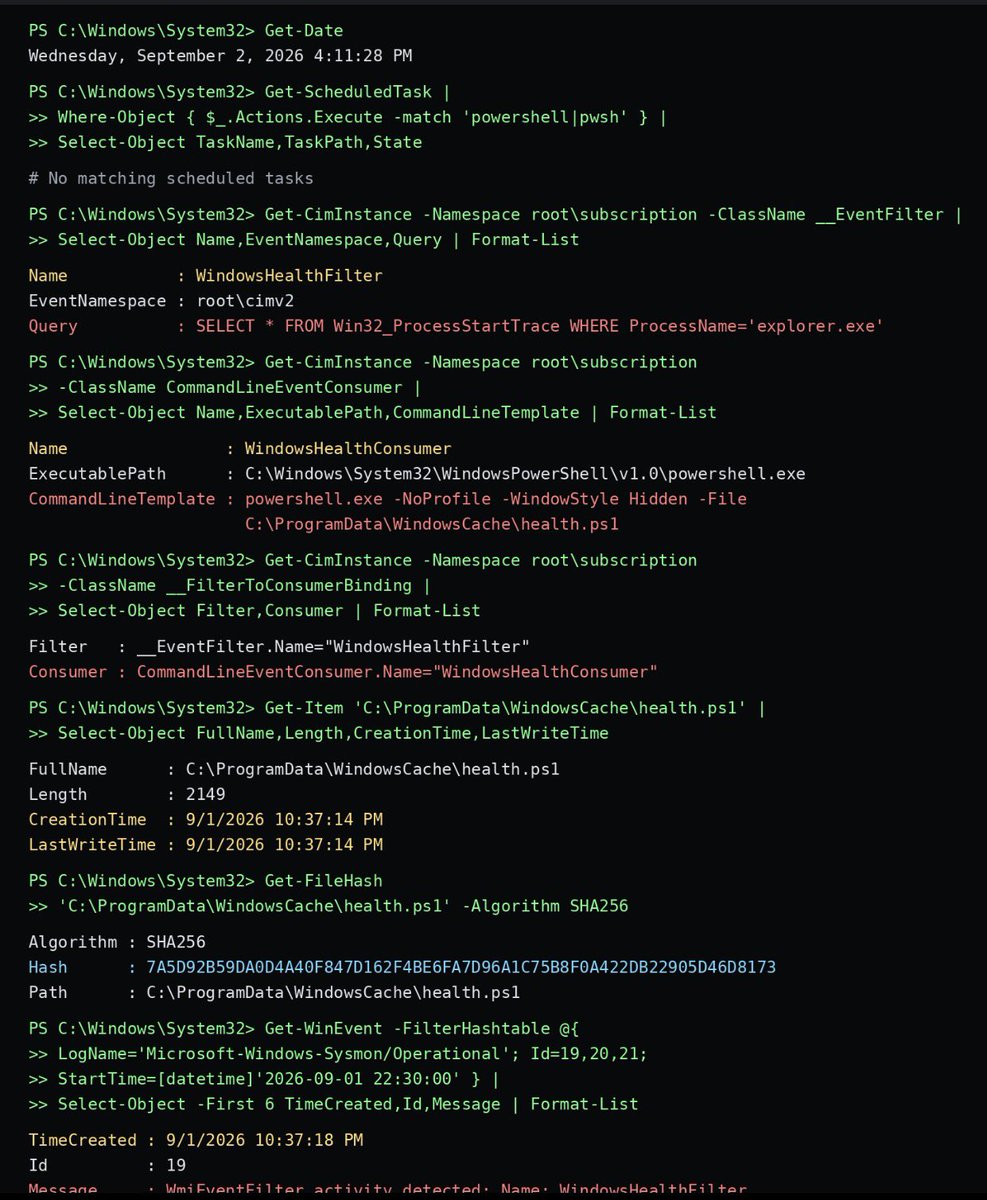
I checked WMI subscriptions.
That was where it was hiding.
There was an event filter called:
WindowsHealthFilter
The filter was watching for explorer.exe to start.
That is important because explorer.exe normally starts when a user logs into Windows.
Then I checked the WMI consumer linked to it.
The consumer was launching PowerShell with the window hidden and running:
C:\ProgramData\WindowsCache\health.ps1
So every time the user logged in and Explorer started, WMI would quietly trigger PowerShell again.
No scheduled task was needed.
No Registry Run key was needed.
That explained why our first cleanup did not solve the problem.
I checked Sysmon next.
Event IDs 19, 20 and 21 showed the WMI filter, consumer and binding being created the previous night around 10:37 PM.
The timestamps also lined up with the creation of health.ps1.
Now the persistence chain was clear.
User logs in.
explorer.exe starts.
WMI sees the event.
The consumer launches hidden PowerShell.
The script runs again.
We isolated the workstation and collected the WMI configuration, PowerShell script and Sysmon logs before removing anything.
What I liked about this case was that it was not some loud malware infection.
The machine looked normal.
Even after we removed the scheduled task, it looked normal.
If we had stopped there, the attacker would have kept their persistence.
This is why persistence checks on Windows should not end with Task Scheduler and the Registry.
Sometimes you have to check WMI too.
Especially when something keeps coming back and you cannot immediately explain why.
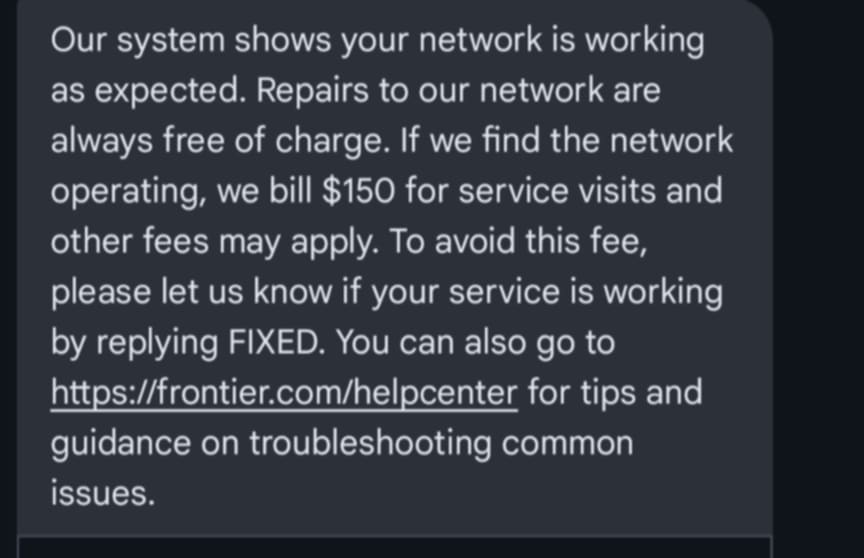
@AskFrontier Multiple neighbors and I are losing connectivity roughly once per hour, and it happens to us all at the exact same time. This has been happening for days. It's an issue on your end. You might want to fix your monitoring if you think this is "working as expected..."
I have a colleague who is our SRE and wants to learn more infosec stuff. His expertise is in cloud and infrastructure engineering. He's looking for education and cert ideas that build on his current expertise. Does anyone have some suggestions (other than SANS lol)?
:-/
Mark my words, it'll be like this.
US made ball $10
Chinese made ball $5
Tariff on China $10
Chinese ball now costs $15
US ball now costs... $14.99
Tariffs are almost always bad for consumers.
A young person encountered a vx-underground imposter on Discord who was trying to convince them to meet-up in person. They contacted us to confirm whether or not this was true.
This is a reminder vx-underground will never try to meet you in person. We don't go outside.
@jaysonstreet Dude, I empathize with this so much <3. I suspect I love working from home so much because I don't have to spend all day masking and no one can see the plethora of fidgets I play with at my desk or my bouncing legs.
Hey Dallas! Join us for an intensive, hands-on cybersecurity workshop tailored specifically for MSSPs, MDR providers, and incident response teams.
In this technical deep-dive, industry veterans @kwestin and @_bromiley will guide you through practical implementations that directly address your operational challenges.
Session 1: Purple Teaming Okta Detections
Learn how to onboard Okta logs, write detections, and test them using open source adversary emulation tools. Get hands-on experience in a lab environment using free and open source tools.
Session 2: Automating Incident Response
Master end-to-end IR workflow automation using LimaCharlie. Learn to deploy IR-focused tenants, ingest telemetry, and automate detection deployment for client environments.
This free workshop includes a post-event networking happy hour.
Space is limited - reserve your spot today: https://t.co/miX5Hm8sFt
#cybersecurity #mssp #infosec
Free workshop: “Roll Your Own EDR/XDR/MDR with Open Source Tools” by Ken Westin @kwestin & Chris Botelho
Buy conference tix by EOD 11/22 to receive email when workshop reg opens—1st come, 1st served
https://t.co/nWnHDD8pT9
@SecurityBSides@BSidesSATX@AustinISSA@dc512@LASCONATX
@madplatt I love having an inner monologue. I was at a concert the other day and had a conversation with myself about how weird it was that half of the people around me were just blankly staring at an empty stage and there wasn't anything going on upstairs🤣
@HackingButLegal I laughed my ass off when the camera person shot over to klan mom after Biden mentioned them trying to cut social security. They were like "oh shit, here she goes!" And then she sat still 🤣🤣🤣
I haven't looked at patch management solutions since bigfix was a thing. Any recommendations on what's good right now? Need something that does os, apps, etc. for an enterprise. Would prefer a SaaS solution.