@martinpacker@anka_shugol In TeaCode you can use any language. “Supported languages” provide language detection (based on file name) and syntax highlighting. It can be easily accomplished in TeaCode 2 beta. Join our Slack channel to get it: https://t.co/kUsqF9FyPv
Next TeaCode was meant to be called 1.1. However, we had some nice ideas. And we implemented them. And then another ones. And just this little feature... Yep, implemented. And there are some other features on the way... So, about that. We decided to call it TeaCode 2 🤩
@kjaymiller@TextExpander You can do it in TeaCode. However TC is for code typing. It works well with developer editors. It probably won’t work with email client app.
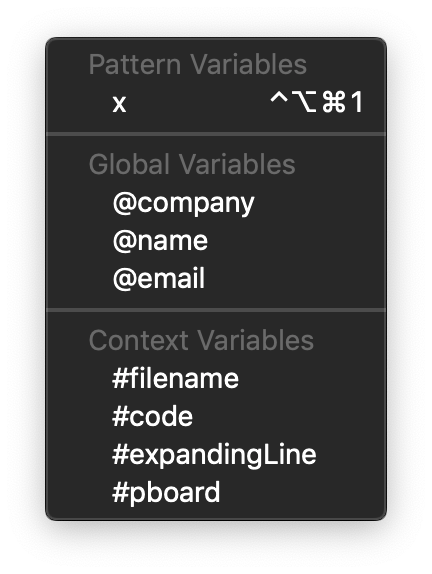
New #TeaCode provides not only global variables, but also introduces context variables. 🤔 You have access to current file name, entire code (in this file), expanding line or current content of the paste board. And with scripts… it might get quite powerful 💪😎
#TeaCode2
One of the greatest new feature in upcoming TeaCode is possibility to put Date and Time into the output. ⭐️ But Date and Time only would be poor. So you can put a Shell Script, as well. 💪 However you can also use Swift, PHP, Python or JavaScript. 🤩