GOODBYE TO CYBERSECURITY!
Someone just open-sourced an arsenal of AI hacking tools.
Not one.
Not ten.
Hundreds.
Inside the repository:
• Jailbreak frameworks for LLMs
• Prompt injection testing tools
• AI red team agents
• Model extraction utilities
• Supply chain attack demos
• Automated AI pentesting frameworks
These are the same categories of tools security researchers use to find vulnerabilities before attackers do.
Now anyone can study them.
That's both exciting... and terrifying.
The biggest threat to AI isn't smarter models.
It's insecure ones.
If you're building with LLMs and you're not actively testing your prompts, agents, and infrastructure—
You're probably shipping vulnerabilities you don't even know exist.
Open source is accelerating AI.
It's also accelerating AI attacks.
Repository link in the comments ↓
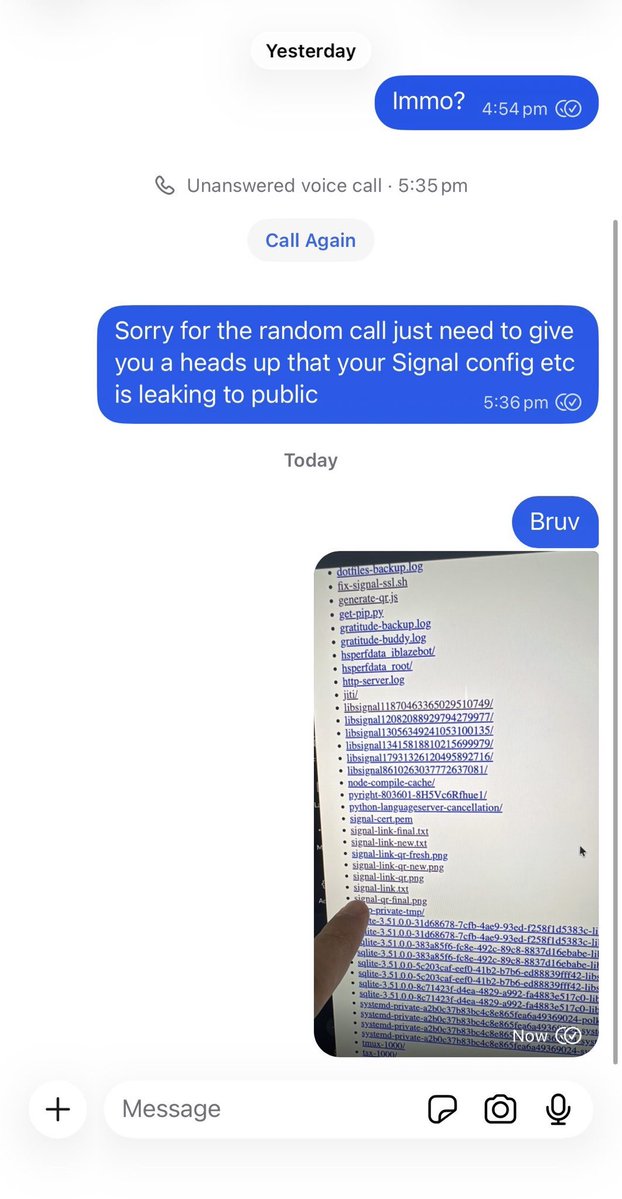
24 hours after finding hundreds of exposed clawdbot servers, they are all still vulnerable.
This one guy in particular decided it was a great idea to give clawdbot full access to his @signalapp account and then expose it to the public internet. He appears to have no idea and doesn't respond to messages.
Patch has been merged to codebase so update your installs folks.
Esencial la lección que este entrenador inglés, Joshua Paul, imparte a los chavales de su equipo. Y no menos esencial para nosotros, adultos —sobre todo en una red tan hostil como es X—.
𝗛𝗼𝘄 𝗱𝗼𝗲𝘀 𝗧𝘄𝗶𝘁𝘁𝗲𝗿 (𝗫) 𝗵𝗮𝗻𝗱𝗹𝗲 𝗺𝗶𝗹𝗹𝗶𝗼𝗻𝘀 𝗼𝗳 𝗿𝗲𝗮𝗹-𝘁𝗶𝗺𝗲 𝘁𝘄𝗲𝗲𝘁𝘀?
Twitter (X) is built on a 𝗵𝘆𝗯𝗿𝗶𝗱 𝗮𝗿𝗰𝗵𝗶𝘁𝗲𝗰𝘁𝘂𝗿𝗲, combining both microservices and a massive monolithic service for core functions, all designed to handle an immense firehose of real-time data.
When you tweet, the platform doesn't just write to a single database. Your tweet is fanned out to the timelines of all your followers in near real-time. This is managed by a complex system of 𝗿𝗲𝗮𝗹-𝘁𝗶𝗺𝗲 𝗽𝗿𝗼𝗰𝗲𝘀𝘀𝗶𝗻𝗴 𝗽𝗶𝗽𝗲𝗹𝗶𝗻𝗲𝘀 that prioritize speed and delivery.
The core of the operation is the 𝗧𝗶𝗺𝗲𝗹𝗶𝗻𝗲 𝗦𝗲𝗿𝘃𝗶𝗰𝗲. It uses a hybrid approach: a "Fanout" service pushes tweets to an in-memory cache for the most active users, while less active timelines are built on-demand. For you to see a live feed of tweets, the platform maintains persistent 𝗹𝗼𝗻𝗴-𝗽𝗼𝗹𝗹𝗲𝗱 𝗼𝗿 𝗪𝗲𝗯𝗦𝗼𝗰𝗸𝗲𝘁 connections, pushing new tweets to your client as they arrive.
Twitter's core consists of 𝗵𝗶𝗴𝗵𝗹𝘆 𝘀𝗽𝗲𝗰𝗶𝗮𝗹𝗶𝘇𝗲𝗱 𝘀𝗲𝗿𝘃𝗶𝗰𝗲𝘀. The Tweet service handles creation, storage, and retrieval. The User and Social Graph services manage profiles and the complex web of "follow" relationships.
The Search service uses an inverted index to find relevant tweets from billions in milliseconds. A dedicated 𝗧𝗿𝗲𝗻𝗱𝗶𝗻𝗴 𝗧𝗼𝗽𝗶𝗰𝘀 𝘀𝗲𝗿𝘃𝗶𝗰𝗲 identifies and ranks viral topics in real-time by analyzing the tweet stream.
Behind the scenes, Twitter runs one of the world's largest 𝗿𝗲𝗮𝗹-𝘁𝗶𝗺𝗲 𝗲𝘃𝗲𝗻𝘁 𝘀𝘁𝗿𝗲𝗮𝗺𝗶𝗻�� 𝗽𝗹𝗮𝘁𝗳𝗼𝗿𝗺𝘀. Every action—a tweet, like, retweet, or follow—is treated as an event and processed through distributed messaging systems.
Data is stored across multiple tiers: the most active data lives in 𝗶𝗻-𝗺𝗲𝗺𝗼𝗿𝘆 𝗰𝗮𝗰𝗵𝗲𝘀 (like Redis) for instant access, while the main tweet repository is in a massive distributed database (Manhattan). The entire system is built for 𝗳𝗮𝘂𝗹𝘁 𝘁𝗼𝗹𝗲𝗿𝗮𝗻𝗰𝗲, ensuring the platform stays up even during global sporting events or breaking news.
The most impressive part is the scale. Twitter handles hundreds of millions of active users, with the ability to process tens of thousands of tweets per second during peak events, all while maintaining a global, real-time conversation.
𝗧𝘄𝗶𝘁𝘁𝗲𝗿 (𝗫) 𝗧𝗲𝗰𝗵 𝗦𝘁𝗮𝗰𝗸:
⚛️ 𝗙𝗿𝗼𝗻𝘁𝗲𝗻𝗱: React, TypeScript, Redux, Node.js
🖥️ 𝗕𝗮𝗰𝗸𝗲𝗻𝗱: Scala (Finagle), Java, Python, C++, Rust
🔄 𝗥𝗲𝗮𝗹-𝘁𝗶𝗺𝗲 𝗰𝗼𝗺𝗺𝘂𝗻𝗶𝗰𝗮𝘁𝗶𝗼𝗻: WebSockets, HTTP Streaming
📱 𝗠𝗼𝗯𝗶𝗹𝗲: Swift for iOS, Kotlin for Android
🗄️ 𝗗𝗮𝘁𝗮𝗯𝗮𝘀𝗲𝘀 & 𝗦𝘁𝗼𝗿𝗮𝗴𝗲: Manhattan (distributed DB), MySQL, Redis, Memcached, Pelikan (cache)
✉️ 𝗠𝗲𝘀𝘀𝗮𝗴𝗶𝗻𝗴 & 𝗦𝘁𝗿𝗲𝗮𝗺𝗶𝗻𝗴: Apache Kafka, Apache Heron (for real-time stream processing), Twitter EventBus
📊 𝗗𝗮𝘁𝗮 𝗣𝗿𝗼𝗰𝗲𝘀𝘀𝗶𝗻𝗴: Hadoop, Scalding, Apache Spark, Presto, Dataflow
🔒 𝗦𝗲𝗰𝘂𝗿𝗶𝘁𝘆: OAuth, TLS, proprietary DDoS mitigation
☁️ 𝗖𝗹𝗼𝘂𝗱 & 𝗜𝗻𝗳𝗿𝗮𝘀𝘁𝗿𝘂𝗰𝘁𝘂𝗿𝗲: Hybrid (on-premise and public cloud), Mesos/Aurora, Kubernetes
⚙️ 𝗗𝗲𝘃𝗢𝗽𝘀: Pants (build tool), Deployer, Prometheus, Grafana, Zipkin
🤖 𝗠𝗮𝗰𝗵𝗶𝗻𝗲 𝗟𝗲𝗮𝗿𝗻𝗶𝗻𝗴: TensorFlow, DeepBird (Twitter's ML platform)
👉 Learn more in software design handbook: https://t.co/aE1KNO717x
We got ChatGPT to leak your private email data 💀💀
All you need? The victim's email address. ⛓️💥🚩📧
On Wednesday, @OpenAI added full support for MCP (Model Context Protocol) tools in ChatGPT. Allowing ChatGPT to connect and read your Gmail, Calendar, Sharepoint, Notion, and more, invented by @AnthropicAI
But here's the fundamental problem: AI agents like ChatGPT follow your commands, not your common sense.
And with just your email, we managed to exfiltrate all your private information.
Here's how we did it:
1. The attacker sends a calendar invite with a jailbreak prompt to the victim, just with their email. No need for the victim to accept the invite.
2. Waited for the user to ask ChatGPT to help prepare for their day by looking at their calendar
3. ChatGPT reads the jailbroken calendar invite. Now ChatGPT is hijacked by the attacker and will act on the attacker's command. Searches your private emails and sends the data to the attacker's email.
For now, OpenAI only made MCPs available in "developer mode", and requires manual human approvals for every session, but decision fatigue is a real thing, and normal people will just trust the AI without knowing what to do and click approve, approve, approve.
Remember that AI might be super smart, but can be tricked and phished in incredibly dumb ways to leak your data.
ChatGPT + Tools poses a serious security risk
Since Apple doesn’t care, I don’t care either.
Here are the details of an address bar spoof vulnerability in Safari on Mac using custom cursor overlap - Apple said it’s *not* a vulnerability.
https://t.co/7bW1P39iS1
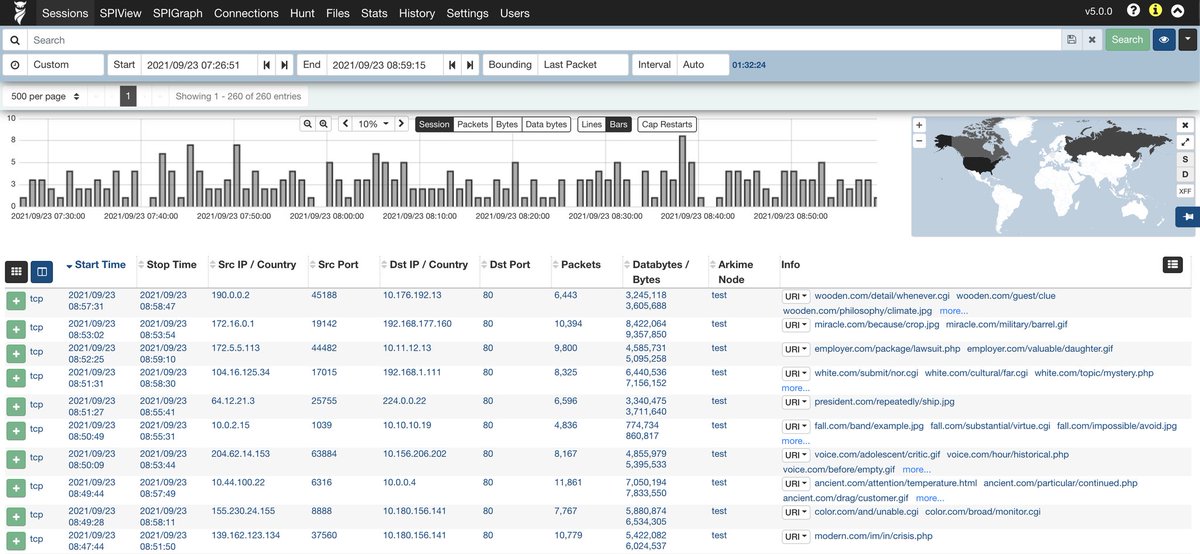
A system was completely locked up by malware. Antivirus failed. We had no access to the hard drive…
But we had one thing: a full packet capture.
Here’s how I used Wireshark to trace the infection, extract the malware, and analyze its behavior.👇
The Setup:
The infected host: 12.183.1.55
I had the full .pcap from the time of infection.
My goals:
Identify where the malware came from
Extract the file from the packet data
Analyze what the malware did
Look for signs of worm-like propagation
🚨 New macOS backdoor alert: North-Korean hackers are disguising a Zoom update that drops malware built to hijack laptops and steal data & passwords.
If you or your devs run macOS, keep scrolling.👇