@USCIS@USCISJoe The address for service of process for USCIS in Appendix A to 6 CFR 5.42 is 20 Massachusetts Ave NW. It has come to my attention that this address is now a Royal Sonesta Hotel. It would be amazing if you could update the regs.
Ever wished you could generate a transcript of your meeting while interpreting to support your work? Here’s one way to do that! If you try it let me know! https://t.co/80Wey8rQlq @ENM_Interpreter@AimeeKBenavides@TEA_Language
🚨🚨🚨 It is now possible to listen to interpretation from browser on Zoom. Not to host, not to interpret, but you can listen! @AimeeKBenavides@ENM_Interpreter @tom_trans
@abanion @language_news I like Whereby too. I used it last week with a colleague and really liked just using one device and controlling sound levels with the Windows sound mixer. I also liked that it pops out video when you cover the browser so you still see your partner.
@ENM_Interpreter and I made a video to demo one very simple method of handing off for team interpreting. It's mainly for in court, but the principle also works if you set up a separate video backchannel outside Zoom. @tom_trans @KattyKauffman https://t.co/989PVk0w6i
Wow. Highly recommend taking 7 minutes away from watching Congress. The British news media perfectly captured today close-up. May all US media request to re-air this. It’s already packaged, impactful and brings clarity to the day. @ReliableSources
And for an encore: Who does bad sound better,
@zoom_us or @Webex? Don't try this at home kids; there's enough bad sound out in the world as it is. 😂 PSA, please use a mic; then most any platform will serve you well. 🥰 https://t.co/JPEZVN2D1T @AimeeKBenavides@ENM_Interpreter
I decided to see if I could figure out why the sound is often so bad on @Webex. Here are the results, most tellingly @~2:00 w/laptop mic. Hypothesis: it's the default audio filtering, which goes haywire with persistent background noise close to the mic. https://t.co/5Qw8EqJWAv
@InterRausch@Webex I totally think it would. Zoom's sound filtering is actually pretty good and truly helpful. I made a second video just now to compare the two. Take a particular listen to the defaults in the two platforms: Zoom wins on its default settings. https://t.co/JPEZVN2D1T
@InterRausch@Webex I haven't. Thing is, hifi of trash audio will just be trash audio, so I don't see any value add unless the originator of the sound has a perfect setup. In which case, sure, maybe hifi them for the extra oomph. I'm more concerned with mitigating the left end of the bell curve :(
Another cool breakthrough! A few days ago we tweeted about how to connect Zoom simul to an analog phone; here's an even more creative way to do it digitally. Now you just need your bridging computer, no phone! https://t.co/pCc7JqJn37
Stop the presses: the inimitable @AimeeKBenavides of T.E.A. Language Solutions has figured out how to get Zoom interpretation on a dial-in connection. There are some steps and (cheap!) equipment involved; find out more here: https://t.co/SOPOkeoRms
@ENM_Interpreter@svsepodcast I also don’t know. But the answer is definitely somewhere in the range of “more than you probably need.” There’s not built in limit that we’ve run across per channel or anything.
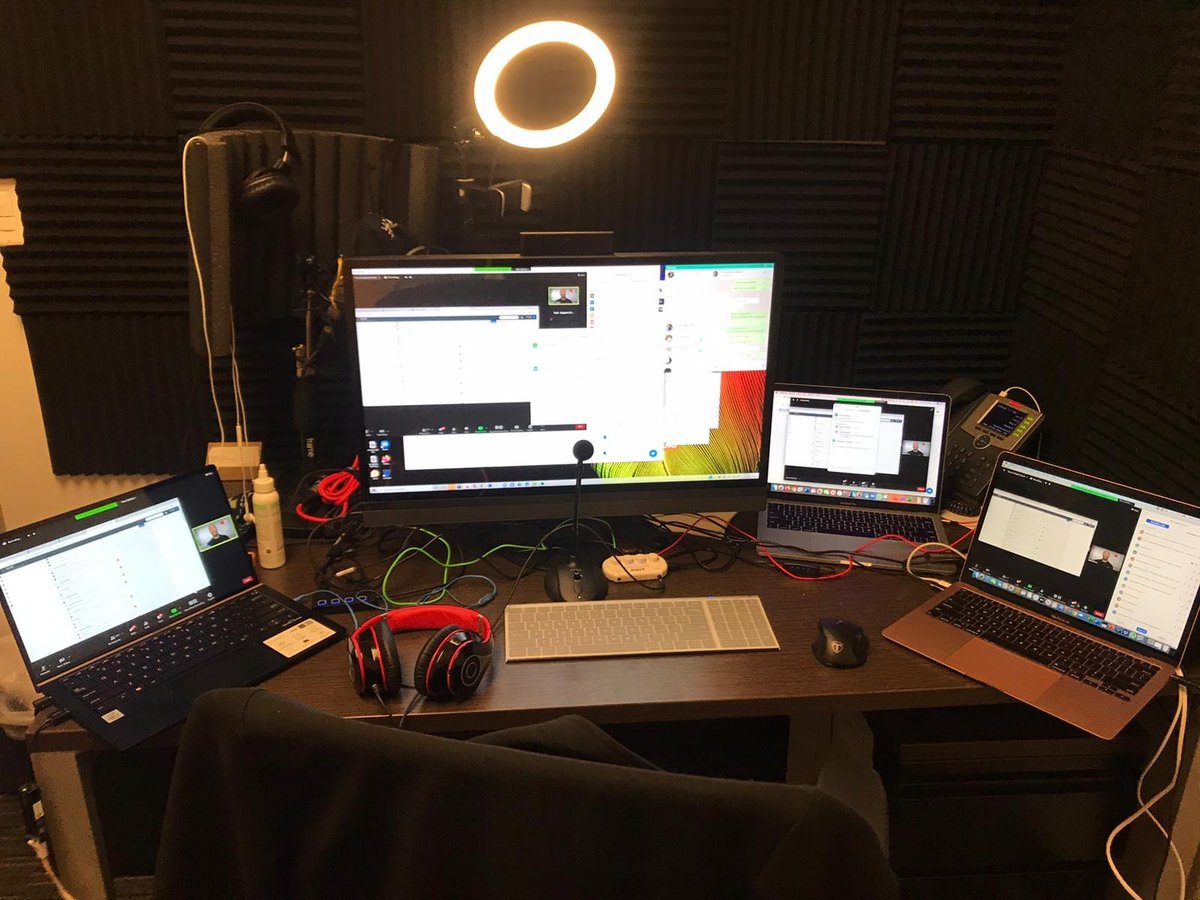
TEA Zoom teching this week with @timbrebkk@ENM_Interpreter@AimeeKBenavides and @LauraInterprets. All these devices are recording or monitoring; all 40 speakers received mics, mic checks, and Zoom presenting tutorials before the conference. Day one success...and strong sound!
We tried the Zoom custom language feature. It works! @ENM_Interpreter took this priceless shot of his toggle when I assigned him as the Dothraki interpreter 😂