It took a whole day but I've finally finished work on Julius Caesar. Made a PowerPoint that is inserted as a PDF into @OneNoteEDU for pupils to type on instead of a separate workbook. Plus created a sentence stem sheet for the CEL. #TeamEnglish I'll add resources to the Team.
Download the e-book #OneNote Essentials—it’s free! You’ll learn:
🔘 What is OneNote and how it simplifies notetaking
🔘 How to navigate the OneNote app
🔘 Best practices for creating and sharing notes
Get it here: https://t.co/mIOCnJF3f4
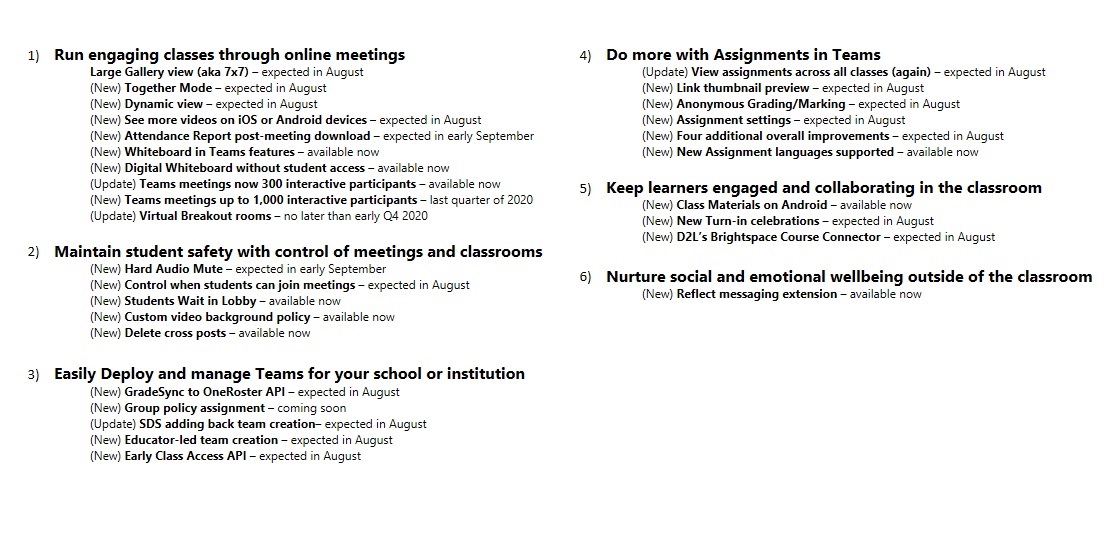
🚨 NEW! 25+ updates for #MicrosoftTeams for EDU 🚨
🔇 Hard audio mute
🛑 Students wait in lobby
📝 View assignments for all classes
❓ Anonymous grading
🖊 Whiteboard updates
➕ Lots more and a big list 👇
🔗 https://t.co/P2Lgu0ocaE
#edtech#edchat#MIEExpert#MicrosoftEDU
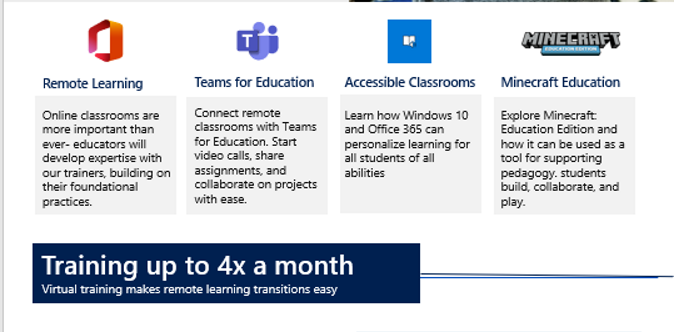
Did you know that there are a massive number of FREE Microsoft Store online PD trainings for educators and students? 😱
Happening all summer long 🌞
Check it out 👉 https://t.co/7sBlQacqfP
#edtech#edchat#MIEExpert#remotelearning
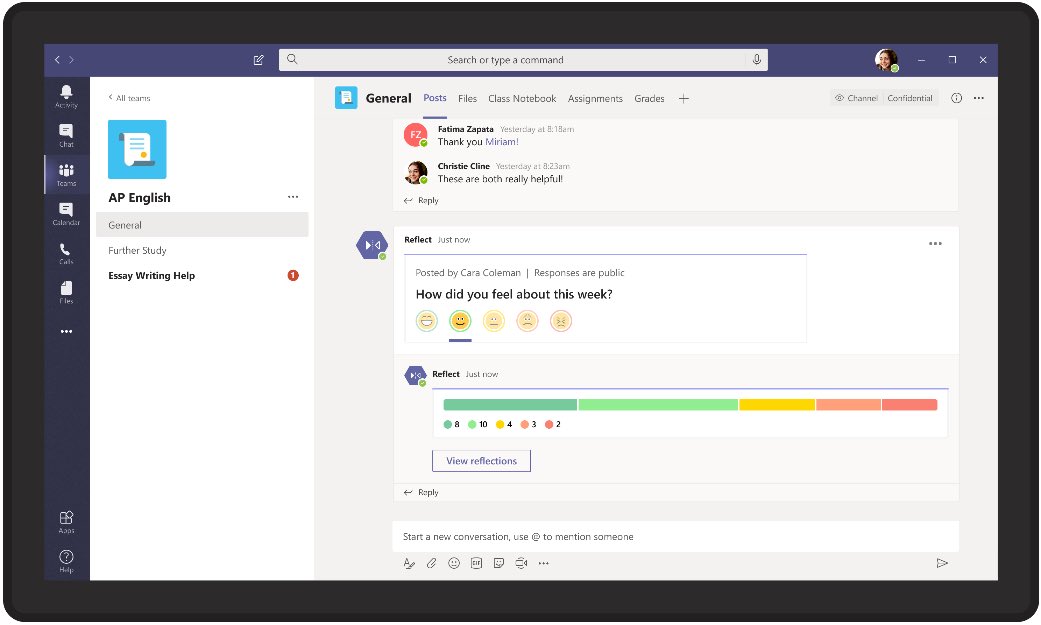
NEW! A new “Reflect” messaging extension in #MicrosoftTeams to easily let educators check in on students and see how they are feeling.
Great for social emotional health during #remotelearning
Details at the blog 👉 https://t.co/XRHK25xf9W
#SEL#edchat#mieexpert#MicrosoftEDU
Large gallery view is coming to preview in #MicrosoftTeams, accommodating up to 49 participants at once on a single screen. Read more about it here: https://t.co/tZE47IJsh5
Become the master of #MicrosoftTeams with this new learning path. Learn about #OneNote Class Notebook assignments and feedback, tips for Teams, and other amazing communication resources:
👉 https://t.co/5nRjSANd39
#MIEExpert#edtech
"A Little Bit of Everything. With Friends"
Friday - @JustinChando & I will be joining @LeslieFisher for stories, question answering, shenanigans & more! Come hang out for this free webinar
⏰ June 5th, 4pm PT
Sign up 👉 https://t.co/BdIIycpGUN
#edtech#MIEExpert#MicrosoftEDU
NEW! You can now select nested Section Groups when making #OneNote Assignments in #MicrosoftTeams 💜
This has been a top request that gives more flexibility for educators using @OneNoteEDU Class Notebooks in Teams
Example below 👇
💯 Inclusive pro tip 💯
Be sure to check out all of the built-in #accessibility features in #OneNote 💜 Too many to list in one tweet, but all in this video 📽
YouTube: https://t.co/k07gPHTgZT
#a11y#MicrosoftEDU
NEW! I've created a new "Video and Screen Recording Tools" 📽 YouTube playlist chock full of quick tip videos
More coming in the near future...
👉 https://t.co/Zi0SniQVxc
#FlipgridForAll#MIEExpert#MicrosoftEDU
NEW! A quick tip video 📽 on using the just-released "Download Meeting Attendance Report" ✔ feature for #MicrosoftTeams meetings.
IT Admins need to enable 👉 https://t.co/1kHyZQXIxG
YouTube 📺 https://t.co/egI7ST36GZ
#edtech#remotelearning#MIEExpert#MicrosoftEDU
Did you know that there is a free video editing tool 📽 built right into Windows 10? Click the start button and type "Video Editor"
Great for creativity during #remotelearning. Think of it as "NextGen Movie Maker"
YouTube 📺 https://t.co/2mAI7h39bX
#edtech#MicrosoftEDU
Have you heard the news?!?!
The all-new App Smash library is officially live. With one-click, upload your recordings to your favorite #edtech tools including @Wakelet, @RemindHQ, and @edpuzzle