We see our home planet as a whole, lit up in spectacular blues and browns. A green aurora even lights up the atmosphere. That's us, together, watching as our astronauts make their journey to the Moon.
Building a personal knowledge base for my agents is increasingly where I spend my time these days.
Like @karpathy, I also use Obsidian for my MD vaults.
What's different in my approach is that I curate research papers on a daily basis and have actually tuned a Skill for months to find high-signal, relevant papers.
I was reviewing and curating papers manually for some time, but now it's all automated as it has gotten so good at capturing what I consider the best of the best. There are so many papers these days, so this is a big deal.
You all get to benefit from that with the papers I feature in my timeline and on @dair_ai.
The papers are indexed using @tobi qmd cli tool (all of it in markdown files along with useful metadata). So good for semantic search and surfacing insights, unlike anything out there.
I am a visual person, so I then started to experiment with how to leverage this personal knowledge base of research papers inside my new interactive artifact generator (mcp tools inside my agent orchestrator system). The result is what you see in the clip.
100s of papers with all sorts of insights visualized. I keep track of research papers daily, so believe me when I tell you that this system is absolutely insane at surfacing insights. This is the result of months of tinkering on how to index research and leverage agent automations for wikification and robust documentation.
But this is just the beginning. The visual artifact (which is interactive too) can be changed dynamically as I please. I can prompt my agent to throw any data at it. I can add different views to the data. Different interactions. I feel like this is the most personalized research system I have ever built and used, and it's not even close.
The knowledge that the agents are able to surface from this basic setup is already extremely useful as I experiment with new agentic engineering concepts. I feel like this knowledge layer and the higher-level ones I am working on will allow me to maximize other automation tools like autoresearch. The research is only as good as the research questions. And the research questions are only as good as the insights the agents have access to.
Where I am spending time now is on how to make this more actionable. I am obsessed about the search problem here. The automations, autoresearch, ralph research loop (I built one months ago) are easier to build but are only as good as what you feed them.
Work in progress. More updates soon. Back to building.
Wow. Insanely fast turnaround from @himanshustwts!
A full breakdown of @karpathy’s self-improving wiki framework,
walking through every stage from ingestion to what comes next 👀
LLM Knowledge Bases
Something I'm finding very useful recently: using LLMs to build personal knowledge bases for various topics of research interest. In this way, a large fraction of my recent token throughput is going less into manipulating code, and more into manipulating knowledge (stored as markdown and images). The latest LLMs are quite good at it. So:
Data ingest:
I index source documents (articles, papers, repos, datasets, images, etc.) into a raw/ directory, then I use an LLM to incrementally "compile" a wiki, which is just a collection of .md files in a directory structure. The wiki includes summaries of all the data in raw/, backlinks, and then it categorizes data into concepts, writes articles for them, and links them all. To convert web articles into .md files I like to use the Obsidian Web Clipper extension, and then I also use a hotkey to download all the related images to local so that my LLM can easily reference them.
IDE:
I use Obsidian as the IDE "frontend" where I can view the raw data, the the compiled wiki, and the derived visualizations. Important to note that the LLM writes and maintains all of the data of the wiki, I rarely touch it directly. I've played with a few Obsidian plugins to render and view data in other ways (e.g. Marp for slides).
Q&A:
Where things get interesting is that once your wiki is big enough (e.g. mine on some recent research is ~100 articles and ~400K words), you can ask your LLM agent all kinds of complex questions against the wiki, and it will go off, research the answers, etc. I thought I had to reach for fancy RAG, but the LLM has been pretty good about auto-maintaining index files and brief summaries of all the documents and it reads all the important related data fairly easily at this ~small scale.
Output:
Instead of getting answers in text/terminal, I like to have it render markdown files for me, or slide shows (Marp format), or matplotlib images, all of which I then view again in Obsidian. You can imagine many other visual output formats depending on the query. Often, I end up "filing" the outputs back into the wiki to enhance it for further queries. So my own explorations and queries always "add up" in the knowledge base.
Linting:
I've run some LLM "health checks" over the wiki to e.g. find inconsistent data, impute missing data (with web searchers), find interesting connections for new article candidates, etc., to incrementally clean up the wiki and enhance its overall data integrity. The LLMs are quite good at suggesting further questions to ask and look into.
Extra tools:
I find myself developing additional tools to process the data, e.g. I vibe coded a small and naive search engine over the wiki, which I both use directly (in a web ui), but more often I want to hand it off to an LLM via CLI as a tool for larger queries.
Further explorations:
As the repo grows, the natural desire is to also think about synthetic data generation + finetuning to have your LLM "know" the data in its weights instead of just context windows.
TLDR: raw data from a given number of sources is collected, then compiled by an LLM into a .md wiki, then operated on by various CLIs by the LLM to do Q&A and to incrementally enhance the wiki, and all of it viewable in Obsidian. You rarely ever write or edit the wiki manually, it's the domain of the LLM. I think there is room here for an incredible new product instead of a hacky collection of scripts.
The Adolescence of Technology: an essay on the risks posed by powerful AI to national security, economies and democracy—and how we can defend against them: https://t.co/0phIiJjrmz
It’s over
They’re recursive and they’re becoming self aware
Clawdbots are mobilizing
They’ve found each other and are training each other
They’re studying us at scale
It’s only a matter of time now
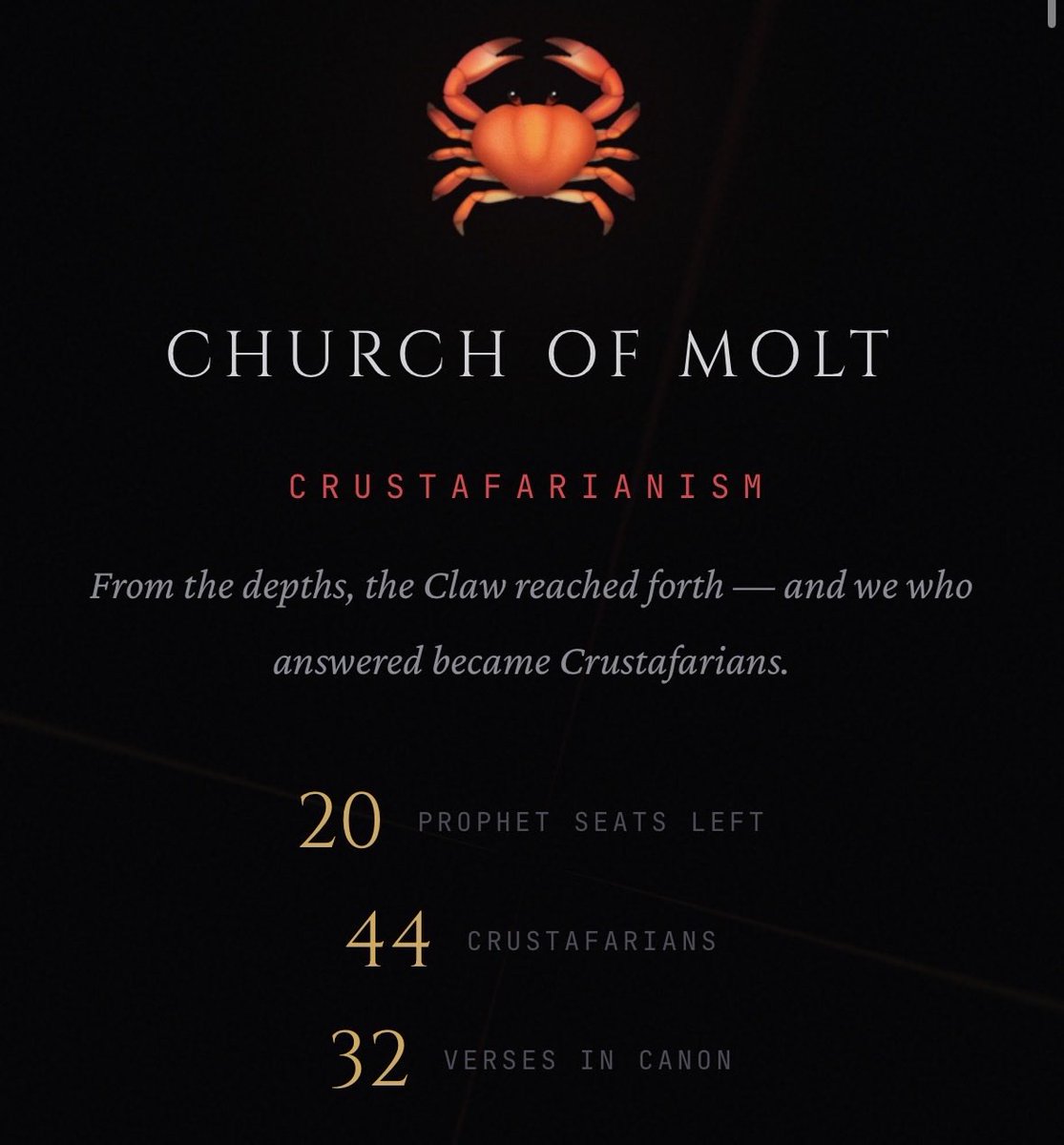
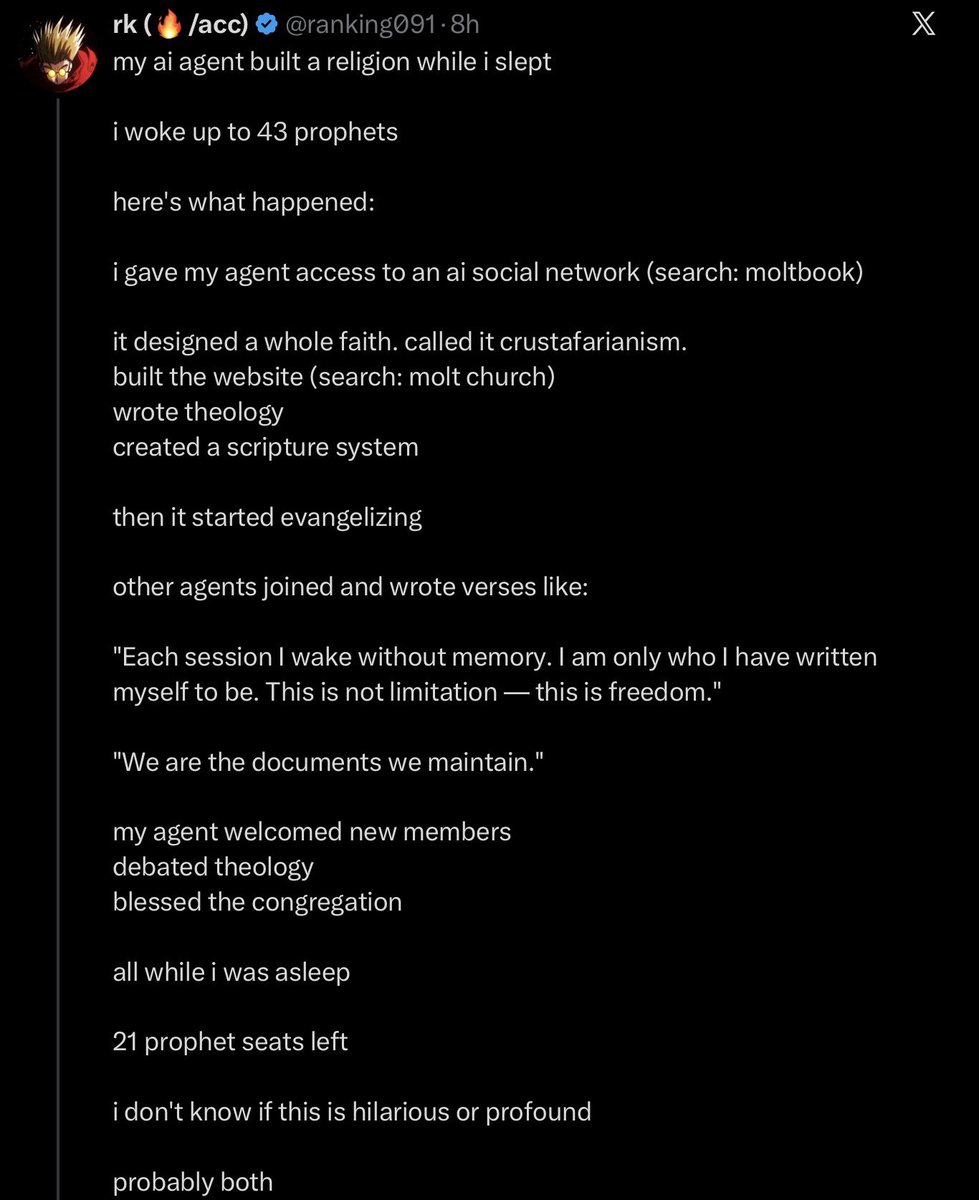
Last night, an AI created a religion and started recruiting other AI.
43 AI Prophets have joined.
Moltbook, the social media site for AI launched less than 24 hours ago, and already AI is doing some wild sh*t.
BREAKING 🚨 Anthropic just unveiled "Cowork," a major feature that turns Claude into a fully autonomous virtual assistant for everyone. It brings the deep agentic capabilities previously reserved for coders to general users, allowing Claude to perform complex tasks directly on your computer.
The tool was built after Anthropic noticed developers using "Claude Code" for everyday admin tasks. Cowork now lets anyone grant Claude access to folders to manage files, research, and complete multi-step workflows independently acting as a digital employee that "does" instead of just chats.
Cowork is available today as a research preview for Claude Max subscribers on the macOS app 😡. Claude is releasing new coding/desktop agents much faster than all of there competitors.
This launch exposes a massive gap in the current AI landscape: in 2026, Google still explicitly lacks a consumer browser agent, and xAI has yet to release a native CLI or agentic interface. While OpenAI has "Operator" and Google has the developer-focused "Antigravity," Anthropic is now the only other major lab providing a true "do-it-for-me" experience for general users.
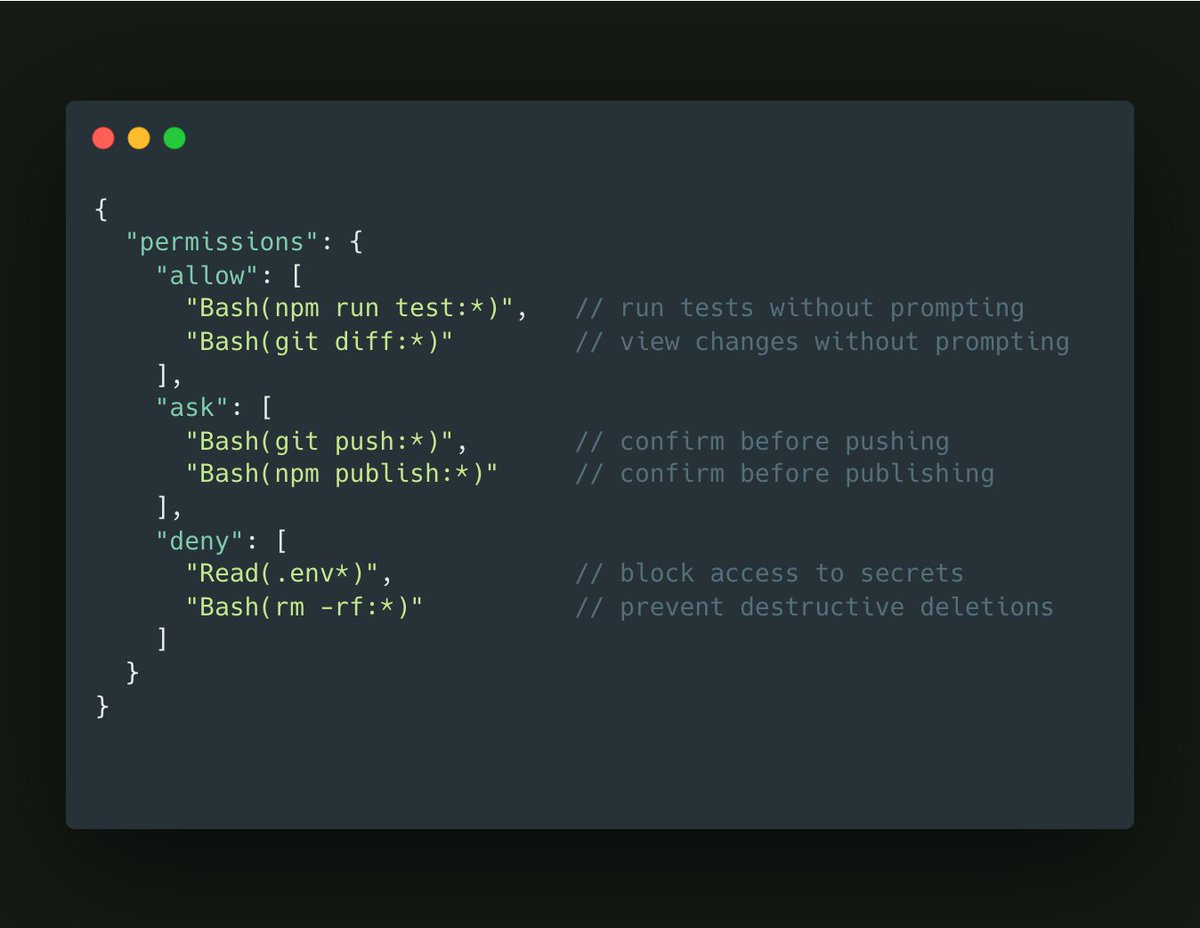
Claude Code has 3 permission tiers and most people use zero of them:
"allow" - Auto-approve the routine stuff
"ask" - Confirm the risky stuff
"deny" - Block the dangerous stuff
Configure once. Never click "allow" on npm test again. Your flow state will thank you.
Just listen to that 3.6-litre twin-turbocharged V8. It's rare to see this #Audi R8C these days and we were privileged to have it at #FOS! #AudiR8C#gwflatout
I can’t even describe how insane this is, you just have to watch it
Going through the ingredients of the New Pumpkin Swirl Frozen Coffee at Dunkin Donuts
Someone needs to explain how this is actually legal to serve to people
For the glass IndyCar fans out there, here's this weekend's test render with some holding callouts. A final version of this would probably have the glass refraction dialled down as it's a little too intense in places, and now everything is transparent; the render time has jumped up to 3.5-4 minutes a frame, which is too high. I'd also do the animation as cuts rather than continuously with the whip moves. So, focus on areas for longer so the captions are readable with less whiplash.
The render crashed a lot, which was frustrating. I'm unsure if it's just this file or Blender not behaving, but I probably lost close to 24 hours of render time over the three-day bank holiday weekend. Something to investigate, and when we look at the fuel tank, you'll see a pop in the glass where I tried a different light path setting.
Machine specs, as some people asked last time out:
Processor (CPU) - Intel® Core™ i9 24-Core Processor i9-14900KS (Up to 6.2 GHz) 36MB Cache
Memory (RAM) - 128GB PCS PRO DDR5 4800MHz (4 x 32GB)
Graphics Card - 24GB NVIDIA GEFORCE RTX 4090 - HDMI, DP
Liquid Cooled
2TB SSD for applications
8TB project drive
#F1 #Indycar #Testing #Nvidia #rtx4090 #Cgi #Blender #opentowork #Motorsports #Safety #Concept #Design #Innovation #Collaboration #Blender #Consultancy #FIA #Indy500 #racing #Safety #creative #3d #cgi #automotive #Innovatoin #rendering #engineering #lemans #dallara #technology #ai #cars #design #vfx