Container queries are finally here. This is a big day for CSS 🎉
To celebrate that, I'm starting a new lab to try all things container queries at https://t.co/QJcwq2r9iU. This is inspired by @jensimmons's amazing CSS grid lab.
Article: https://t.co/fGMrHqqGpy
VSCode got a new neat feature! showing which scope the user is in during scrolling. Can be enabled with the editor.experimental.stickyScroll.enabled setting.
GIF is from VSCode release notes 1.70.0
It's a common mistake to use display: flex and forget about it. When the content gets longer, flex items will stretch to fill the parent.
That's what happened to the image here. The fix is to use align-items or align-self depending on the use case.
🔗 https://t.co/tVoqUZKQJW
Good UX Principle: Your UI should be forgiving. Use confirmations and warnings to reduce the occurrence of errors.
Love this example from Typefully's interface.
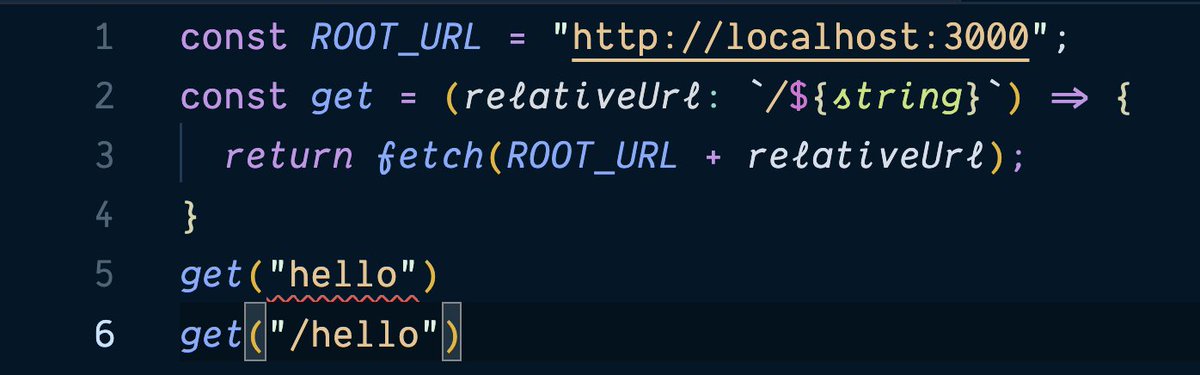
Using TypeScript's template string types to validate that all relative URLs passed to my fetch abstraction starts with a slash is such a great developer experience! 🤩
JavaScript tip: Easy way to check if focus is leaving an element with other focusable elements inside.
- currentTarget is the element the event listener was attached to (usually a container div).
- relatedTarget is the element receiving focus.
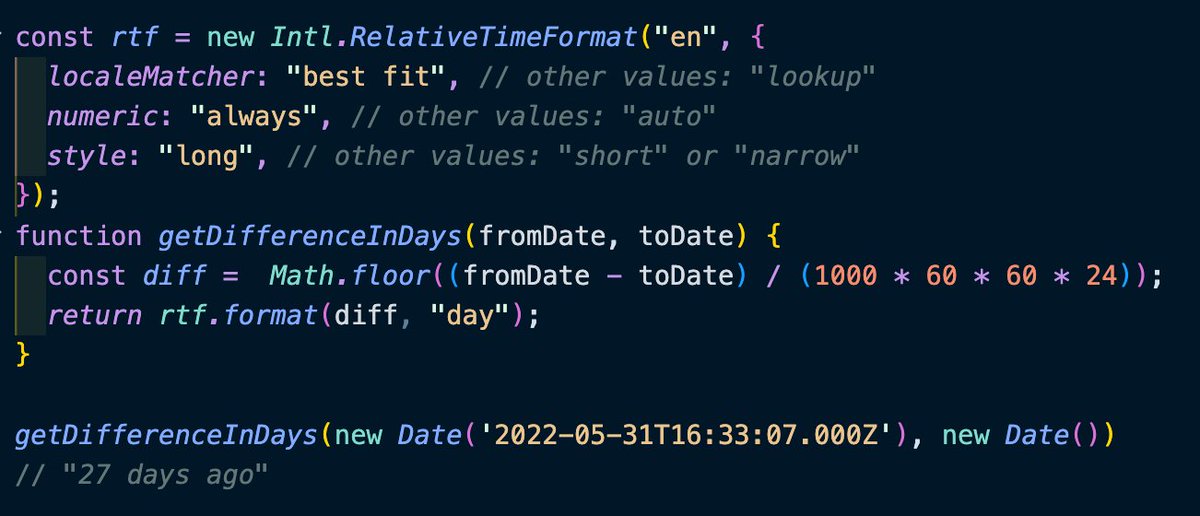
quick code snippet for calculating "X days ago" given a specific date, with localized language
and ✨no dependencies✨
this ain't your parents' JavaScript!
Building a combined CSS-aspect-ratio-grid by @supremebeing09
Using flexbox and aspect-ratio to create equal height elements. I haven't seen that before, nice one!
.item {
flex-basis: 0;
flex-grow: calc(var(--ratio));
aspect-ratio: var(--ratio);
}
🔗 https://t.co/d9T4L7GWxR
Soo.. there is a Vibration API on the web. https://t.co/VG7bXpGQp5
You can create app like physical feedback on e.g button clicks, form error or success states. Imo
Pretty dope!
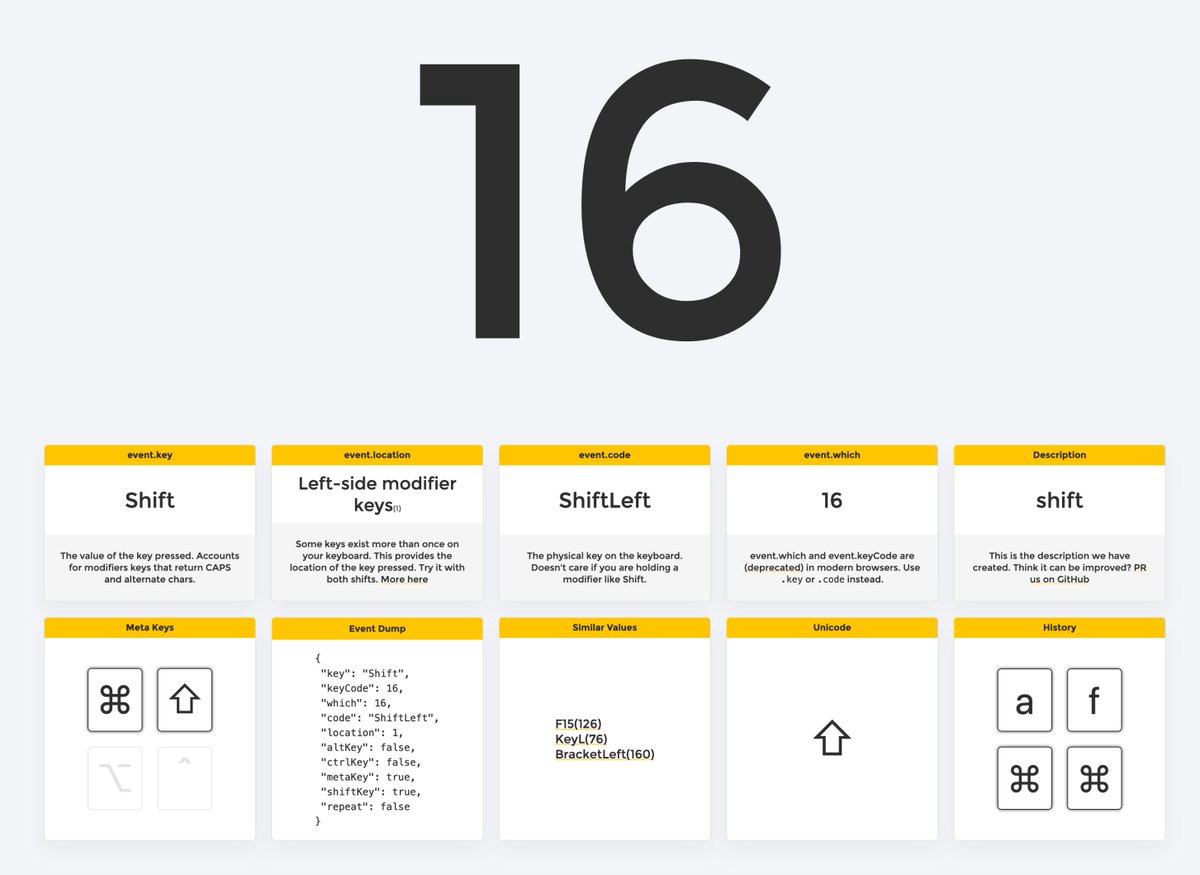
New version of my keycode site is just about done. Give it a whirl before I push it live → https://t.co/G353UJZfmK
It now shows all possible data about each key, pretty nifty!
Performance tip: make your page load feel more instant by using priority hints to help the browser prioritize the most critical resources
More you can do with priority hints in 🧵:
VSCode Tip ⚡️
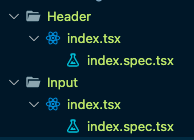
The new experimental @code file nesting feature is super useful to nest your test files together with the component file!
Just add these two configs to your settings.json:
(copy paste available in next tweet).