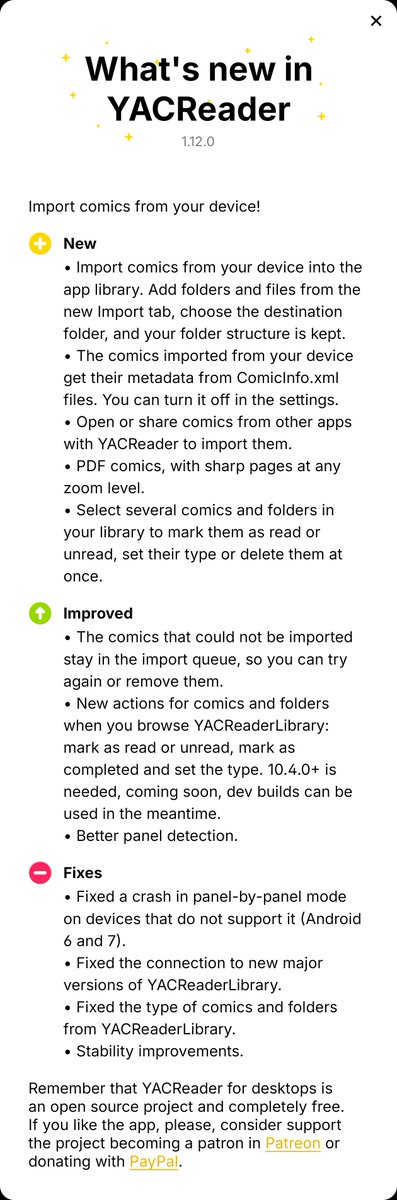
10.4 is out, if you use it with the latest versions of the iOS (3.41 is rolling out) and Android (1.12) apps you get some extra functionality in the remote browser (set type, read/unread). The idea is to keep improving the integration. Enjoy! https://t.co/MdtvMR4vai #comics#apps
Once you select and import your content it will appear in the Library tap, you can choose the destination from this view too, the structure of your folders is kept.
We're giving away a CONTROL Resonant custom wrapped NVIDIA GeForce RTX 5080 to celebrate its official release with #RTXON.
To enter:
🟢 Share this post
🟢 Comment #RTXON
T&Cs: https://t.co/Mbf7w3j1q3
10.3.2 is out, if you were having performance issues please let me know if it improves things. There are a lot of other fixes included: https://t.co/bE971fmPr5 #comics#manga#opensource#windows#macos#linux
So YACReader has been hit by a Qt6 "nuance" (I'd say it's a bug in Qt6.5+) that destroys performance at high screen resolutions (4k+), I've been trying to work around it and I'll appreciate some testing: https://t.co/fZxDiRJPez
The bug: https://t.co/QScEWLcCq6
#opensource
@corie_snider Depending on your setup, you can try using a VPN (Tailscale/WireGuard), a reverse proxy with HTTPS, or port forwarding on your router. A VPN is usually the easiest option if you just want secure access to your YACReaderLibrary server from outside your home.
YACReader for desktops & server is an open-source project. If you encounter any bugs, or unexpected behavior, please open an issue on GitHub. I don't use all the features myself so it's hard to catch certain things some times.🙏#opensource#comics#manga#linux#macos#windows
Hey, new Android version is out. It adds focus mode for panel-by-panel reading (check the settings) and explicit https support, so if your server is behind a reverse proxy or something similar it should work right out the box. #comics#manga#apps#AndroidApps#android