@jonnilundy and I are starting something fun today!
Introducing the Founding Ops Society - a weekly newsletter about our experiences as the founding ops member at our startups, @resend and @plainsupport.
👉 https://t.co/oikUdwreHr
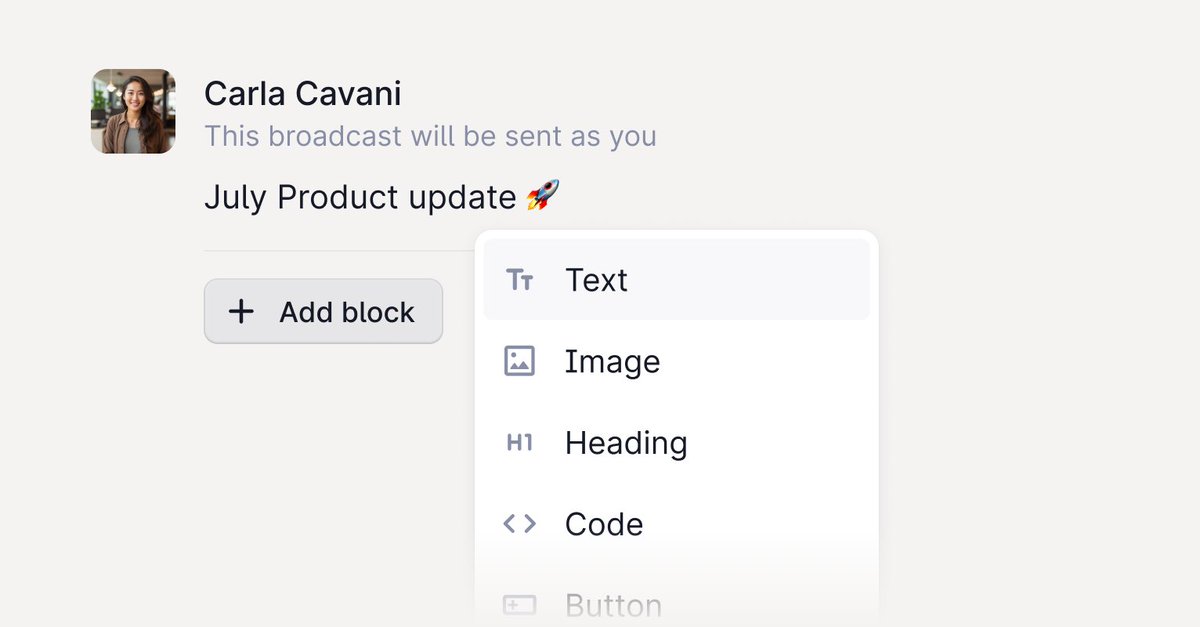
📣 Introducing Plain broadcasts – a free, standalone app built for you by the team at Plain.
⌨️ You can now send key updates – like product launches, newsletters, and downtime alerts – for free, to differentiated groups of your customers in Slack.
There are no limits on how many Slack channels you can create audiences for or send broadcasts to.
Try it today, and send updates to your customers faster and easier than ever before ⬇️
https://t.co/HKQdxfmnjw
Insights in Plain don’t just show the metrics - we empower you to take action and to immediately speed up your workflow using real-time data. Here’s how 👇
Insights is now available in Plain to help you to spot trends, identify issues and ensure that every customer is getting the right level of support. Read more about Insights in our latest changelog 🧵
📈 Analyze your support workload by total support volume, first response time, and total resolution time.
🔎 Dig deeper to see metrics that are specific to a Company, Label, Tier or Channel.
✨ Spot trends in the data as you're helping customers. Hover over any attribute on a support request to see related insights.
↗ Understand whether a metric is trending upward or downward compared to historical data.
Couldn’t have said it better! We love working with @getsaleor.
“Support can be stressful, and if our support tool removes stress, it’s the best investment we can make for ourselves and to provide better support for our customers.” 🙌🏻
Saleor is an open source e-commerce platform with an API-first design for innovative brands. @getsaleor was one of the earliest adopters of our Slack integration and we've absolutely loved having them onboard as a customer since then.
Read more about how they do support in our latest case study. 🧵
Today, we're making the core of Plain's data model completely extensible – with the introduction of thread fields. Thread fields are:
🏎️ Completely integrated into the Plain workflow. Whenever you wrap up a thread, we'll automatically ask you to fill in any required fields using just a couple of keystrokes.
🧱 Nestable. Show fields conditionally based on the value of a different field.
✨ AI-powered. Enable individual fields to be populated with AI using information in the thread.
🛠️ Programmable. As with all Plain features, you can interact with thread fields both in the app and using our API.
This and more in our latest changelog. 🧵
We've been integrating @plainsupport at @dubdotco and I'm blown away by how composable & delightful it is.
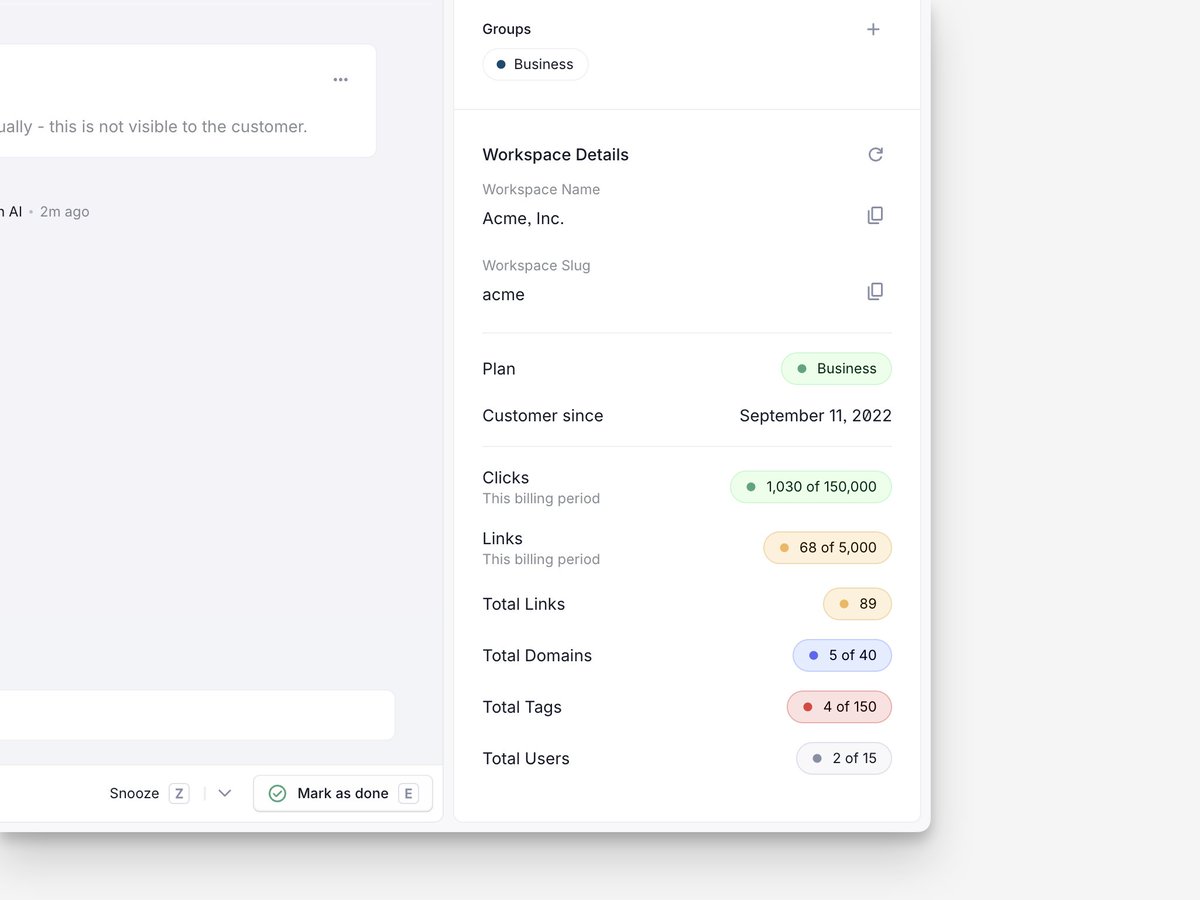
For any customer that reaches out to support, you can pull real-time subscription + usage data using Plain's Customer Cards feature.
The DX is simply unparalleled.
Humans in Support 0️⃣0️⃣2️⃣
Behind every support ticket is a person. Every Friday, we feature someone working in support who inspires us. Today, we're excited to introduce you to @AL8ATROS of @screenstudio. Screen Studio is a product many of our team love, so we're particularly excited about this one.
What inspired you to pursue a career in support?
I have always wanted to work in tech but lack experience in this field. Starting in support can be a good entry point for a tech career. You can learn tools, frameworks, and collaborate with various tech professionals.
What’s the hardest case you recently worked on?
I recently received a ticket from a Chinese user with a complex technical problem. It was very satisfying to resolve the issue in their language, even though I don't speak it.
What’s the best compliment you’ve ever received when you helped someone?
Sometimes I am mistaken for the founder of the app. These instances remind you that customer support is the face of your company visible to users.
What’s your tip for prioritizing when everything seems urgent?
I use a label "blocking bug" for issues that prevent users from using our product. These need to be addressed as a priority. Some issues require intervention from other team members. However, if there's something I can handle independently, I always prioritize finishing it first.
What company has recently really impressed you with the quality of their support?
I've never experienced better customer support than what I get from you at Plain. As a tool for folks working in support, you really are excelling in this area. [Editor's note: We promise this answer was free from editorial interference – thank you Dawid!]
0️⃣0️⃣3️⃣coming next Friday.
If anyone knows their way around data, it's the team at @axiomhq. The way they leverage product data to help their customers even faster is one of many reasons we love them.
Read how they do support in our latest case study 👇
https://t.co/W2k187UCa0
We've written about the best thing we've ever done for our front-end. Our engineer @jordrake walks through how we moved to a local-first front-end state management to improve performance and developer experience. Read more here 👇https://t.co/qg1TgxqdJU
Last week, @simonrohrbach sat down with @scottpieparker to discuss how @vercel scaled technical support to a team of 20+, handling several thousands of customer questions per month. Our main takeaways on how they did it below 👇
If you think that contact forms are stale, boring and old fashioned – think again. They're actually an incredibly powerful tool to scale your support.
By this point, I must have seen several hundred different implementations.
Here are the 7 principles that the best ones use: 🧵
2 days to go! Join @simonrohrbach and @scottpieparker as they discuss how to scale technical support in a high-growth environment.
Register using the link in the 🧵
Plain now lets you decide which Slack messages to manage in Plain. You can either track all messages in a channel, or only the ones you choose by reacting with 🎟️.
Plus better AI summaries, outbound messaging, and much more in our latest changelog; https://t.co/g6ToWRUkU3
We're lucky to work with some of the best - companies that stay incredibly close to their customers and make support integral to their products. Here's why they love using Plain 👇.
Day 4 of our deep dive into our new Slack integration👇
We’ve all done it: you hover over a Slack profile to see more information about a customer, and the things you really want to know – who they are in your own product, what workspace they might belong to, what other conversations you’ve had with them – aren’t there.
In Plain, all of that is done for you:
✨Auto-label and prioritize. Plain automatically triages, labels and summarizes incoming Slack messages so you can work through the most important questions first. Individual threads can be grouped by company, so you see all questions from the same customer in one place. You can also use customer groups to categorize threads based on your own business logic – for example, segmenting your Enterprise customers and your Free tier customers.
📊 Pull in customer data from your product. With customer cards, you can show information from your own systems while looking at a customer in Plain. This ensures that you always have important context at your fingertips, including billing and usage of your product.
🧠 Consolidate your channels into one place. Consolidate customer questions from Slack, email, and in-app forms so that you can fly through your support queue in one place.
Continuing our closer look at our new Slack integration this week 👇
Whether you respond to customers in Slack in bursts of 10 messages (our CTO @mattvagni) or in one single response, we want you to be able to write the way you always do.
🎨 Every formatting detail is accounted for. Sometimes you say it in bold, sometimes with code, and sometimes with ❤️. Every message is full of important nuances and details. Formatting from Slack gets carried over to Plain and vice versa, so you’re never missing any meaning.
💬 Keep tabs without having to join channels. You can send a Slack message from Plain to every channel your bot is added to – regardless of whether you’re in it personally. Now you can both keep your support team in the loop and your Slack channels tidy.
🤖 Respond as yourself – or your doppelganger. Keep the conversation personal. Messages to channels that you’re already in are sent from your account; and messages to channels that you’re not in are sent by a friendly bot that looks just like you.







![plainsupport's tweet photo. Humans in Support 0️⃣0️⃣2️⃣
Behind every support ticket is a person. Every Friday, we feature someone working in support who inspires us. Today, we're excited to introduce you to @AL8ATROS of @screenstudio. Screen Studio is a product many of our team love, so we're particularly excited about this one.
What inspired you to pursue a career in support?
I have always wanted to work in tech but lack experience in this field. Starting in support can be a good entry point for a tech career. You can learn tools, frameworks, and collaborate with various tech professionals.
What’s the hardest case you recently worked on?
I recently received a ticket from a Chinese user with a complex technical problem. It was very satisfying to resolve the issue in their language, even though I don't speak it.
What’s the best compliment you’ve ever received when you helped someone?
Sometimes I am mistaken for the founder of the app. These instances remind you that customer support is the face of your company visible to users.
What’s your tip for prioritizing when everything seems urgent?
I use a label "blocking bug" for issues that prevent users from using our product. These need to be addressed as a priority. Some issues require intervention from other team members. However, if there's something I can handle independently, I always prioritize finishing it first.
What company has recently really impressed you with the quality of their support?
I've never experienced better customer support than what I get from you at Plain. As a tool for folks working in support, you really are excelling in this area. [Editor's note: We promise this answer was free from editorial interference – thank you Dawid!]
0️⃣0️⃣3️⃣coming next Friday.](https://pbs.twimg.com/media/GK8xTHQXoAEdJvN.jpg)





