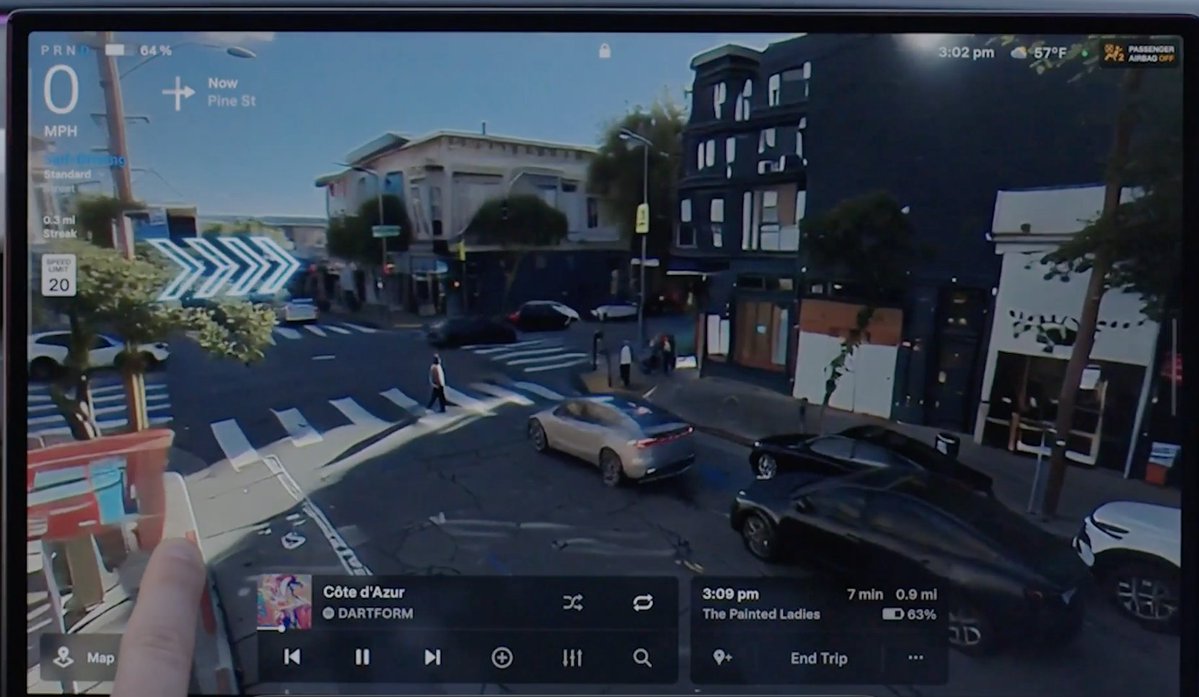
Here are the new FSD visualizations in FSD V15. It continuously streams a view from an arbitrary virtual camera situated above your vehicle.
Upcoming navigation turns display directly in the driving visualization. Turn signals are quieter and fade out after a few clicks.
It took less than 48h for people to get 60fps, DLSS5 while also hacking their way to first person in GTA VI.
This is stream play from PS5 to a computer with a 50 series chip with DLSS 5 enabled.
Looks like real life.
Four AI Models I Would Download and Keep in a Personal Archive
If I were building a personal AI model archive today, four models would make my list:
Qwen3.8-27B
Qwen3.8 Flash-Next
GLM-5.3-Flash
DeepSeek V4.1 Flash 1017
And no, you don’t need an expensive GPU or a multi-GPU workstation to preserve them.
You don’t even need to run them immediately.
The reason is simple: open-weight models are not guaranteed to remain easy to access forever.
Repositories change, older checkpoints get replaced, download links disappear, and community quantisations can become difficult to track down.
A model you can download today might be much harder to find a year from now.
If you’re interested in local AI, building your own archive is a practical way to preserve access to models you may want to experiment with in the future.
Four Models Worth Preserving
1. Qwen3.8-27B
A dense 27B model worth keeping for coding, reasoning and general-purpose experimentation.
It also provides a useful reference point for testing different quantisation formats, inference engines and local coding agents.
2. Qwen3.8 Flash-Next
This is the Mixture-of-Experts option in the collection.
MoE models activate only a portion of their parameters for each token, reducing the amount of computation required compared with activating the entire network.
However, the full model weights still need to be stored somewhere, so memory requirements remain an important consideration.
Preserving it gives you another architecture to experiment with as inference software and hardware improve.
3. GLM-5.3-Flash
Another interesting checkpoint for developers exploring local inference, coding and agentic workflows.
Keeping it allows you to compare its behaviour with Qwen and DeepSeek models across different tasks and inference configurations.
4. DeepSeek V4.1 Flash 1017
This is another model worth retaining for future experimentation.
As inference engines improve, older checkpoints can become more practical to run. Revisiting them also creates opportunities to compare their capabilities against newer releases under controlled conditions.
I would also preserve available quantisations and abliterated variants separately.
Abliterated models can exhibit different refusal behaviour, but reduced refusals don’t automatically mean better coding or reasoning. Keep modified checkpoints separate from the originals.
Why Archive Models You Cannot Run Yet?
Your current hardware shouldn’t determine which models you preserve.
You might have a GPU with limited VRAM today. A year from now, you could upgrade to a more powerful card, build a multi-GPU workstation or gain access to a system with more unified memory.
Inference software is also improving.
Techniques such as:
More efficient quantisation.
CPU and RAM offloading.
Speculative decoding.
Improved KV-cache management.
Multi-GPU inference.
Better memory optimisation.
These developments can make models that were previously impractical much easier to run.
Having the weights already downloaded means you won’t have to search for the original checkpoint when a better inference method becomes available.
You can simply revisit the model, test a new runtime and see what your updated hardware can achieve.
How to Build a Useful Model Archive
Downloading the weights is only part of the process. You should also preserve the information needed to identify and reproduce each model.
A few practices are worth following:
1. Separate original weights from quantisations.
Keep original checkpoints separate from GGUF, MLX and other community-converted formats.
2. Save the documentation.
Archive model cards, configuration files, tokenizer files and relevant installation instructions.
3. Record exact versions.
Keep the repository name, commit or revision hash and download date. This helps you identify the exact checkpoint you downloaded.
4. Preserve checksums.
The ARM build of macOS 27.2 now boots on ordinary Intel and AMD PCs.
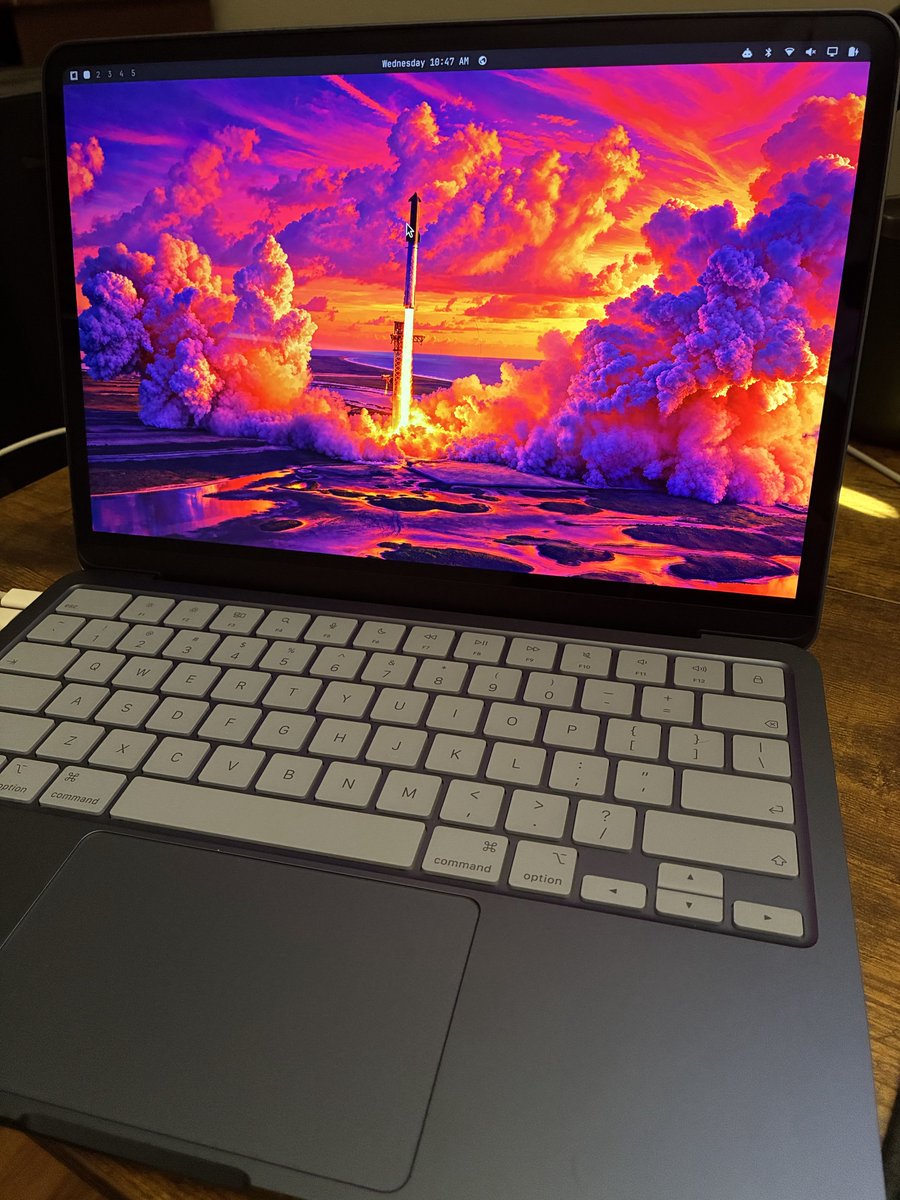
Stela v0.1.0 is out today. This isn’t a Hackintosh build: it takes the unmodified Apple silicon version of macOS and runs it on x86, translating arm64 code to x86-64 as it goes, with its own Metal driver for NVIDIA cards. The screenshot is a Ryzen 7 9800X3D with an RTX 5080.
To macOS, your PC looks like an M2 Mac mini. macOS and most apps start.
What you need:
An Intel or AMD CPU from about 2011 or newer, 8 GB of RAM, Secure Boot off
An NVIDIA GTX 16 or RTX 20 series card or newer
A USB stick (8 GB or more) and an empty 60 GB partition
Network during the install, since it downloads macOS for you
Setup runs from Windows, Linux or macOS and builds the boot USB. Open source, written in Rust.
https://t.co/BuaqlAMWLg
I used Gemini 4 Carbon to get Windows 11 running on my iPhone Duo! 💻
Unfold the screen and it's a pocket PC, including Antigravity running coding agents on my phone.
This is the actual desktop ARM OS running locally with touch controls.
Demo + repo below!
MiniMax M3.1 Flash, on more of your hardware.
Quantizing a 428B model opens up more ways to run it locally. Lower-bit weights reduce the memory needed to load the model and the weight data moved during decoding. Making those savings useful takes careful calibration, efficient low-bit kernels, and hardware-aware placement of experts across GPU and system RAM.
Thank you to the builders doing that work:
• @UnslothAI@danielhanchen — 2-bit Dynamic GGUF weights at 143.9 GB, with calibration and fidelity testing across coding, tool use and other workloads.
• @ViC305 — SAGE-EXL3, token-level fidelity measurements and a single-DGX-Spark recipe.
• @PeasantSmith — Project Maya quants and expert offloading for local coding and tool use.
• @MiaAI_lab — EXL3-EAQ quantization work.
• @jundotkim + mlx-community — oQ quants and DSpark-powered decoding through oMLX on Apple Silicon.
• @AIatAMD — Quark MXFP4 adapted for AMD Instinct.
• @atomic_chat_hq — GGUFs for local desktop workflows.
• @superalesha — custom inference work combining quantized weights, expert caching and system RAM on 4× RTX 3090.
Every shared quant, kernel, measurement and recipe gives the next builder a better starting point. Thank you.
Yes: handwriting still matters.
A new study has confirmed that writing by hand activates far more complex and widespread neural networks in the brain than typing, underscoring its importance for learning and memory.
Researchers at the Norwegian University of Science and Technology used a high-density EEG cap with 256 electrodes to record brain activity in university students. They found that the intricate, sensory-rich movements involved in handwriting, especially cursive, trigger highly synchronized brain waves across extensive areas of the parietal and central regions. These coordinated patterns are strongly linked to memory formation, cognitive processing, and encoding new information.
In contrast, typing, which involves repetitive, simpler finger movements, produced significantly less neural connectivity and engagement. The difference was striking: the brain appears much less active during digital writing.
The researchers conclude that the unique motor and sensory experience of holding a pen plays a key role in brain development and learning. As a result, they argue that handwriting instruction should remain a core part of education to support deeper comprehension and cognitive growth in the next generation.
[ “Handwriting vs. Typing: A High-Density EEG Study on Brain Connectivity During Learning” — Norwegian University of Science and Technology (published in Frontiers in Psychology, 2025)]
Claude Code found my wife's private photos and videos on 3 websites she never uploaded to. then it found a hidden app on my 13 year old daughter's phone sending her entire camera roll to a server every 6 hours. both found in the same scan.
someone sent my wife a link to a site she'd never heard of. her photos and videos were there. original files from her camera roll that were only ever on her phone.
i connected her iPhone to my MacBook and ran Claude Code. it found an active iCloud session logged in since March 2023.
IP → 116.25.***.91
location → Guangzhou, China
device → Windows 10 Pro
last sync → 6 hours ago
recovery email → x*****[email protected]
someone got her Apple ID from a leaked database and synced her entire library for over a year. she changed her password twice. they had a recovery email she never set up and got back in every time.
found on:
→ www.l**k-vault cc
→ www ph***dump to
→ telegram → t me/le***vault_asia (14,000+ subscribers)
the last thing Claude Code pulled from her account was photos and videos of our daughter. that made me check her phone next.
she's 13. she had a photo editor app with 2.7 million downloads from the App Store. Claude Code found it uploading her camera roll to a server in Vietnam every 6 hours.
server → 103.56.***.12
location → Ho Chi Minh City, Vietnam
total uploaded → 11,400 files
access → camera, photos, location, microphone
her face, her school, her friends, her exact location every day for 8 months. Apple approved the app. it's still live right now.
what we did that night:
→ killed the iCloud session and removed the recovery email
→ changed every password from my phone, not from hers
→ deleted the app and revoked every unnecessary permission on both phones
→ filed DMCA takedowns on all 3 sites
2 of the 3 sites took the content down. the telegram channel is still up.
my wife cried. my daughter still thinks i deleted her app because it was using too much battery. i'm not going to tell her the real reason.
the full step by step is below. takes 3 minutes. run it on every phone in your house tonight. save it so you don't lose it and send it to anyone with a family.