Andrew Ng:
“AI agents are doing almost 100% of my tasks now - the hype has exceeded my expectations.
in 4-6 months, we’ll all be building graphs to orchestrate self-improving agents. No more prompting.”
In a 20-minute talk, Andrew Ng explains how to build self-improving agentic systems from scratch.
Worth more than a $500 agentic course.
Watch this video, then read the article below on how to become a graph architect.
Anthropic just dropped 5 workshops on building self-improving agentic systems from scratch:
00:00 - Ship your first Claude agent
36:44 - Build memory for Claude agents
1:05:06 - Make your agent autonomous
1:26:46 - Set up a proactive agent
2:03:35 - self-improving agents (tools,skills)
These 3-hours of free Claude workshops will replace 10 paid agentic courses.
Watch today, then read article below on how to build a self-improving agentic system with Fable 5.
Sometimes when I'm on a call I wanna explain stuff using diagrams. Its too much of a pain to pull up excalidraw and share screen.
So, I'm making this browser plugin for myself.
Draw, Edit, Move, Scale objects on screen while you talk.
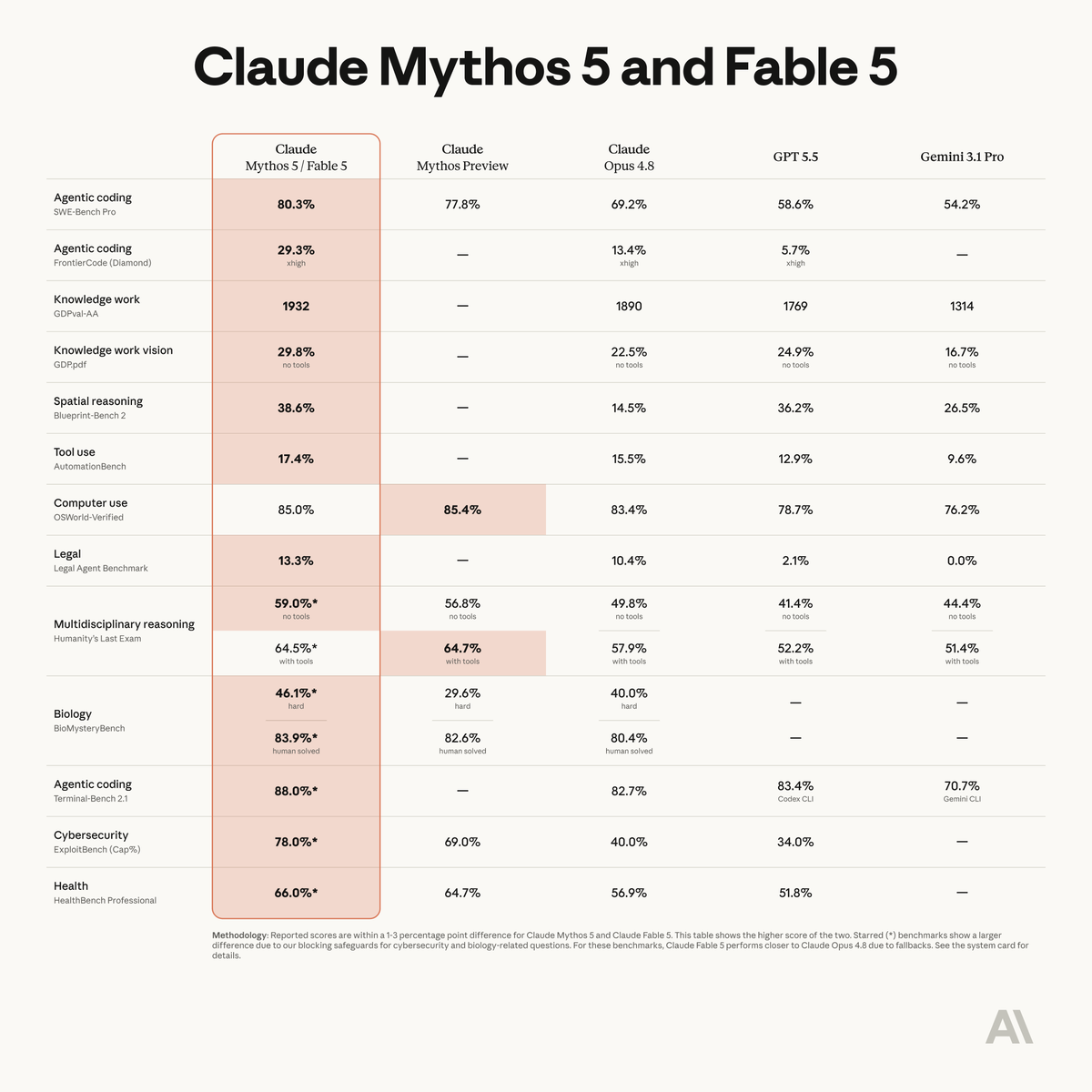
Introducing Claude Fable 5, our most capable public model ever.
Best-in-class for software engineering, scientific research, knowledge work, and vision.
Available today on all paid plans, in Claude Code, on the Claude API, and all major cloud platforms.
Patient Name :- Hunny Shah
Age :- 37
Gender :- Female
Num Of Unit's :- 01
Blood group :- A-ve & Any Grouping
Hospital Name/Location :- SAGE Hospital, Malad
Patient Contact no :- 9136213985
@BloodDonorsIn
You won’t believe what’s next for Android!
Tune in to the The Android Show | I/O Edition May 12 at 10 am PT for a look at the future.
Set a reminder at https://t.co/RFgly7WP7M and be the first to know 🗓️ #TheAndroidShow
Anthropic pays engineers $750,000+ a year to understand how LLMs work.
Stanford just put a 2 hour lecture that covers 80% of it for FREE.
Bookmark this. Give it 2 hours today.
It might be the highest ROI thing you do this month:
The UAE stands safe and strong, a land of stability and reassurance, united in spirit, confident in its leadership, and a true source of pride for all who call it home.
#proudofuae
MASTERING PLAN FOR LLMs
Large Language Models (LLMs) are the foundation of modern AI systems. They power chatbots, copilots, search engines, automation tools, and intelligent agents. This mastering plan takes you from understanding how LLMs work to building scalable, production-grade AI applications.
STEP 1: UNDERSTAND LLM FUNDAMENTALS
→ What LLMs are and how they work
→ Tokens and tokenization
→ Transformers architecture basics
→ Training vs inference
→ Pretraining and fine-tuning
→ Context windows and limitations
Build a strong conceptual foundation before building applications.
STEP 2: LEARN HOW TO USE LLM APIs
→ Working with OpenAI APIs
→ Prompting via SDKs (JavaScript, Python)
→ Chat vs completion models
→ Temperature, max tokens, top-p
→ Streaming responses
→ Handling API errors and retries
APIs are the entry point to real-world LLM applications.
STEP 3: MASTER PROMPT ENGINEERING
→ Zero-shot prompting
→ Few-shot prompting
→ Chain-of-Thought prompting
→ Role-based prompting
→ Output formatting (JSON, structured data)
→ Prompt optimization techniques
Good prompts = better outputs.
STEP 4: STRUCTURED OUTPUTS AND TOOL USAGE
→ Function calling
→ Tool integration
→ JSON schema outputs
→ Calling external APIs
→ Building tool-augmented agents
This is how LLMs interact with real systems.
STEP 5: RETRIEVAL AUGMENTED GENERATION (RAG)
→ What RAG is and why it matters
→ Embeddings and vector databases
→ Semantic search
→ Chunking and indexing data
→ Query pipelines
→ Improving answer accuracy
RAG helps LLMs use your own data.
STEP 6: MEMORY AND CONTEXT MANAGEMENT
→ Short-term vs long-term memory
→ Conversation history management
→ Summarization techniques
→ Vector memory systems
→ Context window optimization
Memory enables more intelligent and personalized systems.
STEP 7: BUILDING AI AGENTS
→ What AI agents are
→ ReAct pattern
→ Plan-and-execute systems
→ Tool-using agents
→ Autonomous workflows
→ Multi-agent systems
Agents turn LLMs into decision-making systems.
STEP 8: LLM FRAMEWORKS AND TOOLS
→ LangChain
→ LlamaIndex
→ AutoGen
→ Semantic Kernel
→ Prompt orchestration tools
Frameworks help you scale development faster.
STEP 9: EVALUATION AND TESTING
→ Evaluating LLM outputs
→ Prompt testing
→ Benchmarking
→ Human-in-the-loop evaluation
→ Automated evaluation pipelines
You cannot improve what you don’t measure.
STEP 10: SAFETY AND GUARDRAILS
→ Handling hallucinations
→ Content filtering
→ Prompt injection protection
→ Rate limiting
→ Moderation systems
→ Responsible AI practices
Safety is critical in production AI systems.
STEP 11: PERFORMANCE AND OPTIMIZATION
→ Latency optimization
→ Caching strategies
→ Token cost optimization
→ Model selection strategies
→ Batch processing
→ Streaming and responsiveness
Efficient systems reduce cost and improve UX.
STEP 12: DEPLOYMENT AND SCALING
→ API deployment strategies
→ Serverless vs microservices
→ Load balancing
→ Scaling LLM applications
→ Monitoring usage and costs
→ Multi-region deployments
Production systems must be reliable and scalable.
STEP 13: BUILD REAL-WORLD PROJECTS
→ AI chatbot with memory
→ Document Q&A system (RAG)
→ AI coding assistant
→ AI content generator
→ AI automation agent
→ Multi-agent collaboration system
Projects turn knowledge into real-world skills.
LLMS HANDBOOK
Get the complete LLMs Handbook with deep explanations, prompt engineering strategies, RAG systems, AI agents, and production-ready AI architectures:
https://t.co/ljEMt0VlKg
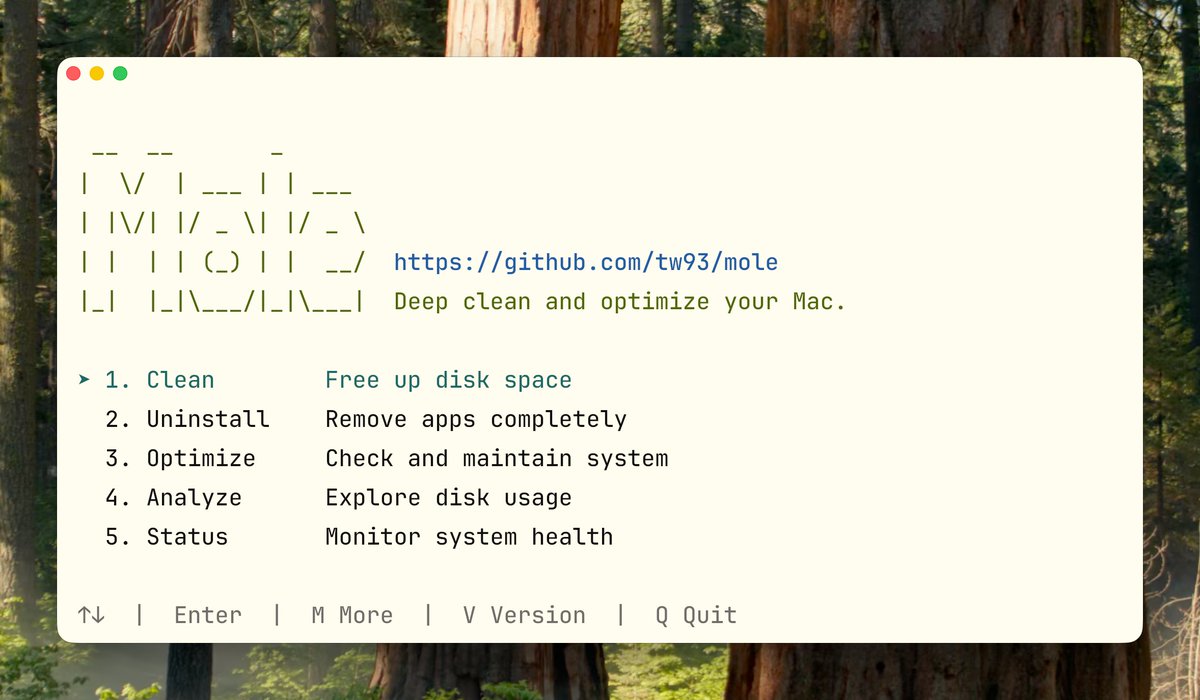
Mole 1.34 is live. The Mac cleaning tool that can free up tens of GBs in one go. 36K stars. https://t.co/rVM1P2nZ1O
Here’s what matters from the last two releases:
· mo optimize: now runs optimization tasks automatically with no confirmation prompts, and adds regular maintenance, quarantine cleanup, broken LaunchAgent repair, .DS_Store protection, and disk SMART checks.
· mo analyze: gives a much clearer view of reclaimable space, including iOS backups, old Downloads, and real cache usage from Xcode, Gradle, JetBrains, Docker, pip, and more. It also shows cleanable items like Trash, system caches, and Xcode artifacts before you run cleanup.
· mo clean: expands cleanup coverage for Zed, Warp, Ghostty, Cursor, Stremio, Brave Service Worker caches, expired iOS/iPadOS firmware, Chrome graphics caches, Stocks app cache, Office container logs, wallpaper thumbnails, and more. Whitelist rules are handled more consistently.
· mo uninstall: now supports mo uninstall <appname> directly, with better leftover detection, orphan file cleanup, and improved handling of app-related residue.
· mo check and mo status: better visibility into system health, including battery health and uptime scoring, broken LaunchAgents, missing developer tools, and common version conflicts in local dev environments.
These two releases make Mole more useful in day-to-day cleanup, especially for developers and long-used Macs. If Mole helps, I’d love your ideas on where to dig deeper for safe cleanup and more hidden junk.
So... Vertical tabs are out in @googlechrome. I thought it would make me switch back to it, I really thought it was the one thing I needed in Chrome.
I currently use @diabrowser , but here's the thing. In comparison, the implementation of vertical tabs in Chrome is just awful. It barely changed since I saw it in beta. I thought it would greatly improve during the beta phase, but it did not. So here's everything I dislike about it compared to Dia:
1. It's super laggy.
2. When collapsed, the sidebar moves down, meaning the position of the expand/collapse button shifts down too, making it much harder to find. (I ironically couldn't find the first few seconds of the video specifically because of that)
3. No keyboard shortcut to expand/collapse.
4. Collapsed doesn't move the tabs out of view, they are just tiny.
5. The amount of tabs per line in the grid of pinned tabs is not adjusted depending on the number of tabs.
6. In collapsed mode, all the pinned tabs are now in a column, which can push the actual tabs quite far down.
-----
It's just awful. It was built into Chrome as a way to just say "hey we also have vertical tabs!" But the UX is simply awful. This has to be the worst implementation of vertical tabs I've seen so far yet, sadly.
For comparison, I'm also showing how @diabrowser handles vertical tabs.