Missed us at #dotNETConf? Catch up on what's new in #VisualStudio Diagnostics.
Explore AI-assisted investigations, hands-free bug resolution with UI automation, and a connected diagnostics experience across Visual Studio and other clients!
https://t.co/gZnMFnl4DU
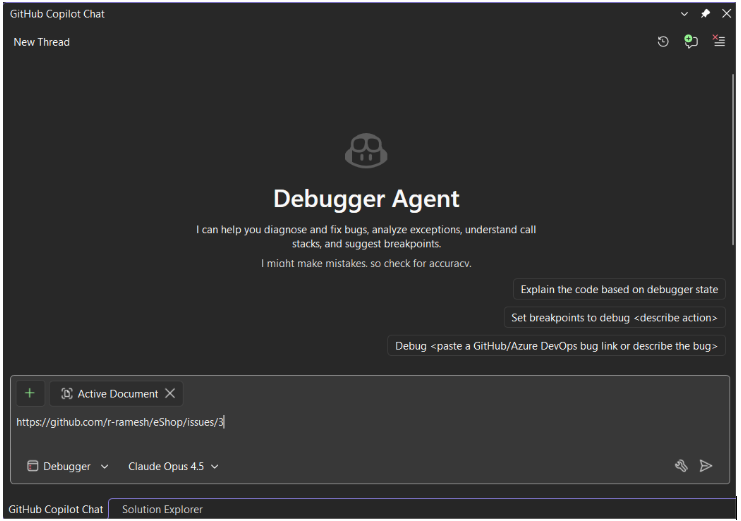
Think the Debugger Agent is just for explaining exceptions? Think again. 👀
It can reproduce bugs, find root causes, suggest & validate fixes, analyze call stacks, debug failing tests, and more all with natural language.
Try these ready-to-use prompts: https://t.co/w1AQCYFUKr
@MitchRazga@madskristensen Thanks so much for trying out Git submodule support! How many repos do you have?
Unfortunately, we don't have any short-term plans to increase this limit. That said, we can definitely add this to our backlog for future consideration.
@madskristensen@ThomasArdal Another quick tip: just ask the Debugger Agent, "What tips, features, and capabilities can you help me with?" You might be surprised by how much more it can do.
Check out the latest Visual Studio Toolbox episode
Watch as @mpeyrotc from the Debugger team explains the Debugger Agent.
Learn how to use the guided workflow to navigate from bug report to verified fix with total precision in runtime.
#VisualStudio2026
https://t.co/jNb3r0Gz9I
Stop Guessing, Start Fixing!
Meet the new Debugger Agent workflow in Visual Studio. ...not just a chatbot, but a real-time partner that reasons together with you.
https://t.co/MhxBhW3M2D
✨ NOW on .NET Conf 2025 ✨
Visual Studio Debugger: Advanced Techniques
12:00 PM - 12:30 PM PST
Join us LIVE ➡️ https://t.co/9orp5q67ov
Follow the conversation: #dotNETConf#VisualStudio2026#debugging
New to debugging?
What’s stopping you from exploring tools like conditional breakpoints, data visualizers, and call stacks?
Is it the learning curve, lack of time, or just hard to find?
What would make you give them a try? 👇
Tests failing again? Copilot Debugger Agent’s got your back.
Just right-click → “Debug with Copilot.” It finds the problem, applies the fix, reruns the test, and keeps at it until it passes, automatically.
#vs2026
https://t.co/EU9pIdy1dn
Visual Studio 2026 Insiders Release just dropped!
⚡️ Faster startup, smarter AI agents, modern UI, and seamless upgrades.
Try the future of coding—download now and let us know what you think!
🔗 https://t.co/84PE96ljDl
#VisualStudio
Not a performance expert?
No problem. With Copilot Profiler Agent in Visual Studio, you can analyze, fix, and validate performance issues right inside your project.
#VS2026
https://t.co/OgwCKtBRRg
We’ve been sitting on this secret 🤐
"Copilot Profiler Agent" is coming soon in Visual Studio turning profiling into a “sit back 🛋️, sip your coffee ☕, and let it happen” experience.
First teased at #VSLive… now it’s almost in your hands.
https://t.co/wz5WGuABZA
🚀 Don’t miss our Build 2025 session!
See how GitHub Copilot in Visual Studio is transforming debugging—from stepping through code and fixing exceptions to tackling deadlocks and boosting performance and much more.
https://t.co/qs2cGyI7k0
🚀 Dive into multi-process CPU usage analysis with Visual Studio! 🖥️
Discover how to diagnose and optimize CPU performance across multiple processes with ease. Check out the new features and streamline your workflow! 🔍
https://t.co/mpkpVRjf07
Lost in a maze of threads and stack traces?
Visual Studio’s AI-powered thread and app summaries with enhanced Parallel Stacks Window will help you uncover thread actions, detect deadlocks, and fix issues in no time.
https://t.co/j0pqxbpspE
🚀 Enhanced Editable Expression in IEnumerable Visualizer! Generate and refine LINQ queries with inline chat and Copilot Chat dialog, now with IntelliSense, color syntax, and editor-like consistency. Try it out and share feedback!
https://t.co/YEfyC4rLKC
We've integrated GitHub Copilot across ALL parts of Visual Studio to help you code smarter, debug faster, and test more efficiently. See how Copilot supercharges your workflow.
Watch now: https://t.co/kLbikVqsg7
Visual Studio Users, We Need Your Feedback! We're working on improving the Performance Profiler, and we want to hear from YOU!
What would make the Profiler launch page more helpful or easier to use?