¿BUSCA TRABAJO REMOTO ? 💻
Aquí tienes 40 sitios web para encontrar oportunidades remotas en tecnología, programación, redacción, marketing, atención al cliente, diseño y freelance.
He organizado los sitios POR CATEGORÍA para que encuentres más rápido las oportunidades que encajan contigo.
GUÁRDALO AHORA O TE ARREPENTIRÁS.👇
A mi criterio, yo tenía mi CV y LinkedIn bastante bien armado.
Después de aplicar lo que dice esta guía, me llegan (fuera de joda) 1 o 2 propuestas laborales por semana.
MUY recomendable
Justo antes, quería avisarte que @Adamaestr0_ y yo hemos lanzado una guía de 300 prompts profesionales para Claude.
Un verdadero diccionario según lo que quieras hacer.
Y es gratis.
El enlace aquí: https://t.co/Yxg6HYtI4U
THIS IS AN ACTUAL F*CKING GOLDMINE
Opus 5.5 just killed the jobs of motion designers...
anyone can build your own motion design studio with Opus 5.5 + Claude Code
one product action → a launch clip → a reusable production workflow
give every move a job:
01 assets + brief
supply the logo, product screens and reference, then define the shot, copy and reading hold
02 frame timeline
pin the entrance, button press and result reveal to specific frames
03 preview + revision
inspect the stills, watch the moving scene, then give the agent one precise edit
04 export + reuse
deliver the clip and keep the approved entrances, cursor paths and text components for the next project
the loop:
brief → build → preview → scoped edit → render → review → reuse
start with one launch clip + one cover + one revision round
save this, then read the full guide for Opus 5.5 Motion Engineering ↓
This week will be life changing
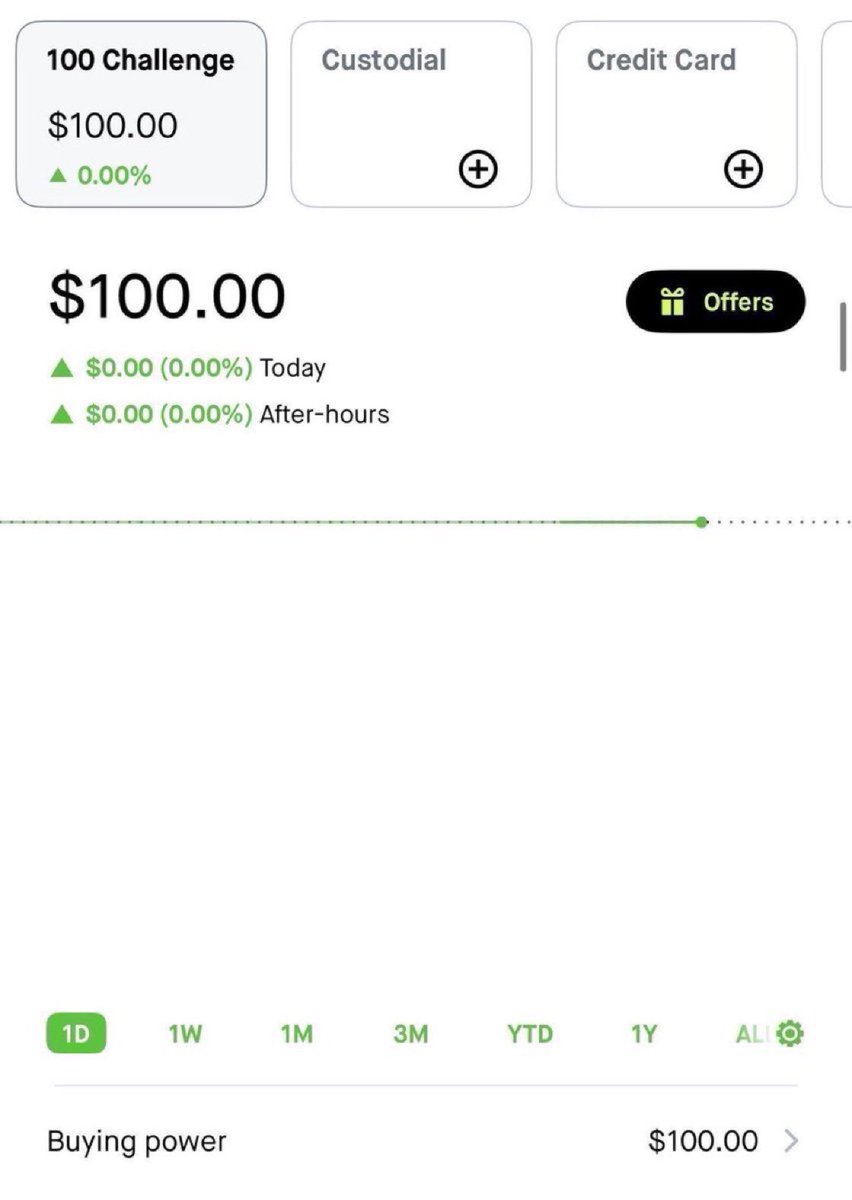
I’m restarting the $100 to $10,000 challenge.
I want everyone to have a fair shot at this.
Last time it took me about 7 days, will try to do it faster this time.
If you want to follow along, comment below to join
Going to lock comments in 24 hours
Today we made a big update to location in the iOS and Android app. Now Hark can be assigned to do whatever you want, wherever you need it.
You live your life, Hark acts on where you are.
- Pull into your driveway → Hark reminds you to start a load of laundry
- Get halfway through your commute → Hark places your coffee order
- Walk into UPS → Hark pulls up your return QR codes
- Leave the office on a Friday → Hark finds you the closest happy hour
Just tell Hark, "I'll share my location"
Today Hark is launching on iMessage
Book travel. Make purchases. Save money. All with Hark's secure logins and payments fully intact
It's the same Hark you know, now in iMessage and RCS. Ask Hark to text, or pick it when you sign up
Si eres diseñador UI/UX, guárdate esto.
1. https://t.co/BsPEDrxmvU → más de 600 prompts de diseño y 200+ componentes con código completo para webs 3D y con scroll
2. https://t.co/1hM8CzxUpJ → 117 shaders animados en 11 estilos
3. https://t.co/FzDq5KQXiv → footers mejores
4. https://t.co/z9rlJ3109Y → inspiración para CTAs
5. https://t.co/zXbLwxoWZu → estilos de productos reales
¿Qué me he dejado?
QUÉ LOCURA, un estudio de motion entero en skills 100% gratis de GitHub.
20 skills open source para Opus 5.5: animación, simulación, 3D, audio y exportar.
01 Remotion → vídeo con React
https://t.co/n4x0bbJJGw
02 Remotion Skills → las skills oficiales de vídeo para agentes
https://t.co/I2jJs8ouHW
03 Anime.js → coreografías con timeline
https://t.co/9vuVlCpwLp
04 Motion → animación de UI y transiciones de layout
https://t.co/Oecu0O4fMW
05 Manim → diagramas, ecuaciones y explainers animados
https://t.co/fa5Syx8HdG
06 Lottie → animación vectorial que pesa poco
https://t.co/wgDId0zBA2
07 MCP for Blender → Claude te monta y edita escenas 3D
https://t.co/3nJ5Zm5MV5
08 Three.js → escenas 3D y movimientos de cámara
https://t.co/DdjDq3TsfQ
09 Three GPU Pathtracer → luces y reflejos realistas
https://t.co/9Afh24U8EC
10 Jolt Physics → colisiones, cuerpos rígidos y blandos
https://t.co/r7ljiTicwS
11 postprocessing → bloom, profundidad de campo y etalonaje
https://t.co/0p0GL7syBl
12 Three.quarks → partículas y VFX
https://t.co/o3KkwaznXu
13 Tweakpane → controles en vivo para los parámetros de la escena
https://t.co/XnQ1UcsxMl
14 ComfyUI → workflows de generación por nodos
https://t.co/tmbKy9yZZf
15 CosyVoice → voces en off en varios idiomas
https://t.co/maeMmJwpb4
16 librosa → detecta el beat para animar al ritmo de la música
https://t.co/BdtW1sw9nr
17 WhisperX → subtítulos con timing palabra por palabra
https://t.co/8EyzwCq77s
18 OBS Studio → captura de pantalla
https://t.co/XkFBnqWd3D
19 LosslessCut → cortes rápidos sin recodificar
https://t.co/0cNY4jAj78
20 FFmpeg → encoding y exportación final
https://t.co/Mj79onD1LA
Idea → escena → movimiento → sonido → corte final.
Guárdatelo y haz algo que la gente quiera ver ↓
If you want a full in-depth training of me breaking down this entire system:
The exact research method, the ChatGPT and Claude prompts, and the full publishing checklist, from your first problem to your first sale.
You can get it here for free:
https://t.co/mvQEn8ELDT
si querés empezar a trabajar con Claude Code y no sabés por dónde arrancar, te recomiendo seguir este roadmap:
1) primeros pasos: instalá Claude Code, abrí un proyecto y ejecutá `claude`. pedile que explore el repositorio y te explique cómo funciona.
2) tareas simples: empezá con bugs, tests o funcionalidades chicas. revisá los cambios y dale feedback.
3) contexto: aprendé a usar CLAUDE.md para definir reglas, convenciones y comandos de tu proyecto. podés empezar con /init.
4) planificación: usá Plan Mode para que Claude investigue el código y proponga una solución antes de implementarla.
5) Skills: creá instrucciones y workflows reutilizables. por ejemplo, una skill /code-review para revisar cambios siguiendo tus criterios.
6) tools y permisos: entendé cómo Claude ejecuta comandos, modifica archivos y qué acciones podés permitirle.
7) verificación: hacé que ejecute tests y revise sus cambios. acostumbrate a validar los resultados.
8) MCP y Hooks: conectá herramientas externas y automatizá acciones, como ejecutar prettier después de editar código.
9) subagentes: aprendé a delegar tareas específicas a agentes con su propio contexto.
y si querés profundizar en cómo funciona Claude Code por detrás, te dejo un artículo que escribí.
entender cómo funciona el agente y aprender a configurar su entorno hace una diferencia enorme.