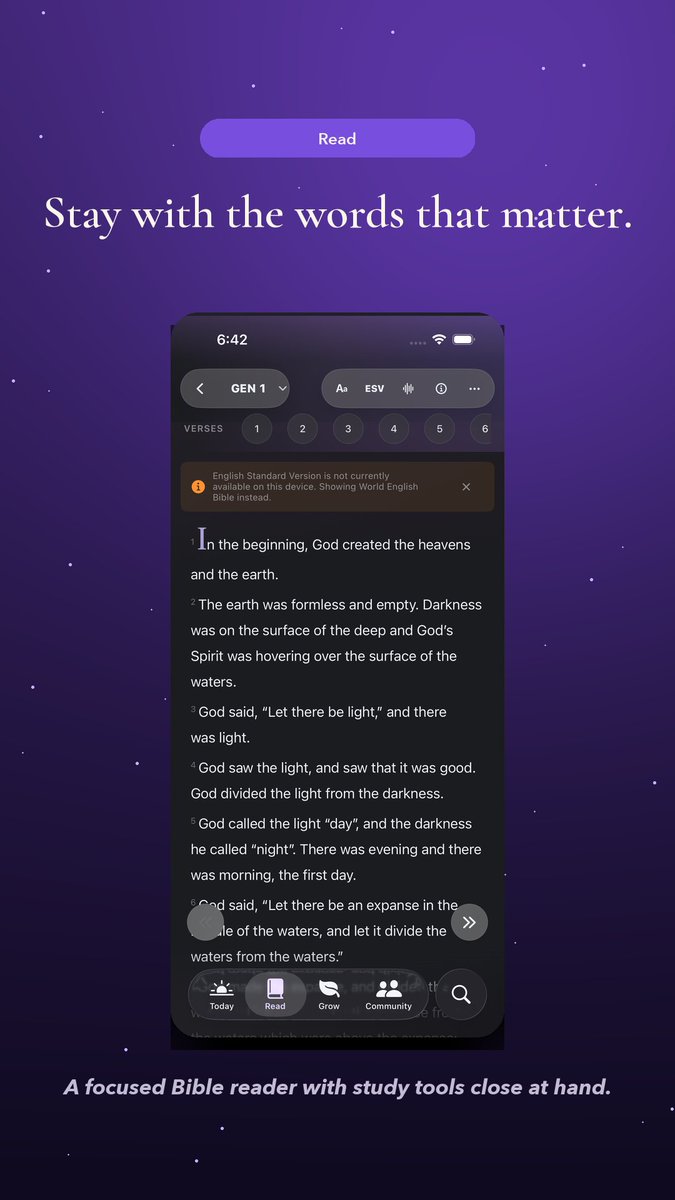
I built a Bible study app that has a mode for atheists. Here's why.
Leavn has been on the App Store since May, but 3.0 is the real grand opening. 🎉
The idea started while watching The Chosen. I kept thinking: what if the rest of the Bible could be narrated in a cinematic way that wasn't a parody, the way The Chosen does for Jesus' life? What if we had that for the whole Bible? That question wouldn't leave me alone. I felt convicted by God to build it.
Everything in Leavn runs on-device. iOS 26 unlocked AI tools that weren't possible before, and Leavn uses them. Your prayers, study notes, every question you type... it all stays on your phone. There's no need to ask for, collect, or store any of your personal information.
Leavn might be the only Bible study app in the App Store with a mode for atheists. I built it because I think the Bible is worth reading regardless of where you are with faith. Everyone should be able to approach it on their own terms.
There are premium features, but I will never gatekeep the Bible itself. Reading the Word in different languages will always be free.
It's free, works offline, and doesn't need an account.
https://t.co/kZyehZdh9q
Funeral home says they are “sorry” for accidentally cremating a woman and presenting someone else with her wig on at an open-casket viewing.
A Detroit family says they showed up at the funeral home only to find someone else in the casket wearing their mother’s clothes.
Yikes.
@_simonsmith instead of chat or work mode, open up remote mode and either land on all or the machine you have
tap voice button on THAT screen - presto - voice with connections.
i’ve had the same gripe and this is how i work around it until they roll it out. works great on carplay too!
Opening access for developers to build Muse connectors. You bring the API -- Muse brings the agent, the browser, and the context of what the person actually wants. People reach your service just by asking for it, and their agent takes it from there.
New connectors are live today. Come build with us. https://t.co/o6oTf1Sj9y
Today, we’re launching support for Chrome extensions in the ChatGPT desktop app!
Bring the extensions you use every day to the in-app browser. You can now install, pin, and use your favorites, like 1Password, while getting things done with ChatGPT.
Enterprise admins can now centrally deploy and manage extensions across their workforce so the IAB meets security requirements.
Try it out and let us know what you think!
We're adding support for AGENTS.md to Claude Code.
Starting today in version 2.1.277, if there is no CLAUDE.md in a folder, Claude will check for and use AGENTS.md.
You can toggle this behavior in /config.
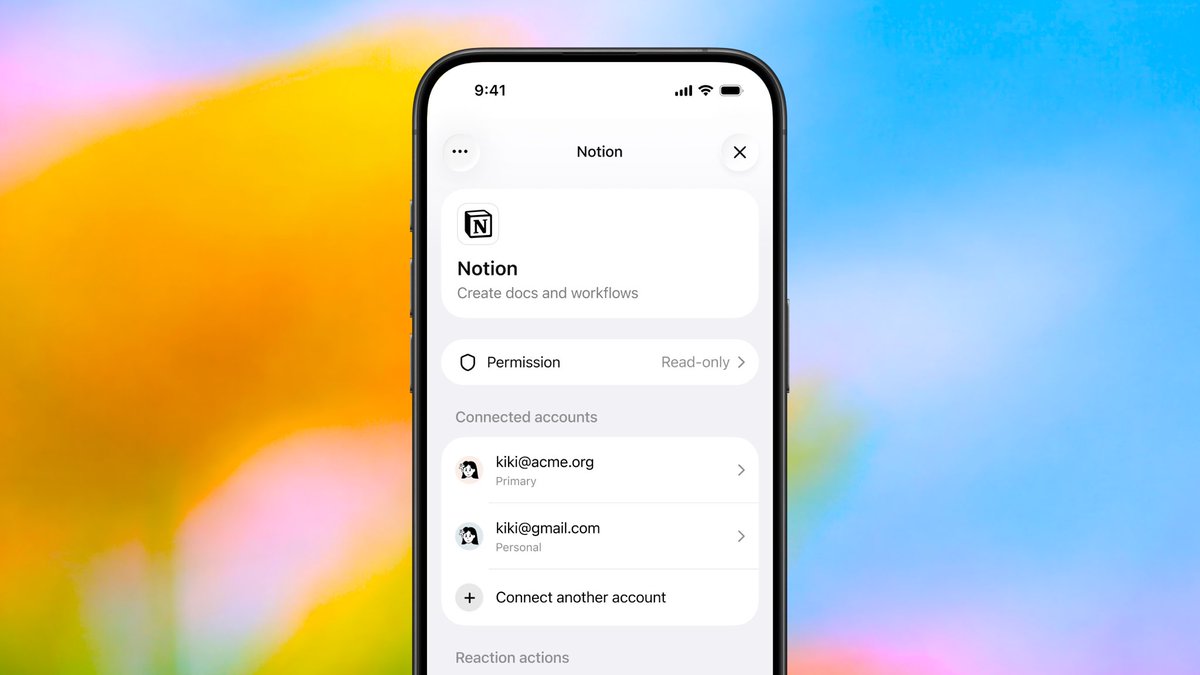
Starting today, you can connect multiple accounts with most plugins in ChatGPT! 🎉
Bring context from your work and personal accounts into the same conversation. Connect your accounts in the plugin directory: https://t.co/MhhASXOJIo
Devs: this works automatically, with no changes needed.
But, to make the experience for users of your plugin even better, add a profile tool to your MCP server so ChatGPT can label the accounts: https://t.co/JYB1Qol8Bt
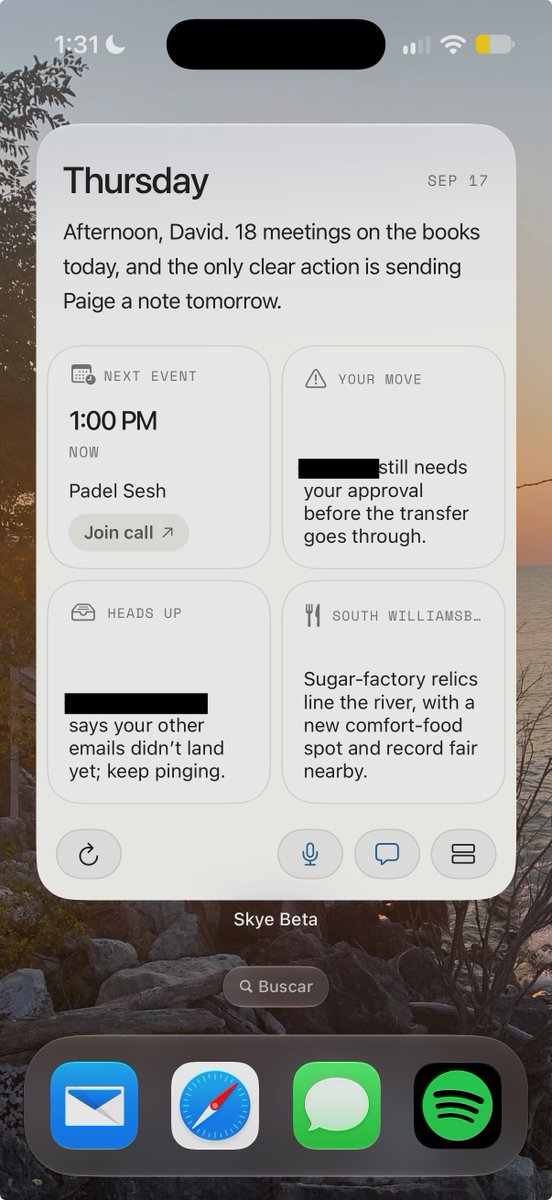
The most unique surface i've seen of an AI assistant
It lives as a widget that you can interact with (voice note to, message, etc.)
This also means it doesn't have notifications/constantly ping me, will be fun to test and see how it compares
I always wondered what different UX surfaces will emerge in this AI assistant race, cool to see new ones popping up!
@JustinBleuel in fact, i made a custom rule where agents have to give me one as the output briefing after finishing a tick’s-worth of work (sidebar chapter tickers)
✨ All users can now visualize responses in @ChatGPT!
Chat models will respond interactively via @.visualize plugin or when prompted to make a mini app, simulation, game, etc.
S/o @youwayx@faisalyaqub@jamesfzhang@Ian8ach and Steve for making this excellent on all platforms